
Comfyui_LG_Tools
This is a toolset designed for ComfyUI by LAOGOU-666, providing a series of practical image processing and operation nodes, making our operation more intuitive and convenient
Nodes (32)
Paste your inpainted crop back, edges feathered, no visible seam
Crop exactly the region your mask found, sized for real inpainting
Turn your layers into a real PSD, before you ever leave ComfyUI
Save a layered composite as a real .psd from inside your graph
Save an image and paint its mask, in one node
The preview bridge that doesn't reset your mask every refresh
Color grading by feel, not by sliders you can't picture
A prompt picker you actually read, not a dropdown full of seeds
The node that tries to be a mini Photoshop
Reapply a canvas layout without dragging a single layer
The feeder node that seeds FastCanvas programmatically
Flip between two node groups with one boolean
The crop node that makes you part of the workflow
Pick the keeper out of an 8-image batch — stop upscaling the other seven
The interactive resize node
The InSPyReNet loader half of a two-node background remover
Cut out the subject, keep the mask, pick a backdrop
The switch that refuses to run the branch you don't need
Two branches, only one gets run — the switch that skips work
A loop counter that cycles on its own (and a None trap to know)
A float slider that physically cannot leave 0–1
Load one folder, get every image, one at a time, in order
Install any pack's requirements without leaving ComfyUI
Split a latent batch into a list ComfyUI can actually iterate
Load the image you just rendered, without the picker dance
Turn a pile of masks into one usable mask
Fill the holes inside a mask in one step
Grain, dissolve, and gaussian noise you can point at an image
Run pip from inside the node graph
Save images where you want, in the format you want
A value switch that can also mute the branch you're not using
Program a canvas layout from a JSON string
Comfyui_LG_Tools
这是LG_老狗的学习笔记为ComfyUI设计的工具集,提供了一系列实用的图像处理和操作节点,让我们的操作变得更加直观方便
安装说明
- 确保已安装ComfyUI
- 将此仓库克隆到ComfyUI的
custom_nodes目录下:
cd ComfyUI/custom_nodes
git clone https://github.com/LAOGOU-666/Comfyui_LG_Tools.git
- 安装依赖:
pip install -r requirements.txt
使用方法
- 启动ComfyUI
- 在右键添加节点中,您可以在"🎈LAOGOU"类别下找到所有工具节点
- 将需要的节点拖入工作区并连接使用
节点说明
图像裁剪节点
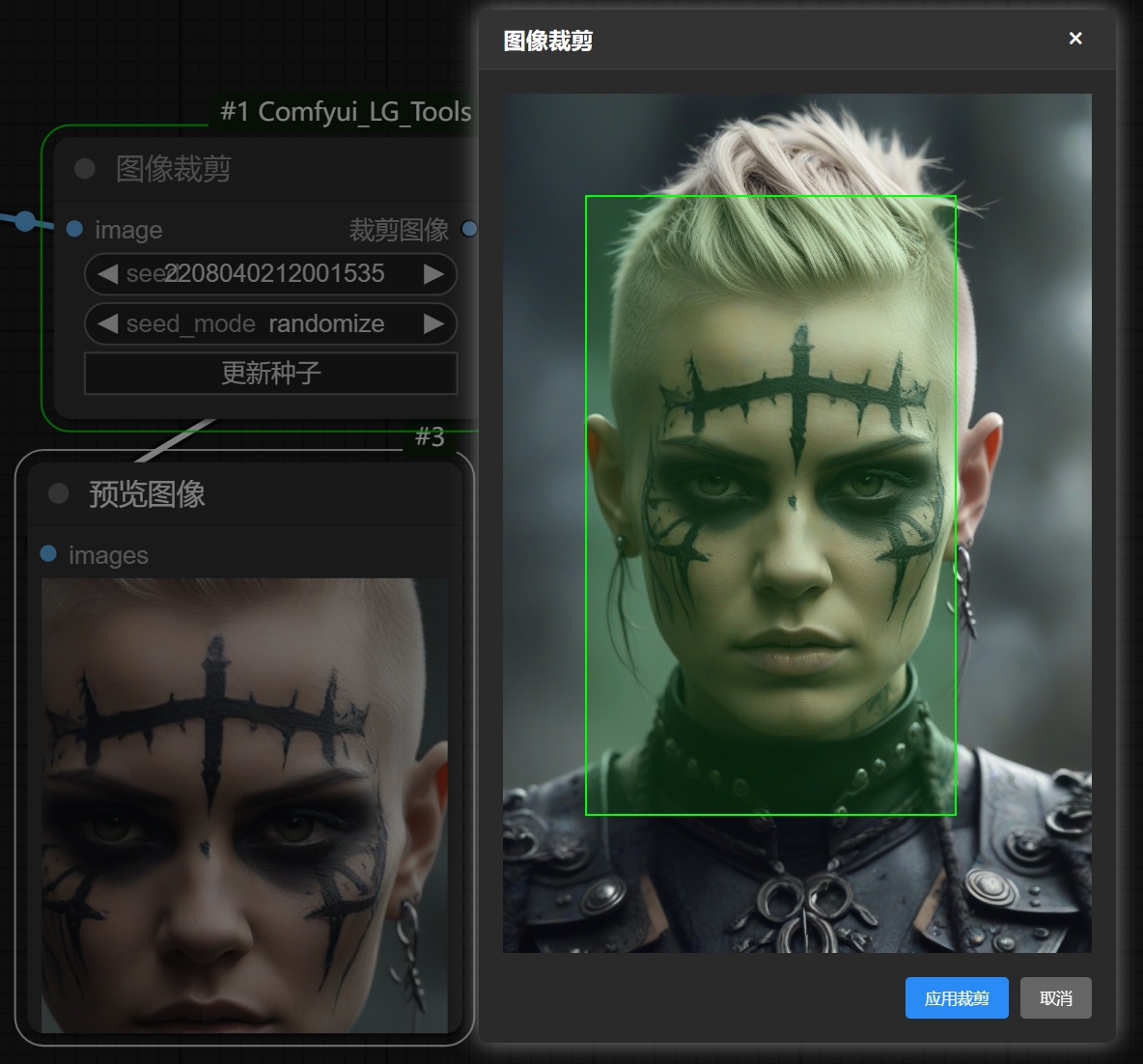
- 点击左键框选指定范围进行裁剪
图像尺寸调整节点
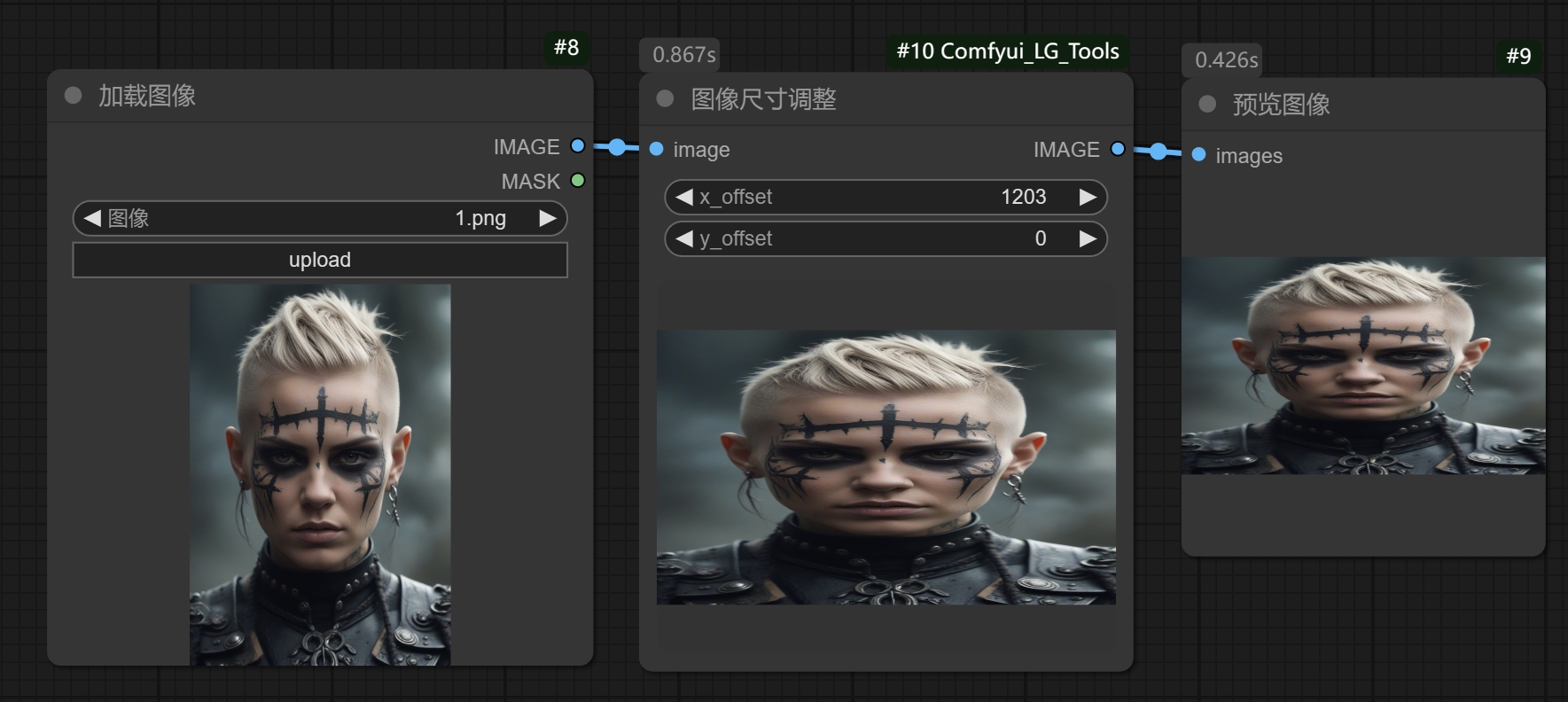
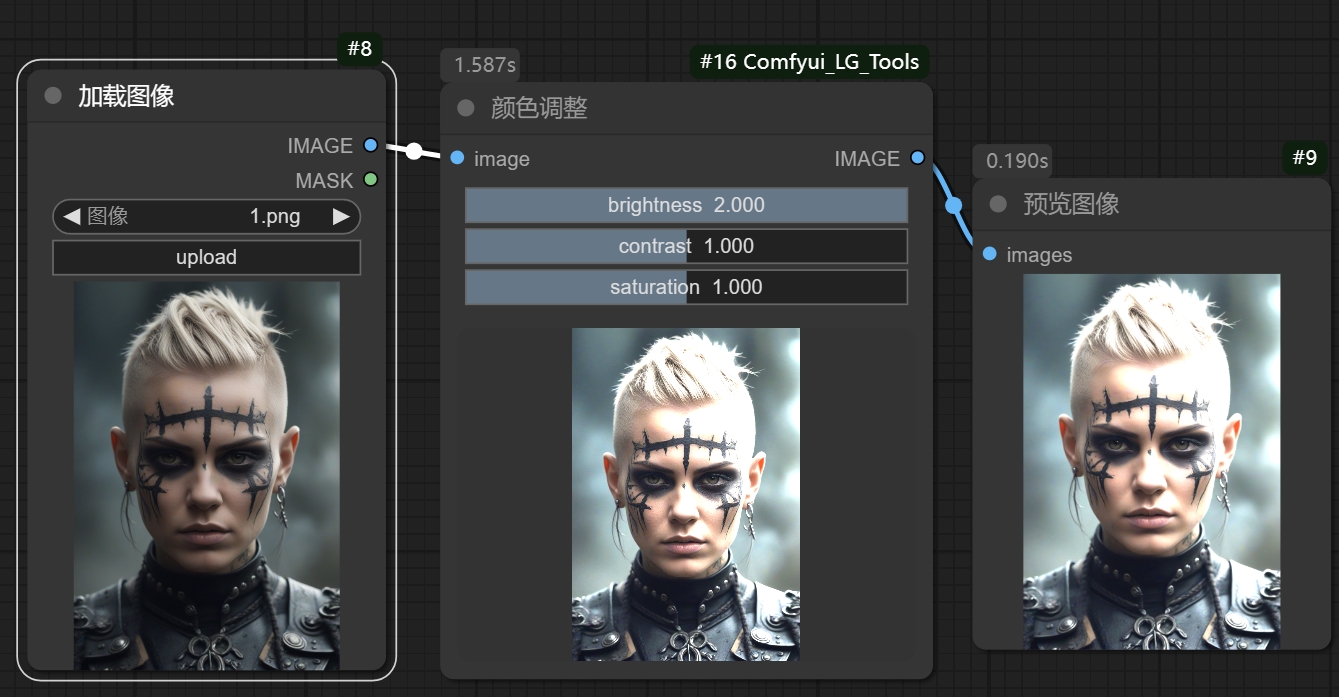
颜色调整节点
FastCanvas画布节点
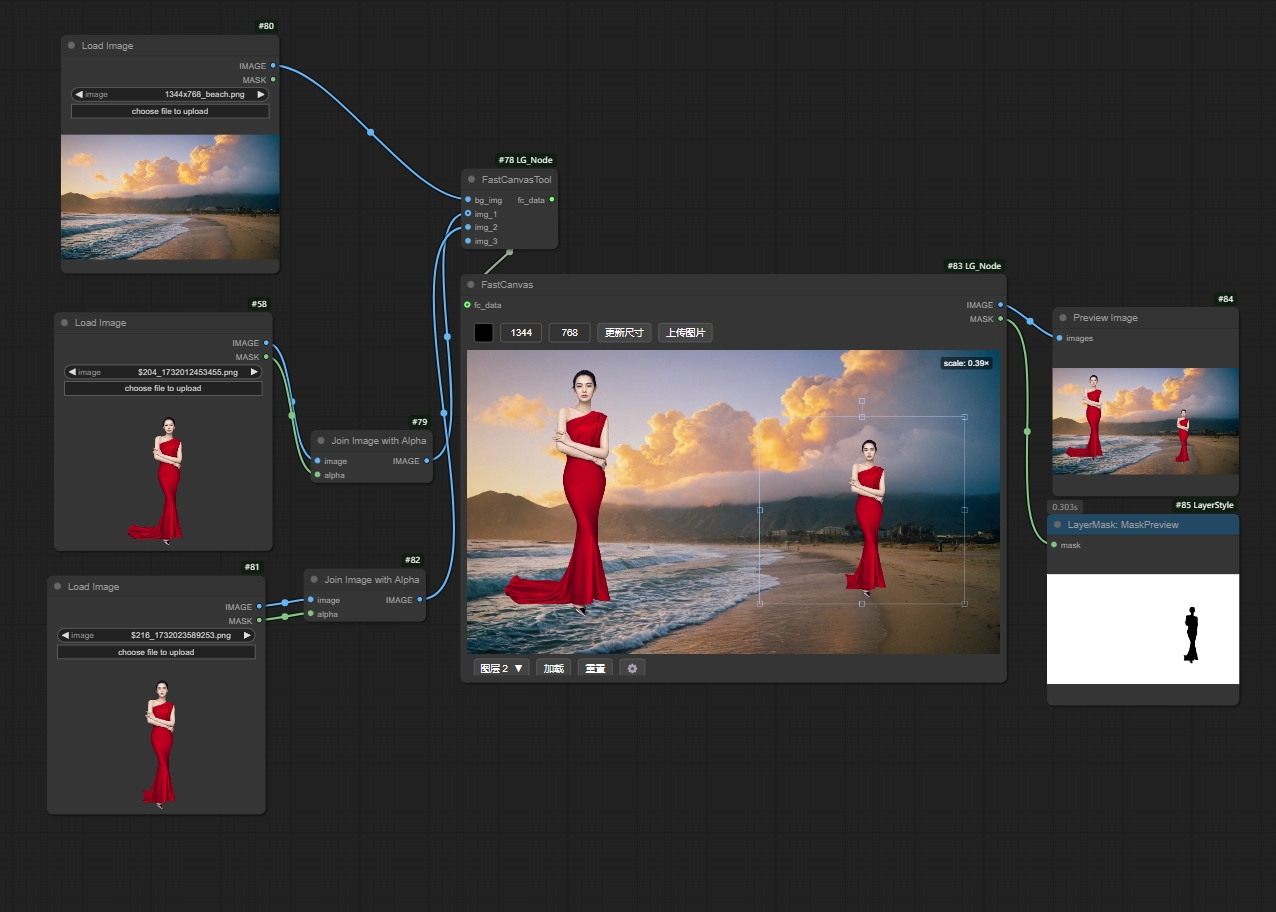
1.支持实时调整构图输出图像和选中图层遮罩
2.支持批量构图,切换输入图层继承上个图层的位置和缩放
3.支持限制画布窗口视图大小的功能,不用担心图片较大占地方了
4.图层支持右键辅助功能,变换,设置背景等,点开有惊喜
5.支持通过输入端口输入图像, 支持无输入端口独立使用,
6.支持复制,拖拽,以及上传方式对图像处理
注意!fastcanvas tool动态输入节点使用方法:
- bg_img输入背景RGB图片,img输入图层图片,可以输入RGB/RGBA图片
- 系统自带的加载图片节点默认输出的是RGB!不是RGBA(带遮罩通道的图片)!使用加载图像输入RGBA需要合并ALPHA图层!
开关节点
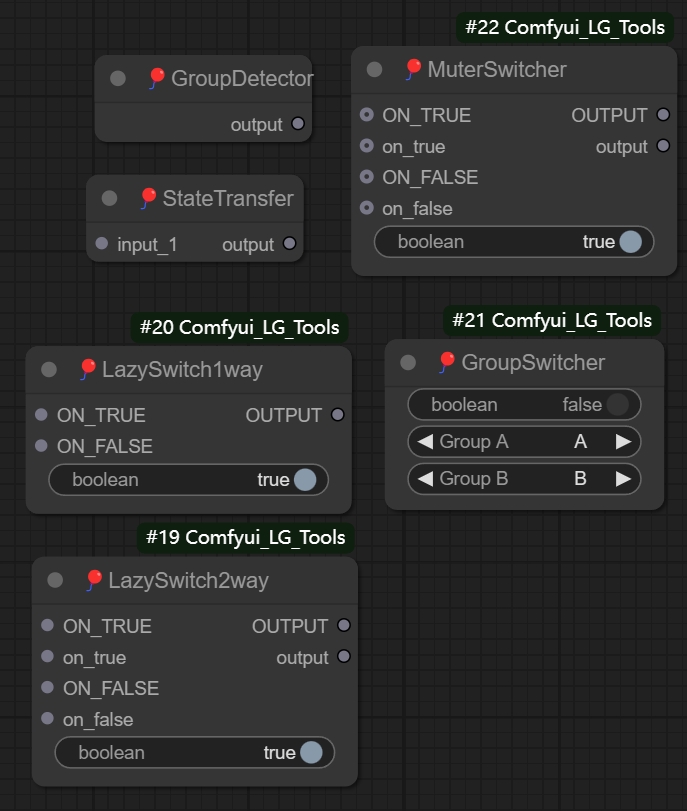
- 一键控制单组/多组的忽略或者禁用模式
- 惰性求值开关lazyswitch(仅运行指定线路,非指定线路无需加载)
- 注意!点击开关节点右键有设置不同模式(忽略和禁用)的功能
噪波节点
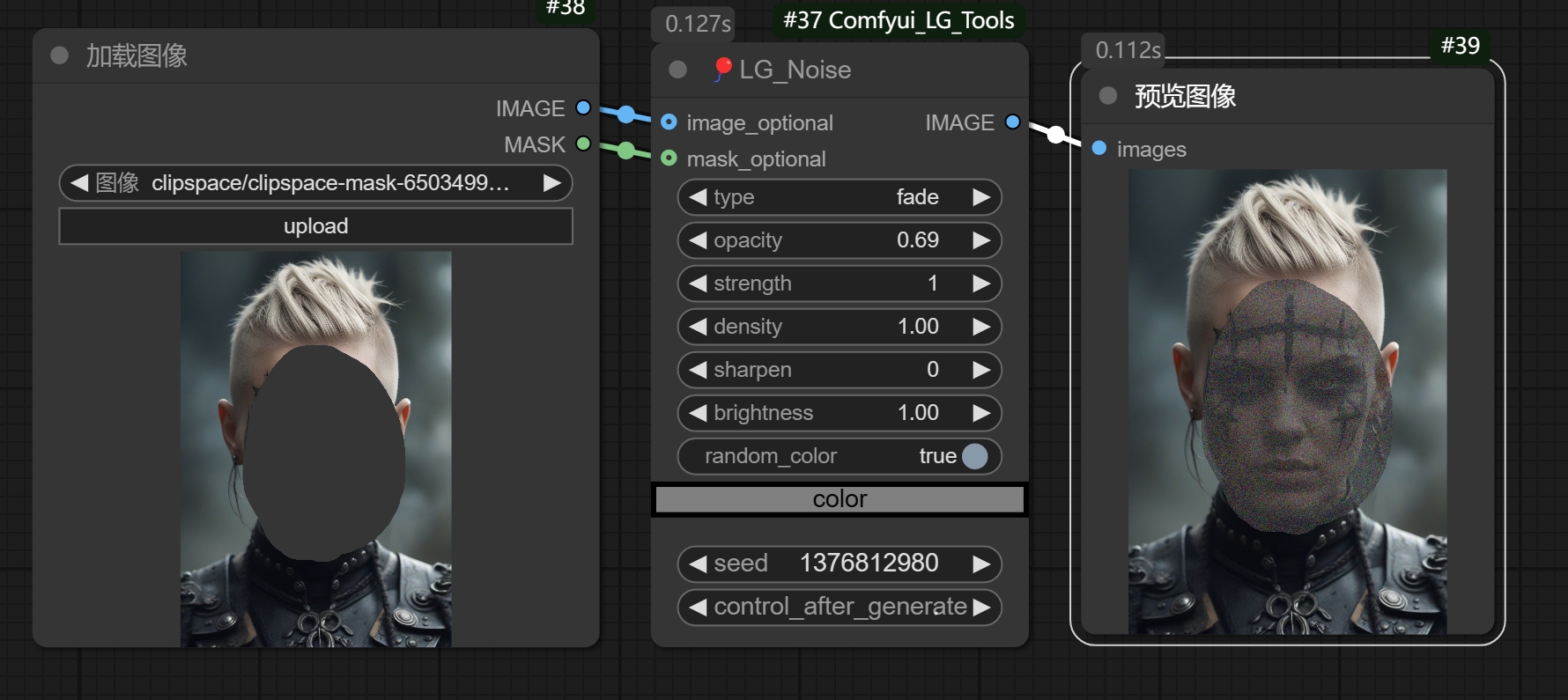
- 添加自定义噪波以对图像进行预处理
桥接预览节点
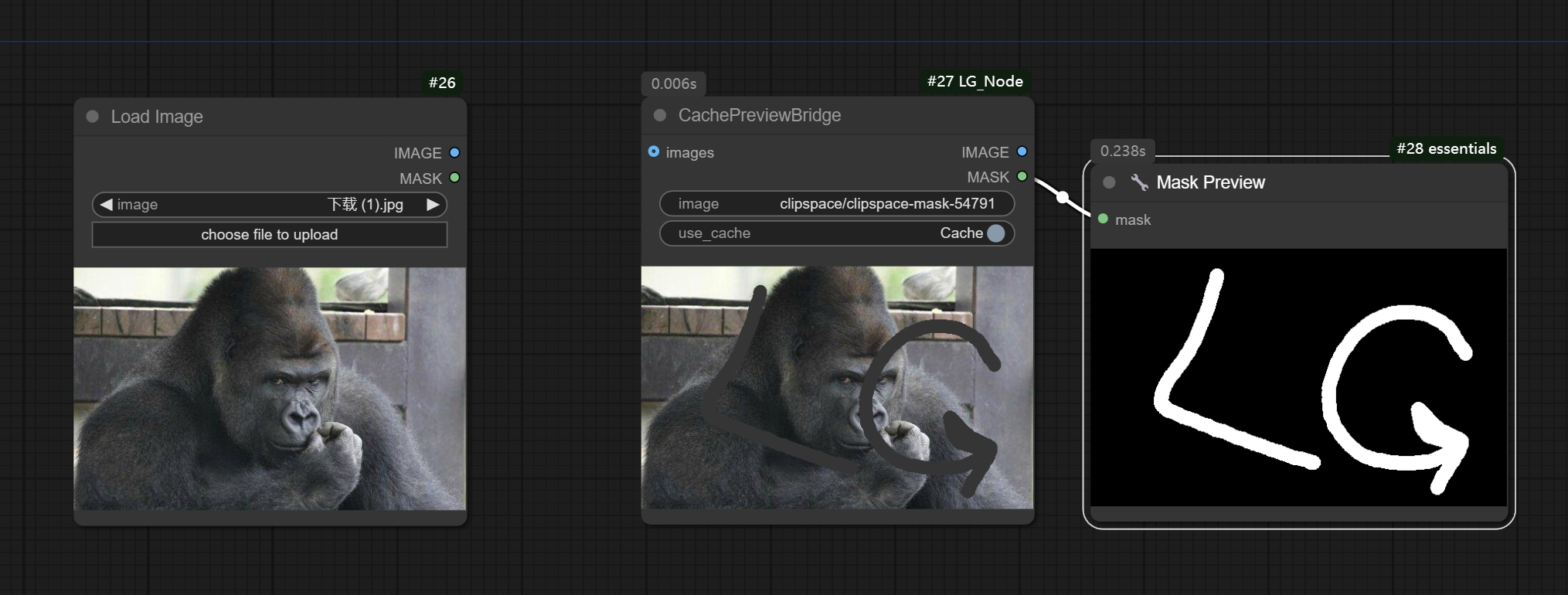
当你使用input模式将图片输入到节点后,点击Cache按钮即可缓存当前图片,然后进行编辑遮罩,并且不会出现遮罩被重置的问题,
在点击Cache按钮后,无论输入端口是否连接,是否刷新,都不会影响当前缓存的图片和遮罩,你可以继续在当前节点编辑遮罩并且不会重置缓存
现在支持复制功能,相当于加载图片节点和桥接预览节点的集合,对于需要重复操作以及大型工作流的缓存处理能提供很大便利
加载图像节点和桥接预览节点(新版本)
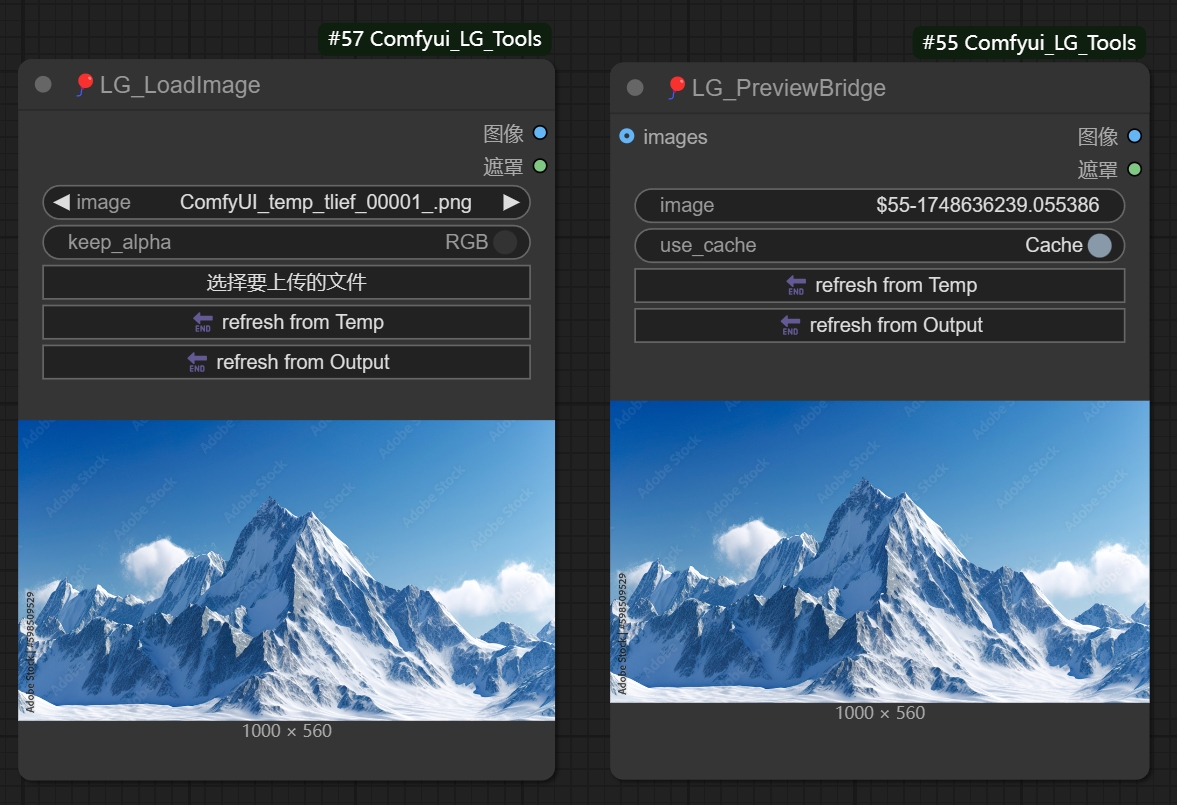
- 新增刷新功能,一键将temp/output文件夹的最新图片刷新到当前节点,对于重复处理流程可以省去复制粘贴的操作
图片加载器(计数器)节点 🎈LG_ImageLoaderWithCounter
一个集成计数器功能的图片加载器节点,可从指定文件夹自动加载图片,内置计数器无需外接。
主要功能
- 内置计数器:自动获取文件夹图片总数,无需外接计数器节点
- 三种加载模式:
- increase: 递增模式,每次加载下一张(0 → 1 → 2...)
- decrease: 递减模式,每次加载上一张(9 → 8 → 7...)
- all: 一次性加载所有图片为列表
- 多种排序方式:
- Alphabetical (ASC/DESC) - 按字母表排序
- Numerical (ASC/DESC) - 按数字排序
- Datetime (ASC/DESC) - 按文件修改时间排序
- 灵活的路径支持:支持相对路径和绝对路径
- 实时状态显示:在节点标题栏实时显示当前索引(如:5/100)
- 刷新功能:节点内置刷新按钮,可重置计数器
输入参数
folder_path- 图片文件夹路径(支持相对路径和绝对路径)mode- 加载模式- increase: 每次执行索引递增,自动循环
- decrease: 每次执行索引递减,自动循环
- all: 一次性加载文件夹内所有图片为列表
sort_mode- 排序模式,决定文件夹中图片的加载顺序keep_index- 保持索引开关(Boolean)- True: 保持当前索引不变,暂停计数
- False: 正常递增/递减(默认)
输出参数(列表格式)
images- 加载的图片列表 (IMAGE LIST)masks- 图片遮罩列表 (MASK LIST)filenames- 文件名列表 (STRING LIST)current_index- 当前索引 (INT)total_images- 图片总数 (INT)
注意:所有输出都是列表格式,increase/decrease模式输出单元素列表,all模式输出所有图片列表。
使用示例
- 批量顺序处理:设置mode为increase,每次Queue执行自动加载下一张图片
- 倒序处理:设置mode为decrease,从最后一张图片开始往前处理
- 一次性加载所有图片:设置mode为all,将文件夹内所有图片加载为列表
- 按时间顺序处理:使用Datetime (ASC)排序,按时间顺序处理图片
- 暂停在特定图片:在递增/递减模式下,开启keep_index,可以暂停在当前图片进行测试
注意事项
- 支持的图片格式:jpg, jpeg, png, bmp, gif, webp, tiff, tif
- 相对路径基于ComfyUI根目录
- 递增/递减模式会自动循环(到达末尾后回到开头)
- 节点右键菜单或刷新按钮可重置计数器
- all模式适合配合批处理节点使用
注意
- 因为该库的节点是从LG_Node里面拆分出来的,之前购买过LG_Node的如果需要使用这个节点包,请联系我获取新的版本以避免出现节点冲突
合作/定制/0基础插件教程
- wechat: wenrulaogou2033
- Bilibili: 老狗_学习笔记