
ComfyUI-CharacterPromptBuffer
Nodes for generating multiple character prompt variations in a single queue run. Includes Character Prompt Manager and Variation Buffer.
Nodes (2)
ComfyUI-CharacterPromptBuffer
A set of ComfyUI custom nodes for generating multiple character variations in a single queue run.
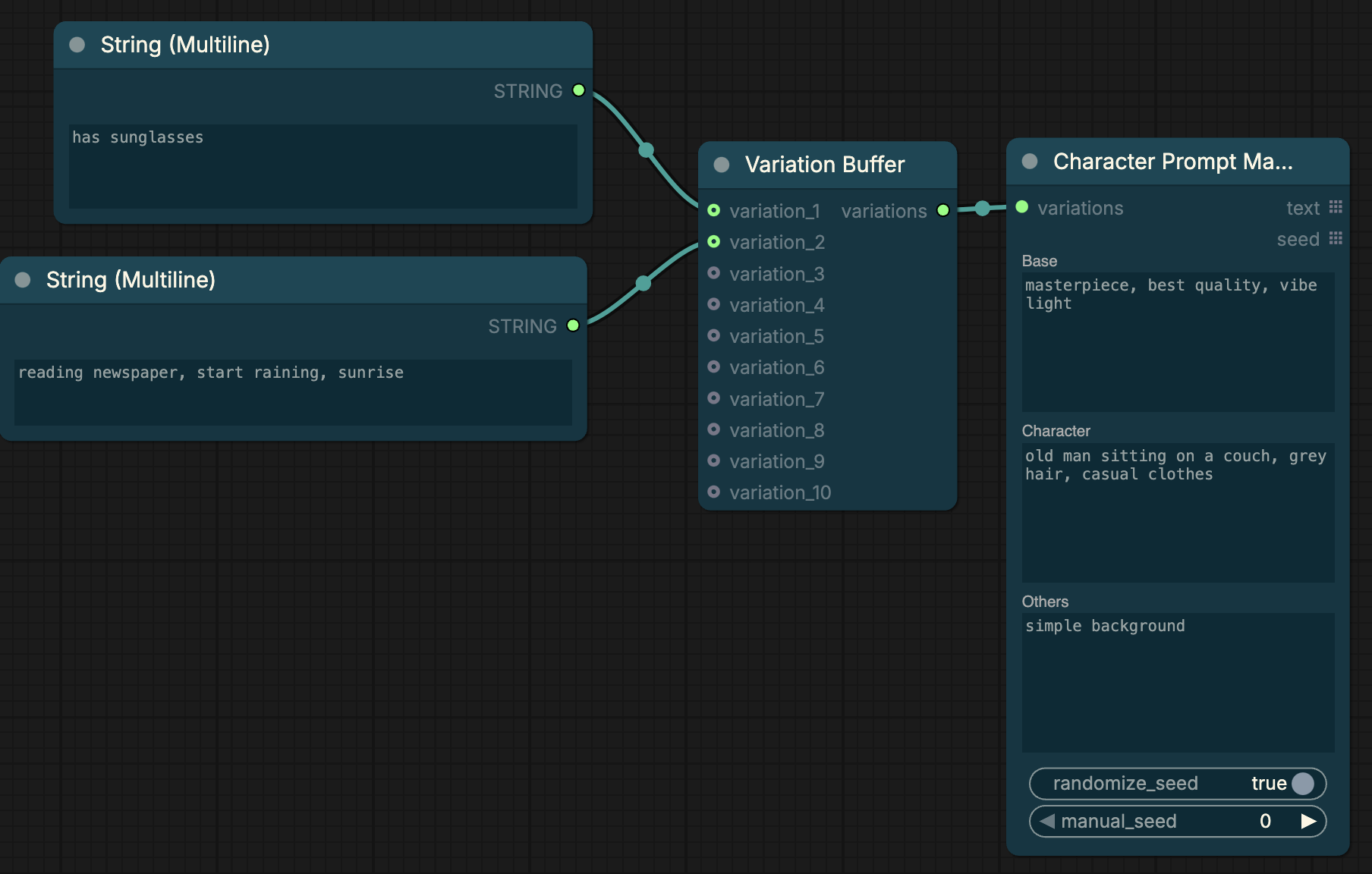
Nodes
Character Prompt Manager
Assembles a structured prompt from fixed parts (base quality tags, character description, others) and a list of variations. Outputs one complete prompt per variation as a batch.
Inputs
base— quality tags, style, shot typecharacter— character description (hair, eyes, outfit base, etc.)others— background, lighting, atmospherevariations— connect from Variation Bufferrandomize_seed— generates a random seed per variation when enabledmanual_seed— used whenrandomize_seedis off
Outputs
text— list of assembled prompts (one per variation)seed— list of seeds (one per variation)
Variation Buffer
Collects up to 10 string inputs and merges them into a single list for the Character Prompt Manager. Connect a Primitive or String (Multiline) node to each slot you want to use. Unconnected slots are ignored.
Outputs
variations— merged list of all connected variations
Workflow
[String Multiline] ─┐
[String Multiline] ──► Variation Buffer ──► Character Prompt Manager ──► CLIP Text Encode ──► KSampler
[String Multiline] ─┘
- Add Variation Buffer and Character Prompt Manager from
conditioning → Character Prompt Manager - Connect them together
- Connect Primitive or String (Multiline) nodes to the Variation Buffer slots
- Connect
text→ CLIP Text Encode,seed→ KSampler seed
One queue run generates one image per connected variation.
Installation
Via ComfyUI Manager
Search for ComfyUI-CharacterPromptBuffer in the Custom Nodes section.
Manual
cd ComfyUI/custom_nodes
git clone https://github.com/Kyreo/ComfyUI-CharacterPromptBuffer
Restart ComfyUI.
Requirements
No external dependencies.
License
MIT