comfy-plasma
Nodes: Plasma Noise, Random Noise, Greyscale Noise, Pink Noise, Brown Noise, Plasma KSampler
Nodes (16)
One-click histogram stretch that rescues washed-out images
Crossfade two images with one slider — but match the sizes first
Deep, muddy, and oddly calming
Brightness & contrast that behaves the way you expect
Flatten any image's histogram with zero knobs
The boring blur node that just works
Greyscale noise that you can still tint per channel
Strip color without breaking your workflow
Load an image from any path — or a URL — not just the input folder
Load an image and dig the prompt back out of its metadata
Random, but easier on the eyes
Fractal plasma clouds — the node this whole pack is named after
A KSampler with a noise dial — for when plain latent noise is boring
A per-pixel power curve for gamma-style tweaks — bring coffee at 4K
Pure random RGB noise, but with honest per-channel range controls
The resize node that doesn't make you do math
comfy-plasma
A simple plasma noise generator for ComfyUI. Other noise generators may appear over time.
Usage:
Plasma Noise:
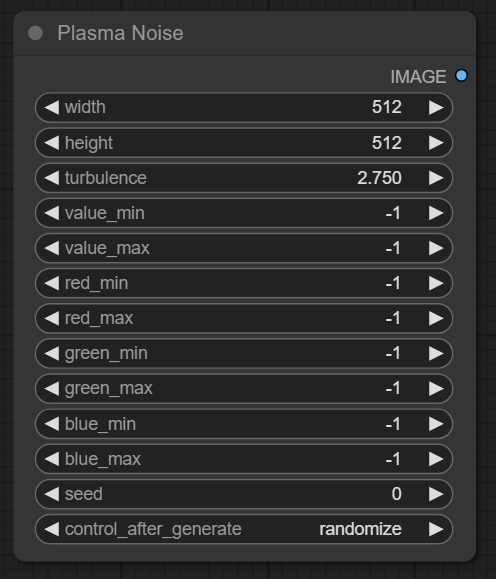
This node generates extremely noisy fractal diamond square noise clouds.
- Width, Height: Sets the generated image size as desired - steps in increments of 8.
- Turbulence: Scales the noise clouds, lower values result in smoother, larger clouds, while higher values result in more static like noise.
- Value Min/Max: Limits how dark/bright the noise can reach. -1 implies 0 and 255 for Min and Max respectively.
- Red Min/Max: Limits how strong the red channel can be. -1 Will use the settings of Value Min/Max instead of it's own setting.
- Green Min/Max: Limits how strong the green channel can be. -1 Will use the settings of Value Min/Max instead of it's own setting.
- Blue Min/Max: Limits how strong the blue channel can be. -1 Will use the settings of Value Min/Max instead of it's own setting.
- Seed: Will replicate a specific noise seed on every execution.
- Fixed, seed stays the same after generations.
- Increment, seed increases by 1 after generations.
- Decrement, seed decreases by 1 after generations.
- Randomize, seed randomly changes after generations.
Random Noise:
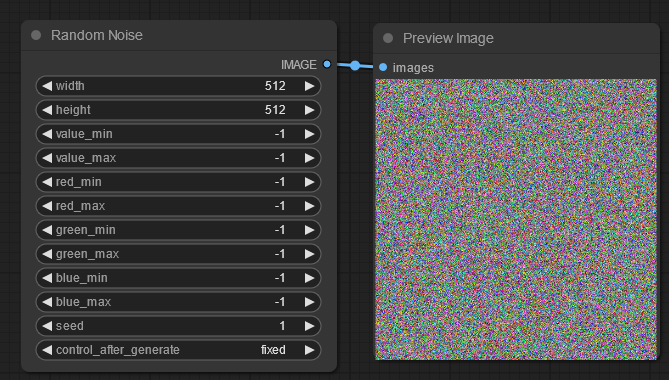
This node generates three values per pixel, then rescales it per channel min/max values.
- Width, Height: Sets the generated image size as desired - steps in increments of 8.
- Value Min/Max: Limits how dark/bright the noise can reach. -1 implies 0 and 255 for Min and Max respectively.
- Red Min/Max: Limits how strong the red channel can be. -1 Will use the settings of Value Min/Max instead of it's own setting.
- Green Min/Max: Limits how strong the green channel can be. -1 Will use the settings of Value Min/Max instead of it's own setting.
- Blue Min/Max: Limits how strong the blue channel can be. -1 Will use the settings of Value Min/Max instead of it's own setting.
- Seed: Will replicate a specific noise seed on every execution.
- Fixed, seed stays the same after generations.
- Increment, seed increases by 1 after generations.
- Decrement, seed decreases by 1 after generations.
- Randomize, seed randomly changes after generations.
Greyscale Noise:
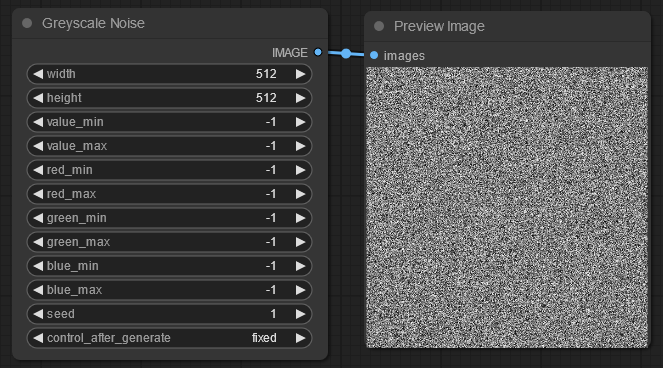
This node generates one value per pixel then rescales it per channel min/max values. So a value pixel of 128 will scale to 63 when red is set to work between 0 and 128.
- Width, Height: Sets the generated image size as desired - steps in increments of 8.
- Value Min/Max: Limits how dark/bright the noise can reach. -1 implies 0 and 255 for Min and Max respectively.
- Red Min/Max: Limits how strong the red channel can be. -1 Will use the settings of Value Min/Max instead of it's own setting.
- Green Min/Max: Limits how strong the green channel can be. -1 Will use the settings of Value Min/Max instead of it's own setting.
- Blue Min/Max: Limits how strong the blue channel can be. -1 Will use the settings of Value Min/Max instead of it's own setting.
- Seed: Will replicate a specific noise seed on every execution.
- Fixed, seed stays the same after generations.
- Increment, seed increases by 1 after generations.
- Decrement, seed decreases by 1 after generations.
- Randomize, seed randomly changes after generations.
Pink Noise:
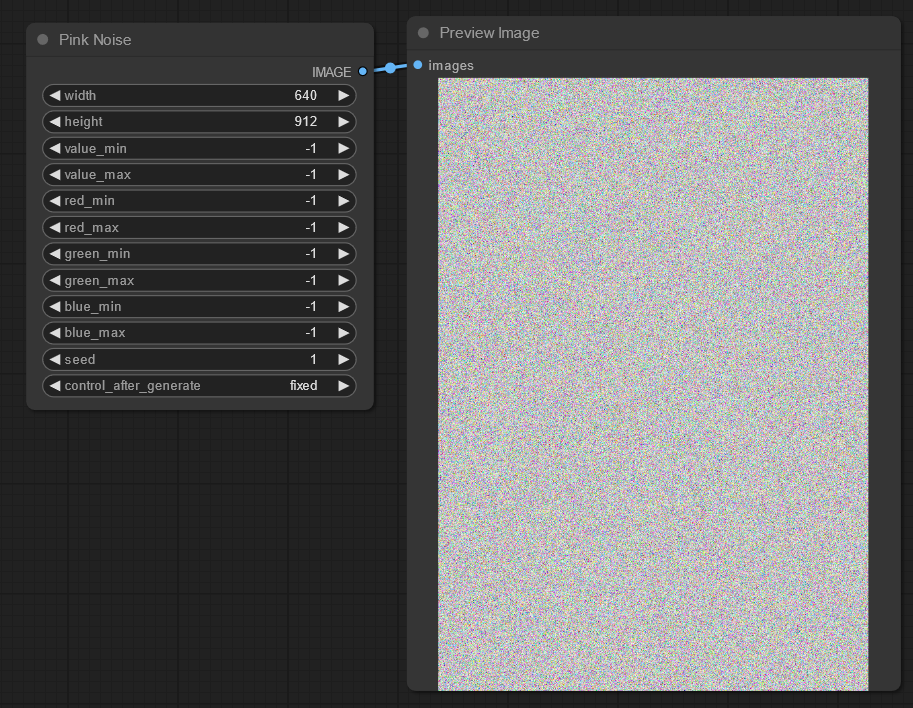
This node generates three values per pixel, then rescales it per channel min/max values.
- Width, Height: Sets the generated image size as desired - steps in increments of 8.
- Value Min/Max: Limits how dark/bright the noise can reach. -1 implies 0 and 255 for Min and Max respectively.
- Red Min/Max: Limits how strong the red channel can be. -1 Will use the settings of Value Min/Max instead of it's own setting.
- Green Min/Max: Limits how strong the green channel can be. -1 Will use the settings of Value Min/Max instead of it's own setting.
- Blue Min/Max: Limits how strong the blue channel can be. -1 Will use the settings of Value Min/Max instead of it's own setting.
- Seed: Will replicate a specific noise seed on every execution.
- Fixed, seed stays the same after generations.
- Increment, seed increases by 1 after generations.
- Decrement, seed decreases by 1 after generations.
- Randomize, seed randomly changes after generations.
Brown Noise:
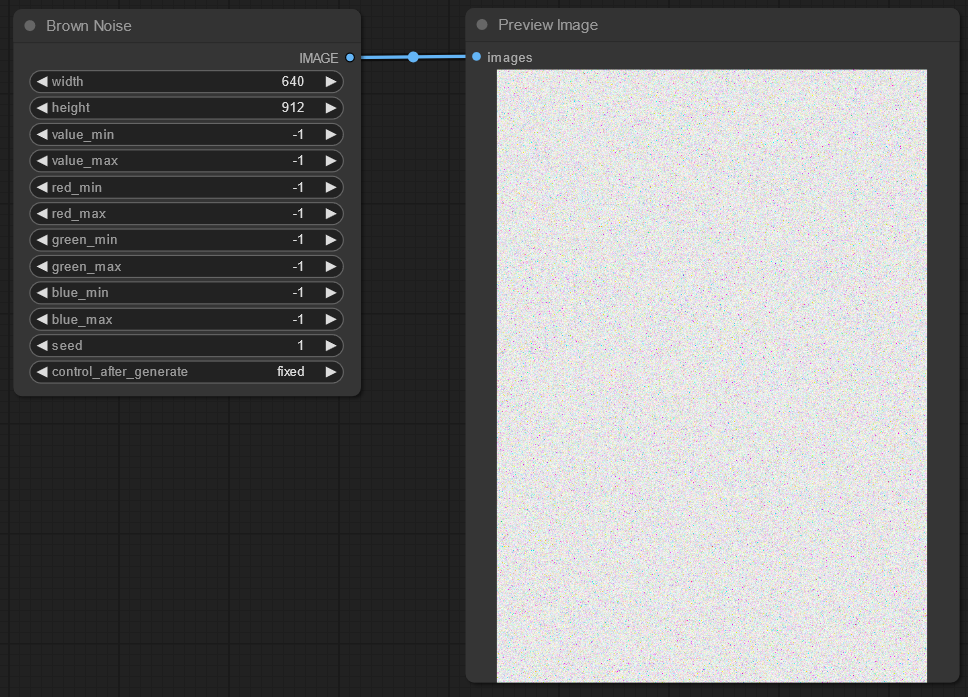
This node generates three values per pixel, then rescales it per channel min/max values.
- Width, Height: Sets the generated image size as desired - steps in increments of 8.
- Value Min/Max: Limits how dark/bright the noise can reach. -1 implies 0 and 255 for Min and Max respectively.
- Red Min/Max: Limits how strong the red channel can be. -1 Will use the settings of Value Min/Max instead of it's own setting.
- Green Min/Max: Limits how strong the green channel can be. -1 Will use the settings of Value Min/Max instead of it's own setting.
- Blue Min/Max: Limits how strong the blue channel can be. -1 Will use the settings of Value Min/Max instead of it's own setting.
- Seed: Will replicate a specific noise seed on every execution.
- Fixed, seed stays the same after generations.
- Increment, seed increases by 1 after generations.
- Decrement, seed decreases by 1 after generations.
- Randomize, seed randomly changes after generations.
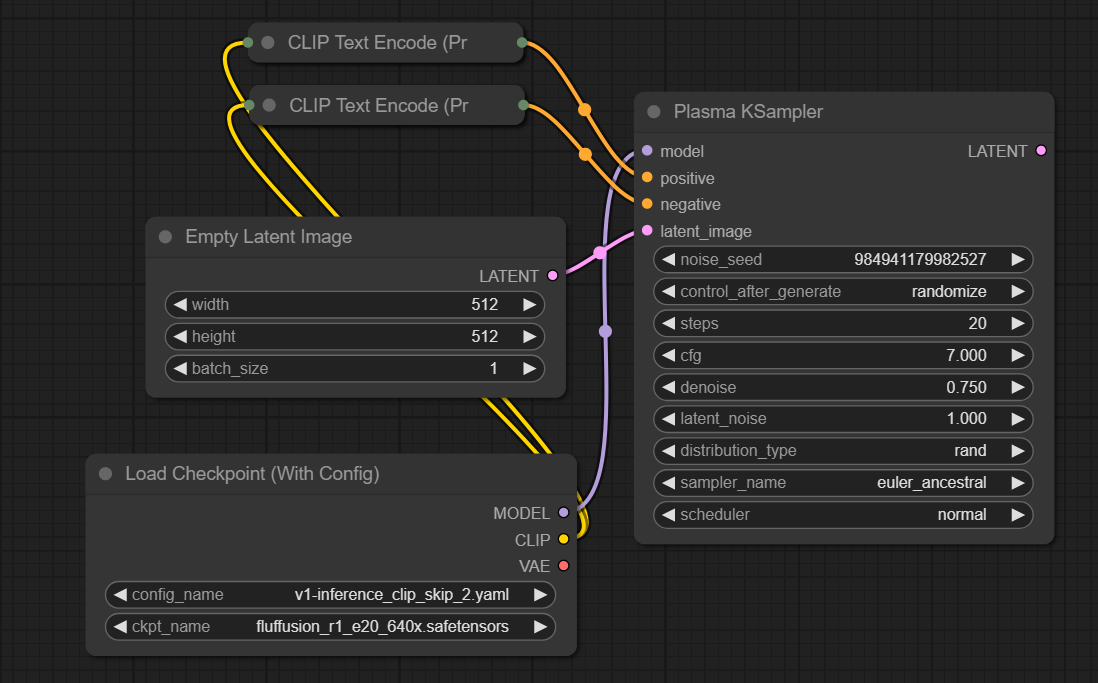
Plasma KSampler:
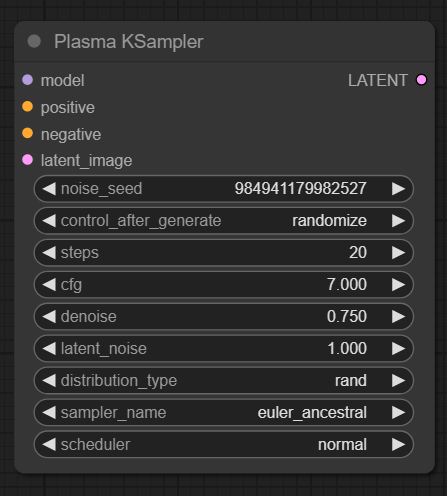
- Noise Seed: The noise seed used in Latent Noise.
- Control After Generate:
- Fixed, seed stays the same after generations.
- Increment, seed increases by 1 after generations.
- Decrement, seed decreases by 1 after generations.
- Randomize, seed randomly changes after generations.
- Steps: The number of steps the software should take while resolving your image.
- CFG: How strongly should the prompts be followed? Less CFG means more creativity, more CFG means less creativity, but more accurate prompts.
- Denoise: How much should the image be blurred to allow the model to interpret the noise/image with noise? Higher values at high resolutions can induce faces within faces. Lower values will look closer to the input image/noise but prevent faces within faces.
- Latent Noise: How strong should the built in noise be. 0 means no noise is used, and 1 means it's adding all the noise.
- Distribution Type:
- Default, uses torch.randn() which is a gaussian distributed noise algorithm. Unable to make very dark, very bright or high contrast images.
- Rand, uses torch.rand() whch is a truly random noise algorithm. Doesn't stick to a single random distribution and can change wildly based on input.
- Sampler Name: Pick the one that works for you best. Some may require more steps than others.
- Schedular: Pick the one that works for you best.
Example Workflow:
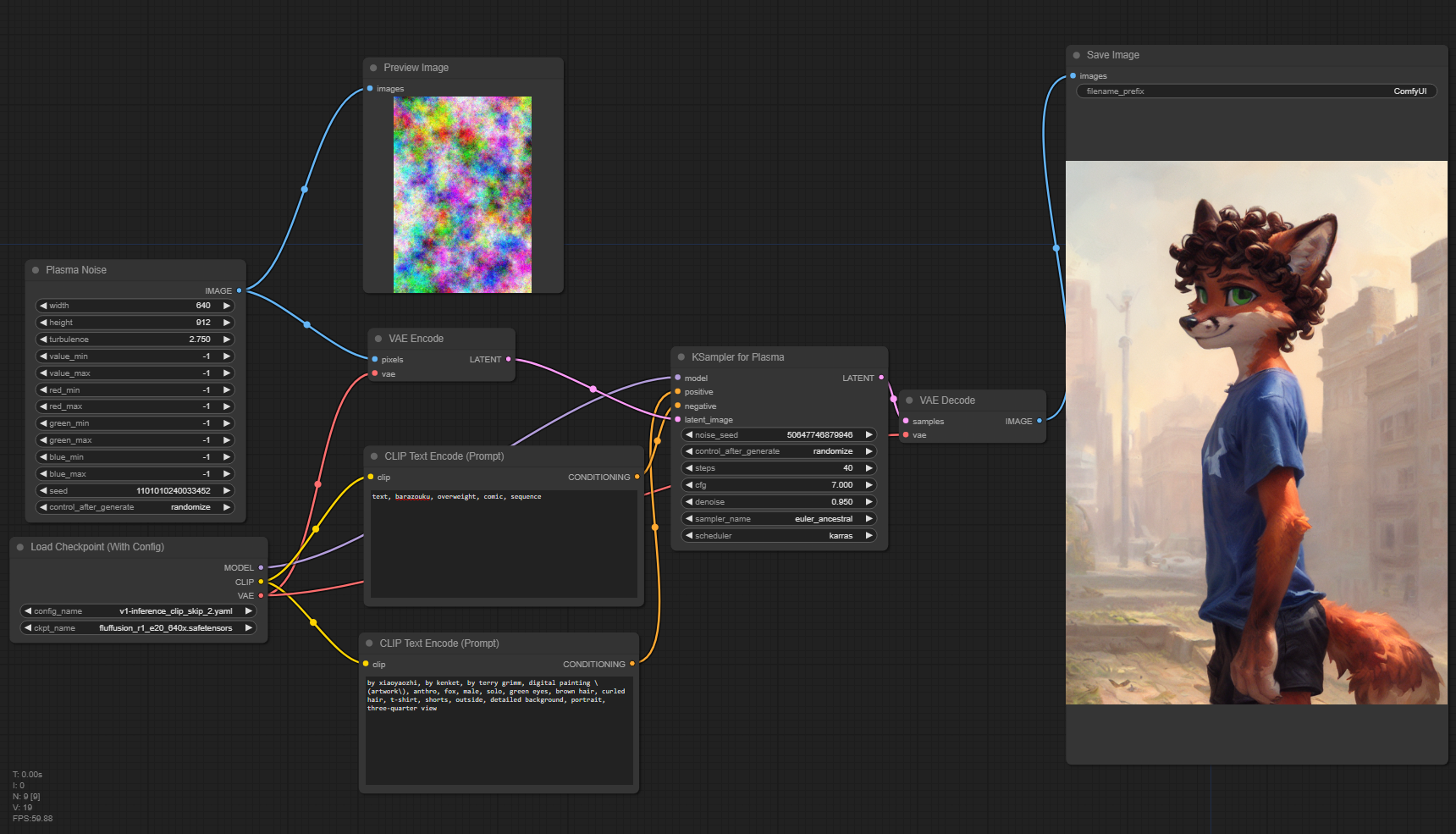
Using Plasma Sampler with Plasma Noise:
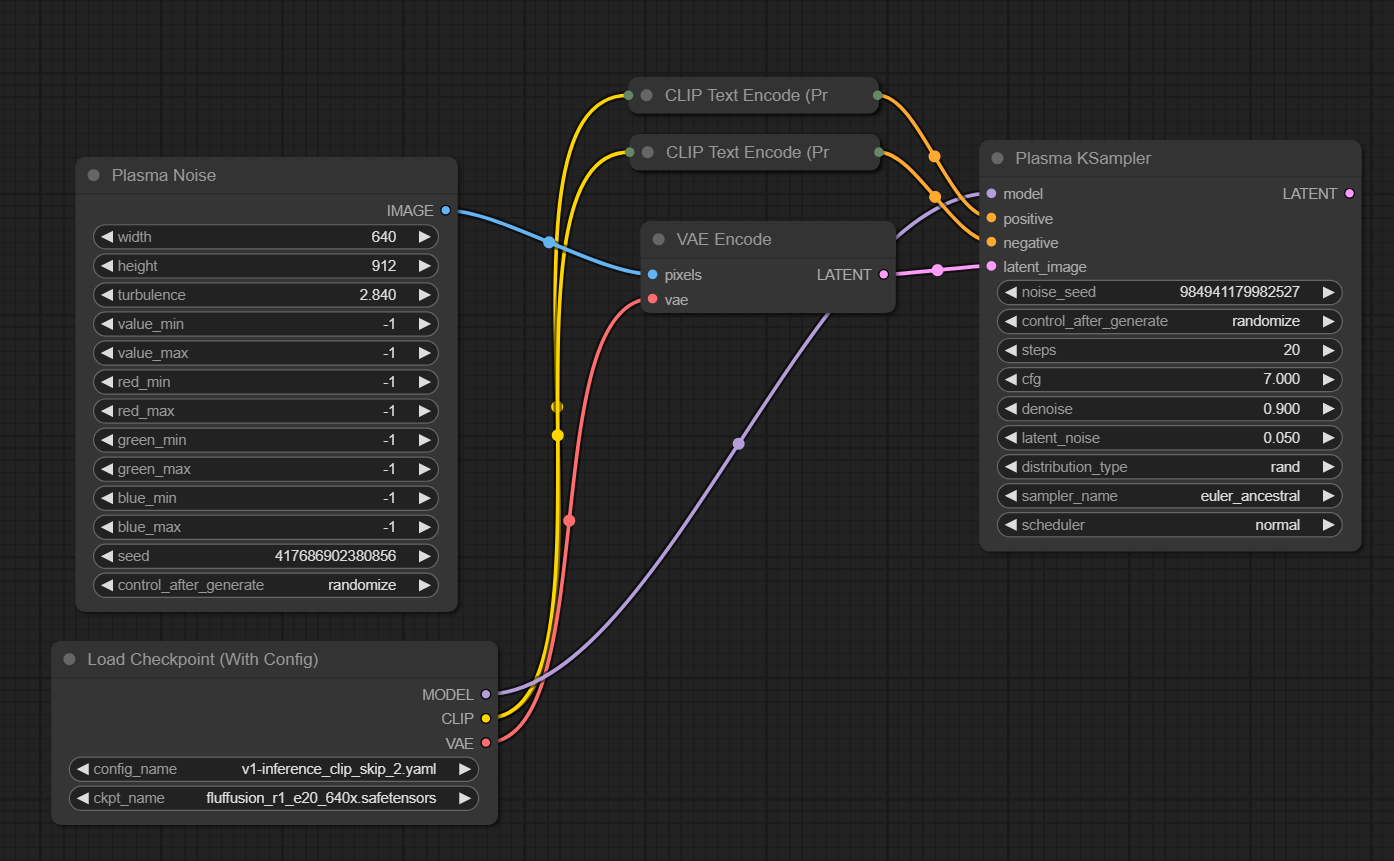
Using Plasma Sampler without Plasma Noise: