
ComfyUI-WeeLLM
Native ComfyUI integration for WeeLLM: Run multi-billion parameter diffusion models (FLUX, SD3, MiniMax) under 4GB VRAM using layer-streaming inference.
Nodes (3)
A native ComfyUI custom node wrapper for WeeLLM — bringing ultra-low VRAM layer-streaming inference directly into your Comfy workflows.
With ComfyUI-WeeLLM, you can run massive diffusion models (like FLUX, Stable Diffusion, Stable Diffusion XL, Z image, Krea2, Qwen Image, Ltx2.5 and MiniMax-H3) on GPUs with less than 4GB of VRAM, without requiring to quantize.
- GGUFs and Safetensors - Everything is Supported.
- LoRa Support Available.
Workflows
Workflow 1: Image to Image
This workflow uses an input image as the starting point and generates a revised
image according to the prompt and strength value.
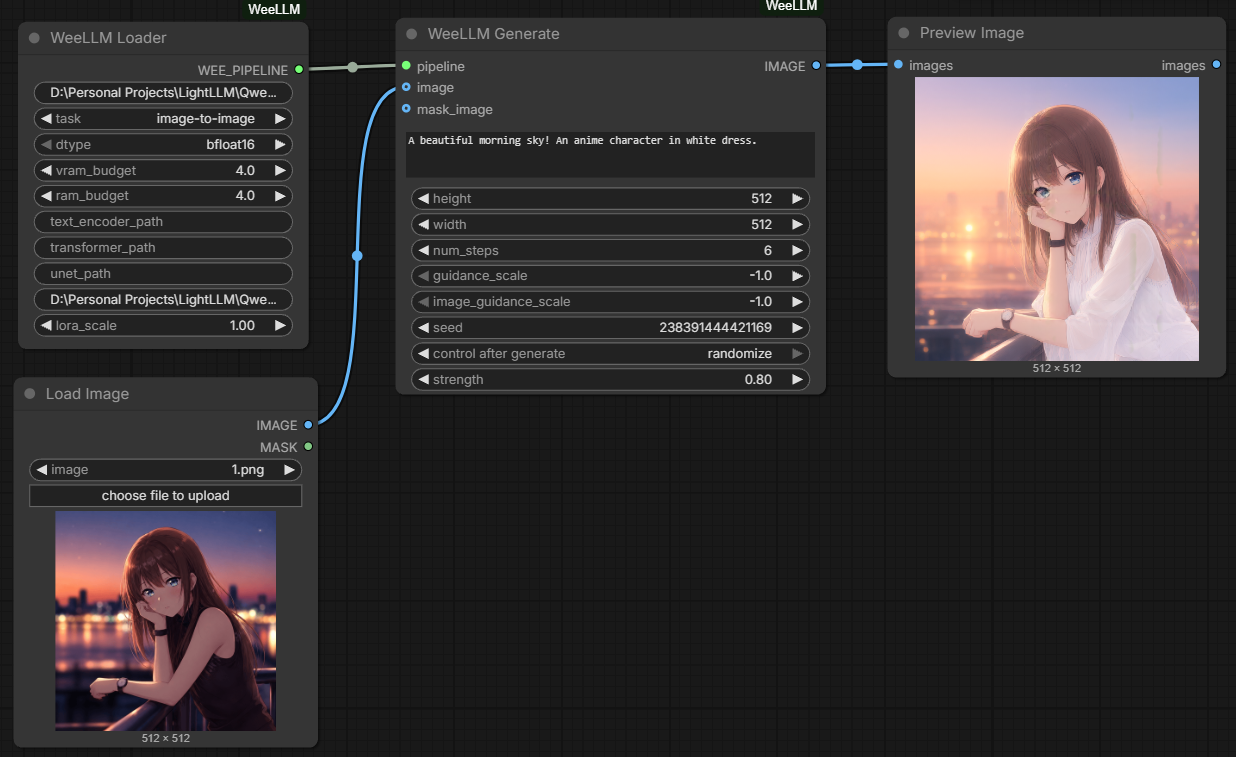
Download the Image to Image workflow
- Import the workflow into ComfyUI and load an input image.
- In WeeLLM Loader, set
model_pathto a supported Hugging Face model ID or local model directory and settasktoimage-to-image. - Connect the input image to the
imageinput on WeeLLM Generate. - Adjust
strength, then queue the prompt.
Workflow 2: Image to Video
This workflow uses an input image as the first frame of a generated video. The resulting frame batch can be sent to a Video Combine node.
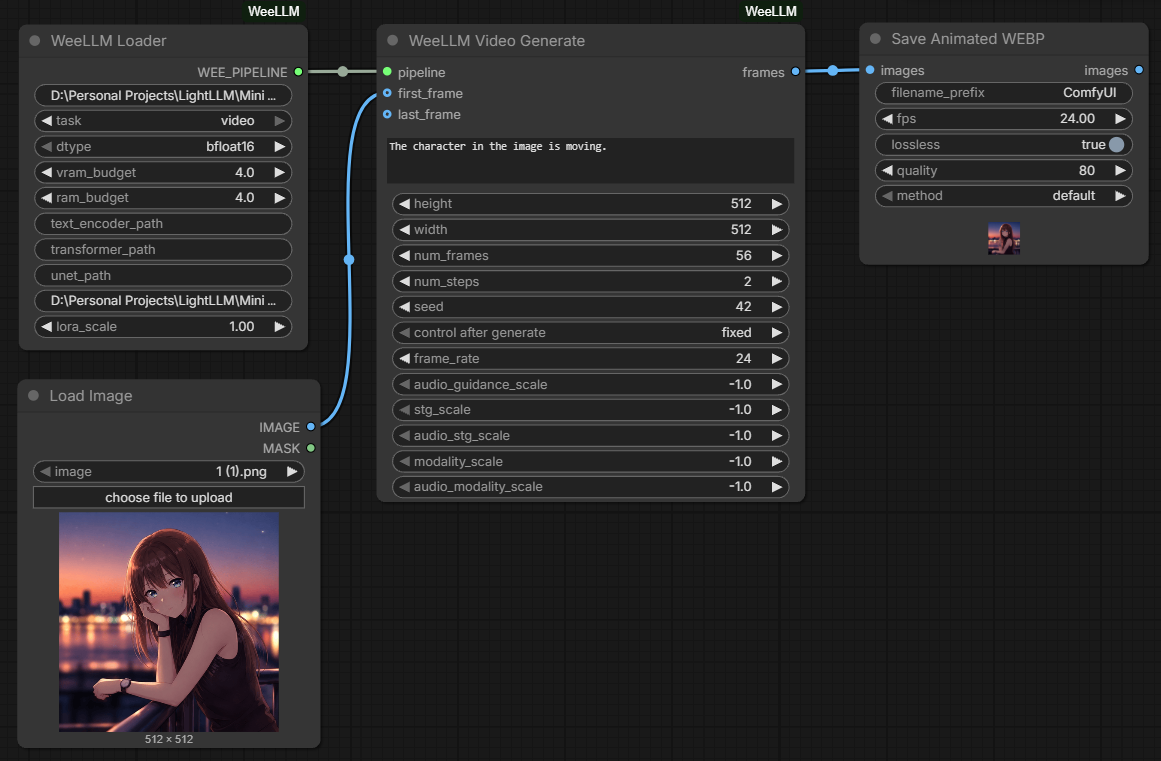
Download the Image to Video workflow
- Import the workflow into ComfyUI and load an input image.
- In WeeLLM Loader, set
tasktovideo. - Connect the input image to the
first_frameinput on WeeLLM Video Generate. - Connect the generated frames to a Video Combine node, then queue the prompt.
Installation
Method 1: ComfyUI Manager (Recommended)
- Open the ComfyUI Manager.
- Click Install Custom Nodes.
- Search for
ComfyUI-WeeLLMand click Install. - Restart ComfyUI.
Method 2: Manual Git Clone
Navigate to your ComfyUI/custom_nodes/ directory and run:
git clone https://github.com/Jit-Roy/ComfyUI-WeeLLM.git
cd ComfyUI-WeeLLM
pip install -r requirements.txt
Nodes
1. WeeLLM Loader
Responsible for configuring and caching the model pipeline.
model_path: Provide the Hugging Face repo ID (e.g.black-forest-labs/FLUX.1-schnell) or a local directory.task: Select the type of pipeline to initialize (text-to-image,image-to-image,video).dtype: The precision to use (e.g.,bfloat16).
2. WeeLLM Generate
Generates images using the loaded pipeline.
- Connect the
WEE_PIPELINEfrom the Loader to this node. - Supports optional
imageandmask_imageinputs for automatic Image-to-Image and Inpainting.
3. WeeLLM Video Generate
Generates video batches for models like MiniMax-H3 FL2VA.
- Connect the
WEE_PIPELINEfrom the Loader (withvideotask selected) to this node. - Outputs an
IMAGEbatch that can be sent directly to Video Combine nodes.