
ComfyUI Extension
ComfyUI-yolov5-face
A YOLOv5 face detection project for ComfyUI.
JiSenHua/ComfyUI-yolov5-face
Nodes1
On cloudLocal install
CategoryComfyUI-yolov5-face
Stars4
Updated4 months ago
Nodes (1)
Readme
ComfyUI YOLOv5-Face Detection Custom Node
A custom node for ComfyUI that enables face detection in images using models from deepcam-cn/yolov5-face.
Features
- Face Detection: Detect faces in images using YOLOv5-based models.
- Easy Integration: Simple installation and usage within ComfyUI workflows.
Installation
-
Clone this repository into your ComfyUI custom nodes directory.
-
Install dependencies:
Run the following command in the project directory:pip install -r requirements.txt
Model Download
This custom node requires YOLOv5-face models to function.
Supported models:
yolov5n-0.5yolov5nyolov5syolov5myolov5l
How to download:
-
Go to the YOLOv5-face Data Preparation section.
-
Download the required model files (
.ptformat). -
Place the downloaded model files into the following directory in your ComfyUI installation:
ComfyUI/models/yolov5If the directory does not exist, create it manually.
Usage
- Start ComfyUI.
- Add the Yolov5 Face Detect node to your workflow.
- Select one of the available models.
- Run the workflow to detect faces in your images.
Example
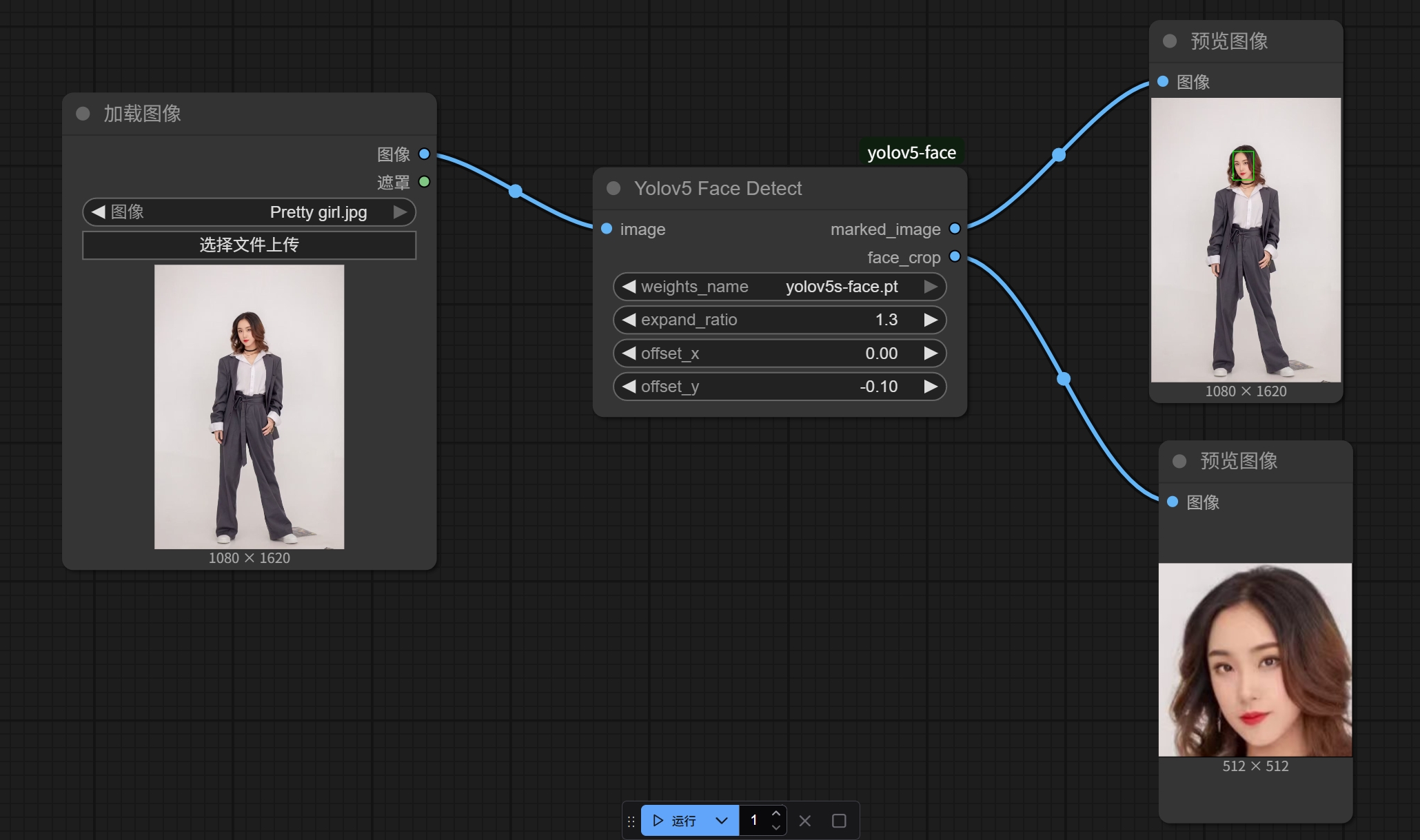
The following image shows an example of face detection results:
References
License
Refer to the LICENSE file for details.