
ComfyUI-MultiMaskOps
A ComfyUI node pack for working with multiple masks at once — spatial sorting, index picking, duplicate removal, and overlap-free expansion/feathering. Native-matched dilation and blur.
Nodes (6)
Split one mask batch into per-subject masks, the front door to this pack
When your segmenter hands you the same subject twice (or three times)
Grow every mask at once — without subjects bleeding into each other
The glue that welds a mask list back into one batch
Grab mask number N — or the last one, which is the actual move
Sort masks left-to-right so 'the second character' finally means something
ComfyUI-MultiMaskOps
A collection of ComfyUI nodes for working with multiple masks at once — sorting them by position, picking one out, removing duplicates, and expanding/feathering them without letting neighbours overlap.
These nodes are aimed at multi-subject workflows (e.g. multiple characters segmented from one image) where you end up with a batch or list of masks and need to organise, clean, or grow them individually.
Expansion and feathering are implemented to match ComfyUI's native behaviour: dilation uses the same method as the built-in GrowMask node (including tapered_corners), and feathering uses the same Gaussian blur convention as GrowMaskWithBlur (KJNodes).
Installation
-
Clone or copy this folder into your
ComfyUI/custom_nodes/directory:ComfyUI/custom_nodes/ComfyUI-MultiMaskOps/ -
Search for MultiMaskOps in ComfyUI manager and install it (soon)
All nodes appear under the MultiMaskOps category.
Requirements
The nodes rely on torch, scipy, and torchvision, all of which ship with a standard ComfyUI install. No extra installation should be needed.
A note on batches vs lists
ComfyUI masks come in two shapes:
- Batch — a single tensor of shape
[N, H, W]holding N masks. - List — a Python list of separate mask tensors, processed one item at a time.
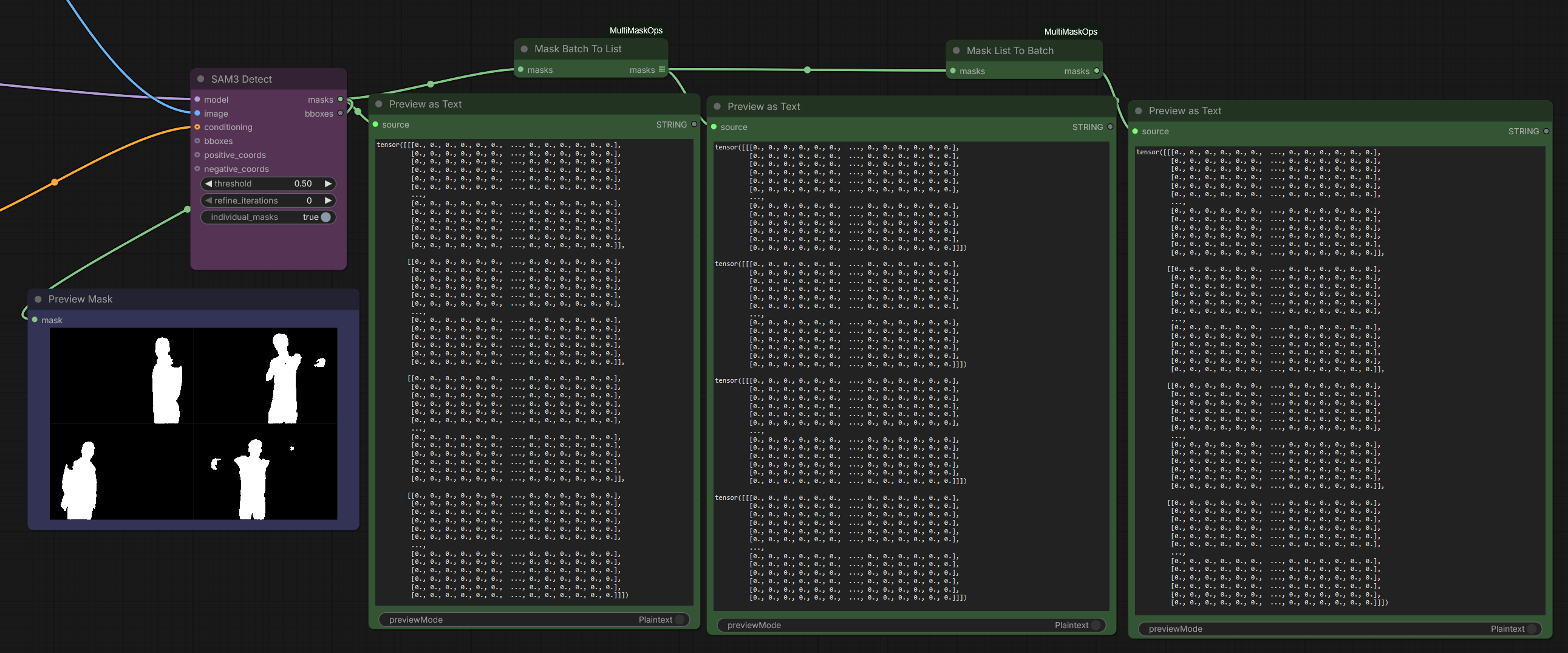
Most nodes here operate on lists (so each mask is handled independently). Use Mask Batch To List to convert a batch into a list before feeding these nodes, and Mask List To Batch to convert back if a downstream node expects a batch.
Nodes
Mask Batch To List
Splits a mask batch [N, H, W] into a list of N individual masks, each [1, H, W]. Use this to feed a batch into the list-based nodes below.
Inputs
masks— a mask batch.
Outputs
masks— a list of individual masks.
Mask List To Batch
Combines a list of masks back into a single batch tensor [N, H, W]. Masks of differing sizes are resized to match the first.
Inputs
masks— a list of masks.
Outputs
masks— a single mask batch.
Example:
Mask Sort By Position
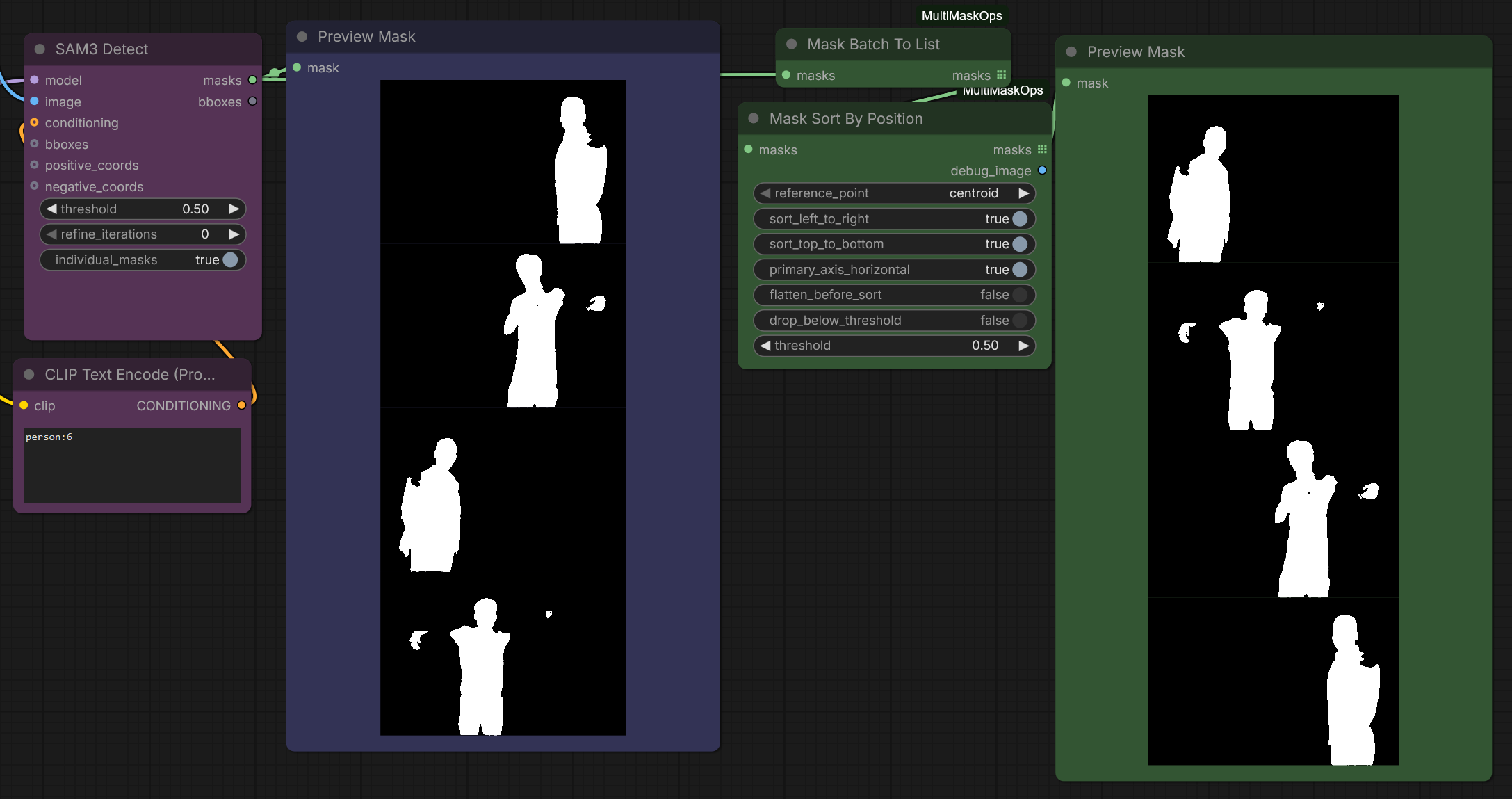
Sorts a list of masks by their spatial position, so you can reliably address them as "first from the left", "top-most", and so on. Also outputs a debug image showing the reference point used for each mask.
Inputs
masks— a list of masks to sort.reference_point—centroid(value-weighted centre of the mask) orextreme_point(the outermost pixel along the primary sort direction, e.g. the left-most pixel when sorting left-to-right).sort_left_to_right— horizontal direction.sort_top_to_bottom— vertical direction.primary_axis_horizontal— which axis sorts first; the other axis breaks ties. Full ties fall back to original order (stable sort).flatten_before_sort— binarize each mask atthresholdbefore computing its sort point (sorting only; output masks are unchanged).drop_below_threshold— ignore pixels belowthresholdwhen computing the sort point (sorting only; output masks are unchanged).threshold— cutoff used by the two options above.
Outputs
masks— the input masks reordered by position.debug_image— a white image with a black dot at each mask's sort reference point, in sorted order.
Example:
Mask Pick By Index
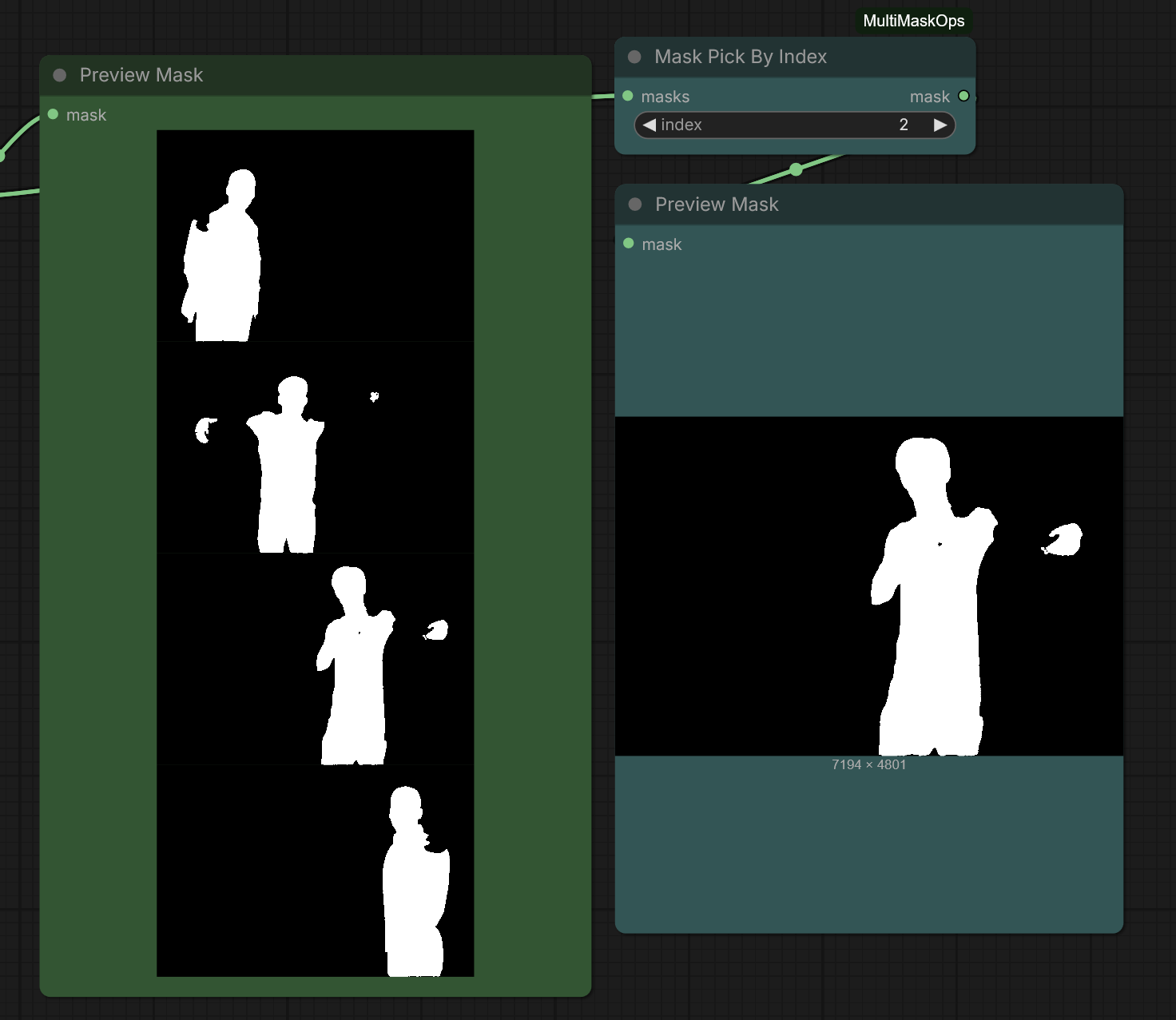
Returns a single mask from a list by index. Supports Python-style negative indexing (-1 = last), and clamps out-of-range values to the nearest end so it always returns a valid mask (given a non-empty list).
Inputs
masks— a list of masks.index— which mask to return.0= first,-1= last, etc.
Outputs
mask— the selected mask.
Pairs well with Mask Sort By Position: sort left-to-right, then pick 0 for the left-most subject or -1 for the right-most, regardless of how many masks were detected.
Example:
Mask Deduplicate
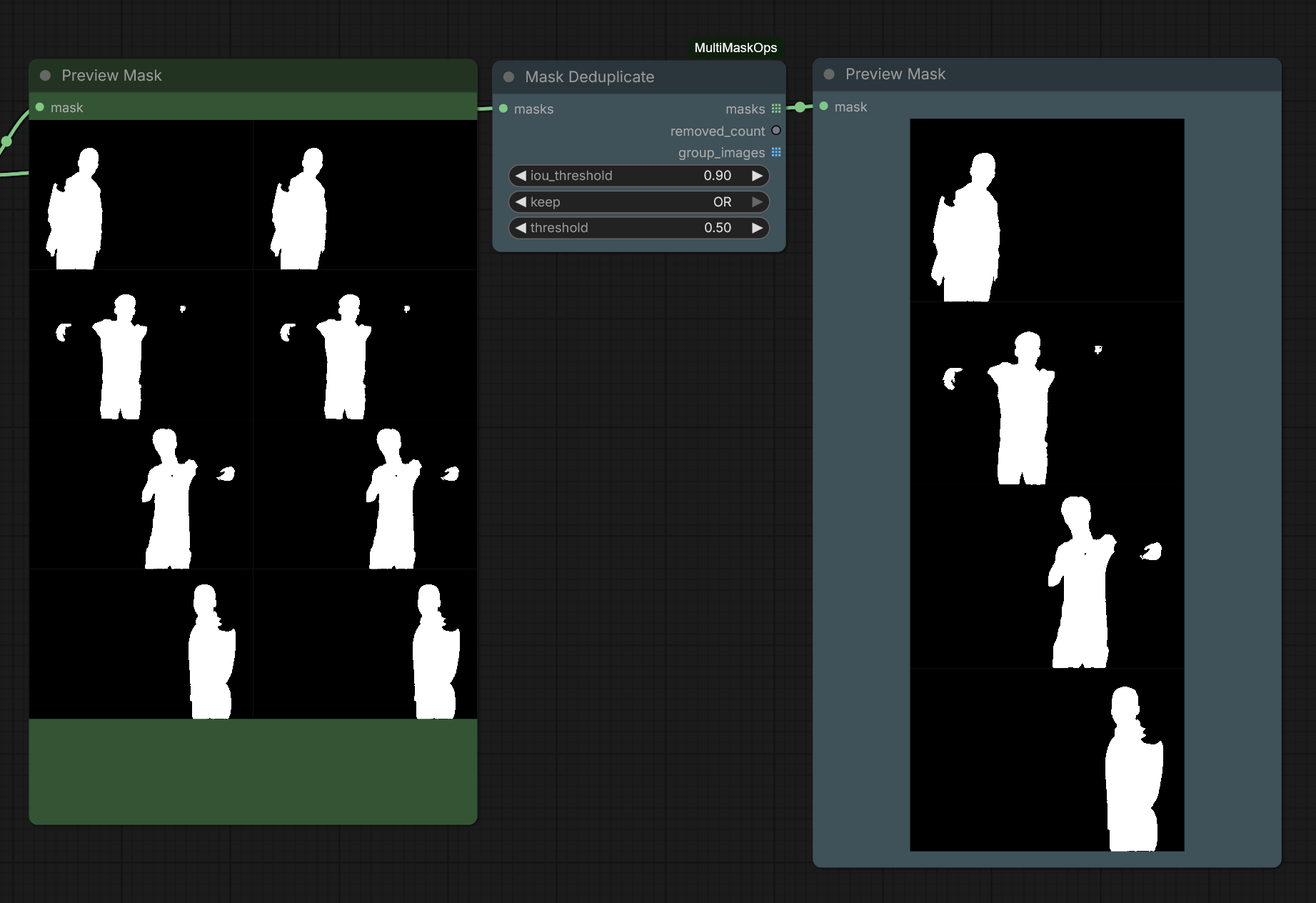
Detects and removes duplicate masks using transitive IoU grouping: if mask A overlaps B and B overlaps C (each above the threshold), all three are treated as one group — even if A and C don't directly overlap enough. Each group is then collapsed to a single mask.
Inputs
masks— a list of masks to deduplicate.iou_threshold— minimum Intersection-over-Union for two masks to count as duplicates. Higher = stricter.keep— how to collapse each group:largest/smallest/first— keep one existing mask from the group.OR— union of the group (soft max).AND— intersection of the group (soft min).
threshold— binarization cutoff for computing IoU and areas.
Outputs
masks— the deduplicated masks, one per group.removed_count— how many masks were removed.group_images— one debug image per duplicate group, each mask drawn in a distinct colour with overlaps blended (so overlap of two masks reads as a blended colour). Only groups with 2+ members are shown.
Example:
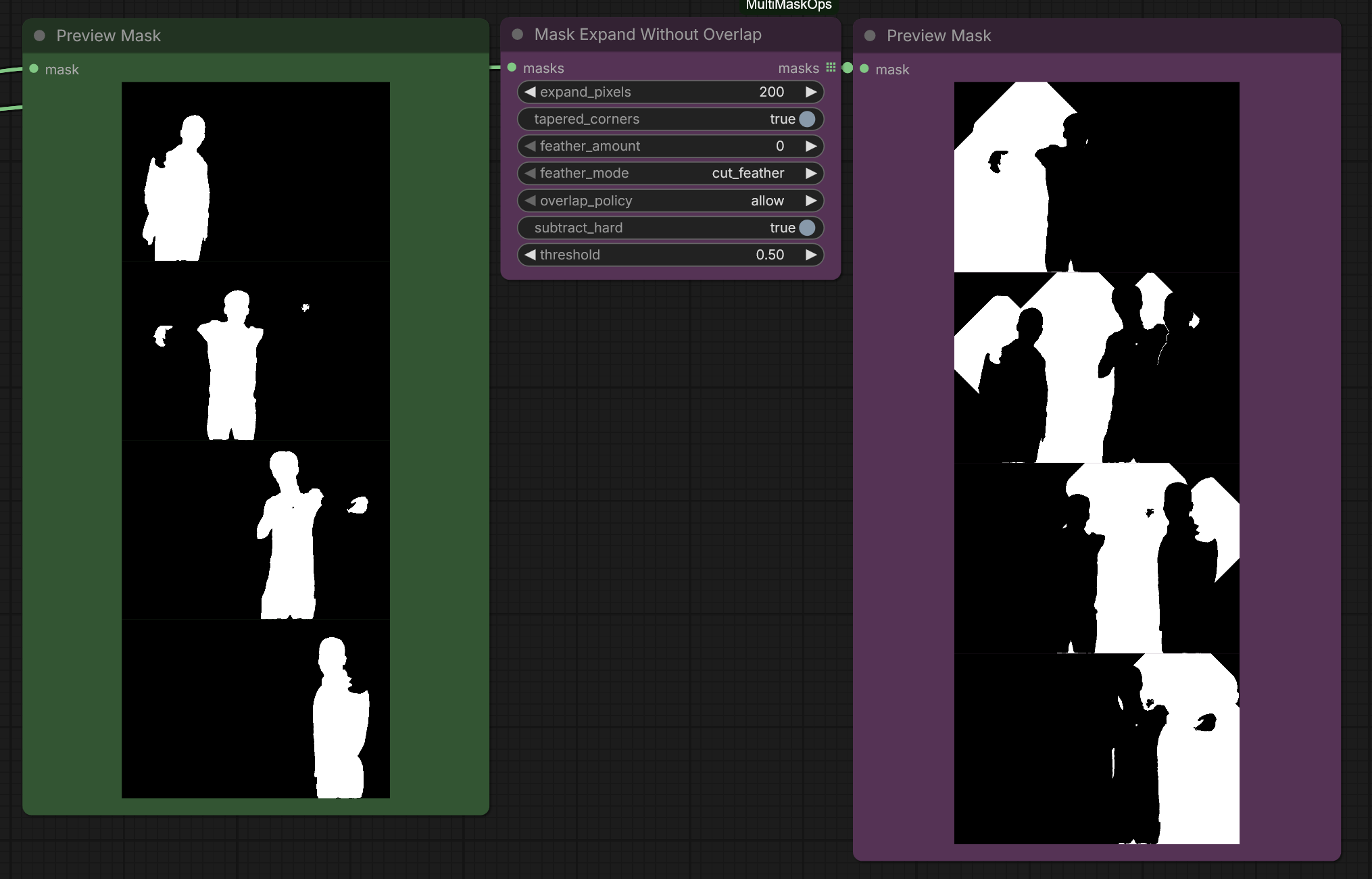
Mask Expand Without Overlap
Expands (and optionally feathers) each mask in a list while making sure no mask ever leaks into another mask's original region. Each mask is grown, then the other masks' regions are subtracted from it.
Dilation matches the native GrowMask method (with tapered_corners); feathering matches GrowMaskWithBlur's Gaussian blur.
Inputs
masks— a list of masks to expand.expand_pixels— how many pixels to grow each mask.tapered_corners— rounds the corners of the expansion (matches native GrowMask).feather_amount— Gaussian blur radius for soft edges (0= no feather).feather_mode— how feathering interacts with neighbours:cut_feather— feather, then subtract neighbours (hard seam at the neighbour edge).preserve_feather— subtract, feather, then subtract again (soft seam that never leaks).
overlap_policy— how expansions interact in empty space:allow— expansions may overlap freely outside original regions (only originals are protected).retreat— contested empty pixels are cleared in both masks (clean empty seam).priority— earlier masks in the list win contested pixels (gap-free; deterministic by order).
subtract_hard— flatten the protected region so a mask can never leave any value inside another's area (recommended on).threshold— binarization cutoff used when building the protection regions.
Outputs
masks— the processed masks, expanded/feathered without overlapping each other's originals.
Example:
Acknowledgements
Built with the help of Claude (Anthropic), which assisted with the node design, implementation, and testing.
License
MIT