
IMGLAB_ComfyUI
IMGLAB custom nodes for ComfyUI
Nodes (1)
IMGLAB_ComfyUI
IMGLAB custom nodes for ComfyUI.
Auto Mask (IMGLAB)
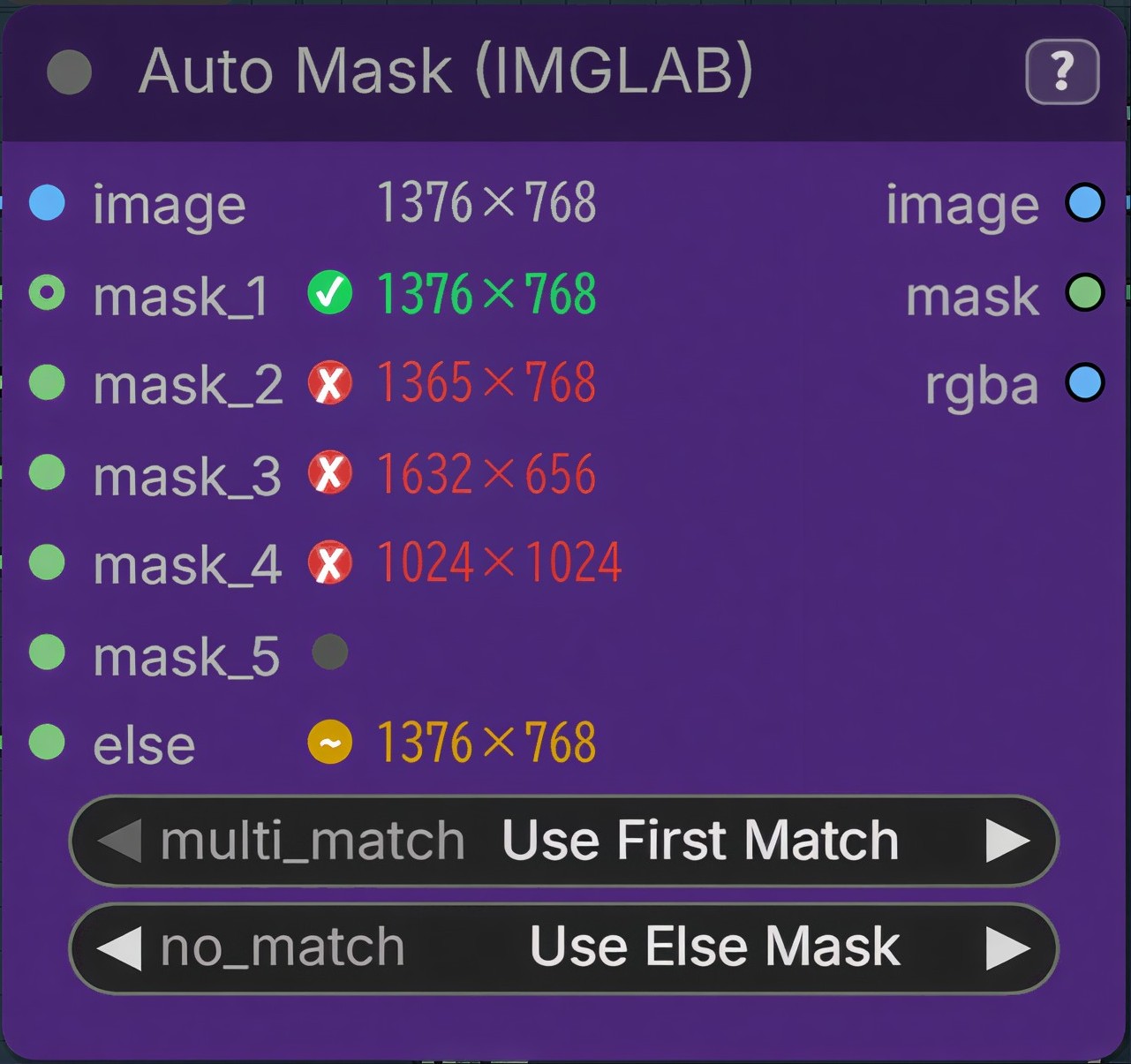
Example
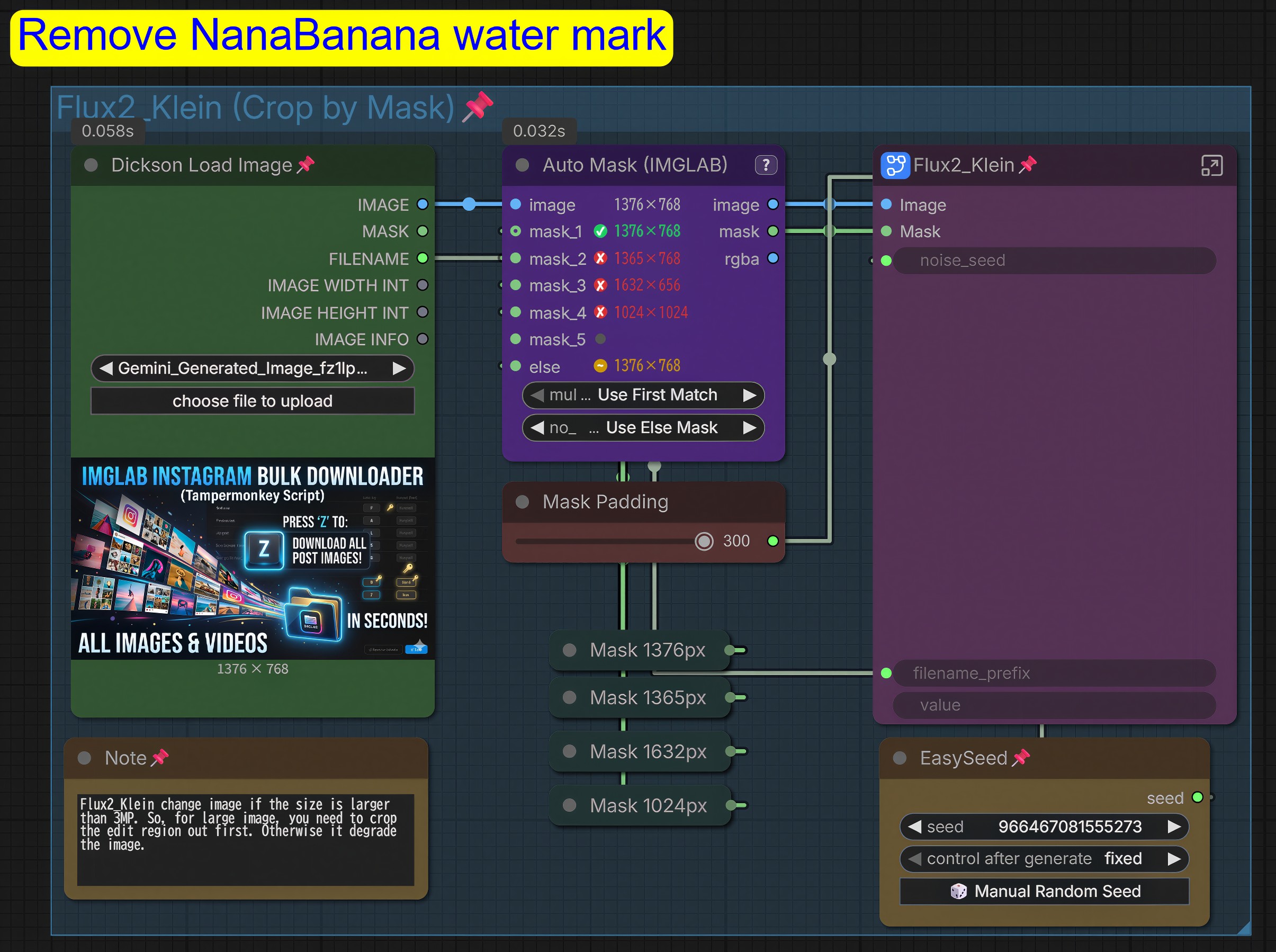
A ComfyUI custom node that accepts one image and up to 8 mask inputs, compares dimensions, and outputs the first matching mask — with configurable edge-case handling and an optional fallback (else) mask.
Installation
Drop the IMGLAB_ComfyUI/ folder into ComfyUI/custom_nodes/ and restart ComfyUI.
ComfyUI/
└── custom_nodes/
    └── IMGLAB_ComfyUI/
        ├── __init__.py
        ├── nodes.py
        ├── README.md
        ├── pyproject.toml
        └── js/
            └── auto_mask.js
Or install via ComfyUI Manager — search for IMGLAB_ComfyUI.
Inputs
| Input | Type | Description |
|---|---|---|
| image | IMAGE | Source image — defines the target resolution |
| multi_match | combo | Behaviour when multiple masks match the image size |
| no_match | combo | Behaviour when no mask matches the image size |
| mask_1 … mask_8 | MASK | Dynamic slots — next slot appears as each one is connected |
| else | MASK | Fallback mask — only visible when no_match = Use Else Mask |
Outputs
| Output | Type | Description |
|---|---|---|
| image | IMAGE | Direct passthrough of the input image |
| mask | MASK | First mask whose dimensions match the image (or fallback) |
| rgba | IMAGE | Input image with matched mask as alpha channel [B,H,W,4] |
Edge Case Options
multi_match — when 2+ masks share the image's exact dimensions:
| Option | Behaviour |
|---|---|
| Use First Match | Silently picks the lowest-numbered slot |
| Raise Error | Halts the queue listing the conflicting slot numbers |
no_match — when no connected mask matches the image size:
| Option | Behaviour |
|---|---|
| Output Empty Mask | Outputs a zeroed mask (RGBA will be fully transparent) |
| Use Else Mask | Reveals an else input slot; uses it as the fallback output |
| Raise Error | Halts the queue listing the sizes that were connected |
Note: If
Use Else Maskis selected butelseis not connected, the node will raise an error rather than silently fail.
Node UI
- Image slot — shows resolution (
W×H) in grey after execution - Mask slots — show resolution coloured green (match) or red (mismatch); unconnected slots show a faint grey dot
- Else slot — only visible when
no_match = Use Else Mask - Mask slots expand automatically as you connect them (up to 8), and collapse when disconnected