
HALXP-Comfy
A UI suite for ComfyUI including Focus mode and layout enhancements.
HALXP-Comfy (ComfyUI Extension)


HALXP-Comfy is a professional UX suite for ComfyUI designed to enhance workflow management.
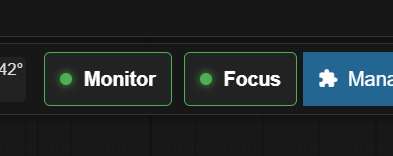
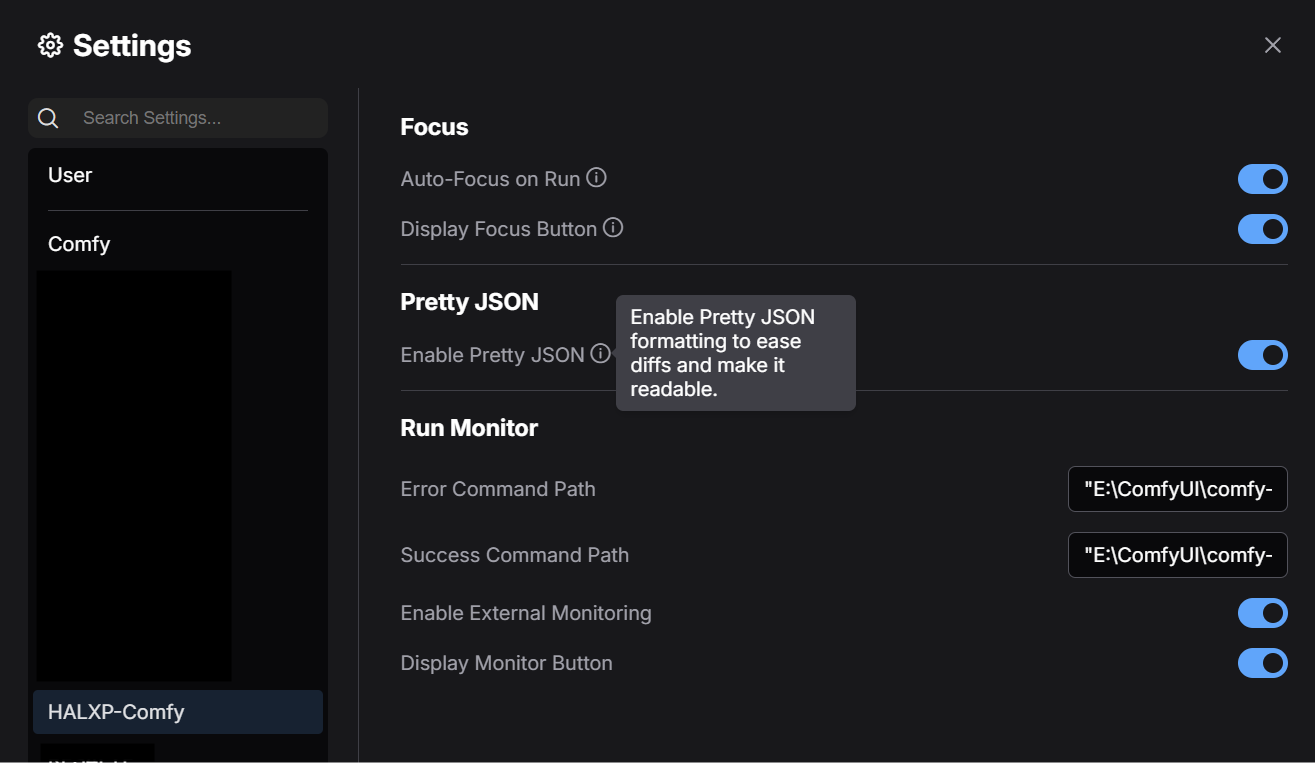
This extension is the starting point for a growing collection of tools. Currently, it features HALXP Focus, a way to auto-focus the current running node, HALXP RunMonitor that lets you run a script on success or error, and Pretty JSON Export for human-readable workflow files, with more enhancements currently in development.
Verified working on: Legacy UI, ComfyUI V1 (Nodes 2.0), and Portable Distributions.
⚠️ Prerequisite
This extension requires ComfyUI Manager to be installed. The HALXP UI elements are designed to dock seamlessly alongside the ComfyUI Manager button in the main menu.
🌟 Features
1. HALXP Focus
A smart "Focus" button injected into your main menu bar.
- Auto-Follow: Smoothly pans the camera to the currently executing node, allowing you to watch your workflow progress hands-free.
- Smart Docking: Automatically detects the ComfyUI Manager button and injects itself seamlessly beside it.
- Visual Feedback: Features a status indicator (Green dot = Active) so you always know when auto-follow is engaged.
- V1 Compatible: Works natively with the new Vue.js frontend and PrimeVue menus.
2. HALXP RunMonitor
A way to run a custom script on workflow success or failure
- Go in the Settings under HALXP-Comfy and set a batch file to run or anything you want
- (play a wav, open a website, etc.) separately for success and errors - doesn't cover static validation error on launch
- ex: With my phone provider (Free Mobile in France), I have an API to send SMS so I can go do other things and get notified when my workflow ends
- batch file content example:
- start "" "https://smsapi.free-mobile.fr/sendmsg?user=XXXXXXXXXX&pass=YYYYYYYYYYY&msg=Comfy%%20Error%%20!"
- Smart Docking: Automatically detects the ComfyUI Manager button and injects itself seamlessly beside it.
- Visual Feedback: Features a status indicator (Green dot = Active) so you always know when Monitor is engaged.
- V1 Compatible: Works natively with the new Vue.js frontend and PrimeVue menus.
3. Pretty JSON Export
Makes workflow JSON exports human-readable with proper indentation for easier version control diffs.
- Automatic formatting: All workflow saves and exports are automatically pretty-printed with 2-space indentation
- No configuration needed: Works out of the box
- Manual export functions: Available in browser console:
exportPrettyWorkflow()- exports the visual workflow JSONexportPrettyApiWorkflow()- exports the API format JSON
- Version control friendly: Makes git diffs readable and reviewable
- Customizable indentation: Edit
js/pretty_json.jsto change indent size if needed
4. More Coming Soon
HALXP is built as a modular suite. Expect future updates to include additional layout and debugging tools to further improve your ComfyUI experience.
📦 Installation
Via ComfyUI Manager (Recommended)
- Open ComfyUI Manager.
- Search for
HALXP-Comfy. - Install and Restart.
Manual Installation
- Navigate to your
ComfyUI/custom_nodes/directory. - Clone this repository:
git clone [https://github.com/HAL-XP/halxp-comfyui](https://github.com/HAL-XP/halxp-comfyui)