
ComfyUI Extension
ComfyUI-AffineImage
Insert image to specific location of another image
GuardSkill/ComfyUI-AffineImage
Nodes2
On cloudLocal install
CategoryKJNodes/experimental, ImageNodes
Stars6
Updated11 months ago
Nodes (2)
Readme
ComfyUI Affine Transform Mapper / ComfyUI 仿射变换映射器
Interactive 4-point affine transformation for seamless image composition
基于交互式四点选择的仿射变换图像合成工具
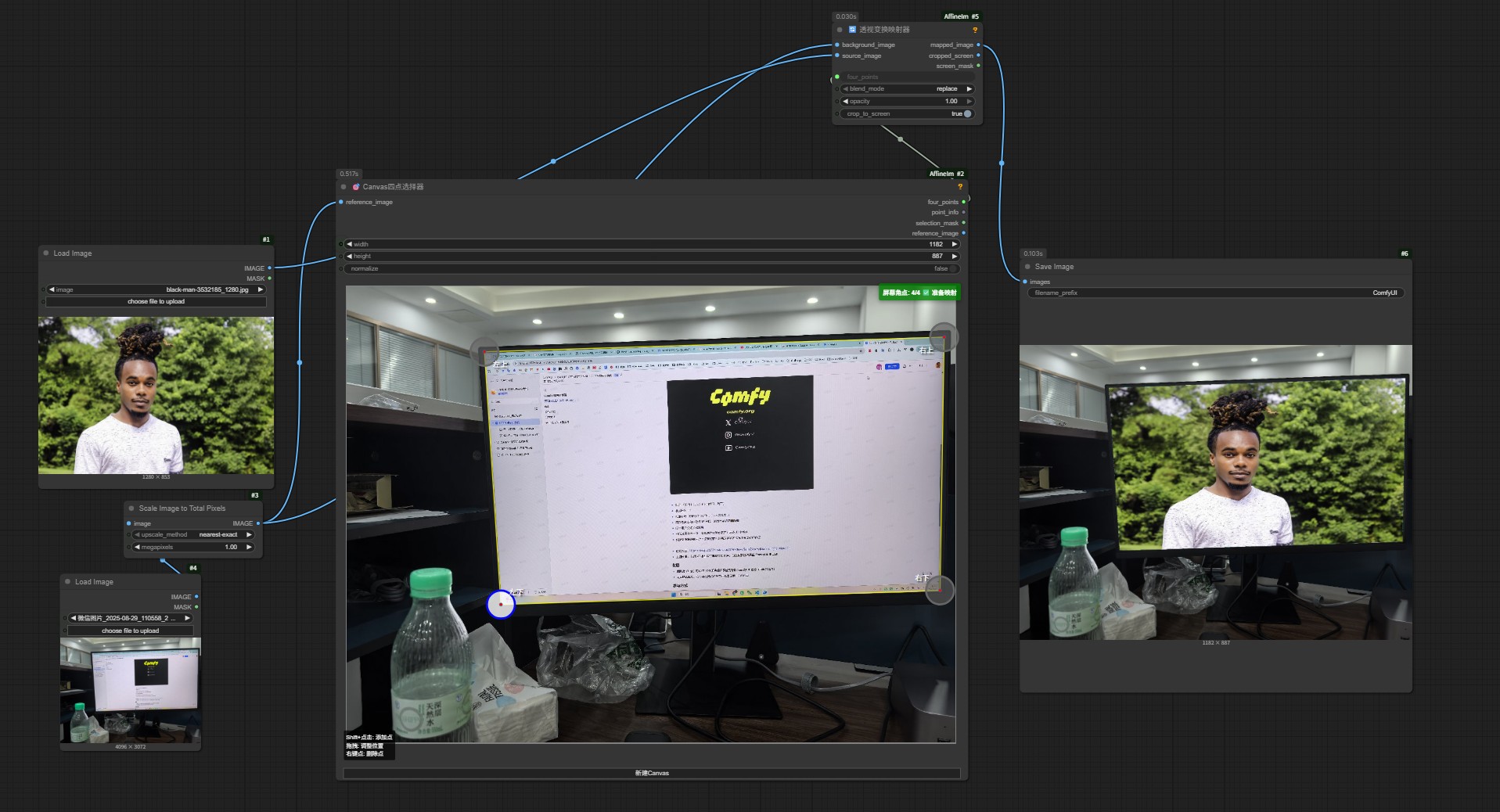
English
Precisely transform and insert any image into a defined 4-point area within another image using interactive canvas-based point selection.
What's it can do: Insert image to specific location of another image.
Core Functionality
- 4-Point Affine Transformation: Map any source image to fit exactly within 4 selected corner points
- Interactive Point Selection: Visual canvas interface for precise point positioning
- Seamless Image Composition: Advanced blending modes for natural integration
- Real-time Preview: Instant visual feedback during point selection
How it works
The tool performs precise perspective transformation to fit your source image within any quadrilateral area you define by selecting 4 corner points on the target image.
- Canvas Four Point Selector: Interactively select 4 corner points on your target area
- Perspective Transform Mapper: Apply mathematical transformation to fit source content within selected bounds
Key Applications
- Photo Composition: Insert artwork, designs, or content into frames, windows, or surfaces
- Mockup Creation: Place designs onto books, posters, billboards, or any flat surface
- Content Integration: Seamlessly blend generated content into photographs
- Perspective Correction: Transform images to match specific viewing angles
Installation
cd ComfyUI/custom_nodes/
git clone https://github.com/GuardSkill/ComfyUI-AffineImage.git
cd ComfyUI-Affine-Transform
pip install -r requirements.txt
Usage
- Shift + Click: Add corner points (exactly 4 needed)
- Drag: Adjust point positions for perfect alignment
- Right-click: Delete points or access context menu
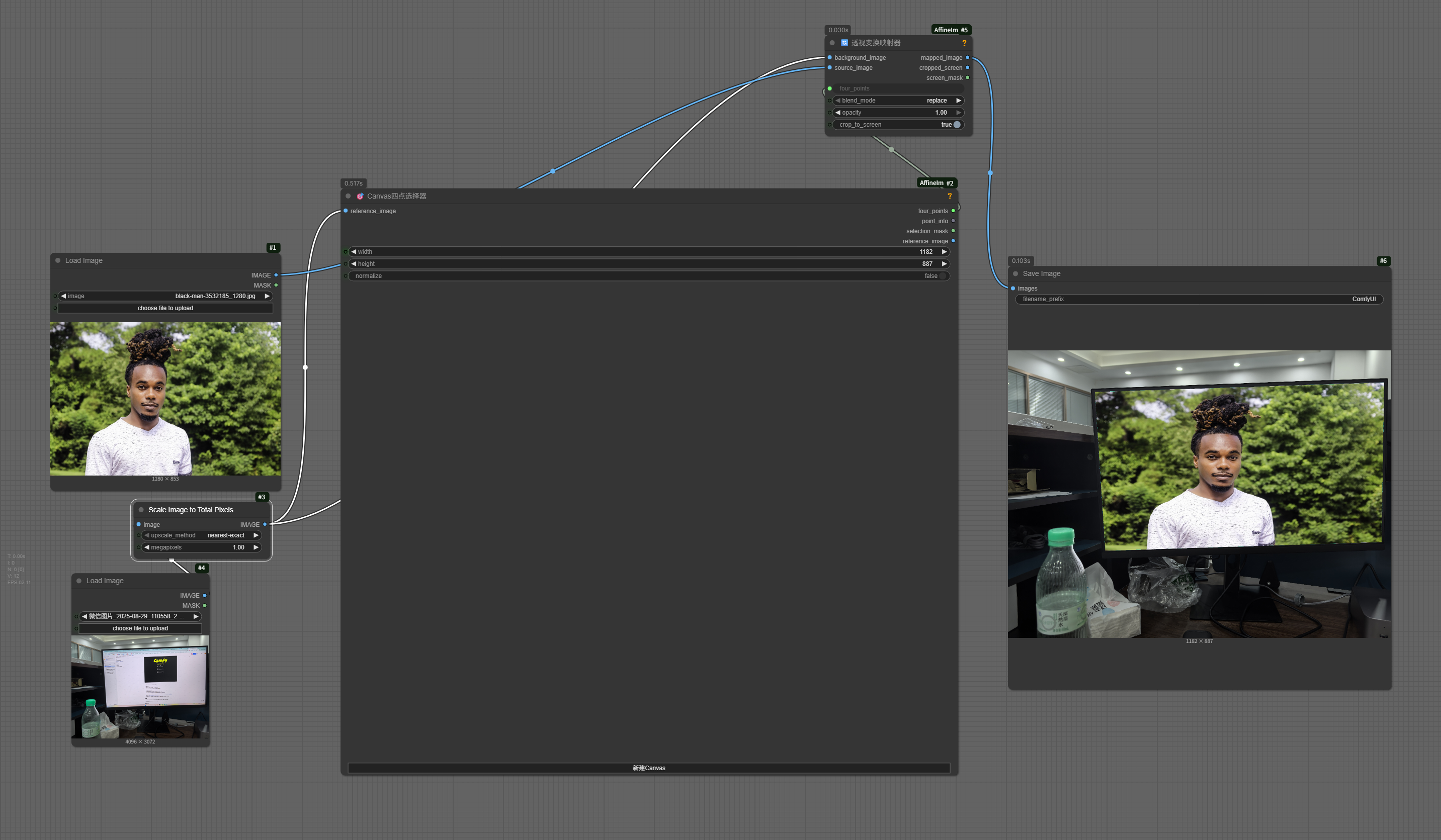
- Workflow: Point Selector → four_points → Transform Mapper
workflow example(just drag it to comfy)
Basic Version
Advanced Version to restore some foreground.
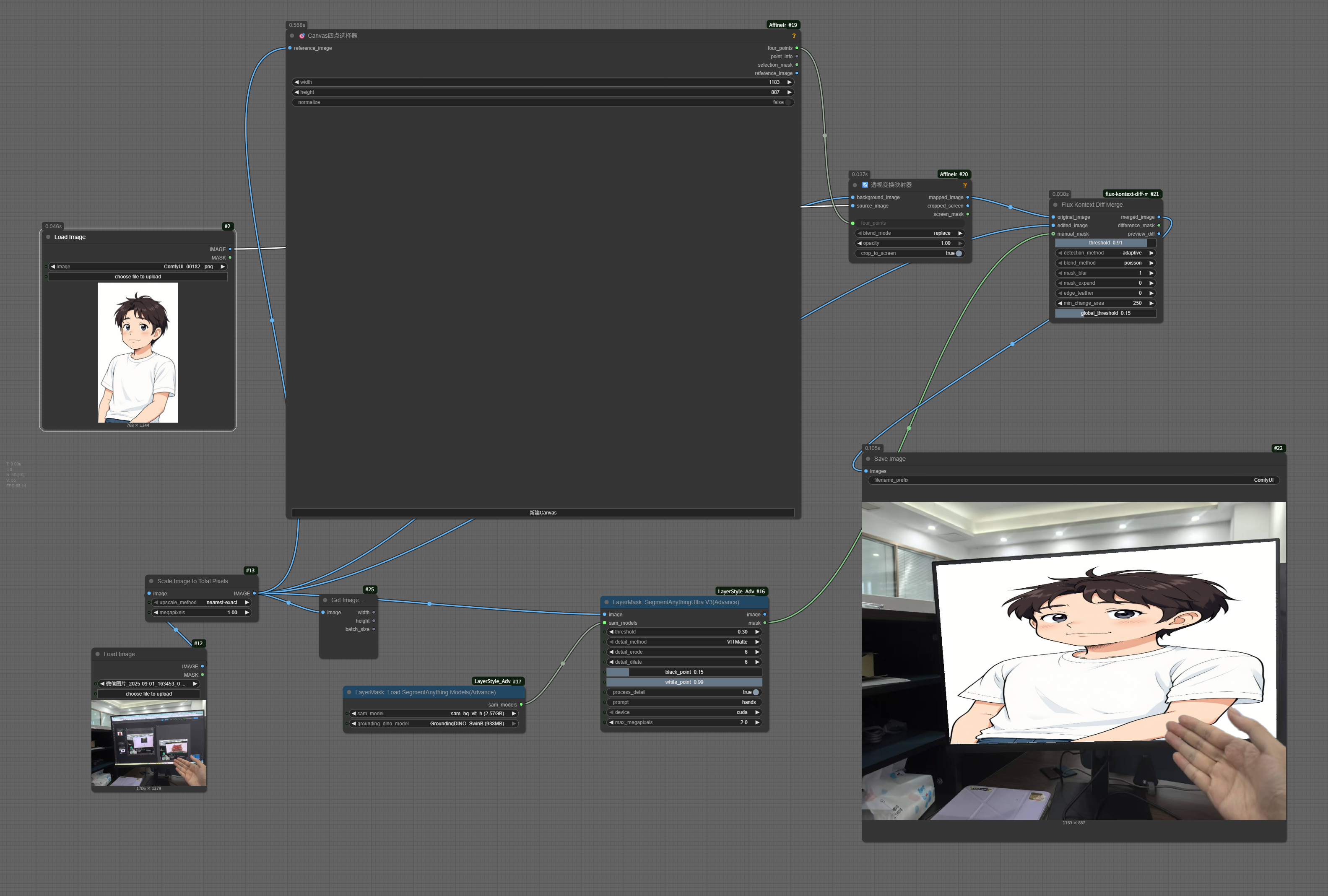
中文
通过交互式Canvas四点选择,精确地将任意图像仿射变换并插入到另一张图像的指定四点区域内。 可实现的功能: 手动指定四个点,把一张图像插入到另一张图像的屏幕/书籍/物体表面上,而且看起来合理。
核心功能
- 四点仿射变换: 将源图像精确映射到选定的四个角点范围内
- 交互式点选择: 可视化Canvas界面,精确定位四个角点
- 无缝图像合成: 高级混合模式实现自然融合
- 实时预览: 选点过程中即时视觉反馈
工作原理
该工具通过透视变换数学计算,将源图像精确适配到你在目标图像上选择的任意四边形区域内。
- Canvas四点选择器: 在目标区域交互式选择4个角点
- 透视变换映射器: 应用数学变换将源内容适配到选定范围
主要应用
- 照片合成: 将艺术作品、设计或内容插入画框、窗户或表面
- 样机制作: 将设计放置到书籍、海报、广告牌或任何平面上
- 内容集成: 将生成内容无缝融合到摄影作品中
- 透视校正: 变换图像以匹配特定视角
安装方法
cd ComfyUI/custom_nodes/
git clone https://github.com/GuardSkill/ComfyUI-AffineImage.git
cd ComfyUI-Affine-Transform
pip install -r requirements.txt
使用方法
- Shift + 点击: 添加角点(需要精确4个)
- 拖拽: 调整点位置以完美对齐
- 右键: 删除点或访问上下文菜单
- 工作流: 点选择器 → four_points → 变换映射器
基础班
高级版(可以自定义保留一些前景)
节点详解
Canvas四点选择器
- 核心功能: 在目标图像上精确选择变换区域的四个角点
- 输出: 四个点的坐标数据,供变换计算使用
透视变换映射器
- 核心功能: 执行数学仿射变换,将源图像适配到四点区域
- 特性: 支持多种混合模式、透明度控制、自动裁剪
技术优势
- 数学精确性: 基于OpenCV的高精度透视变换算法
- 视觉直观: 交互式界面无需手动输入坐标
- 灵活适用: 适配任意形状的四边形区域
- 质量保证: 支持高分辨率图像处理
使用场景
- 将UI设计放置到设备屏幕上(屏幕映射只是应用之一)
- 在照片中的画框内插入艺术作品
- 将设计稿放置到产品包装或宣传材料上
- 在建筑照片的窗户或表面上添加内容
- 制作各类产品样机和展示效果
Technical Requirements / 技术要求
- ComfyUI environment / ComfyUI环境
- OpenCV, NumPy, PIL/Pillow
- Modern browser for canvas interaction / 现代浏览器支持Canvas交互
License / 许可证
MIT License