
TiledUpscale
Tiled upscale and refine for reference-latent edit models (FLUX.2 klein and similar): regenerate detail beyond the resolution a model can handle in one pass, without visible seams.
Nodes (4)
The node that lets FLUX.2 klein go far past its native resolution — without the grid of seams
Stop guessing tile_size — tell it how many tiles you want and it does the math
Stitching tiles together when you already know the final size
The original SimpleTiles splitter — and why the dynamic one exists
ComfyUI-TiledUpscale
Tiled refine/upscale for reference-latent edit models (FLUX.2 [klein], Krea 2 and similar): split an image into overlapping tiles, regenerate each one at full tile resolution, and blend them back into a single image so you can add detail beyond the resolution a model can handle in one pass.
The tile geometry and the latent the sampler starts from are read from the loaded model, so the node is not tied to one architecture: FLUX.2 (128-channel latent, 1/16 VAE) and Krea 2 (16-channel video-shaped latent, 1/8 VAE) both work.
Krea 2 setup
Stock Krea 2 (Raw or Turbo) is a text-to-image model with no reference path at all, which ComfyUI records as default_ref_method = None. Handed a reference it either ignores it or produces noise, so tiled refine needs one of the reference-capable LoRAs on top:
| | LoRA | reference_mode |
|---|---|---|
| Detail/identity-preserving refine | krea2_identity_edit | in_context (what auto picks) |
| Style reference | krea2_style_reference | conditioning |
Wire UNETLoader → LoraLoaderModelOnly → this node, and use the rest of the Krea 2 stack: CLIP loaded with CLIPLoader type krea2 (Qwen3-VL 4B) and qwen_image_vae.safetensors, not the Wan 2.1 VAE. Both share the same latent format, so the wrong one raises no error and just degrades the output into artefacts.
With the identity-edit LoRA, also connect the clip input and put your instruction in prompt. These LoRAs are trained with the source image in both paths, as latent tokens and inside the text encoder's user turn, and with the text half missing the model largely ignores the reference and generates from the prompt alone. Connecting clip re-encodes the prompt per tile with that tile as the encoder's vision input, and overrides positive. Grounding the whole image once instead (for instance with an external grounded-encode node) describes the entire scene to every tile, and each tile then redraws the whole composition.
The identity-edit LoRA's own release notes recommend generating at ~1–1.5MP and upscaling afterwards, which is exactly what this node is for.
| Before | After (Tiled Upscale & Refine) |
|:---:|:---:|
| 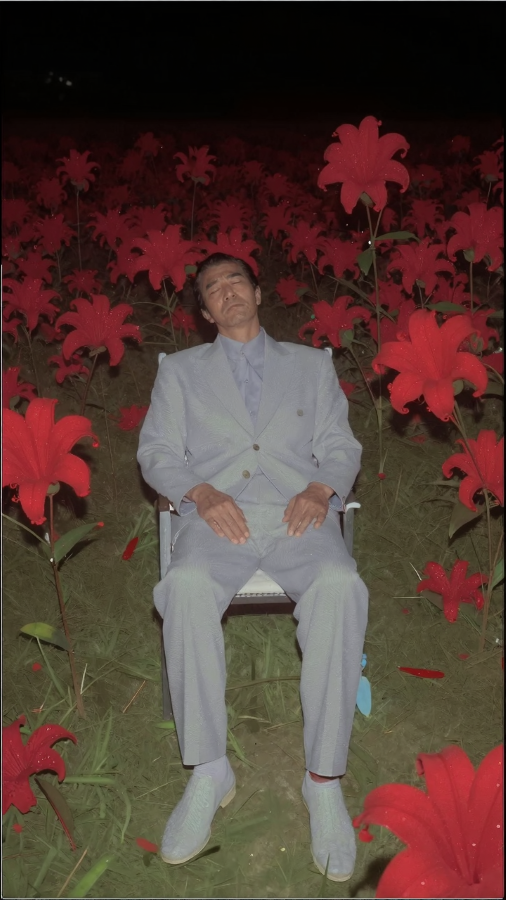 |
| 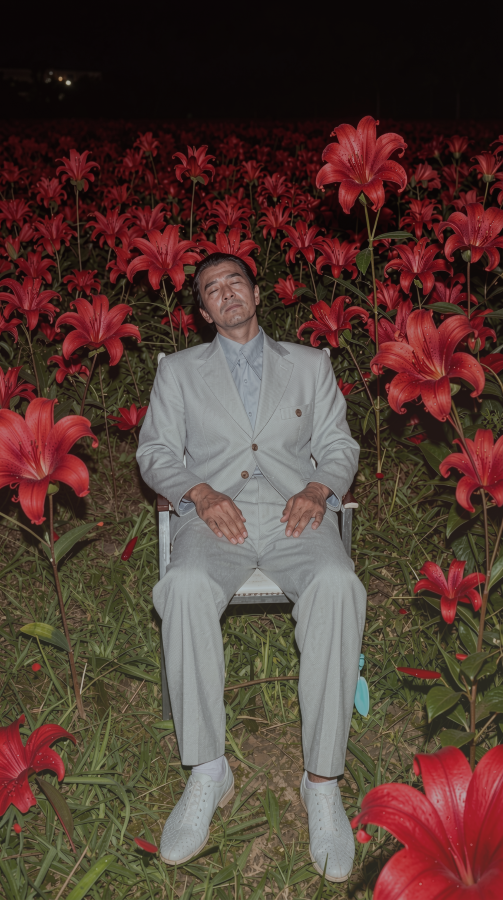 |
|
Large-scale example: 1920x1088 (2.1MP) source upscaled to 7968x4512 (36MP) using upscale_by=4.151, tile_size=2048, overlap=192, for 15 tiles.
| Before (1920x1088) | After (7968x4512, 36MP, 15 tiles) |
|:---:|:---:|
| 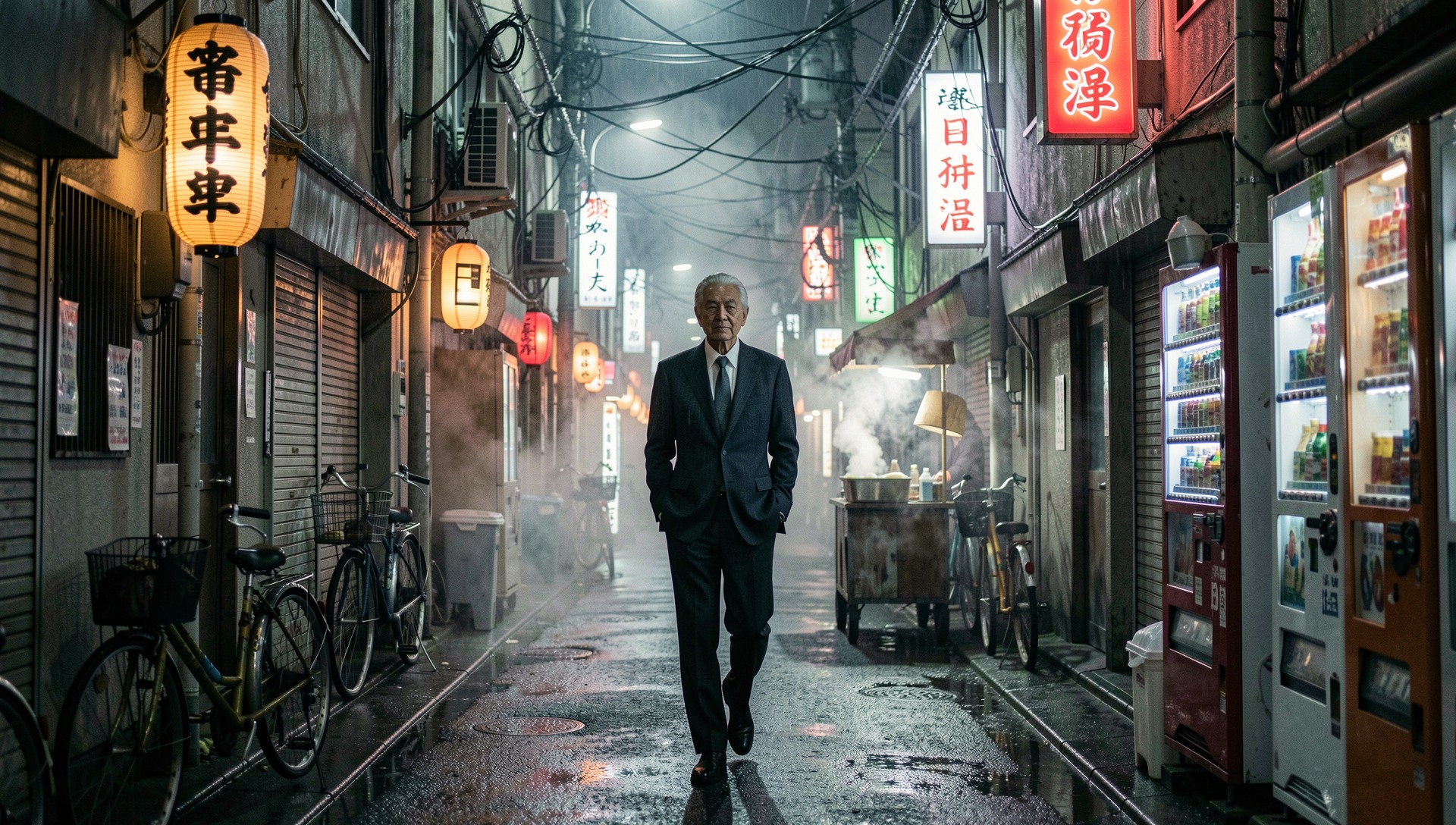 |
| 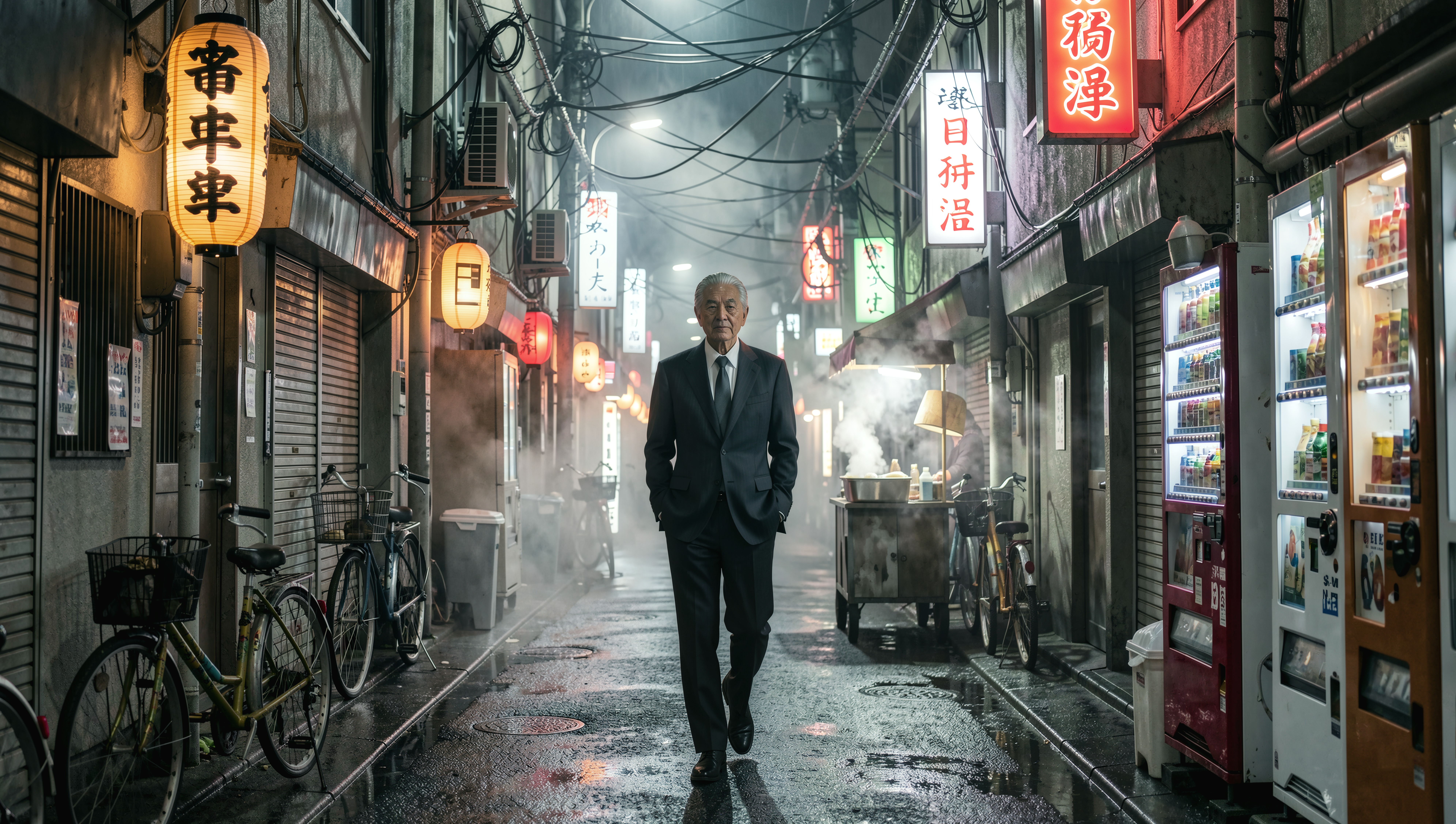 |
|
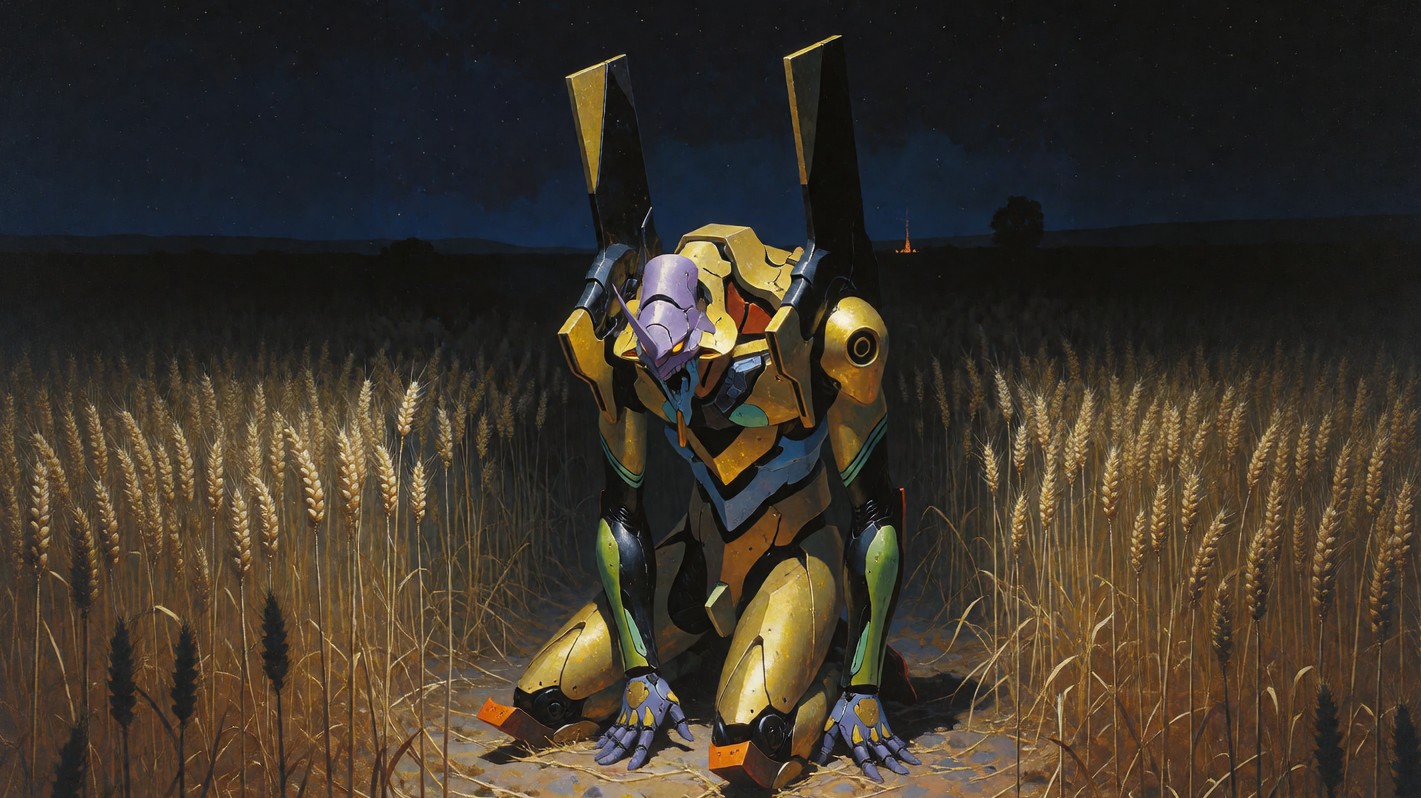
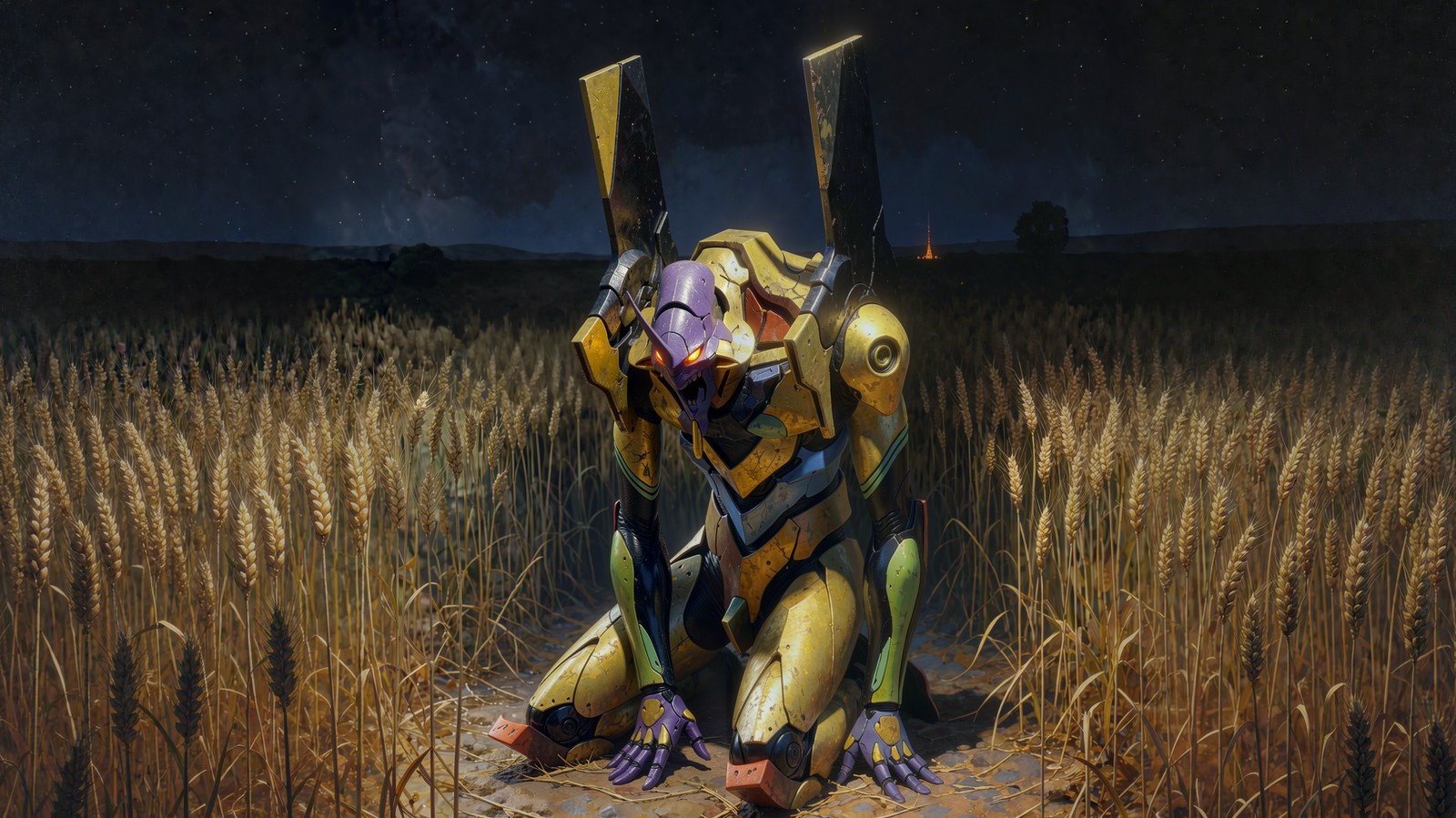
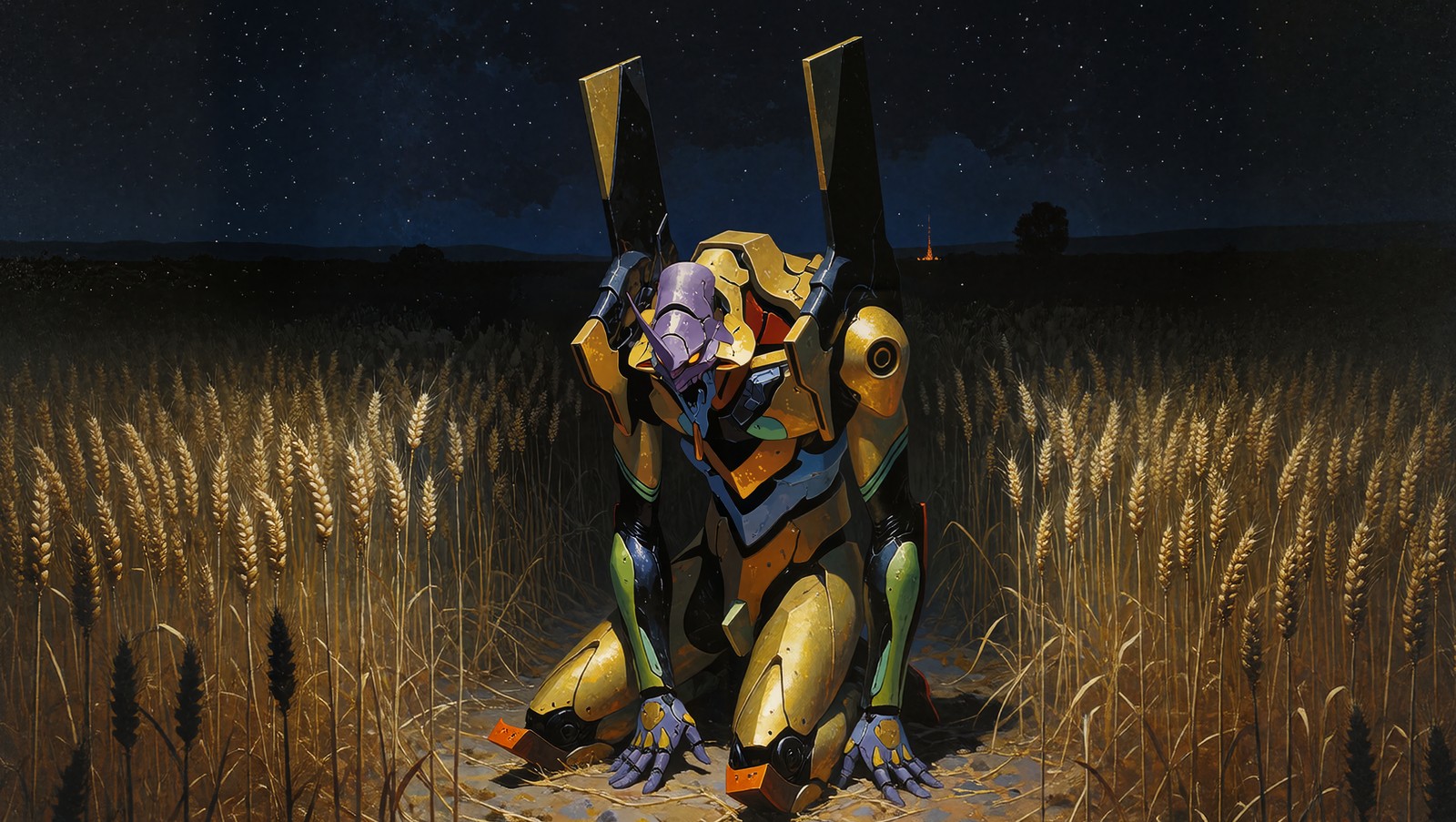
The same source through three models
| Source | FLUX.2 klein |
|:---:|:---:|
|  |
|  |
| Krea 2 Turbo (bf16) | Krea 2 Raw (int8 ConvRot) |
|
|
| Krea 2 Turbo (bf16) | Krea 2 Raw (int8 ConvRot) |
|  |
|  |
|
How much of the original survives is mostly denoise, not the model. At 1.0 every tile is regenerated outright and the source only guides it through the reference, so the result can drift a long way from what you fed in. Lower values renoise the tile instead of replacing it, and around 0.7 to 0.85 brushwork, grain and palette stay put while detail still gets added. On a painting the difference is obvious; on a photograph it is easy to miss, because the model's prior already looks like the source.
Models differ in how far they go for a given setting. FLUX.2 klein regenerates the most: at full denoise it tends to rebuild a painting as a photograph, keeping the composition but not the medium, so it wants a lower denoise than the Krea 2 stack for the same amount of restraint. Quantisation is not what decides this. The int8 ConvRot build behaves like the bf16 one; what changed between those two panels is the sampler budget, since Turbo is distilled for very few steps while Raw needs the usual twenty-something and a cfg above 1.
Example workflows
Drag any of these into ComfyUI for a working setup:
| Workflow | Stack |
|---|---|
| ComfyUI-TiledUpscale.json | Core nodes only, nothing else to install |
| TiledUpscale_flux2klein.json | FLUX.2 klein |
| TiledUpscale_krea2-turbo.json | Krea 2 Turbo with the identity-edit LoRA |
| TiledUpscale_krea2_int8convrot.json | Krea 2 Raw, int8 ConvRot quantised |
Nodes
Tiled Upscale & Refine
The all-in-one node. Give it a model, plain text conditioning, a VAE and an image; it does the whole pipeline internally and returns the finished image. No ReferenceLatent / EmptyLatent / KSampler wiring needed because the per-tile reference latent is attached inside.
tile_size and overlap are 0 by default, which means automatic: the node picks both from the size of the upscaled image and reports its choice in the info output. Set either to a non-zero value to override it. Everything below explains what it picks and when overriding is worth it.
Inputs
upscale_by: resize the image before tiling (Lanczos).1.0= refine at current size.tile_size: resolution each tile is regenerated at.0(default) picks one from the output size: about four tiles along the longest side, kept between 1024 and 1536. Set it by hand for fewer seams if you have the VRAM, bearing in mind that attention cost grows with the square of the tile while the tile count only falls linearly, so the total cost grows too. Tested working at 2048 on a 36MP image.overlap(px): how much neighbouring tiles share.0(default) picks 30% of the tile size. A tile drifts from its neighbours over roughly the outer 15% of its width, and an overlap band is the one place two tile edges meet, so the band has to be wide enough that its middle falls outside both edge zones. It follows the tile, notupscale_by.feather(0–1): fraction of the actual overlap used for the blend fade.1.0(default) fades across the whole shared region.seed/steps/cfg/sampler_name/scheduler/denoise: as in a normal KSampler. Each tile is sampled from its own latent, sodenoiseis the usual img2img strength:1.0regenerates the tile outright, lower values renoise it and keep more of what was there. Lower it when a subject sits across a seam: four tiles independently regenerating the same face at1.0average into a ghost, while at0.7to0.85they stay put.sequential_context(default on): each tile is cropped from the canvas of already-generated tiles, so it continues real neighbouring pixels instead of inventing that region blind. This is what keeps detail lining up across a join. Turn it off to regenerate every tile independently from the source.reference_mode(defaultauto): how each tile is handed to the model as its own reference.conditioningattaches it as a reference latent, the path FLUX.2, Qwen and the Krea 2 style-reference LoRA use.in_contextprepends the tile as a block of clean source tokens inside the model's forward ([text | source(frame=1) | target(frame=0)]), which is what the Krea 2 edit LoRAs are trained on and what ComfyUI's generic reference path does not reproduce.autopicksin_contextfor Krea 2 andconditioningfor everything else.clip/prompt/grounding_px: Krea 2 in-context mode only. See Krea 2 setup.clipturns on per-tile prompt grounding and overridespositive;grounding_px(default 768) caps the longest side of the tile fed to the text encoder, lower favouring edit adherence and higher favouring likeness.redo_first_tile(default on): the top-left tile is the only one generated with no already-refined neighbour to continue from, so it can sharpen a blurry background or hallucinate detail the rest of the image never gets. With this on, it is generated once more at the end, now surrounded by finished tiles, so it gets the same context every other tile had. Costs one extra tile of sampling; needssequential_context.color_match/color_match_strength: per-tile colour matching back to the source crop (mklby default), which stops tiles from drifting apart in exposure or tint.final_color_match: one more pass over the finished image against the source.
Outputs
image: the refined result, back at the input's resolution (timesupscale_by).info: the grid that was used and each tile's position and real per-side overlap.
Tile Split / Tile Merge
The manual building blocks, if you want your own nodes between splitting and merging (a different sampler, extra processing per tile, etc.).
Tile Split takes image, tile_size, overlap and returns Tiles Batch (all tiles as one batch), Tiles List (a ComfyUI list: anything you connect downstream runs once per tile automatically), Tile Info (metadata Tile Merge needs) and info.
Tile Merge takes the processed images (batch or list), the tile_info, and a feather fraction, and blends everything back into one image.
Round-trip is lossless: splitting and merging without touching the tiles returns the original image (verified to ~1e-7).
Tile Grid Advisor
Given an image, a desired grid (e.g. 2×2) and an overlap, it suggests the tile_size that produces it, and reports the grid you'd actually get including a note when the requested grid isn't reachable with a single tile size at that aspect ratio.