
ComfyUI Extension
ComfyUI-drag-ghost
A premium visual enhancement for ComfyUI that adds a smooth 'ghost' effect when dragging nodes and groups.
GalactusX31/ComfyUI-drag-ghost
Nodes—
On cloudLocal install
Stars7
Updated10 months ago
Readme
ComfyUI-Drag-Ghost 👻
A premium visual enhancement for ComfyUI that adds a smooth "ghost" effect when dragging nodes and groups. This extension significantly improves the user experience by providing clear visual feedback, performance optimizations, and advanced handling for complex workflows.
✨ Features
🚀 Visual & Performance
- Smooth 60 FPS Rendering: Uses
requestAnimationFramefor buttery smooth dragging, even in massive workflows. - Ghost Previews: Shows a semi-transparent "ghost" of your selection (nodes and groups) while dragging.
- Grid Snapping: Real-time visual snapping to the grid for precise alignment.
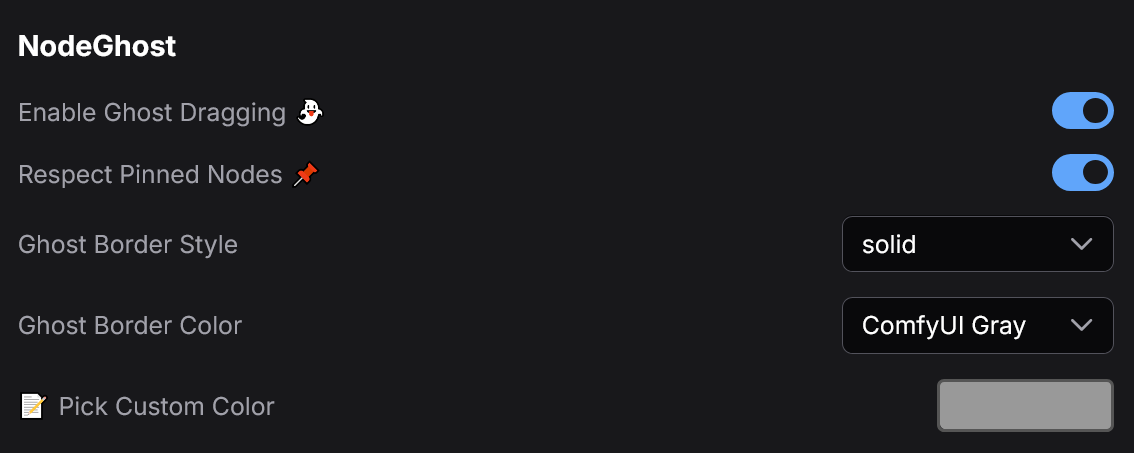
📦 Configuration
🎬 Example
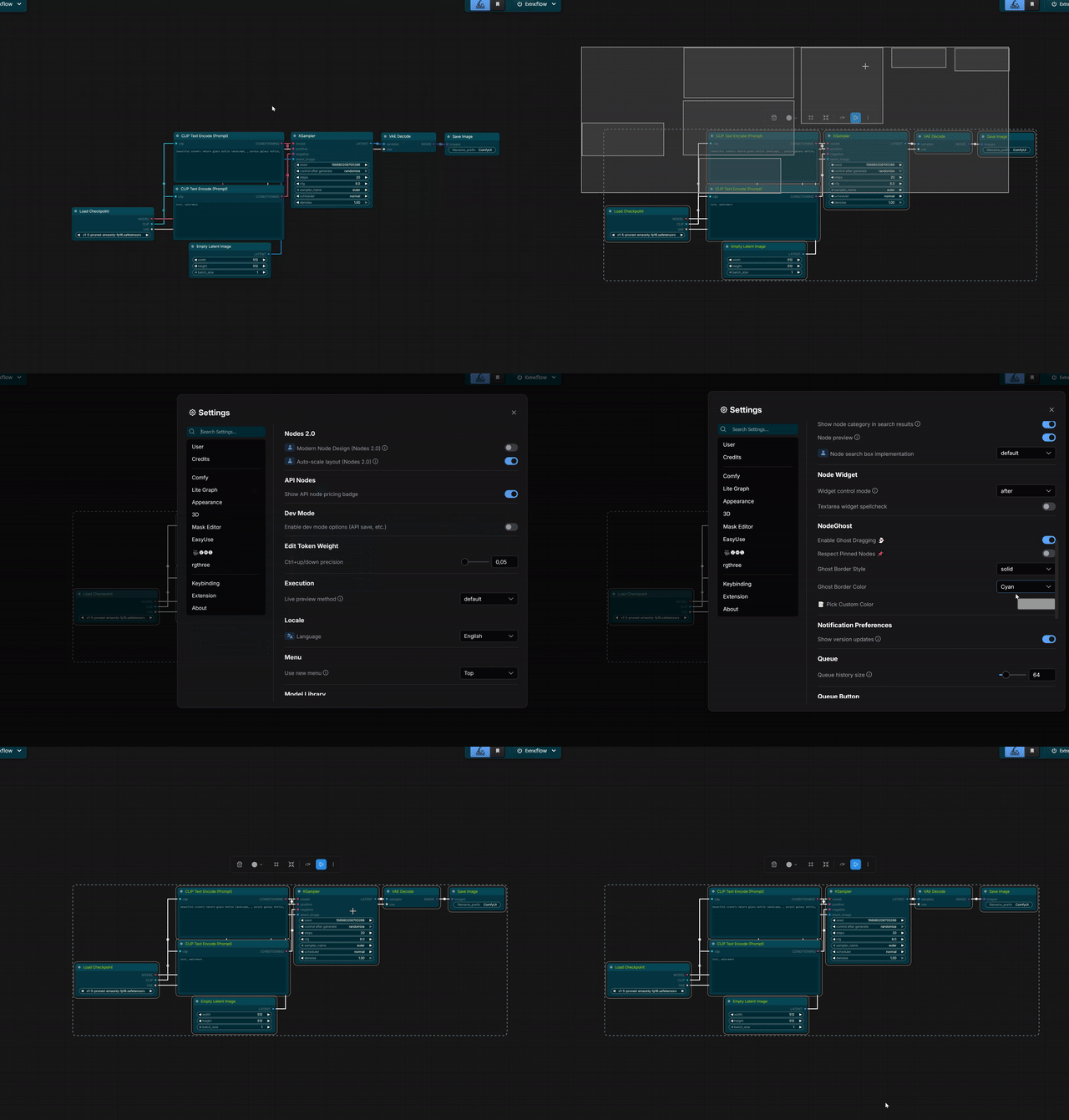
📦 Advanced Group Support
- Synchronized Movement: Moving a generic group automatically moves all nodes inside it.
- Mixed Selection: Seamlessly drag a combination of individual nodes and groups.
- Smart Ghosting: Optimizes performance by rendering the group container instead of every individual node inside it.
📌 Pinned Node Safety
- Visual Feedback: Pinned nodes appear in RED to indicate they are "stuck".
- Respect Pinned State: Configurable setting to prevent pinned nodes from moving during a collective drag.
- Drag & Drop: If "Respect Pinned" is disabled, pinned nodes will move but still show as red for awareness.
🎨 Customization
- Border Styles: Choose from
Solid,Dashed,Dotted,Double, orNone. - Custom Colors: Pick any color for your ghost via the settings menu.
- Theme Integration: Works out of the box with the default dark theme.
⚙️ Settings
You can configure the following options in the ComfyUI Settings menu (Comfy.NodeGhost):
- Enabled: Toggle the extension on/off.
- Border Style: Change the ghost border style.
- Border Color: Select a custom color (HEX) for the ghost.
- Respect Pinned Nodes: If enabled, pinned nodes will stay in place when dragging their group or selection.
📥 Installation
- Navigate to your ComfyUI
custom_nodesdirectory:cd ComfyUI/custom_nodes/ - Clone this repository:
git clone https://github.com/GalactusX31/ComfyUI-drag-ghost.git - Restart ComfyUI.
🛠️ Logic & Behavior
- Cancel Drag: Press
ESCkey to instantly cancel a drag operation and revert everything to its original position. - Safety Checks: Dragging is disabled when holding modifiers (
Ctrl,Shift,Alt) to allow native ComfyUI functions (like cloning) to work without interference. - UI Protection: Prevents accidental dragging when interacting with sliders, text fields, or connection slots.
Enhance your ComfyUI workflow with visual feedback.