
ComfyUI-Loopchain
A ComfyUI extension with 10 custom nodes.
Nodes (10)
EmptyLatentImageLoop
Skip the import nodes, just point at a folder
The node that feeds your keyframes back into the graph
ImageStorageImport, the frame collector
The memory-management node you'll forget until things break
Run an ESRGAN upscaler on your image
LatentStorageExportLoop feeds samples back in
LatentStorageImport, the write-only storage node
LatentStorageReset, and the crash hiding in the shipped code
Load an ESRGAN model for upscaling
ComfyUI Loopchain
A collection of nodes which can be useful for animation in ComfyUI. The main focus of this extension is implementing a mechanism called loopchain.
A loopchain in this case is the chain of nodes only executed repeatly in the workflow. If a node chain contains a loop node from this extension, it will become a loop chain.
Example
TODO: Detailed explaination.
First, install https://github.com/Fannovel16/ComfyUI-Frame-Interpolation.
Second, make a folder named heads inside of ComfyUI/inputs then put these two images into it.

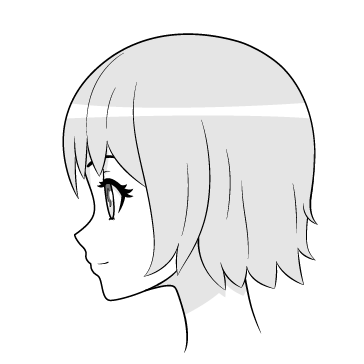
Then load this workflow.
https://github.com/Fannovel16/ComfyUI-Loopchain/raw/main/demo.mp4
Nodes
- EmptyLatentImageLoop
- ImageStorageImport
- ImageStorageExport
- ImageStorageExportLoop
- ImageStorageImport
- ImageStorageExportLoop
- ImageStorageReset
- FolderToImageStorage (need a folder in
inputinstead of an image) - LatentStorageImport
- LatentStorageExportLoop
- LatentStorageReset