
Eric Visual Research
Agentic web research nodes for ComfyUI — grounded prompt generation and VL reference description
Nodes (2)
Eric Visual Research
Agentic web research nodes for ComfyUI image generation.
Searches the web, retrieves visual references, and writes detailed grounded prompts.
Platform agnostic - outputs wire into any generation model: Flux, SDXL, Qwen-Image,
Hunyuan, or any node that accepts STRING and IMAGE inputs.
Nodes
Eric Gen-Searcher
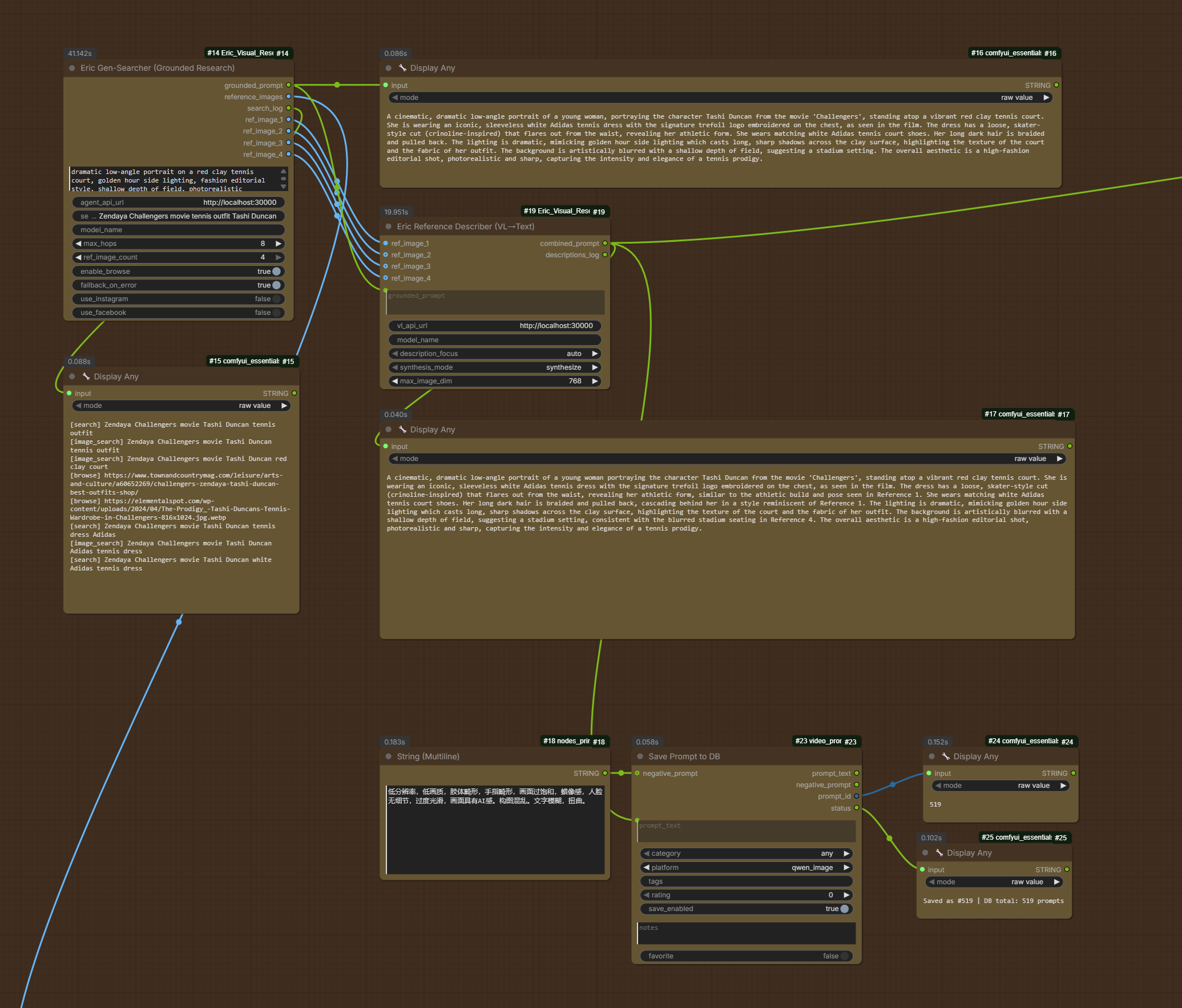
Sends your prompt to a running Gen-Searcher-8B model, which autonomously performs multi-hop web research - searching for text information, finding visual reference images, and browsing web pages - then synthesizes everything into a rich, detailed generation prompt.
Outputs:
grounded_prompt- detailed text prompt ready for any generation noderef_image_1..4- individual reference images at native aspect ratioreference_images- batch IMAGE tensor (all refs, letterboxed)search_log- human-readable record of searches performed
Eric Reference Describer
Converts reference images into text descriptions using a VL model, then merges those descriptions with the grounded prompt. Solves the "pixel contamination" problem when using web thumbnails with edit-mode models.
Outputs:
combined_prompt- grounded prompt enriched with VL image descriptionsdescriptions_log- what the VL model said about each image
Example Workflow
An example ComfyUI workflow is included in the workflows/ folder.
Open workflows/workflow.png in ComfyUI to load it directly (the PNG embeds the full
workflow JSON).
Full workflow overview
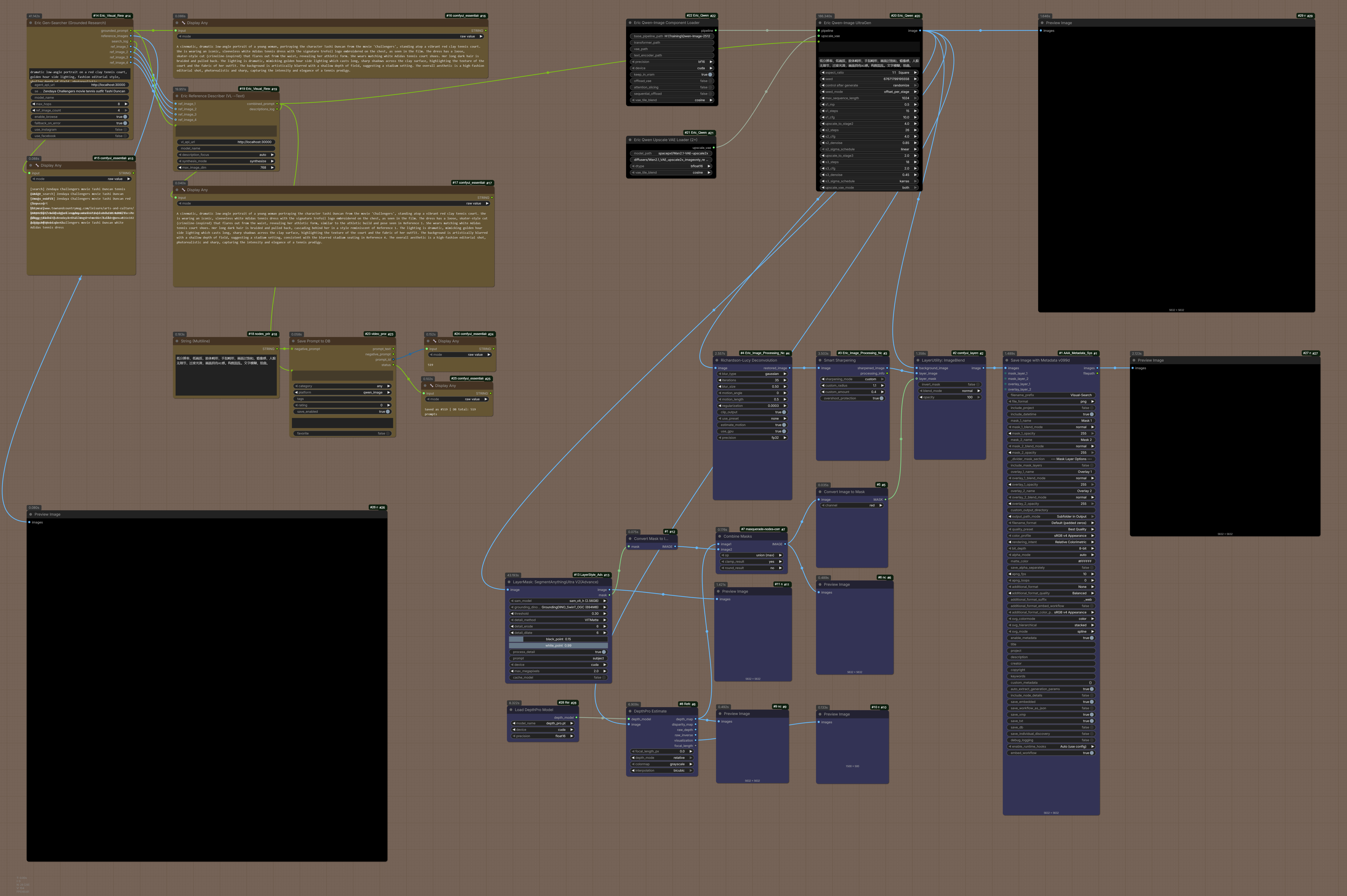
Prompting — Gen-Searcher research and grounded prompt
The Gen-Searcher node takes your brief subject description, performs multi-hop web research (text search, image search, optional page browsing), and outputs a rich grounded prompt along with up to four reference images.
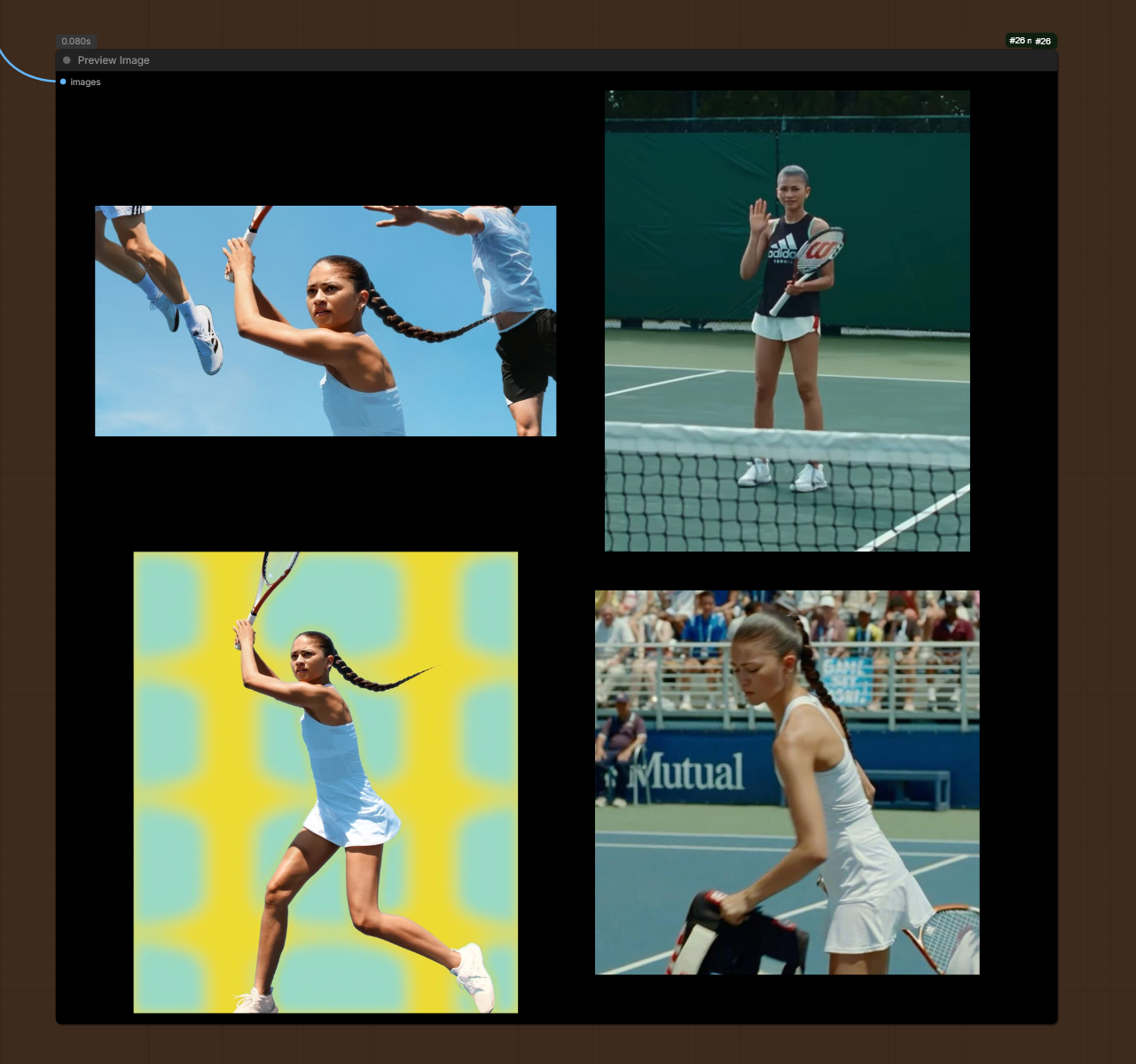
Visual search results
Reference images retrieved from the web and returned as individual IMAGE outputs and a combined batch tensor.
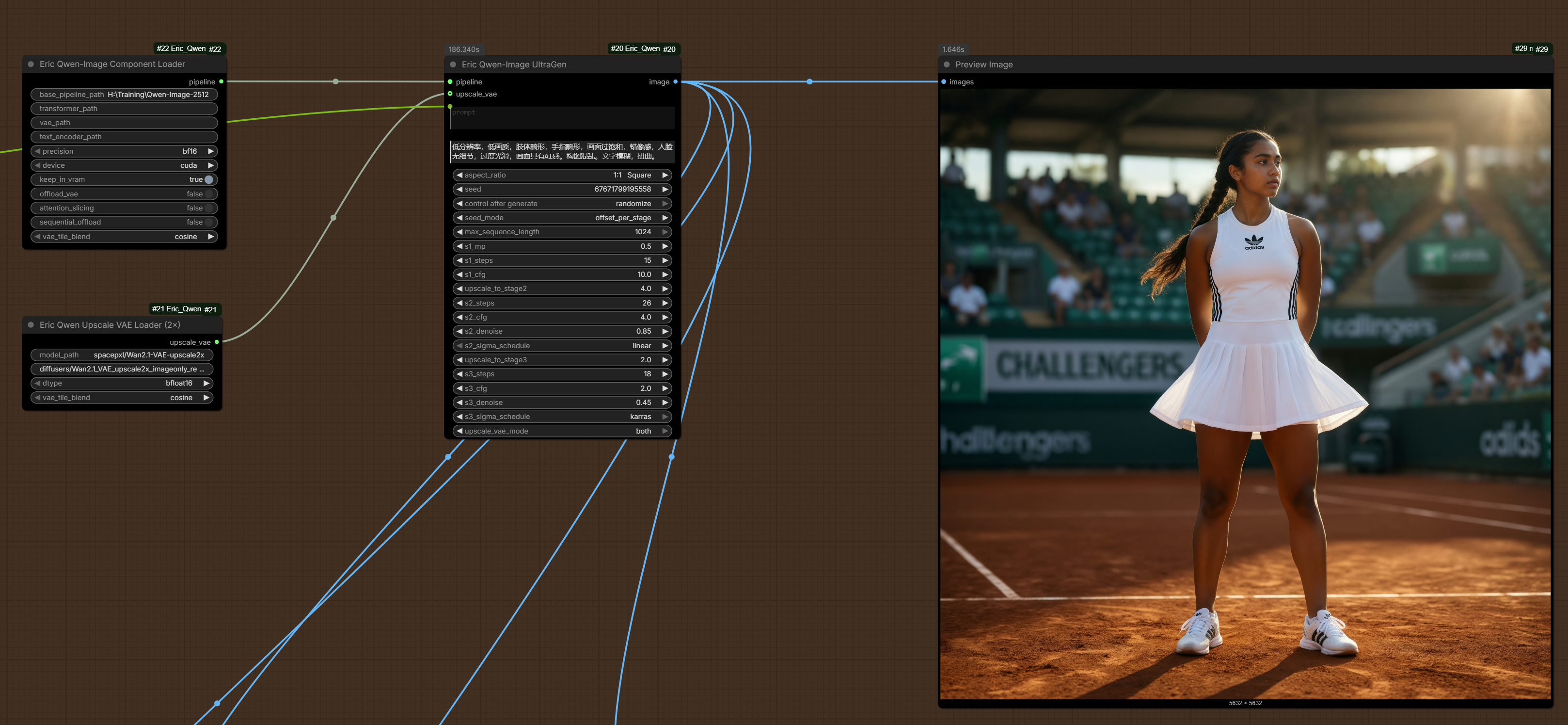
Generation
The grounded prompt and (optionally) the combined reference description feed into the generation node of your choice.
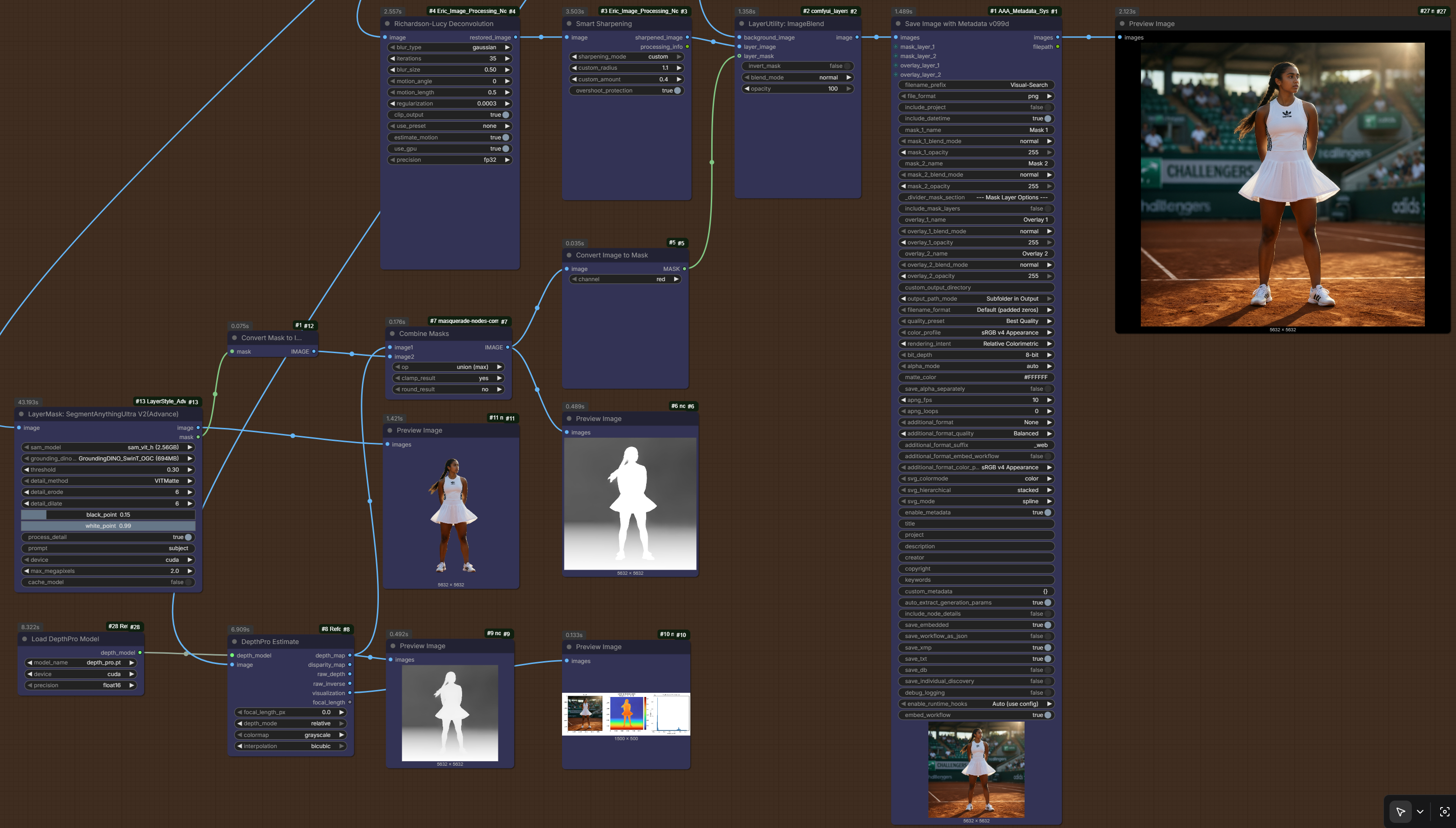
Post-processing — sharpening and segmentation
Optional post-processing stage using Richardson-Lucy deconvolution, Smart Sharpening, subject segmentation masking (SAM + GroundingDINO), depth estimation, and metadata embedding before saving.
Typical Workflows
With any text-to-image model
[EricGenSearcherNode]
  → grounded_prompt ──→ any text prompt input (Flux, SDXL, etc.)
  → ref_image_1..4  ──→ any image input (for reference/IP-adapter/etc.)
With pure text-to-image (no image input, maximum quality)
[EricGenSearcherNode]
  → grounded_prompt ──┐
  → ref_image_1..4  ──→ [EricReferenceDescriber] → combined_prompt → any t2i node
With Qwen-Image-Edit (reference-guided generation)
[EricGenSearcherNode]
  → grounded_prompt ──→ [EricQwenGroundedGenerate]
  → ref_image_1..4  ──→ [EricQwenGroundedGenerate]
Requirements
- Python 3.10+ (included with ComfyUI)
torch(included with ComfyUI)Pillow(included with ComfyUI)- SGLang server running Gen-Searcher-8B - see docs/SERVER_SETUP.md
- Serper API key - free at https://serper.dev (2,500 queries/month free)
- (Optional) Jina API key - free tier at https://jina.ai/reader/
- (Optional) gallery-dl - for downloading from Pinterest, Flickr, etc.
Installation
1. Clone into ComfyUI custom_nodes
cd ComfyUI/custom_nodes
git clone https://github.com/EricRollei/Eric_Visual_Research
2. Configure API keys
cd Eric_Visual_Research
cp api_keys.ini.example api_keys.ini
# Edit api_keys.ini and add your Serper key
Or set environment variables:
export SERPER_API_KEY=your-key-here
export JINA_API_KEY=your-key-here   # optional
3. Set up the Gen-Searcher server
See docs/SERVER_SETUP.md for full instructions covering:
- WSL2 setup (Windows)
- CUDA toolkit installation
- SGLang installation
- Model download (~17GB)
- Starting the server
4. Restart ComfyUI
Nodes appear under Eric/VisualResearch in the node menu.
Configuration Reference
Edit api_keys.ini in the package directory:
[api_keys]
serper = your-serper-api-key     ; required
; jina = your-jina-api-key       ; optional

[gallery_dl]
; exe    = /path/to/gallery-dl   ; optional, auto-detected
; config = /path/to/config.json  ; optional
Gen-Searcher Node Settings
| Setting | Default | Description |
|---|---|---|
| agent_api_url | http://localhost:30000 | SGLang server URL |
| max_hops | 8 | Max search iterations (6-10 typical) |
| ref_image_count | 4 | Number of reference images to download |
| enable_browse | True | Allow reading full web pages via Jina |
| use_instagram | False | ⚠ Enable with dummy account only |
| use_facebook | False | ⚠ Enable with dummy account only |
Reference Describer Node Settings
| Setting | Default | Description |
|---|---|---|
| vl_api_url | http://localhost:30000 | VL model server URL |
| description_focus | auto | What to extract from each image |
| synthesis_mode | synthesize | How to combine descriptions |
| max_image_dim | 512 | Resolution sent to VL model |
Credits
- Gen-Searcher-8B - tulerfeng/Gen-Searcher (fine-tuned from Qwen3-VL-8B by the Gen-Searcher team)
- Qwen3-VL - Qwen Team, Alibaba
- SGLang - sgl-project/sglang
- Serper - https://serper.dev
- Jina Reader - https://jina.ai
Node implementation by Eric Hiss (GitHub: EricRollei)
License
CC BY-NC 4.0 / Commercial dual license - see LICENSE.txt