
eric-color-correction
Professional color correction and skin masking nodes for ComfyUI
Nodes (8)
Lock a color grade once, stamp it on every frame of a video batch
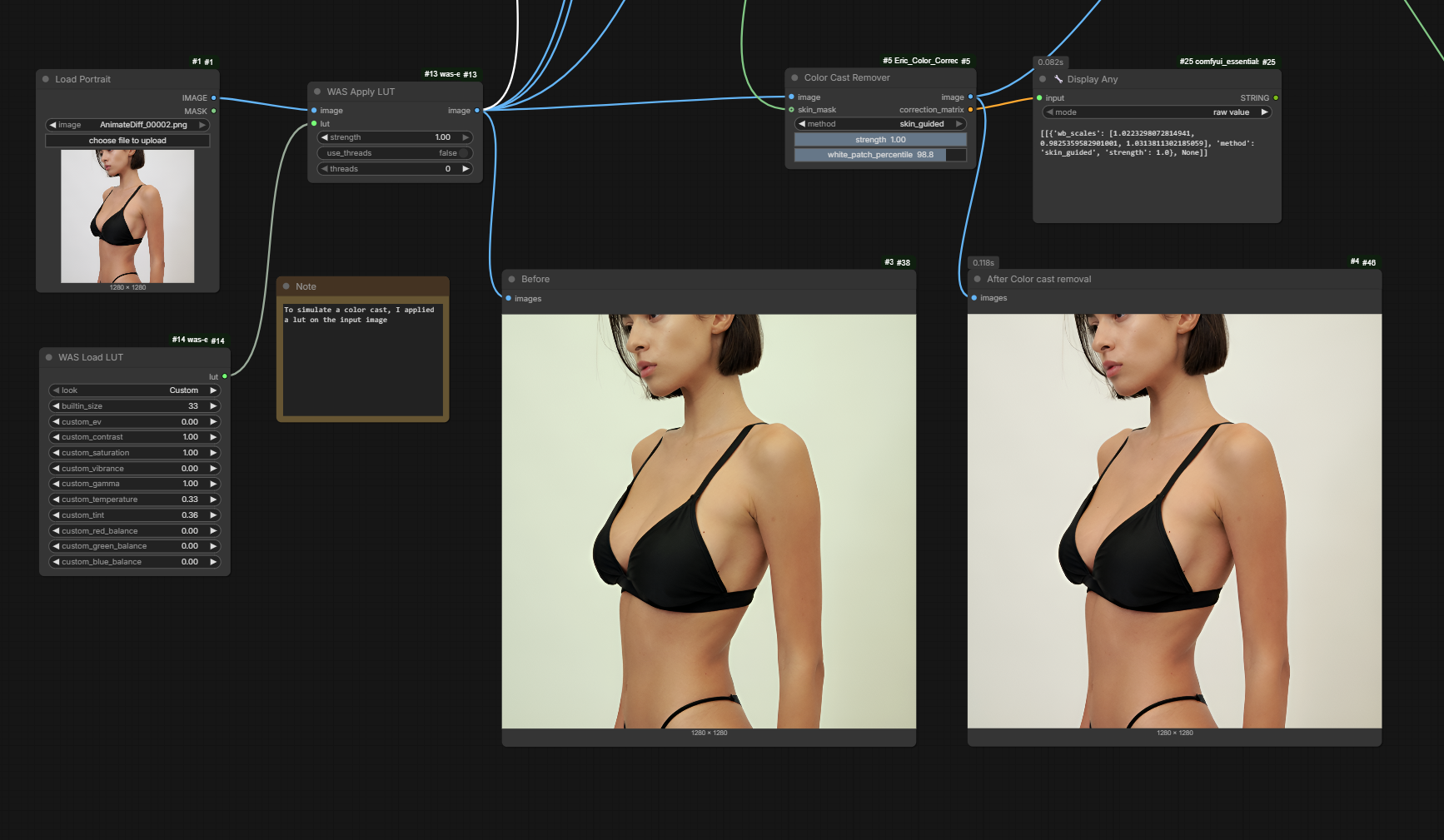
Kill the orange cast without nuking the rest of the shot
Finally, a real vectorscope inside ComfyUI — and the skin numbers to match
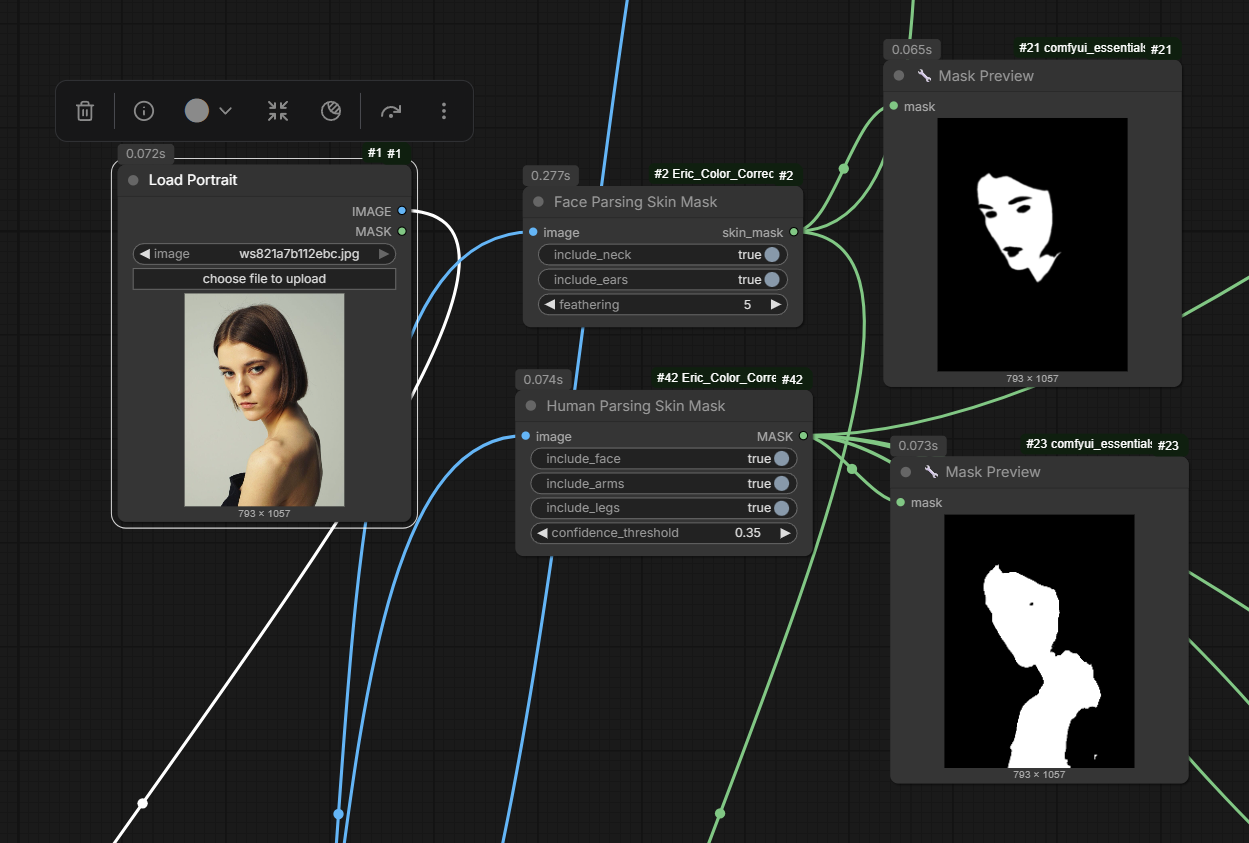
The Segformer trick that finally excludes lips, eyes, and hair from your skin mask
Whole-body skin masks that don't let the background bleed in
Batch masking without paying for per-frame segmentation
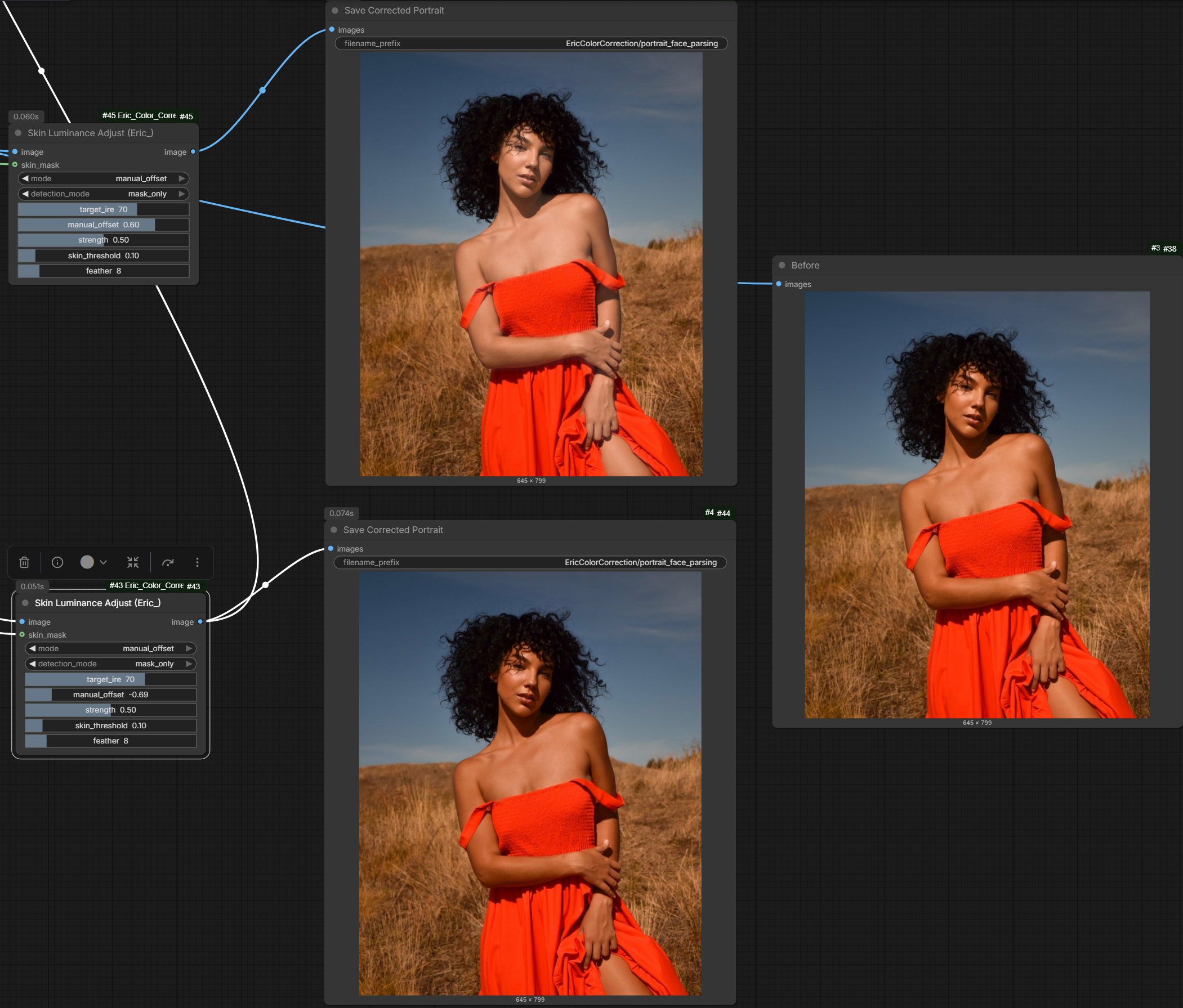
Brighten skin in L\* space, not vibes — the colorist's way
Nudge every skintone onto the 127° line without trashing a single hair
Eric Color Correction for ComfyUI
Professional color correction, skin masking, and batch utility nodes for ComfyUI.
This custom node pack focuses on practical skin-tone workflows:
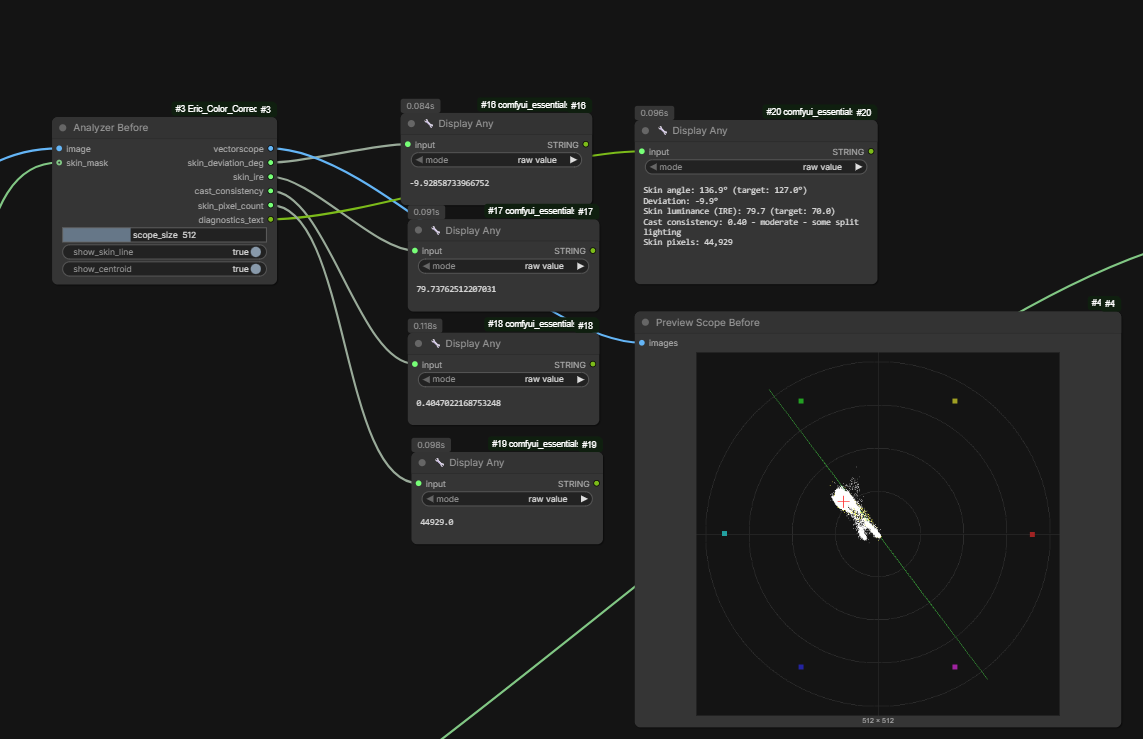
- Analyze skin line angle and luminance against targets.
- Remove color cast with skin-guided white balance.
- Correct skin hue and luminance selectively.
- Build masks from face parsing, human parsing, and MediaPipe landmarks.
- Reuse correction values across image batches.
Highlights
- Production-oriented tools for people-centric imagery.
- Works with batch image pipelines.
- Supports workflow combinations with custom masks.
- Includes multiple segmentation/masking paths for different quality and speed tradeoffs.
Included Nodes
Analysis and Correction
- ColorCorrectionAnalyzer
- ColorCastRemover
- SkinToneCorrector
- SkinLuminanceAdjust
Batch Tools
- MaskBatchPropagate
- ApplySavedCorrection
Masking
- FaceParsingSkinMask
- HumanParsingSkinMask
- MediaPipeSkinMask
Requirements
Core runtime requirements:
- torch
- numpy
- opencv-python
- mediapipe
- transformers
See requirements.txt for baseline dependencies and pyproject.toml for packaging metadata.
Installation
Option 1: ComfyUI Manager
- Open ComfyUI Manager.
- Search for this node pack.
- Install and restart ComfyUI.
Option 2: Manual Install
- Clone this repository into your ComfyUI custom_nodes directory.
- Install dependencies:
- pip install -r requirements.txt
- Restart ComfyUI.
Example custom_nodes path:
- ComfyUI/custom_nodes/Eric_Color_Correction
Quick Workflow Pattern
- Generate or load an image.
- Build a skin mask with one of:
- FaceParsingSkinMask
- HumanParsingSkinMask
- MediaPipeSkinMask
- Run ColorCorrectionAnalyzer to inspect skin line deviation and luminance.
- Apply ColorCastRemover for white balance cleanup.
- Apply SkinToneCorrector and/or SkinLuminanceAdjust.
- Re-check with ColorCorrectionAnalyzer.
- For batch pipelines, reuse values with ApplySavedCorrection.
Example Workflows
Example workflow templates are included in the examples folder.
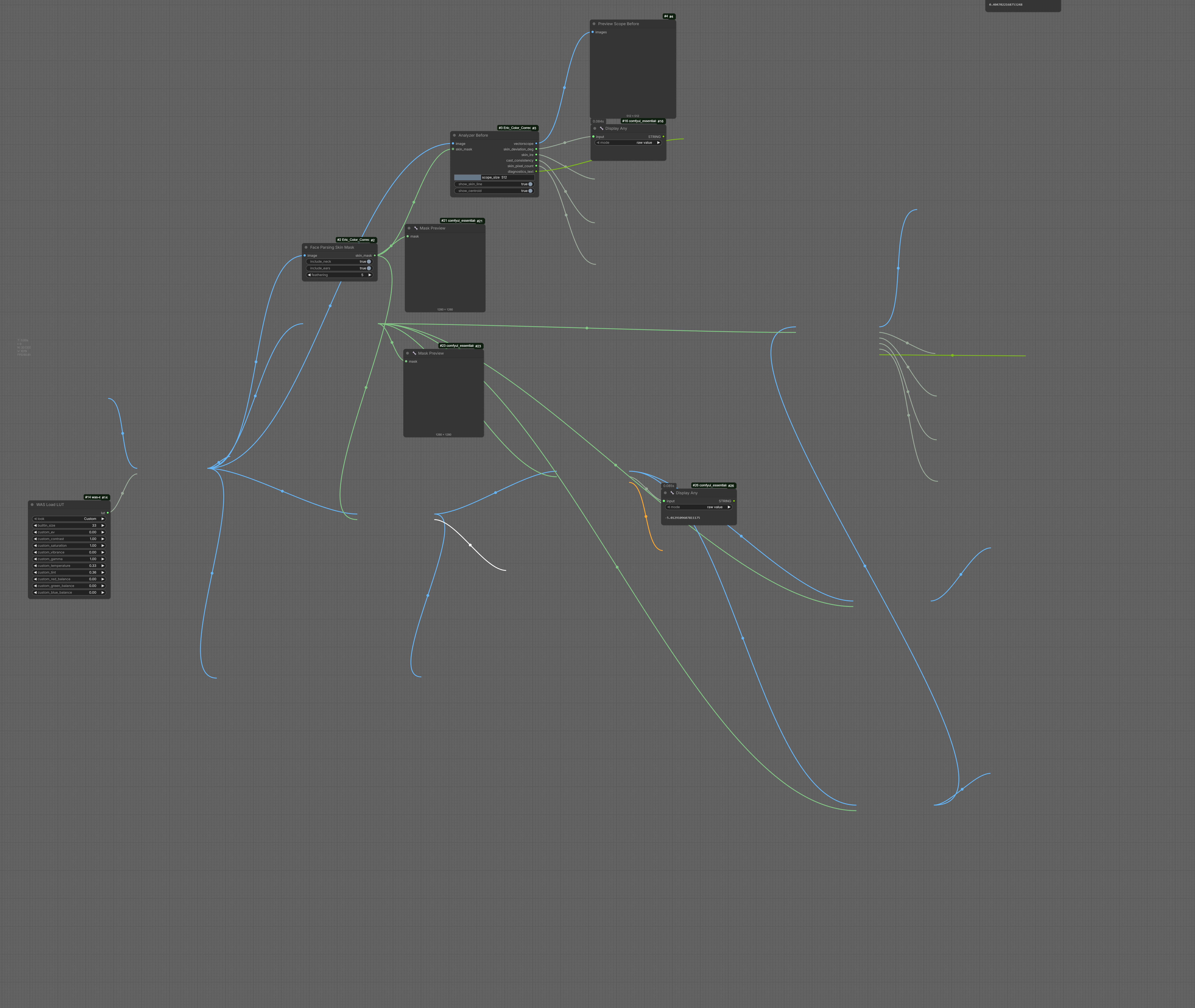
Workflow Overview
Example ComfyUI graph:
Example Results and Tool Views
Color cast removal example:
Skin tone adjustment examples:
Face parsing and skin parsing comparison:
Vectorscope information example:
examples/workflows/portrait_face_parsing_api.jsonexamples/workflows/portrait_mediapipe_api.jsonexamples/workflows/two_image_batch_mask_propagation_api.jsonexamples/workflows/reference_transfer_saved_correction_api.json
See examples/README.md for usage notes and placeholder filenames.
Troubleshooting
Missing model or import errors
- Confirm required dependencies are installed.
- Restart ComfyUI after dependency changes.
Slow first run
- Some parsing nodes load models on first execution.
- Subsequent runs are typically faster due to model caching.
CUDA memory issues
- Reduce batch sizes.
- Use lower-resolution previews for correction tuning.
Versioning and Releases
- Keep release notes in CHANGELOG.md.
- Tag releases using semantic versioning where possible.
- Include screenshots or example workflows in release notes for better discoverability.
Publishing Checklist (GitHub)
- Ensure .gitignore excludes local runtime and sensitive files.
- Confirm README, LICENSE, and dependency documentation are up to date.
- Verify pyproject.toml metadata (name, version, contacts, URLs).
- Run a quick import smoke test before creating a release tag.
License
This project uses a dual-license model.
- Non-commercial use: Modified CC BY-NC 4.0 with additional attribution requirements.
- Commercial use: Requires a separate commercial license.
See LICENSE for full terms and LICENSE-DEPENDENCIES.md for third-party license notes.