
SceneWeaver
Coherent sci-fi, fantasy, and horror scenes with independently lockable fields, cross-genre entities, and prose and JSON output. Offline, zero dependencies.
Nodes (6)
Build One Creature, Then Reuse It Forever
Pin Down One Monster, Then Drop It Into Any Scene
The optional node that builds one creature properly
One Click, and the Prompt Doesn't Contradict Itself
Staged Dread, Not Splatter (and No Gore by Default)
A prompt randomizer that writes sentences instead of comma piles
SceneWeaver for ComfyUI
One click. A whole, coherent scene - the place, the thing standing in it, and what that thing is doing. Not a wildcard salad. Sentences your text encoder can actually follow, where every detail agrees with every other one.
SceneWeaver is a scene engine built to span genres. Sci-fi, fantasy and horror ship now, all on the same coherence engine. And the genres mix: wire a fantasy gorgon into a sci-fi station, a sci-fi mech into a dragon's hoard, or an alien into a haunted chapel.
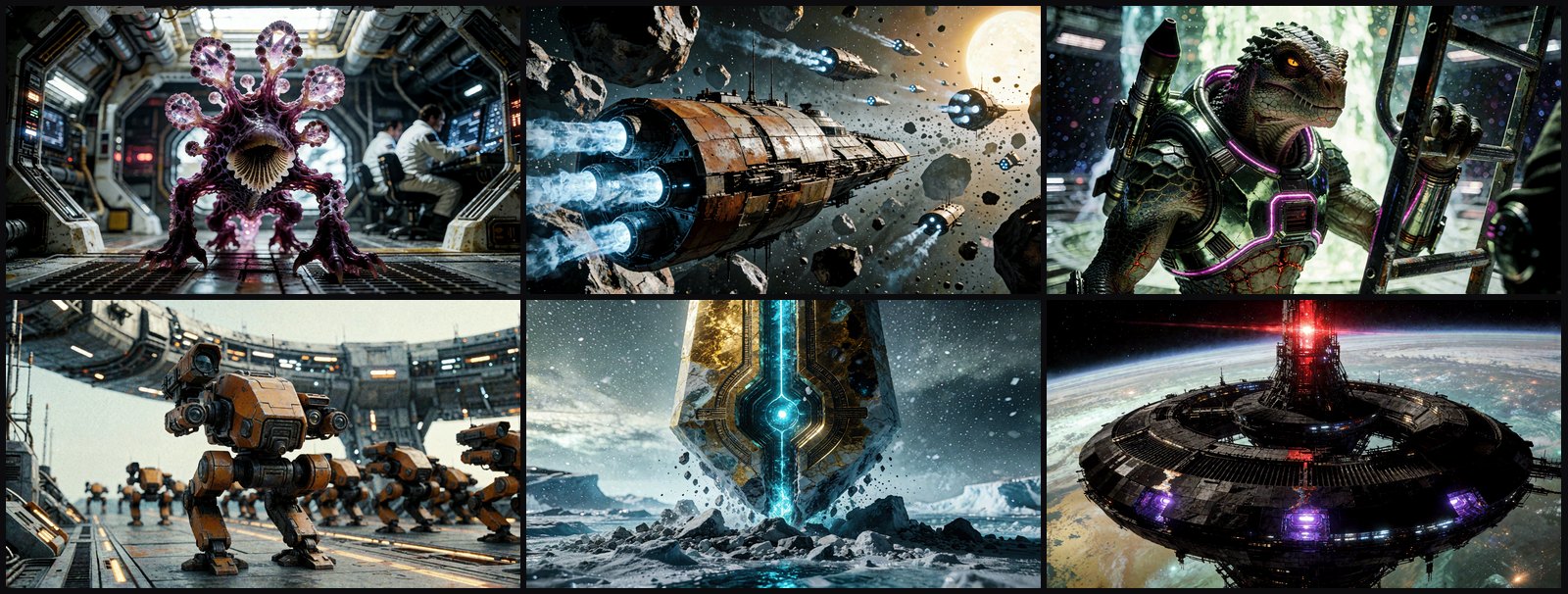
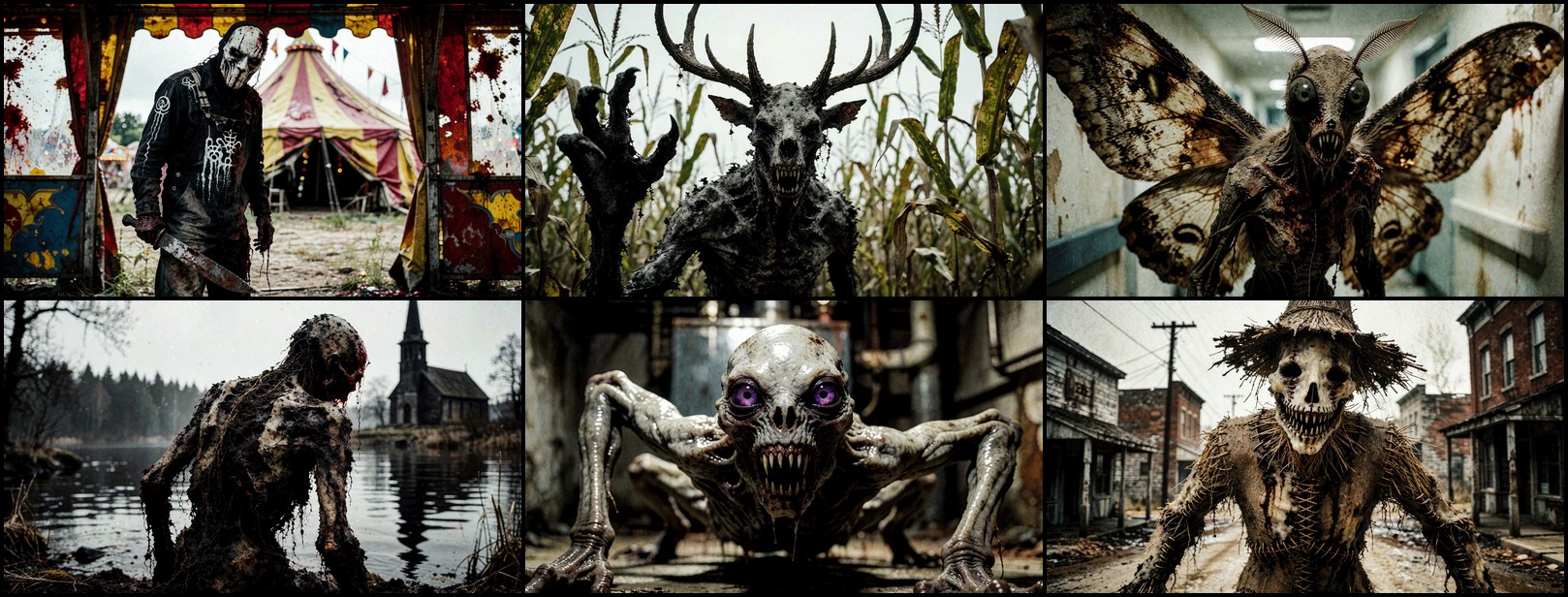
Nothing above was hand-written. No prompt engineering, no wildcard files, no LLM
call. Six seeds on a node whose every dropdown was left on Random.
I want to hear from you
The vocabulary is always being tuned, and your renders are how it gets better. Open an issue or start a discussion - the three things I most need:
- What came out incoherent? A creature with the wrong anatomy, a ship parked somewhere ships can't park, a description that contradicts itself. Paste the
prompt_text- that alone is enough for me to reproduce it.- What are you seeing too much of? If every third scene is an asteroid field, or the same three hull shapes keep coming back, tell me. Bias is hard to see from the inside.
- What's missing? Kinds, creature types, environments, situations, controls, settings - say the word and it's a data change, not a rewrite.
Why it's different
Most prompt randomizers hand you a comma-pile: starship, red, damaged, space, detailed, 8k. SceneWeaver writes prose, and it knows what it is describing.
A science fiction scene set in a spacecraft hangar deck. A juvenile branching
crystalline lattice, an alien creature, is stalking prey through the corridors.
It is a plant-form, covered in plum-violet fungal tissue. It has a single filter
stalk and four spore vent fronds.
A science fiction scene set in a twin sun binary. A rebuilt corvette starship is
fleeing through an asteroid field. It has a cylindrical drum hull, clad in
rust-brown ceramic ablative shell. It shows four ice-blue reactor exhaust ports.
A starship is clad in its material. A creature is covered in one. A spacefarer wears one. A nebula, having no surface at all, is never given one to describe. That grammar is data, not a template - which is why a second genre will be a data module rather than a rewrite.
And it is deep. Every entity is drawn across a whole morphology - silhouette, material, primary and accent colour, markings, surface detail, appendages and how many, emitters and how many and what colour they glow, armament, sensors, apertures. That is the difference between two seeds giving you two visibly different ships and two seeds giving you two paraphrases of one ship.
Things it makes
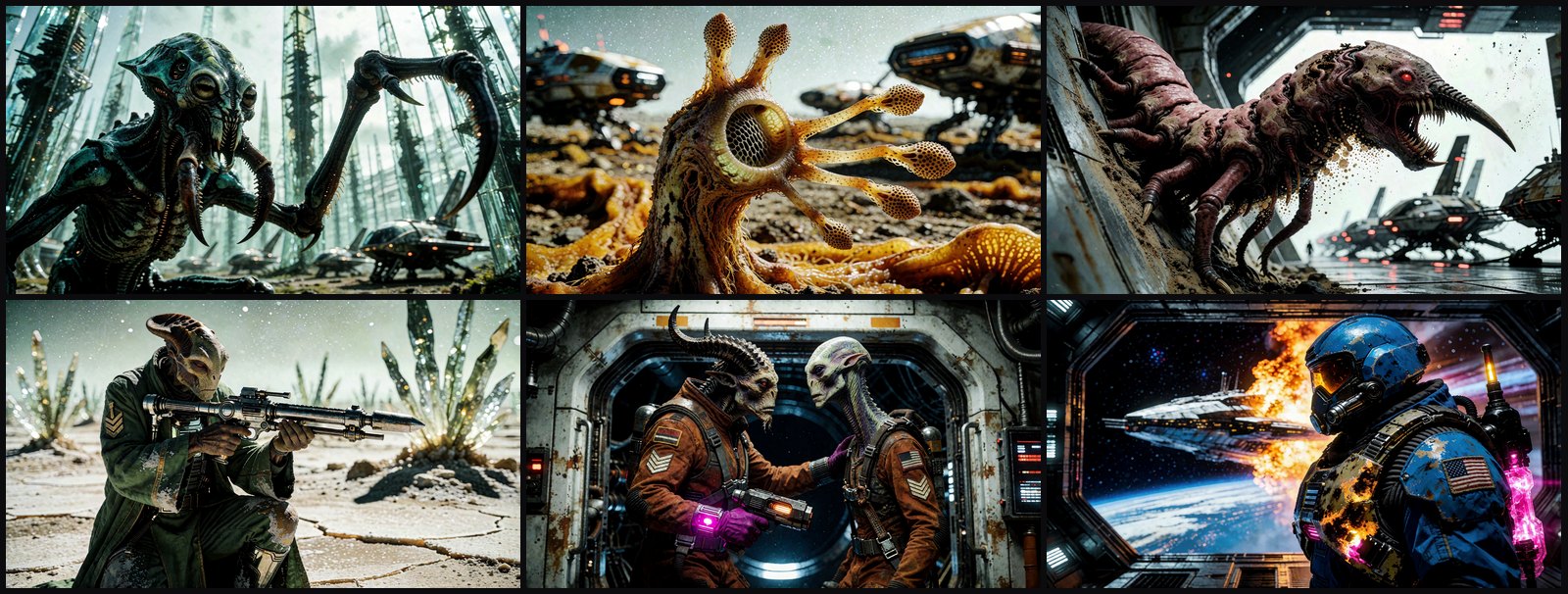
Alien creatures that are actually alien - cephalopods and arachnoids, sure, but also fungal colonies, crystalline growths, gelatinous masses, colonial swarms, plasma drifters, lithovores, spore-caste drones, sessile brooders, mimic forms and hive castes, each with anatomy that matches its body plan.
Spacefarers with a job and a face - pilots, salvagers, xenobiologists, void order priests, cyborg operatives, and non-human crew like tendril-faced navigators, four-armed quartermasters, tusked mercenaries and crested pilots.
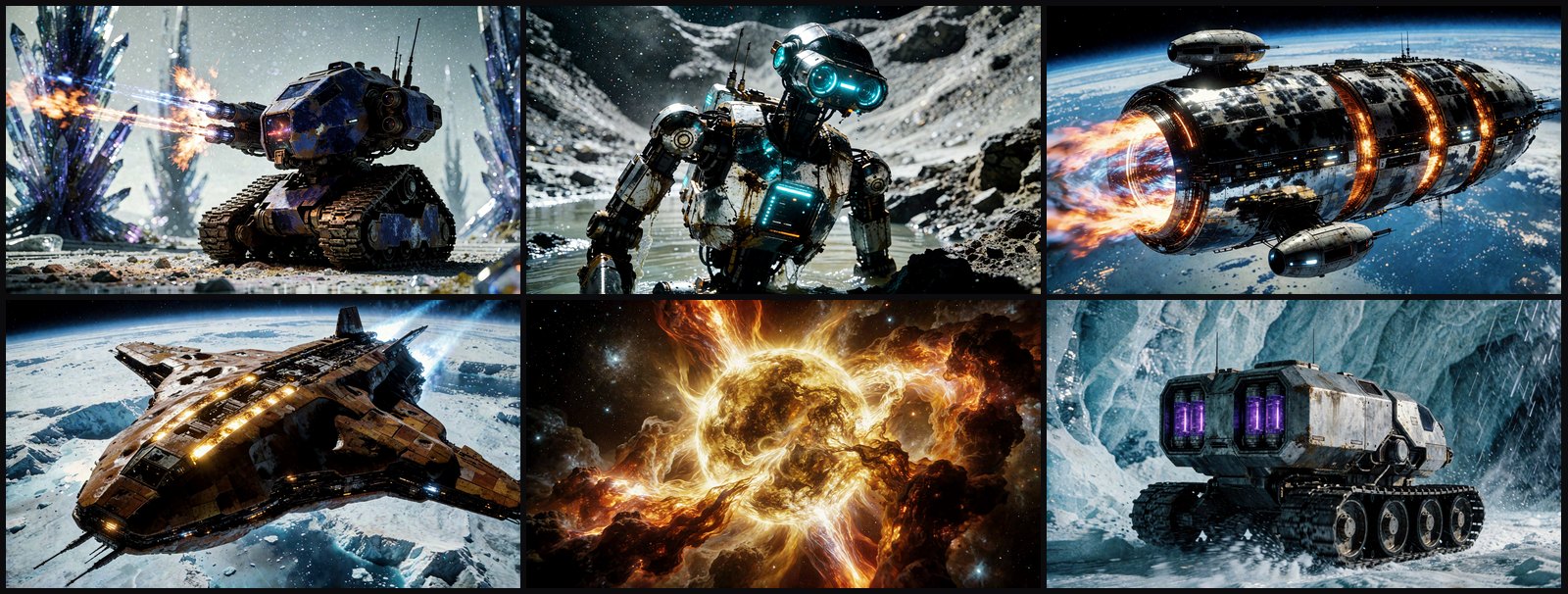
Mechs and robots - siege mechs, scout walkers, terraforming walkers, exosuit walkers, welding drones, medical automatons, swarm drones.
Ships, stations, wrecks, worlds and artifacts - from strike carriers and generation ships to gate rings, monoliths, resonant lattice spires, collapsing stars and stripped-out hulks.
And a situation for each one. Entities are never just standing there. They are towing a crippled courier starship in a tractor beam, going down under a mass of smaller units, spinning a habitat ring up to speed, kneeling to read a bootprint, lashing out with a hooked limb. An action in progress is what makes a still frame a scene.
And in fantasy
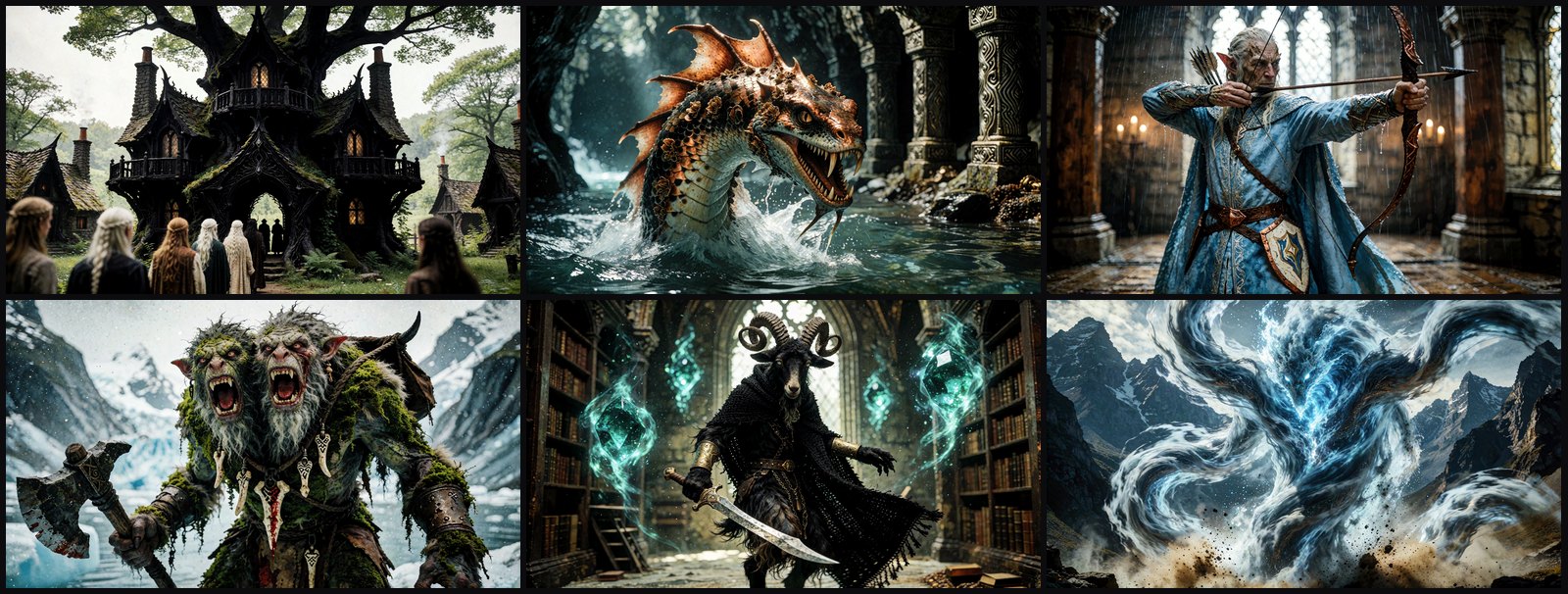
Dragons of every build - wyverns, fire drakes, sea serpents, lindworms and hydras - and mythic beasts: unicorns, griffins, phoenixes, manticores, kelpies, krakens, basilisks and treants. Giant-kin from cave trolls to frost giants and ettins; small folk from goblin shamans to pixies; hybrid folk like centaurs, gorgons, naga, minotaurs, merfolk and dryads. People with a calling - knights, rangers, necromancers, bards, dwarf runesmiths, wood elf archers, orc warchiefs. Elementals and spirits, the undead, golems, gargoyles and brass beasts, castles and wizard towers, galleons and airships, and enchanted relics.
The same coherence rules hold: a sleeping dragon is asleep, a petrified troll does not move, a hill giant is twenty feet tall and a pixie six inches, a longship needs open water and a wagon needs a road, a ruined keep shows no lit windows, and nothing burns under the sea.
And in horror
The dead - ghouls, vampires, bog bodies, drowned revenants. Spirits - banshees, poltergeists, weeping apparitions. Cryptids from werewolves to antlered stalkers and living scarecrows, eldritch horrors, cultists, stalkers and survivors, cursed objects from porcelain dolls to spirit boards, and haunted places. Dread is staged, not splattered: stillness is a situation here, and gore is a filter. The Horror node starts on No gore; switch it to Any or Gore only when you want it.
Lock what you want, roll the rest
Every dropdown offers Random, then its values, then None:
Random- draw it. This is the default on every field, so an untouched node is already a complete scene generator.- a value - lock it. Set
Creature type: cephalopodand every scene is a cephalopod, with everything else still rolling around it. Lock the creature type and the hull colour and the environment; leave the rest wild. A locked field is never cut and never overruled: a rolled field that contradicts it is rolled again. None- omit it. Switch a slot'skindtoNoneand that entity leaves the scene entirely, which is how you get a pure-landscape shot.
Locking is the whole workflow: find a creature you like, pin the two or three fields that made it work, and generate a hundred variations of that.
Two scene dropdowns sit right after Context:
- Placement: where the subject is in the place, such as "at the far end of
the hall" or "half-hidden among the reeds". It never says anything about the
camera. Set it to
Noneif your own prompt already frames the shot. - Place state: the weather, the season, or what has happened to the place, such as "under a fresh fall of snow", "freshly ransacked" or "scorched by a recent wildfire".
Coherence is enforced while it draws, not patched afterwards. Pick Type: gas giant and the Form dropdown narrows, live, to sphere shapes - you will not get a gas giant shaped like a spiral coil, or a gelatinous mass wearing a feathered pelt.
Install
ComfyUI Manager - search for SceneWeaver and install.
Manually - clone into your custom_nodes/ directory and restart:
cd ComfyUI/custom_nodes
git clone https://github.com/EnragedAntelope/comfyui-sceneweaver
Keep the directory name comfyui-sceneweaver. There are no dependencies -
the pack imports nothing but the Python standard library, so there is no
requirements.txt step and nothing to build. Needs ComfyUI 0.25.0+ and Python
3.10+.
The nodes
All of them live under conditioning/sceneweaver. Each genre is its own pair:
| Node | What it's for |
|---|---|
| Scene Weaver - Sci-Fi | The main node, and complete on its own. Environment, entity, situation, relationships -> prompt_text (prose) + prompt_json (structured). |
| Scene Entity - Sci-Fi | Optional. Describes one entity in full depth and emits a SCENE_ENTITY payload you wire into a Scene Weaver slot. |
| Scene Weaver - Fantasy | The same main node for fantasy scenes. |
| Scene Entity - Fantasy | The same entity node for fantasy. Wire it into a fantasy or a sci-fi Scene Weaver - and a sci-fi entity into a fantasy one. |
| Scene Weaver - Horror / Scene Entity - Horror | The same pair for horror, with a gore filter (No gore / Any / Gore only) in place of Peaceful / Conflict. |
You do not need the second node to start. Scene Weaver's slot 1 already carries the full entity morphology. Reach for Scene Entity when you want a second entity described just as richly, or when you want to build one creature and reuse it across many scenes.
Wire prompt_text into any text encoder. Wire it into a Show Text node too, so
you can read what you got.
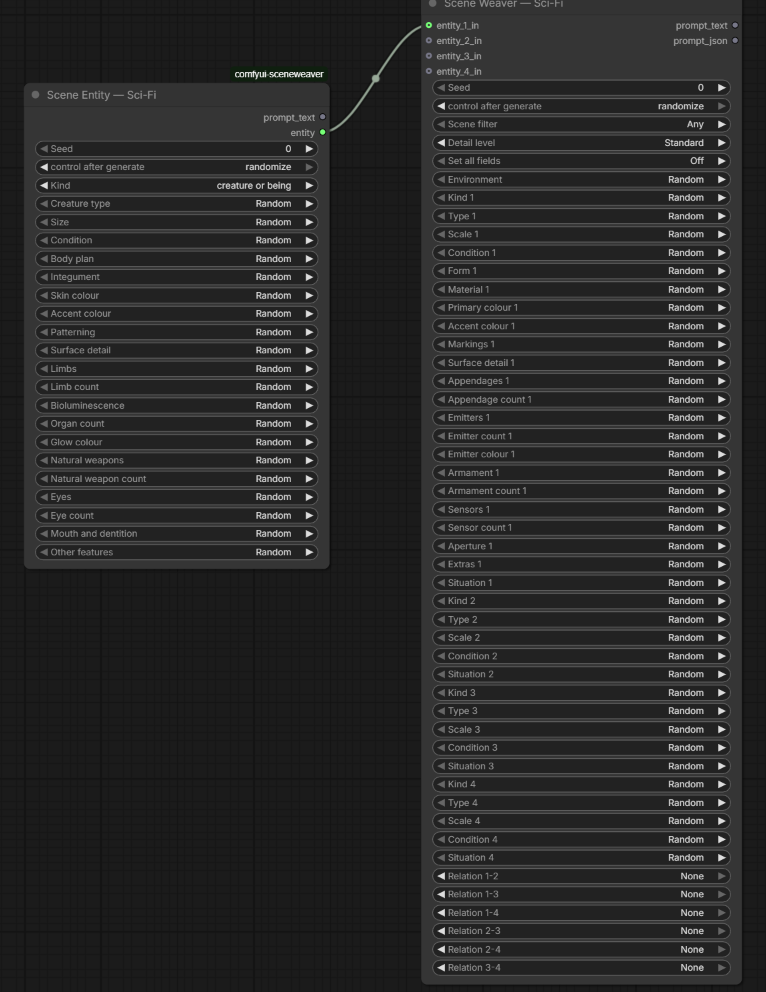
A Scene Entity feeding slot 1. The wire replaces that slot's descriptive fields; the scene keeps ownership of where the entity is and what it is doing.
Getting good results
A coherent prompt is half of a good image. A model handed a contradiction - a wreck with its engines firing, a tiny creature holding a starship, a diver eating lunch at the bottom of a trench - spends the image trying to reconcile it, and you get mush. SceneWeaver's job is to make sure every word agrees with every other word, so your model spends all of its capacity drawing one believable scene. Your checkpoint and LoRAs then decide how that scene looks: the same prompt through two models gives two different worlds, and both hold together.
There is no style in the output, on purpose. SceneWeaver says nothing about lighting, lens, medium, film stock, mood or artist. A prompt with no rendering frame gets drawn as bare scene content - so you have to supply the style, either through your model/LoRA choice or by adding it to the prompt. The maintainer's own graphs prefix every prompt with:
cinematic film-quality slightly-grainy analog film still.
That one line is the difference between a flat render and the images at the top of this page.
Start with one entity. The Entities control goes to 4, and the prose stays
correct at every setting - but most current image models lose coherence as you
add subjects. One entity has by far the highest hit rate, two is usually
fine, and three or four is where models start blending subjects together. Turn
it up when you want a crowd and expect to cherry-pick.
Pair it with a style - Stylebook
Because SceneWeaver deliberately owns no rendering vocabulary, it composes
cleanly with a style pack instead of fighting one.
Stylebook is built
for exactly this split: Stylebook describes the rendering, SceneWeaver
describes the subject. Wire Stylebook's style in front of SceneWeaver's
prompt_text and the two never argue about the same words.
Any style prompt, LoRA trigger or hand-written rendering clause works just as well - Stylebook is simply the one designed around the same rule.
The one deliberate exception: a hull colour, a creature's skin colour and an engine's glow belong to the subject, so SceneWeaver owns those. A colour grade - teal-and-orange, bleach bypass - is rendering, and it doesn't.
Example workflows
Two working graphs ship in example_workflows/. Each carries the Scene Weaver and Scene Entity pair for all three genres, so swap whichever you want into the encoder:
| Workflow | What it shows |
|---|---|
| sceneweaver-krea2_example.json | The basic pattern: Scene Weaver + a Scene Entity, a style prefix joined on with StringConcatenate, straight into the encoder. |
| sceneweaver-krea2-stylebook_example.json | The same graph with Stylebook supplying the style instead of a hard-coded prefix. |
Both are the maintainer's real Krea2 graphs, so they carry a specific
checkpoint, VAE and CLIP plus two third-party packs
(Krea2T-Enhancer
and ShowText|pysssss from
custom-scripts).
Swap in your own model and sampler - they are here to show the wiring, not
to be run as-is.
Your own vocabulary
Drop a user_options.json beside the pack to add your own values to any pool -
your own creature types, environments, situations. It is gitignored, so it
survives a git pull, and user_options.example.json shows the shape. Sci-fi
values go at the top level; fantasy and horror values go in a "fantasy" or
"horror" section.
A key under a field says where the value goes. A kind ("dragon") adds it to
the pools that kind's subkinds really read. Two fields take a group instead: key
a new environment by its band ("wilds", "orbit") and it inherits what
that band affords; key a new subkind by its group ("serpent wyrm") and it
inherits that group's body, parts and situations. A bad entry is logged in the
ComfyUI console and skipped - it never stops the nodes loading. To see what a
pool already holds:
python scripts/builtin_options.py subkind --kind "alien creature"
python scripts/builtin_options.py subkind --kind dragon --pack fantasy
python scripts/builtin_options.py subkind --kind cryptid --pack horror
What's next
The genre boundary is a seam in the data layer, not an assumption baked into
the engine - the grammar, the vocabulary and the coherence rules all live in a
genre module, which is how fantasy and horror arrived as data. Ideas under
consideration, not promised: a time of day control for fantasy and horror, and a
tone control for fantasy. They are written up in
docs/genre-roadmap.md.
Want a fourth genre, or something else entirely? Tell me in the discussions.
Development
python -m unittest discover -s tests -t . -v
python tests/validate_data.py
python scripts/sample_distribution.py --seeds 1000
npm ci && npm run test:frontend
python -m ruff check .
AGENTS.md is the contributor guide; docs/architecture.md covers the genre
seam, the generation pipeline and the measured distribution baseline.
Licence
MIT - see LICENSE.