
EA_LMStudio
LM Studio ComfyUI integration with easy model selection and many optimizations! Features auto model discovery, vision/VLM support, reasoning extraction for DeepSeek R1/Qwen3/QwQ models, and detailed stats with VRAM management.
EA_LMStudio
The most fully-featured LM Studio integration for ComfyUI — auto model discovery, multi-image vision, reasoning extraction, structured JSON output, full sampler control, cancellable streaming, and built-in VRAM management.
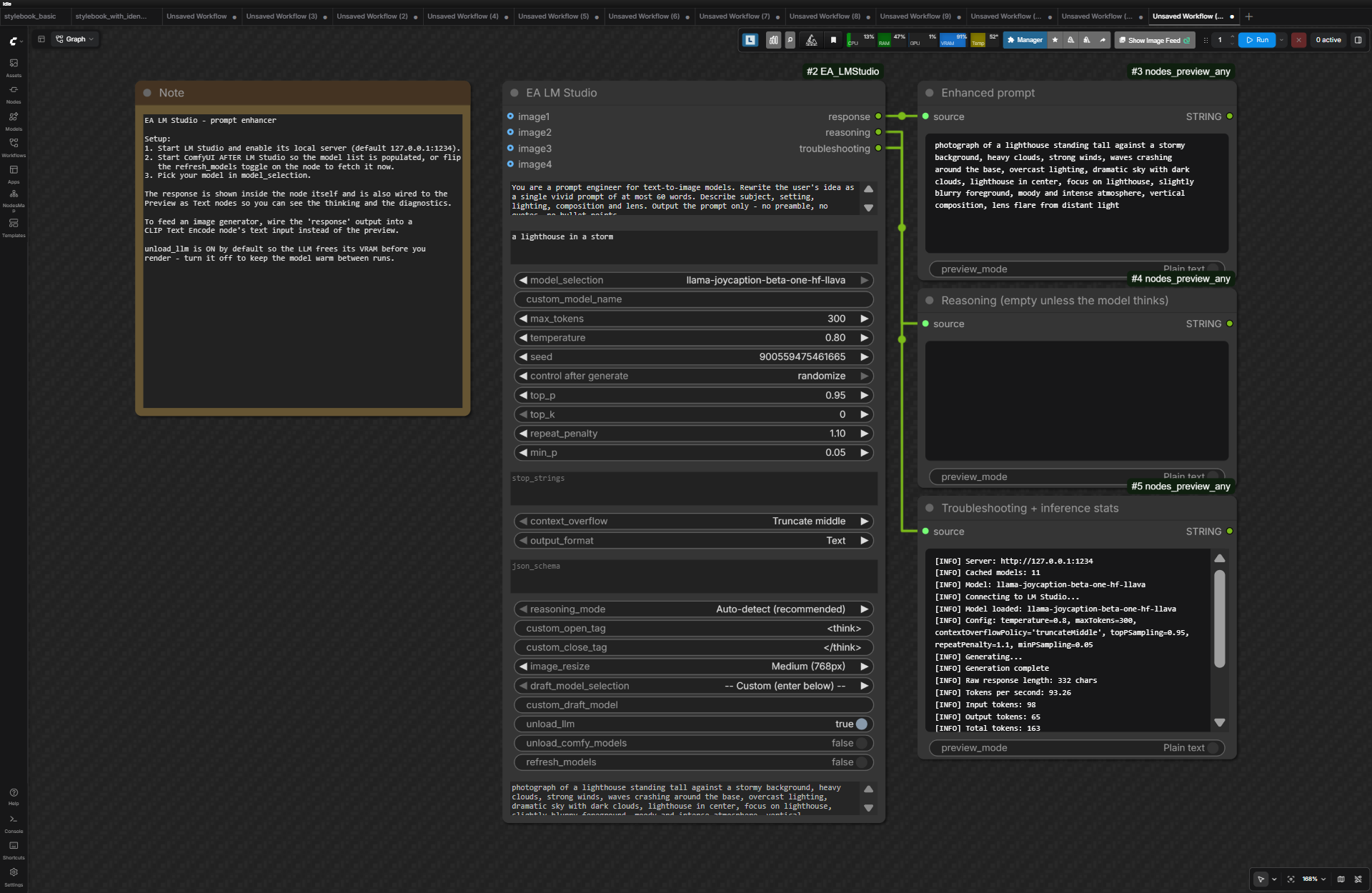 Text-only: a prompt enhancer. The response renders inside the node, and
 troubleshooting reports exactly which parameters were applied plus full inference stats.
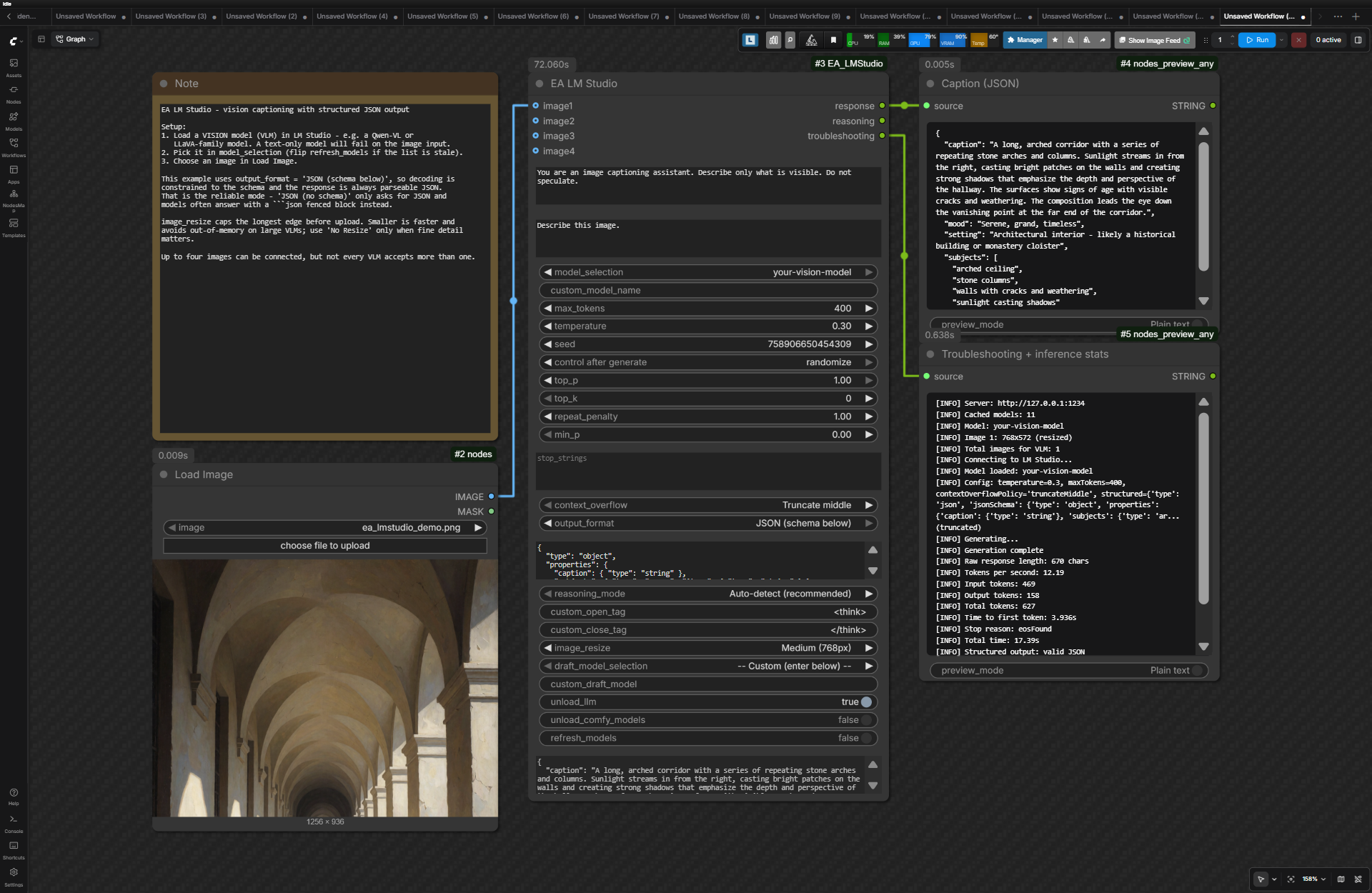 Vision: captioning an image with a VLM into schema-constrained JSON that downstream nodes can parse directly.
This node is ready to be integrated into your workflows in dozens of ways!
Features
- Auto Model Discovery - Models populate automatically from LM Studio at startup
- Vision Support - Up to 4 image inputs with smart auto-resize to prevent OOM
- Reasoning Extraction - Uses LM Studio's own reasoning split when the model has Reasoning Parsing configured, and falls back to tag detection (DeepSeek R1, Qwen3, QwQ, GLM, GPT-OSS "harmony" channels, and similar) when it does not
- Structured JSON Output - Constrain decoding to a JSON Schema so downstream nodes can parse the response
- Cancellable & Streamed - ComfyUI's cancel button really stops a runaway generation, and the queue progress bar tracks tokens instead of the node looking frozen. If the connection to LM Studio dies mid-generation, everything received so far is returned instead of discarded
- In-Node Response Preview - The generated text appears inside the node; no extra preview node required
- Advanced Controls - Temperature, top-k/p, min-p, repetition penalty, stop strings, context-overflow policy, speculative decoding
- Honest Diagnostics - Every parameter is checked against the config LM Studio reports back, so a setting that silently does nothing is reported instead of hidden
- Detailed Stats - Tokens/sec, time to first token, stop reason, token counts, and speculative-decoding acceptance rates
- VRAM Management - Auto-unload after generation (enabled by default), including the draft model, and confirmed against LM Studio rather than assumed — so the next node in the workflow really does see the memory back
Installation
Via ComfyUI Manager (recommended): Search for "EA_LMStudio"
Manual:
cd ComfyUI/custom_nodes
git clone https://github.com/EnragedAntelope/EA_LMStudio.git
pip install -r EA_LMStudio/requirements.txt
Requirements
- LM Studio with the local server enabled. Validated against LM Studio 0.4.19.
- The
lmstudioPython package (installed viarequirements.txt). Requires Python 3.11+.
Keep LM Studio and the
lmstudiopackage updated. The SDK discards prediction parameters it does not recognise instead of raising, so an out-of-date package can turn a setting into a silent no-op. The node now compares what it sent against the config LM Studio echoes back and reports any parameter that was dropped, in thetroubleshootingoutput.
Quick Start
- Start LM Studio with server enabled (default:
http://127.0.0.1:1234) - Start ComfyUI
- Find the node: EA -> LMStudio
Ready-made workflows live in example_workflows/ — drag one onto the ComfyUI canvas:
| Workflow | What it shows |
|----------|---------------|
| 01-prompt-enhancer.json | Turning a short idea into a rich t2i prompt, with reasoning and stats previews |
| 02-vision-caption-json.json | Captioning an image with a VLM into schema-constrained JSON |
Tips
- Models not showing? LM Studio must be running before ComfyUI starts - if it was unreachable at startup, the node warns you once when the page loads. Toggle the
refresh_modelscheckbox to instantly re-fetch and update every EA LM Studio node's dropdowns. - Model not in the list? Type its identifier into
custom_model_name- when filled in it overrides the dropdown (leave it empty to use the dropdown). Handy when LM Studio's JIT loading is off (only loaded models are listed) or for a specific variant likename@q4_k_m. The dropdown holds only real models, so stepping or randomising it withcontrol_after_generatealways lands on a usable one. - Context errors? Increase context length in LM Studio settings (not max_tokens). Set
context_overflowtoStop at limit (error)if a silently shortened prompt would be worse than no answer. - VLM issues? Try a smaller image resize option or a single image if multi-image fails.
- Force thinking mode: Add
/thinkto the prompt (Qwen3 family) or "Think step by step" for others. LM Studio's API has no thinking on/off flag — see below. - Thinking leaking into the response? LM Studio splits reasoning from the answer only when the model's Reasoning Parsing delimiters are configured. Set them in LM Studio (per model) and the node uses that split directly. Otherwise it falls back to tag detection, and reports it when a tagless
Thinking Process:preamble appears to have leaked through. - Reducing repetition: Raise
repeat_penalty(1.1-1.3) and/or usemin_p(0.05-0.1) as a modern alternative totop_p. LM Studio has no presence or frequency penalty. - Guaranteed parseable output: Set
output_formattoJSON (schema below)and supply a schema.JSON (no schema)only asks for JSON — it does not constrain decoding, and many models answer with a```jsonfenced block (the node unwraps that automatically when the contents are valid JSON). - JSON key order: the
lmstudioPython SDK sorts every key in the request, including your schema'sproperties, so the model generates fields in alphabetical order. The node rewrites the response back into the schema's order (and says so introubleshooting), which keeps prompt-as-JSON models such as FIBO happy. If one field should be decided before another (a summary written after the details, say), name the fields so they sort that way. - Speculative decoding not helping? The troubleshooting output reports the draft-token acceptance rate. Below ~30% the draft model is usually costing more than it saves.
- Draft / MTP set up in LM Studio: leave the node's draft model off and LM Studio uses the model's own draft or MTP setting. Picking a draft in the node overrides it for that run.
- Wiring
promptfrom another node (prompt-enhancer chains): right-click the widget and choose Convert Widget to Input - ComfyUI turns any widget into a connectable socket, no special node support needed. - Generation ended early / timed out? If LM Studio sends no data for ~60s the SDK aborts with a timeout. Usually the model is still loading or the server is busy - retry. Partial output received before the failure is returned rather than thrown away.
Custom Server
Edit lms_config/user_config.json:
{
    "server_host": "192.168.1.100",
    "server_port": 1234
}
API Token (authenticated servers)
LM Studio 0.4.0+ can require an API token. Because workflows are shared as plain-text JSON, the token deliberately has no node widget - it would leak with every posted .json. Instead, set it once per machine:
{
    "api_token": "your-token-here"
}
or export the LM_API_TOKEN environment variable (the lmstudio package's own convention; a value in user_config.json wins). Model discovery always honours it. Generation needs lmstudio >= 1.6, which is still a prerelease — a plain pip install lmstudio gets 1.5.0, where the SDK cannot send a token at all, and the node logs a clear warning once instead of failing every run. Install lmstudio>=1.6.0b1 explicitly if you need authenticated generation.
Note on transport: LM Studio's server speaks plain HTTP - it has no built-in TLS (as of 0.4.x). For tokens over any network that is not localhost-only, front LM Studio with a TLS reverse proxy (Caddy/nginx) and point
server_hostat it.
Model Exclusion Patterns
Exclude models from the dropdown by adding patterns to lms_config/user_config.json:
{
    "excluded_model_patterns": ["embedding", "Qwen3-Coder", "codellama"]
}
- The default excludes all models containing "embedding".
- Patterns are matched as case-insensitive substrings against the full model identifier.
- Use specific enough patterns to avoid accidentally excluding desired models (e.g., use
Qwen3-Coderinstead of justcoder). - To find exact model names, check LM Studio's API:
http://127.0.0.1:1234/v1/models(look at theidfield). - The
user_config.jsonfile is gitignored so your settings survive updates. - Restart ComfyUI or toggle the refresh_models checkbox after changing patterns.
A model whose identifier contains characters the node will not accept (LM Studio occasionally serves ids like some-model@?) is hidden from the dropdown and named in the troubleshooting output, so it is never a silent disappearance. An id ending in @? is normal: it is a companion file whose quantization LM Studio could not name, typically the MTP/draft head that sits beside a model, and LM Studio pairs it with that model itself. Nothing needs fixing.
Outputs
| Output | Description | |--------|-------------| | response | Generated text (reasoning removed if extracted) | | reasoning | Extracted thinking content | | troubleshooting | Status messages, debug hints, and inference stats (tokens/sec, input/output/total tokens, time to first token, stop reason, speculative-decoding acceptance, total time) |
The response also renders inside the node itself, so a preview node is optional.
Upgrading from 1.x
Version 2.0.0 removed the presence_penalty and enable_thinking widgets. Neither ever did anything: the lmstudio SDK silently discards prediction-config keys it does not recognise, and LM Studio has no presence penalty and no thinking on/off flag. They were dropped before the request ever left your machine.
You do not need to rebuild anything. When a workflow saved by 1.x is loaded, the node detects the old layout and silently realigns every remaining setting to the right widget. Without that, removing two mid-list widgets would have shifted every later value by one or two slots.
If you relied on enable_thinking, the equivalents that genuinely work are configuring Reasoning Parsing for the model in LM Studio, editing the model's Jinja template ({%- set enable_thinking = false %}), or a /think / /no_think marker in the prompt for Qwen3-family models.
License
Originally based on YANC_LMStudio by A Latent Place