
ComfyUI_e621_booru_toolkit
WIP. Nodes: Fetch e621/danbooru image and/or tags etc from a given URL; Get the Wiki entry for a tag through a button press.
Nodes (8)
The WD-style tagger that also tells you the franchise
Grab a post and the model it was generated with
One node, every booru, auto-detected
The node the pack wants you to replace
Turn any anime booru post into prompt-ready tags
The furry booru fetch with species tags built in
The one that demands an API key in the URL
Answer 'what does this tag even mean' without leaving ComfyUI
ComfyUI e621 booru Toolkit
Nodes
Fetch e621/Booru Post node
DEPRECATED, use "Get Booru Post (Any) Adv." now
The old node will still work if its in the workflow but it's marked as deprecated and it may be removed in the future.
The Get Booru Post (Any) Adv. currently should work the exact same way besides 1-2 obvious changes.
Gets the image, tags and original + scaled image dimensions from a given danbooru or e621 post url.
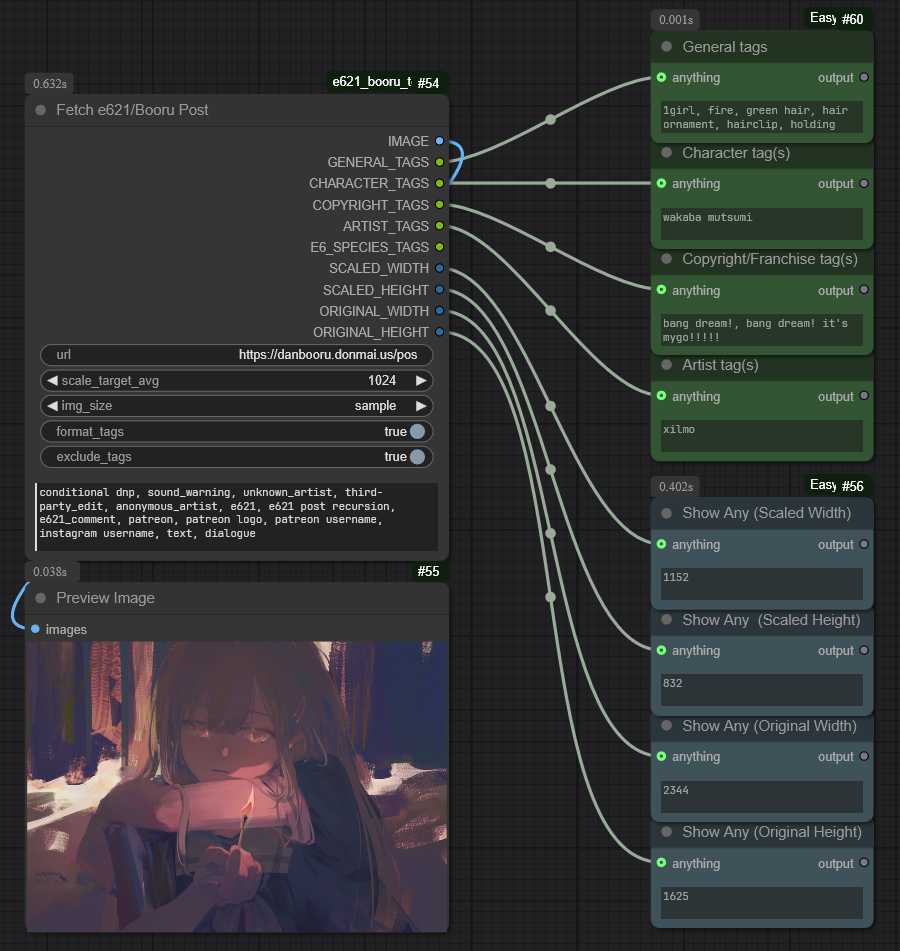
url: insert any post url from e621 or danbooru (see Supported sites at the bottom)
scale_target_avg: determines what average to scale the image dimensions to. SCALED_WIDTH and SCALED_HEIGHT will then output diffusion-compatible values by keeping the numbers multiples of 64. (e.g.: Use ~1024 for SDXL)
img_size: set the size variant of the output image (sizes are in danbooru format, if you select a size unsupported by e621 it will use preview as fallback)
format_tags: if set to true the output will format the tags to remove any underscores and adds backslashes infront of parenthesis
exclude_tags: excludes tags based on bottom textbox
Tag Wiki Lookup node
Gets the wiki description of a given tag. Output is pretty barebones but it's probably enough for most people. Can be used standalone through the Fetch Wiki button (I wanted to make the output show as markdown like the Markdown Note node but me JS skills are like none)
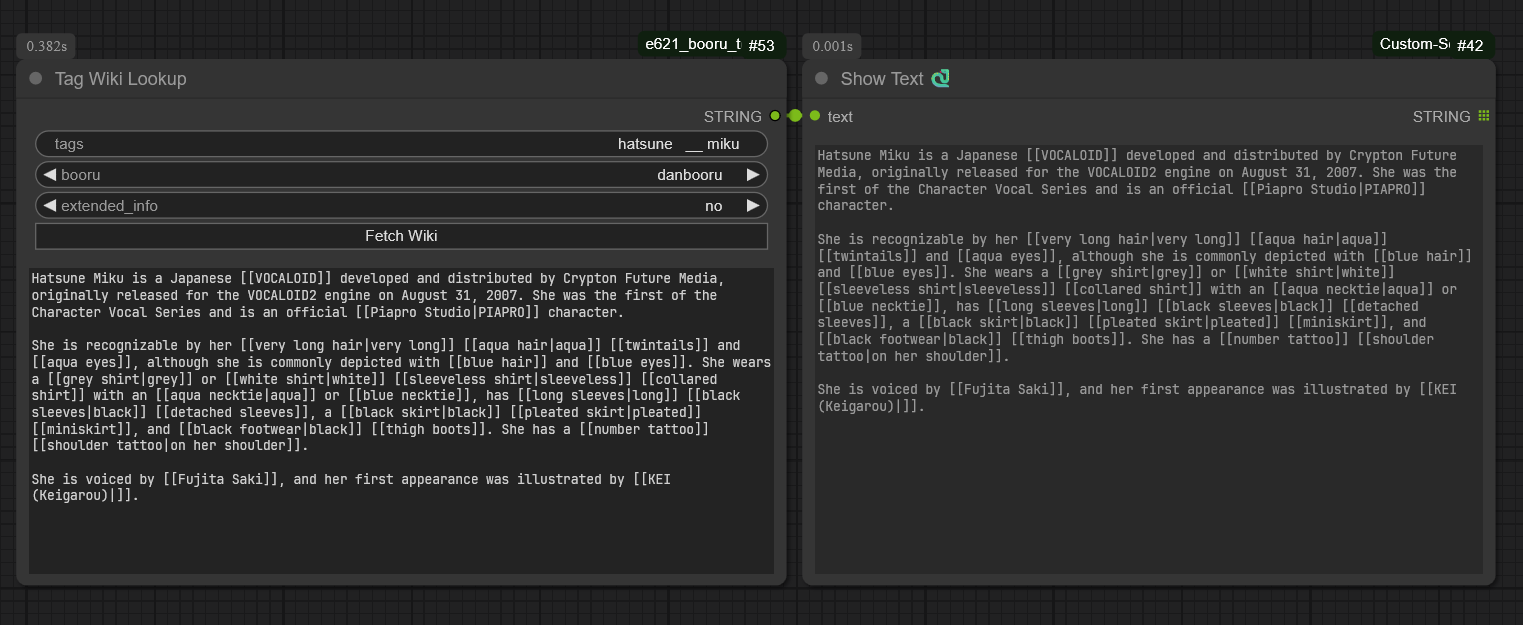
tags: input any tag you want to get the wiki description of
booru: select what image board site you want to get the info from
extended_info: more of an experimental setting but for danbooru at least it gets rid of related tags and such that is below that
Fetch Wiki Button: You don't have to queue to get the wiki description. Since nothing is queued, it will only show the text in a read-only textbox in the node
Supported sites
(Note: there may be NSFW content if you visit these)
You can find a few example workflows in the example_workflows folder. Simply dragging the images into ComfyUI should work.
Useful nodes
Good string join/concatenate node and a bunch of other stuff from KJNodes (required by simple_t2i example workflow) Show Text node and tag autocomplete as well as other possibly useful stuff from ComfyUI-Custom-Scripts Show Any node from ComfyUI-Easy-Use (required by just_the_nodes example workflow)
this repo is originally a rewrite of: https://github.com/yffyhk/comfyui_auto_danbooru