
Unsloth Desktop Nodes
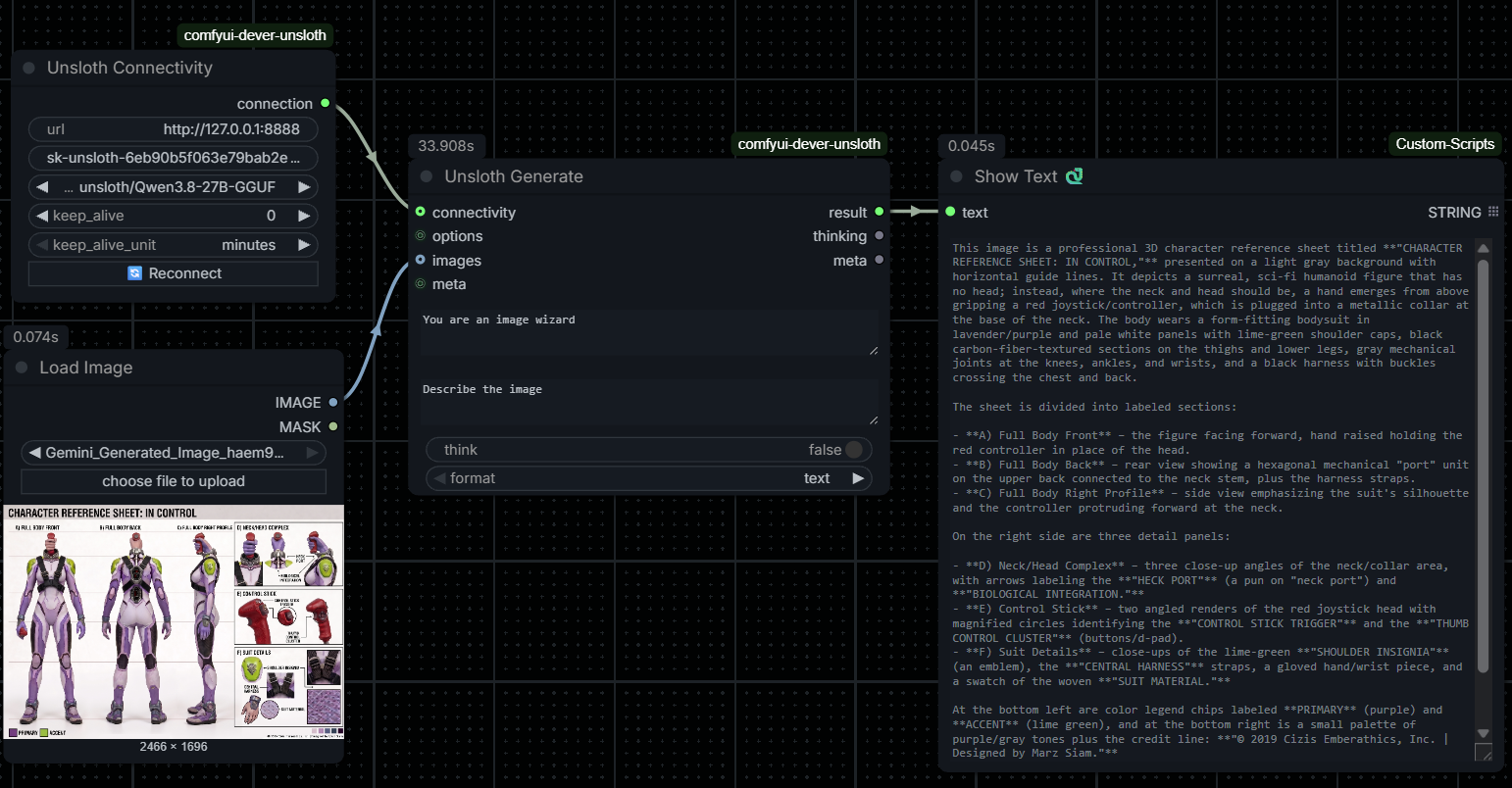
Unsloth Desktop nodes inspired by the simplicity of the Ollama ComfyUI nodes / llama.cpp OpenAI-compatible backend.
Nodes (3)
comfyui-dever-unsloth
Ollama-style ComfyUI nodes for an Unsloth Desktop (llama.cpp) backend.
Same 3-node simplicity as comfyui-ollama — Connectivity, Options, Generate —
but talks to the OpenAI-compatible HTTP API Unsloth Desktop exposes
(default http://127.0.0.1:8888, Bearer API key).
Install
Option A — ComfyUI-Manager (recommended)
- Open the Manager menu in ComfyUI → Install Custom Nodes.
- Search for Unsloth Desktop Nodes (registry id
dever/dever-unsloth). - Click Install, then restart the server / refresh the UI.
Option B — Manual (clone the repo)
cd ComfyUI/custom_nodes
git clone https://github.com/DeverStyle/comfyui-dever-unsloth.git
Then restart ComfyUI. No extra Python dependencies are needed — it uses requests, which is already in the ComfyUI environment.
Nodes
| Node | Purpose |
|---|---|
| Unsloth Connectivity | Server URL, API key, model dropdown (🔄 Reconnect button), keep-alive. The dropdown lists models downloaded locally in Unsloth Desktop (incomplete downloads excluded) — not the full catalog of models it can use. |
| Unsloth Options | Enable-flagged sampling params (temperature, top_p, top_k, min_p, repetition_penalty, presence_penalty, seed, stop, max_tokens). Only enabled values are sent. |
| Unsloth Generate | system + prompt (+ optional IMAGE for vision, think, text/json format) → result, thinking, meta (for chaining). |
Requirements
- Unsloth Desktop running with Settings → "Model auto-switch (OpenAI API)" enabled. This lets a chat request name any downloaded GGUF and Unsloth loads it in-request before responding. Without it, the node raises a clear error telling you to load the model in Unsloth Desktop or enable auto-switch.
- An API key from Unsloth Desktop Settings → API (the OpenAI API requires it).
Keep-alive (Ollama-compatible semantics)
Unsloth's OpenAI API has no per-request keep_alive, so it is emulated
client-side using Unsloth's POST /v1/unload:
| keep_alive | Behavior |
|---|---|
| 0 | Unload the model immediately after the response. |
| N (>0) | A background heartbeat keeps the model warm; it unloads N (minutes/hours) after the last generation. |
| -1 | Keep the model loaded indefinitely. |
Only one model is active per Unsloth server at a time; the heartbeat is keyed per server URL and follows whichever model the workflow last generated with.
Notes
num_ctx(context size) is a load-time setting in Unsloth, not a per-request parameter, so it is intentionally not exposed here.- No new dependencies — uses
requests, already in the ComfyUI environment.