ComfyDL
DeepLearning is just a few clicks away!
Nodes (120)
It says Accuracy, but it actually hands you a count
Nine activation functions in one node — only two of the knobs do anything
Additive Attention
The residual + layer-norm layer hiding inside every Transformer block
Plot a training curve as a filled area chart, straight from a tensor
The anchor-matching step behind object detection, exposed as a node
The friendliest object-detection dataset in existence
Turn a tensor into a bar chart with the numbers written on the bars
BLEU in one node, so you can score a translation by hand
Bounding boxes in (cx, cy, w, h)? Convert them to corners in one step
Bounding boxes in (x1, y1, x2, y2)? Convert them to center-width-height
Pairwise IoU between two sets of boxes, computed in one shot
Stretch a tensor to a bigger shape without copying the data
See exactly where your classifier gets confused
Convolve a tensor with a kernel — stride and padding included
Cross-correlation with the loops on display, straight from the textbook
Num_batches, batch_size, dataset_size
DataLoader Preview
The same preview grid, but it shows up in your UI automatically
Is your dataset actually balanced? Dataset Stats will tell you
Five rows of text that save you an hour of shape hunting
Batching and shuffling, and the one case where you don't need it
The splitter, and the empty tensor that pretends to be labels
Which GPU does ComfyUI actually see? This node answers in two ints
The scaled dot-product attention behind every transformer, as one node
ComfyDL's Download node
One dropdown, download + extract included
Fashion-MNIST as a ComfyUI dataset
Type an equation, get a labelled dataset
[CLS] … [SEP] … [SEP], with segment IDs
Clamp runaway gradients before they nuke your training
The LSTM's cheaper, lighter cousin — as a node you can stack
Extrude a tensor into a mesh you can actually orbit
See the distribution inside a tensor in one glance
Brightness, contrast, and saturation in one pass — 1.0 means leave it alone
Grayscale that keeps all three channels — the sneaky part
Normalize an image to z-scores — and know it won't come back to [0,1]
Rotate by any angle, counter-clockwise — and expand the canvas or don't
What's actually inside that image tensor? Just ask it
Xavier weight init in one node
The 1998 CNN that still teaches everyone deep learning — now a node
Y = Xw + b as three wires — linear regression without a single line of code
A real SGD loop in a node, and it opens its own gradient scope to work at all
The bridge from raw tensors to a trainable dataset
The softmax that knows where to look — and where to look away
A Windows popup that taps you when the graph finishes — if you're on Windows
A copy of a model that shares nothing — deepcopy, done properly
Run your model on a tensor — eval mode, no gradients, done
How big is that model? Total params, trainable params, and a summary
Read your network's mind — every layer, indented, as text
Load weights into a model you already built — the architecture must match
Train vs eval — the tiny toggle that changes what your model does
Every parameter, its shape, and whether it actually trains
Save a model's weights — only the weights, and only to a .pt
Turn anchor guesses into actual detections — that's non-max suppression
Generate every anchor box your detector will ever need
The node that turns anchor boxes into something a loss can chew on
How one attention becomes eight
How your detector stops drawing fifty boxes on one dog
The ComfyDL node that does literally nothing, and that's the point
The regression half of training a single-shot detector
Turning a detector's offset predictions back into real boxes
When you need to actually see your label distribution
The MATLAB-style line plot hiding inside ComfyUI
Attention can't see order — this node gives it a position map
The two-layer MLP that every Transformer block repeats
ComfyDL's noise generator for testing, init, and inputs
The one ComfyDL node where the driver, not the node, is the problem
Read CSV → Dataset is the front door to ComfyDL's tabular half — get the path right or nothing else works
Read DB → Dataset is SQLite-only, and that's fine — SQLAlchemy is already in your ComfyUI env
Flat records only, and it round-trips with the pack's JSON writer
Paste a handful of numbers and prove the trainer works in 30 seconds
Tab-separated dumps, no header, and one default that will bite you
The sheet field is a name, not an index — and that catches everyone
The node that fixes 90% of your shape errors in ComfyDL
The Lego brick of every modern CNN, as a node
A real deep network, assembled in one node
Grouped convolutions without leaving the graph
One line of history, no hand-written math
RNN Language Model (high-level)
RNN Language Model (from scratch)
The payoff node of the LM demo
No hidden torch layer, just weights
Seeing 10,000 points instead of 10,000 numbers
Half a machine-translation model, built honestly
The polite way to tell a network to ignore padding
The node that actually trains your model
The node that makes your detector's output real
Turning attention and weight matrices into something you can see
Attention, rendered right in the graph
A batch of tensors, finally looking like a grid of pictures
Watching an optimizer wander its way to the minimum
The loss function that taught a generation of regression — half, on purpose
Type a matrix by hand and get a tensor — the pack's manual data entry
A fake dataset generator that makes your first training loop honest
The two-socket node that lets any tensor in the graph become data
The node that lets you actually see what a tensor is doing
Is the GPU actually faster? This node settles the argument with a stopwatch
From raw text to tokens — the first step in every NLP workflow here
A BERT-class encoder you build (and see into) yourself
One Transformer encoder block, the Lego brick of BERT
Swap any two dimensions — and learn why order matters so much
Force every sequence to the same length, the boring way that just works
One node, every GPU on your machine, comma-separated
Ask for GPU 0, get told 'cpu' instead — the failover node
One training step for the critic — where GAN loss actually comes from
The generator fights back — one step at fooling the critic
Turn a pile of tokens into a real vocabulary — the pack's index-maker
Numbers back to words — the node that makes model output readable
Words in, numbers out — the node that makes text computable
The 21 names behind every PASCAL VOC segmentation label
The lookup table that turns VOC's colors into class numbers
VOC's color-coded masks, converted to class indices you can train on
Crop the image and its label together, so the segmentation data stays honest
A 2 GB dataset that appears at your doorstep (and where it hides)
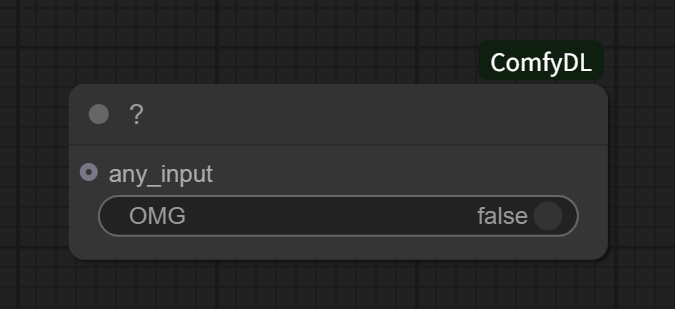
The '?' node has one toggle and it opens a browser tab — don't flip it at work
The end of the chain, and the label column's name is not what you think
It drops and recreates your table every single run
Records-oriented output that reads straight back in
The one writer that checks its dependency and tells you what to install
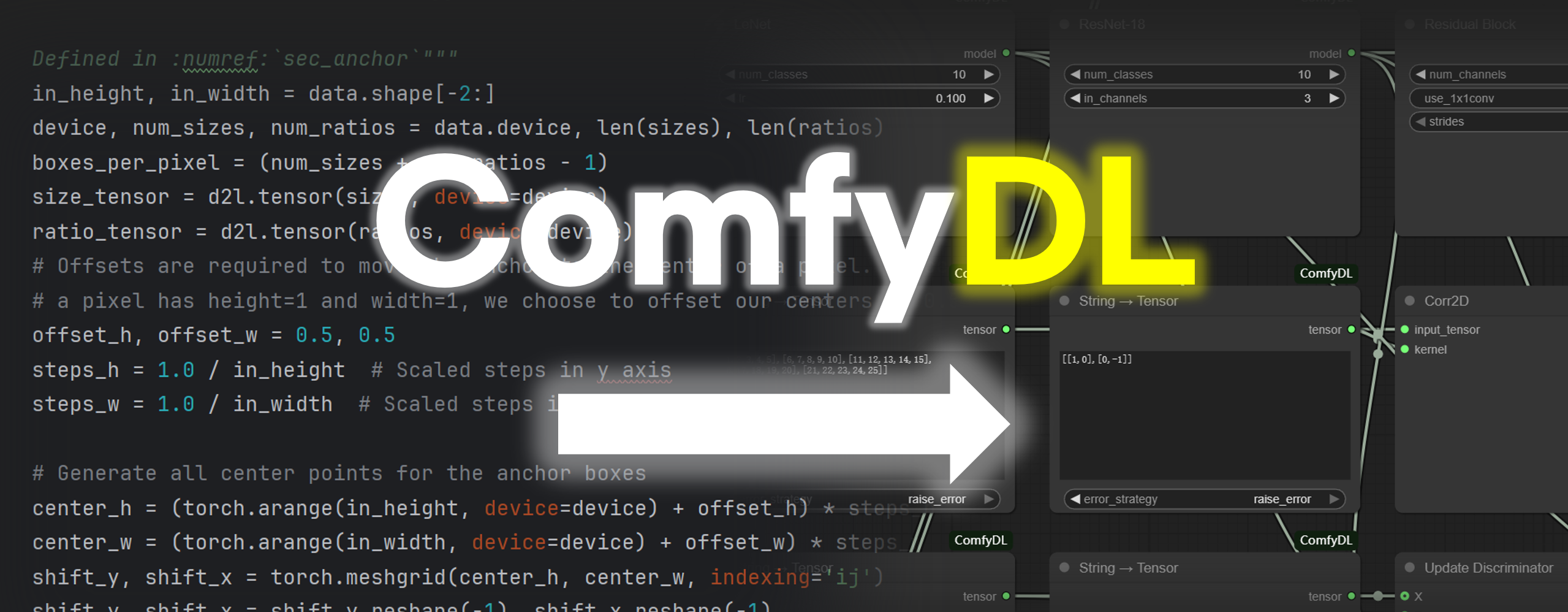
GUI version available: ComfyDL_UI ships ComfyDL as a built-in node pack on a ready-to-run ComfyUI fork — clone it, launch
main.py, and the nodes are already there. See Installation.
What's This?
ComfyDL lets you build deep learning workflows — from CNNs to BERT and beyond — by connecting nodes in ComfyUI, not by writing code. Built on a foundation inspired by the d2l codebase, it keeps evolving as we develop more useful nodes — visual, educational, and great for rapid prototyping. Drag, connect, and see results instantly.
ComfyDL has its own GUI version: ComfyDL_UI ships ComfyDL as a built-in node pack on top of a ComfyUI runtime fork — see Installation.
Examples in Action
Note: The example workflows that ship with ComfyDL are served as workflow templates in the UI (Templates → ComfyDL Examples): the two Language Model workflows plus the three Regression workflows. Older examples that predate the node refactor are kept for reference under
example_workflows/_archived/.
The Mysterious "?"
A tiny node with a toggle that does... something. Try it and see.
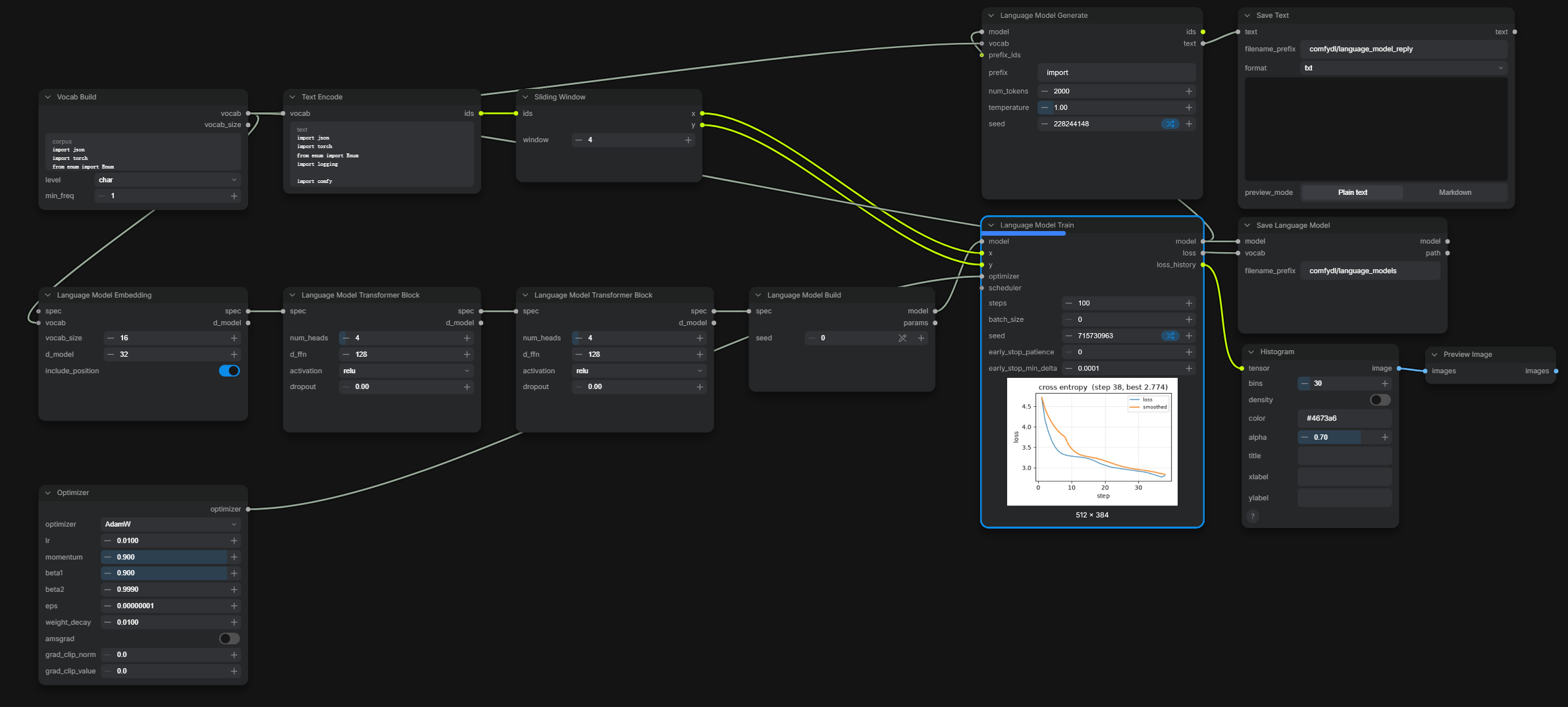
Training a Language Model, Live
A small language model trained end to end inside the graph — Vocab Build → Text Encode →
Sliding Window → the Language Model pipeline → Generate → Save. Since the live-preview update,
the Language Model Train node streams its cross-entropy curve under itself while it trains
(the preview card below the node). If the run is interrupted, the trainer saves its full state
and a crash-site Resume continues from the breakpoint step instead of starting over.
Installation
There are two ways to run ComfyDL: the GUI build, or the classic manual install into an existing ComfyUI.
Option 1 — the GUI build: ComfyDL_UI
ComfyDL_UI is a runtime fork of ComfyUI that
already ships ComfyDL as a built-in node pack. No custom_nodes step, no manual wiring —
clone it, create a virtual environment (recommended, to avoid package conflicts), install,
and launch:
git clone https://github.com/Cynthia-lxx/ComfyDL_UI
cd ComfyDL_UI
python -m venv .venv
.venv\Scripts\activate      # Windows   (.venv/bin/activate on Linux / macOS)
pip install -r requirements.txt
python main.py
Its README covers the details: https://github.com/Cynthia-lxx/ComfyDL_UI#readme.
Option 2 — the classic manual install into an existing ComfyUI
This option requires ComfyUI. If you don't have it, download from: https://github.com/Comfy-Org/ComfyUI
-
Navigate to your
<img src="./assets/1.png" alt="custom_nodes folder location" width="400" />custom_nodesfolder: -
Clone this repository:
git clone https://github.com/Cynthia-lxx/ComfyDL ./ComfyDL -
Install dependencies:
pip install -r ./ComfyDL/requirements.txt -
Restart ComfyUI. You should see the new ComfyDL nodes appear in the node menu.
Function Overview
The built-in node library ships 226 nodes across 35 categories — 128 provided by ComfyDL
plus 98 ComfyUI core nodes (Network & Layers → Activation 14 + Basic 8 + Attention 8
Normalization7Regularization1 +Training23 +Pooling2 +Convolution5 +Recurrent3 +Text4;model→loaders7merging11 +latent2 +conditioning2;3d→Preview 3D1) that were added on top of it:
| Category | Count | Description | |---|---|---| | CV Models | 5 | CNN fundamentals & model construction | | Datasets | 26 | Dataset download, load, preview & stats | | Device Utils | 3 | GPU/CPU device utilities | | GAN | 2 | GAN training updates | | Model Utils | 7 | Model info, mode, forward, layers, params, clone & persistence | | NLP Models | 9 | RNNLM & attention/Seq2Seq building blocks (RNN/GRU builders soft-archived) | | NLP Utils | 5 | Text tokenization & vocabularies | | ObjectDetection | 10 | Anchor boxes, IoU, NMS | | Segmentation | 4 | VOC semantic segmentation tools | | Tensor Basic | 5 | Tensor I/O, conv, transpose, broadcast, activation | | TorchOps | 10 | Loss, optimization, metrics | | Training | 3 | From-scratch linear-regression trainer (mini-batch SGD) | | Visualization | 13 | Plots, charts & bounding box visualization | | d2l/_Legacy/Model Utils | 1 | Deprecated (soft-archived): Model Mode; use the core Training Mode | | d2l/_Legacy/NLP Models | 7 | Deprecated (soft-archived): Multi-Head Attention, Add & Norm, Transformer Encoder Block/Encoder; use the core Attention/Recurrent nodes | | d2l/_Legacy/Tensor Basic | 3 | Deprecated (soft-archived): Broadcast, Reshape, Activation | | image (Comfy core) | 1 | Per-channel image batch statistics | | image/color (Comfy core) | 3 | Grayscale, normalize & brightness/contrast/saturation | | image/transform (Comfy core) | 1 | Arbitrary-angle rotation + canvas expand | | utilities (Comfy core) | 4 | MessageBox, NoOp pass-through & benchmark timer | | conversion | 6 | |
The 20 categories above are the ones ComfyDL itself provides; the other 14 categories of the shipped library (
Network & Layers/*,model/*and3d, 98 nodes in total) are pure ComfyUI core categories.For the complete node reference, see FUNCTIONS.md (English) or FUNCTIONS_zh.md (中文).
Repository Layout
ComfyDL/
├── src/d2lcore/     # D2L-inspired core implementation — a reference layer (torch.py, ...)
├── nodes/           # ComfyUI node definitions (thin mapping layer)
│                    #   incl. self-developed model_utils.py, image_tools.py &
│                    #   nlp model wrappers (model_nlp.py, model_attention.py, model_seq2seq.py)
└── example_workflows/  # Example workflows served as UI templates (+ _archived/ legacy set)
Note: A mirror copy of
src/d2lcore/also exists at the repository root asd2lcore/(outside the plugin folder). They must be kept in sync whenever the D2L core logic is modified.
License
This project is licensed under the GNU General Public License v3.0 (or any later version) — see the LICENSE file for details. ComfyDL is distributed as the node pack of the ComfyDL_UI project and follows the same license; upstream ComfyUI keeps its own copyright and maintainers.
Special Thanks
ComfyDL stands on the shoulders of the incredible d2l (Dive into Deep Learning) community.
- Codebase: We heavily reference and adapt implementations from the
d2l-pytorchrepository. Its clear, textbook-grade code serves as a high-quality reference and starting point for many of our nodes — and continues to guide the development of new ones. We are deeply grateful to all contributors who made this resource available under the permissive MIT-0 license. - Inspiration: The design and pedagogical philosophy behind this project are fundamentally inspired by the book 《Dive into Deep Learning》 (《动手学深度学习》PyTorch版), which offers one of the most accessible and practical paths to mastering deep learning.
This project would not exist without their vision and generosity. We encourage everyone to explore the original book and repository:
- Book (Chinese): https://zh.d2l.ai/
- GitHub Repository: https://github.com/dsgiitr/d2l-pytorch