
anaglyphTool-Comfyui
This Comfyui node creates an anaglyph image from a color and depth map input. It achieves high speeds suitable for video to anaglyph conversion by using CUDA GPU acceleration.
Nodes (3)
anaglyphTool-Comfyui
A high-performance ComfyUI custom node for creating anaglyph 3D images from color and depth map inputs. Optimized for CUDA GPU acceleration, making it suitable for video to anaglyph conversion.
Features
- CUDA GPU accelerated processing
- Batch processing support for video frames
- Adjustable parallax and depth settings
- Real-time depth map inversion option
Installation
- Navigate to your ComfyUI custom_nodes folder
- Clone this repository:
git clone https://github.com/Cryptyox/anaglyphTool-Comfyui
- Install dependencies:
pip install -r requirements.txt
only torch should be required and can be installed manually.
Usage
The node accepts the following inputs:
- image: Input image or video frame (RGB format)
- depthmap: Corresponding depth map (grayscale or RGB)
- invert_depthmap: Toggle depth map inversion (default: True)
- divergence: Controls the 3D effect strength (-10.0 to 10.0, default: 2.0)
- zero_parallax_depth: Sets the focal plane (0.0 to 1.0, default: 0.5)
Requirements
- ComfyUI
- PyTorch with CUDA support (recommended)
- CPU fallback available
Recommended Workflow
Basic Usage
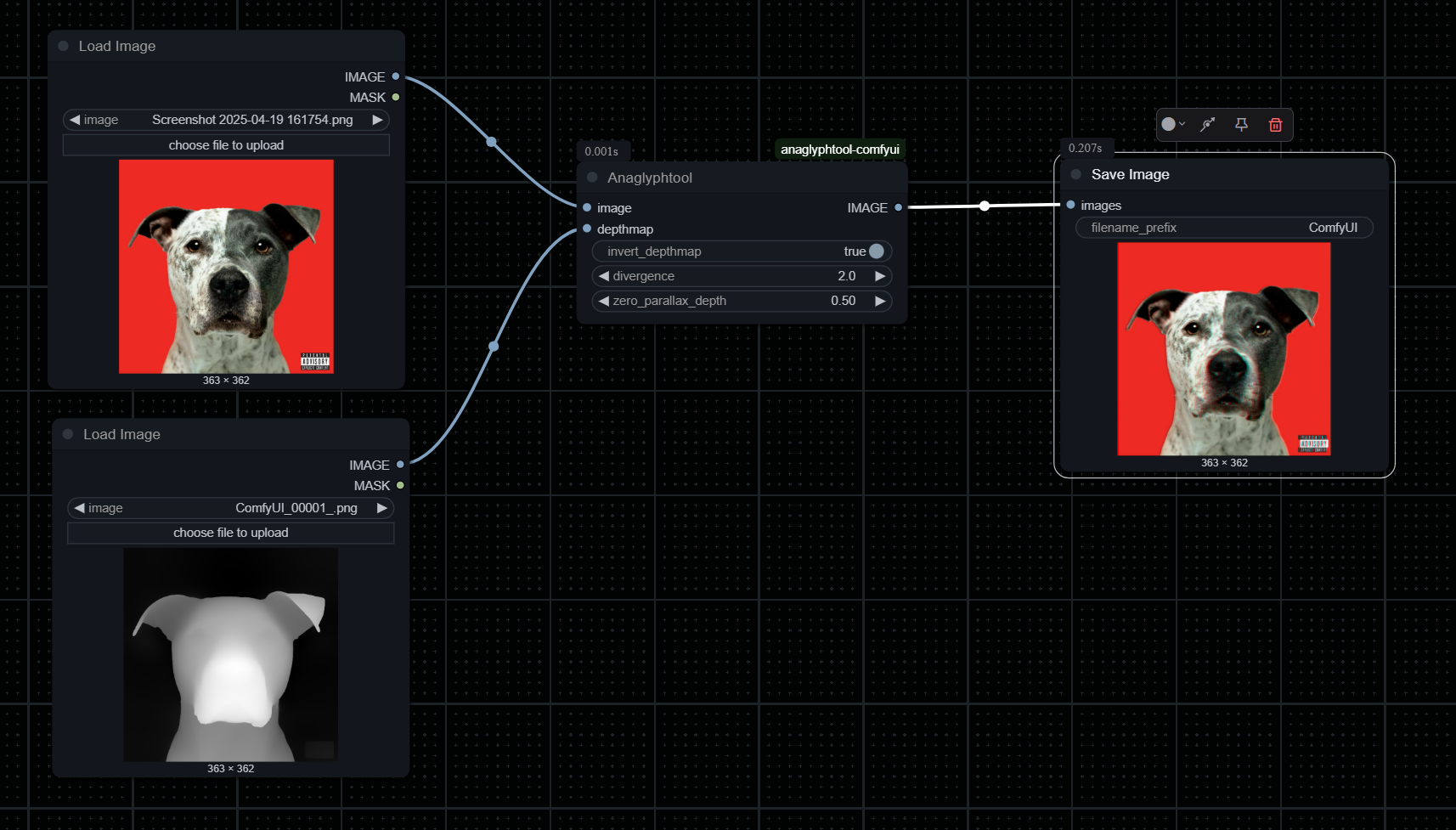 Basic workflow showing image and depth map inputs
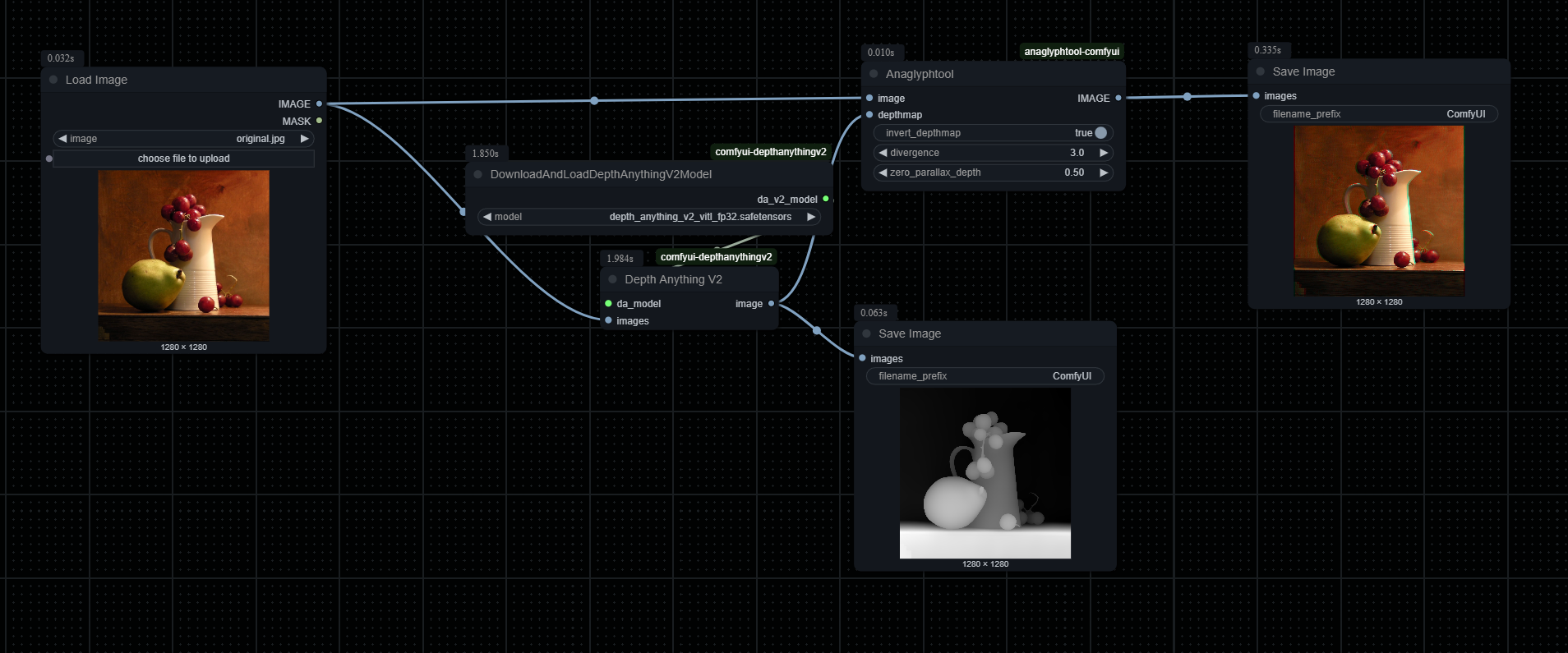 Basic workflow for single image conversion using depth-anything-V2
Results
| Original | Depth Map | Anaglyph Result |
|:--------:|:---------:|:---------------:|
|  |
|  |
| 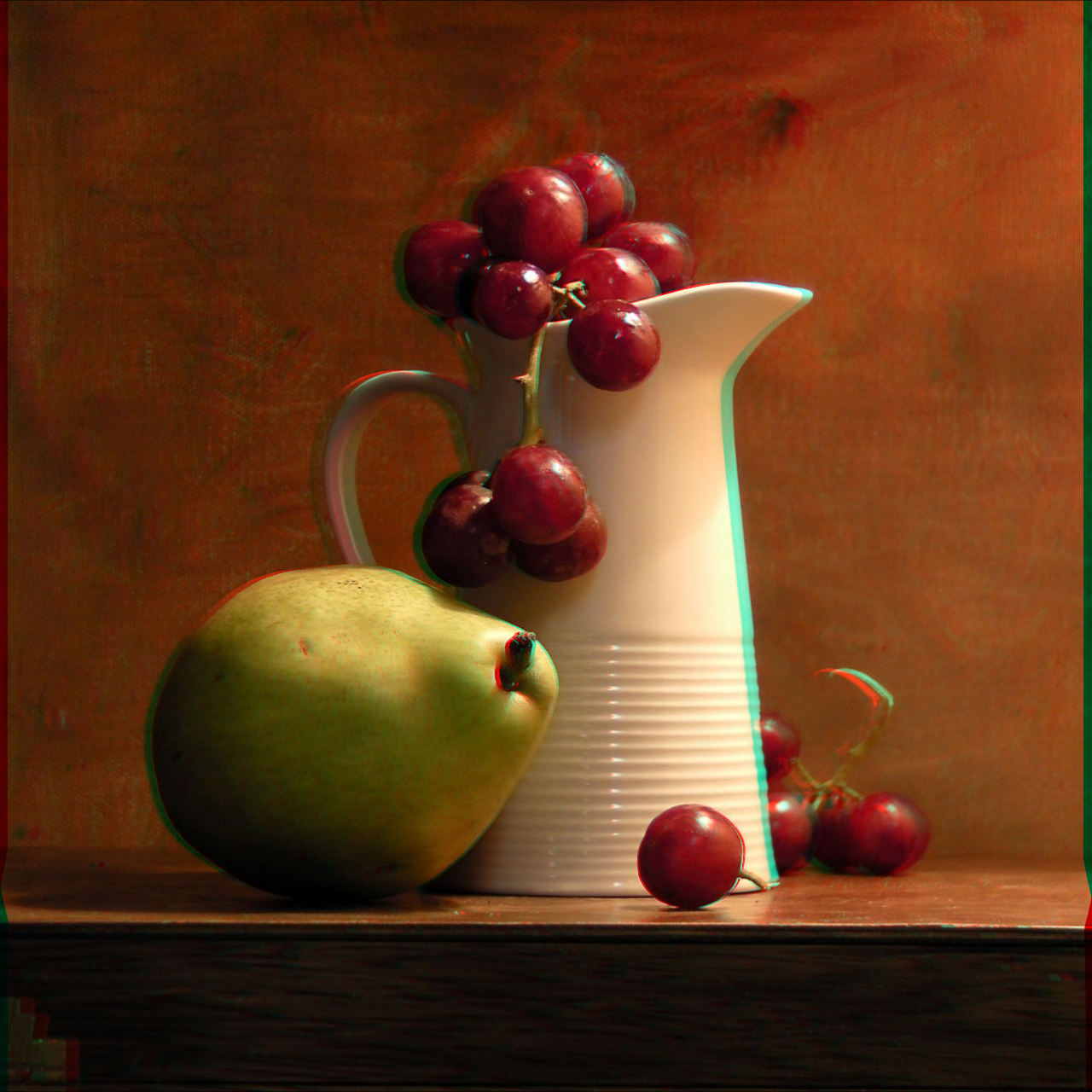 |
|
Video Processing Example
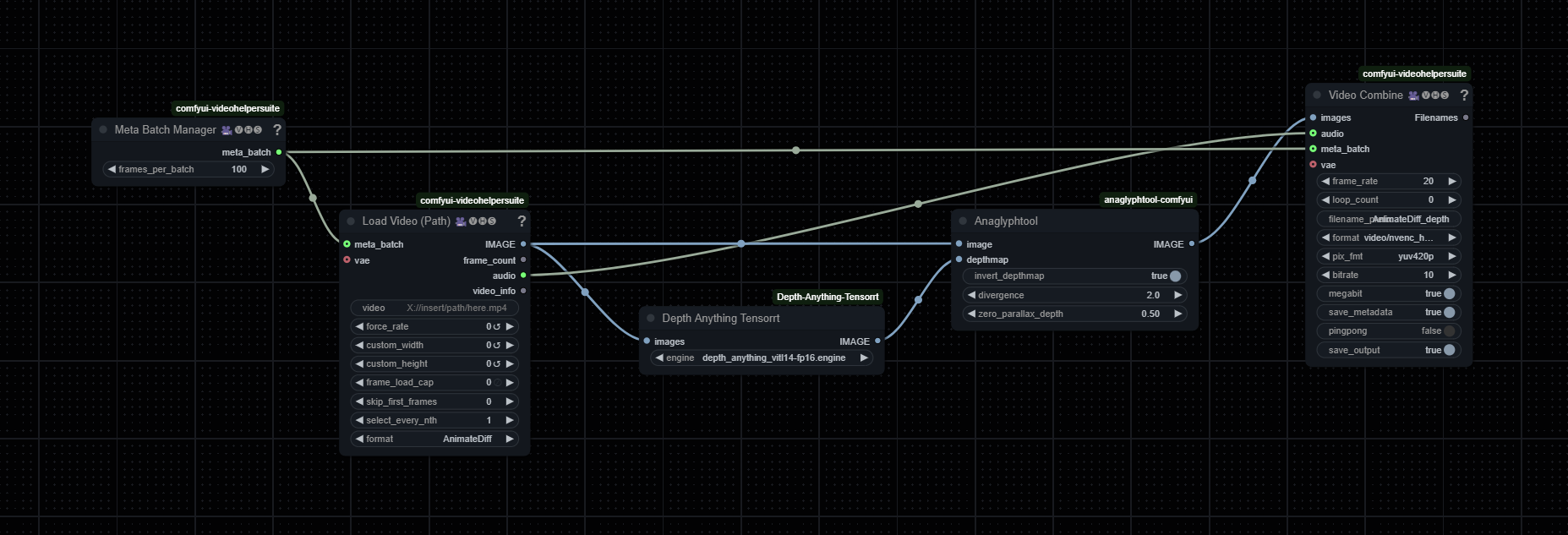 Example workflow for batch processing video frames
I highly recommend using Depth Anything Tensorrt for the depth map creation to save time. The batch size is a huge factor when it comes to speed. Increase the batch size until your VRAM is full. On a 3090 with 24gb of VRAM you can batch process 500 480p Frames in 0,5s.
Note: You'll need red-cyan 3D glasses to view the anaglyph effects.
License
This project is licensed under CC BY-NC-SA 4.0 - see the LICENSE file for details.
Contributing
Contributions are welcome! Please feel free to submit a Pull Request.
Acknowledgments
Big shoutout to https://github.com/mikeymcfish who created https://github.com/mikeymcfish/FishTools. This was my original inspiration as I was very fond of his node, but needed something capable of bulk processing.