
ComfyUI_Ib_CustomNodes
Nodes: LoadImageFromPath. Load Image From Path loads the image from the source path and does not have such problems.
Nodes (5)
The bridge node for Pillow-based tools and ComfyScript
Read images straight off disk, no duplicate upload
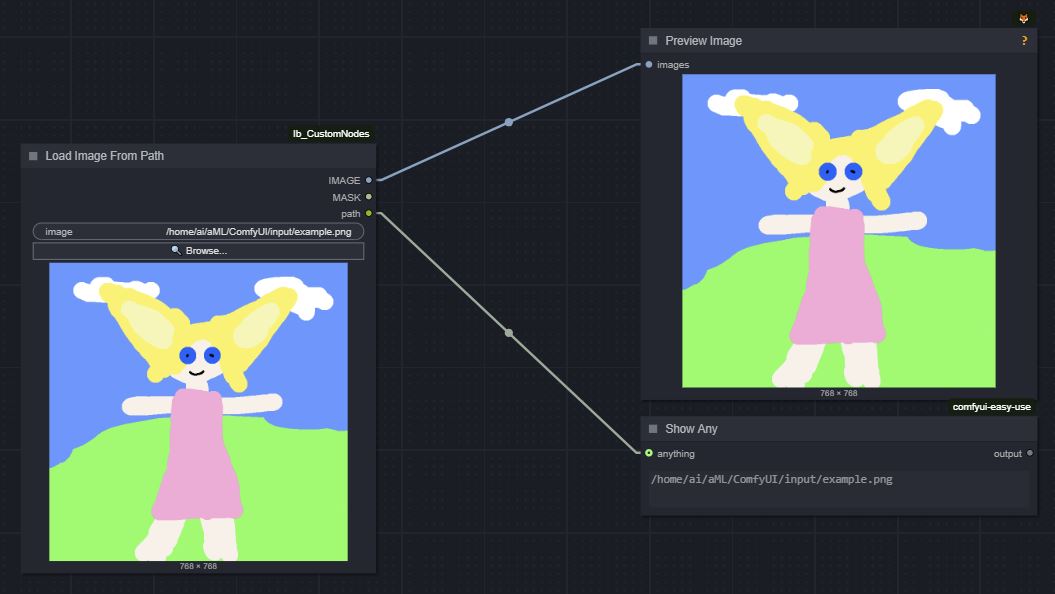
A preview, a file browser, and a path output
Convert a Pillow image back into ComfyUI's native IMAGE type
Converts a Pillow image back — but the output is still typed IMAGE
ComfyUI_Ib_CustomNodes
Installation
Install via the Custom Nodes Manager in ComfyUI-Manager.
Load Image From Path
def LoadImageFromPath(
    image: str = r'ComfyUI_00001_-assets\ComfyUI_00001_.png [output]'
) -> tuple[Image, Mask]
ComfyUI's built-in Load Image node can only load uploaded images, which produces duplicated files in the input directory and cannot reload the image when the source file is changed. Load Image From Path instead loads the image from the source path and does not have such problems.
One use of this node is to work with Photoshop's Quick Export to quickly perform img2img/inpaint on the edited image. Update: For working with Photoshop, comfyui-photoshop is more convenient and supports waiting for changes. See tutorial at r/comfyui.
The image path can be in the following format:
-
Absolute path:
D:\ComfyUI\output\ComfyUI_00001_-assets\ComfyUI_00001_.png -
Relative to the input directory:
ComfyUI_00001_-assets\ComfyUI_00001_.png [input] -
Relative to the output directory:
ComfyUI_00001_-assets\ComfyUI_00001_.png [output] -
Relative to the temp directory:
ComfyUI_00001_-assets\ComfyUI_00001_.png [temp]
Usage Example
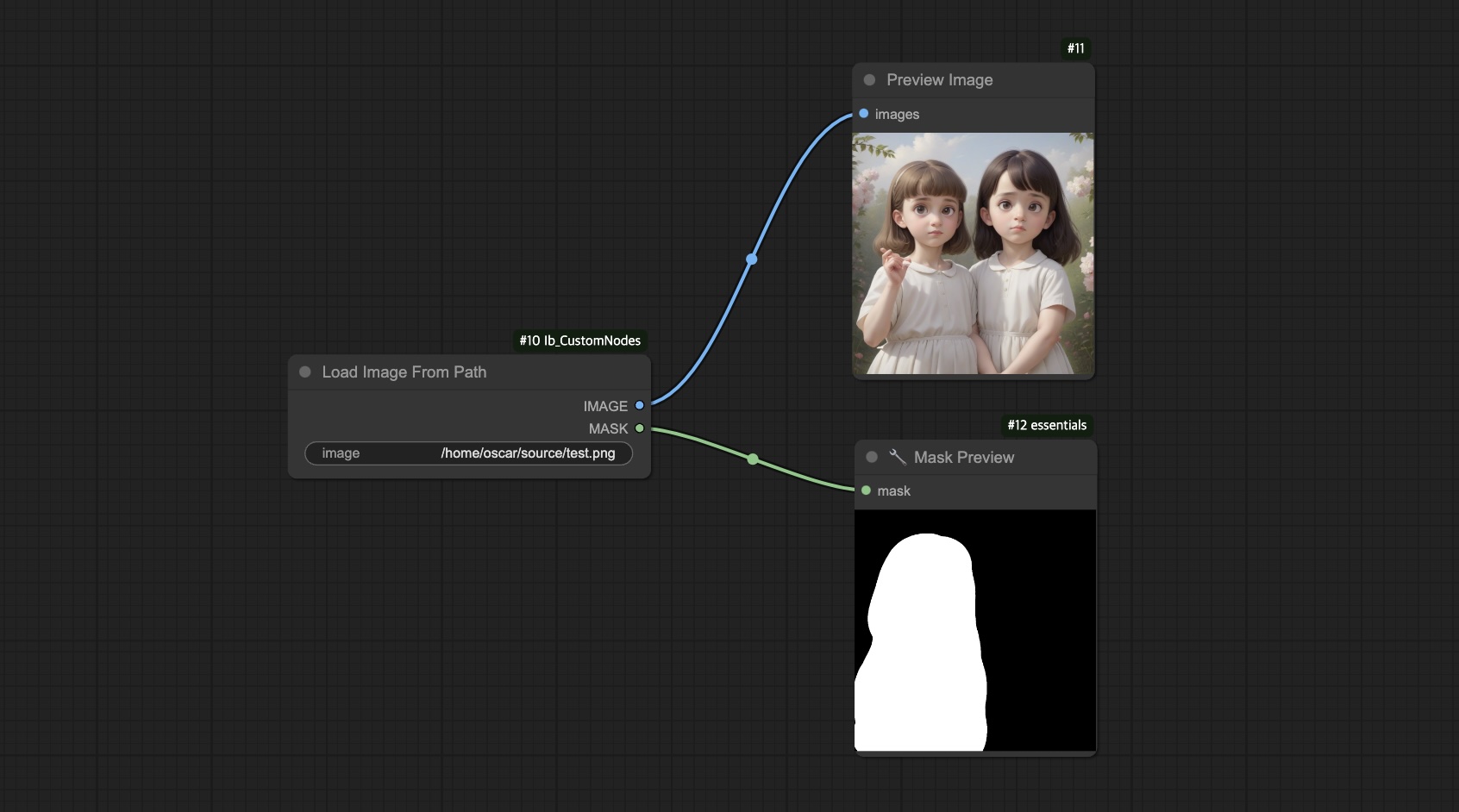
Load Image From Path (Enhanced)
Enhanced with image preview, file browser and a path output, made by @alFrame:
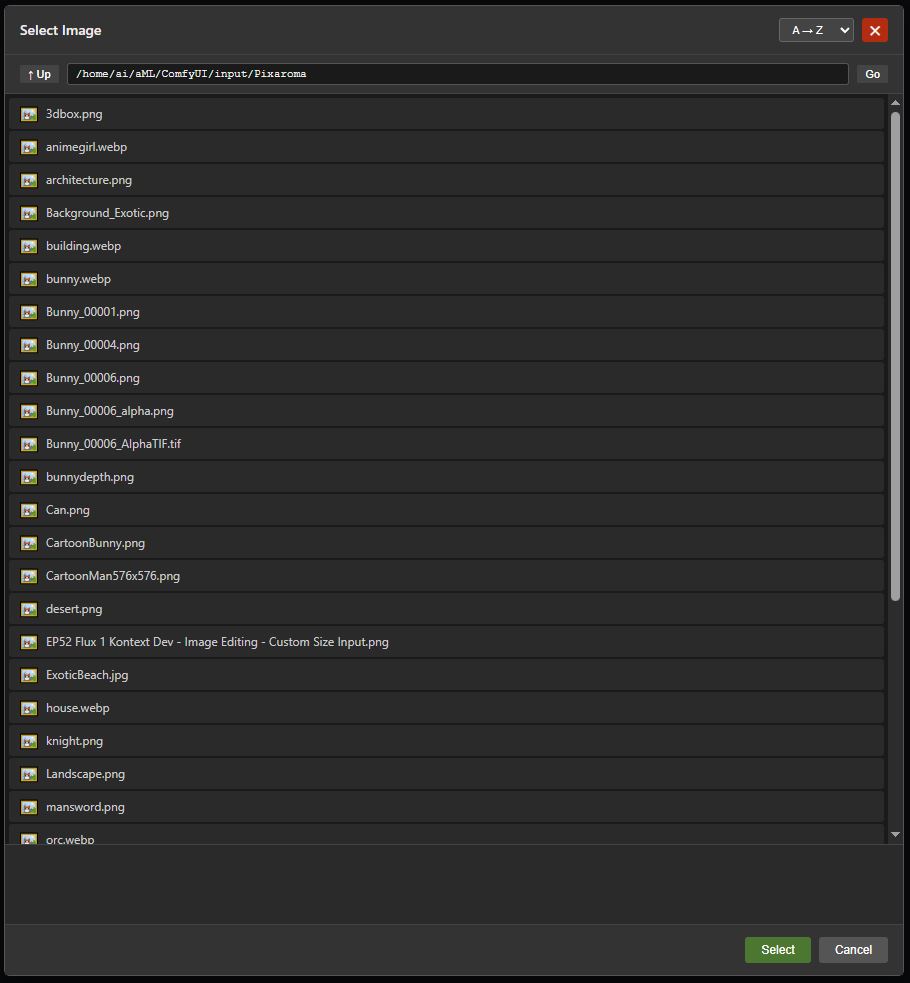
File browser:
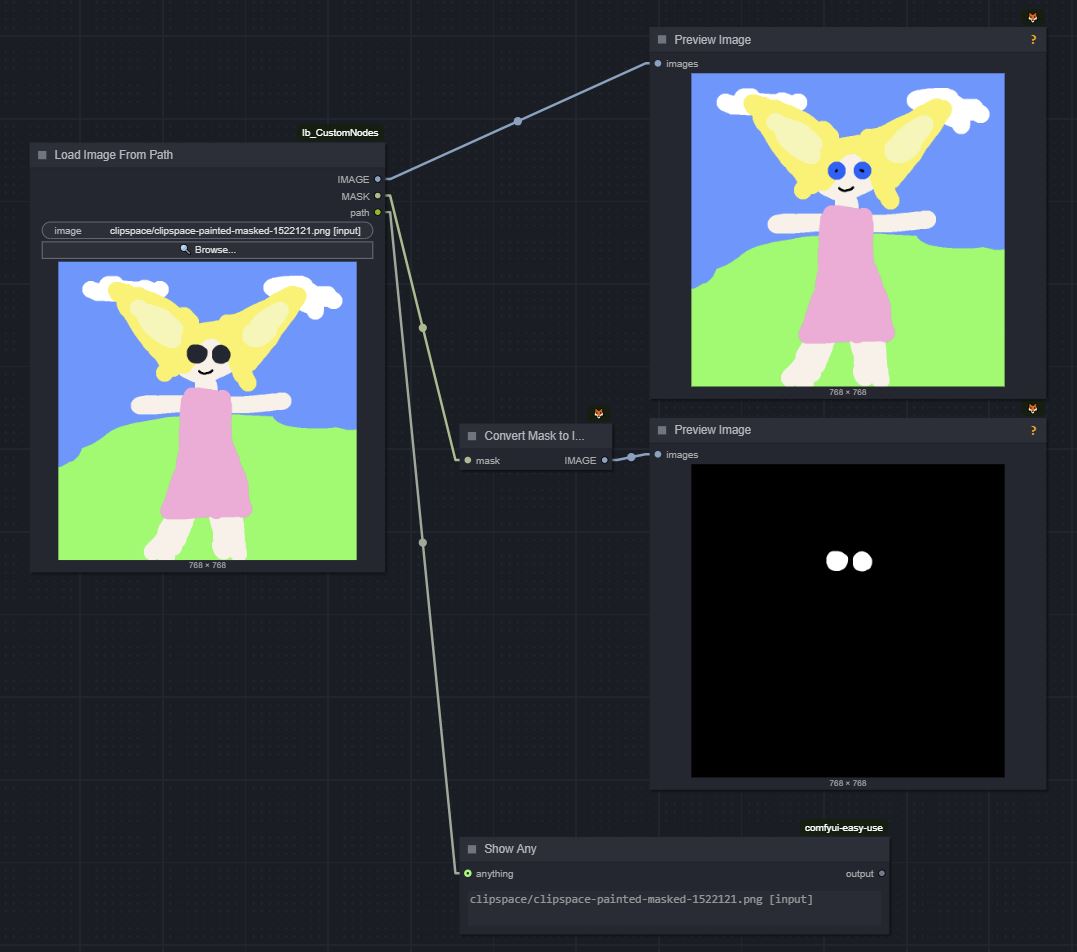
Mask:
PIL.Image
def PILToImage(
    images: PilImage
) -> Image
def PILToMask(
    images: PilImage
) -> Image
def ImageToPIL(
    images: Image
) -> PilImage
Mainly for use with ComfyScript's real mode.