
ComfyUI-Linear-Theme
Dark minimal theme for ComfyUI inspired by Linear, Vercel, and Raycast. Pure black aesthetic, zinc scale, dot grid background, and ghost/outline buttons.
ComfyUI Linear Theme
A premium dark theme for ComfyUI. Pure black aesthetic, FPS-optimized, fully customizable.
Mainly inspired by the Freepik Spaces canvas, with touches of Linear, Vercel, and Raycast.
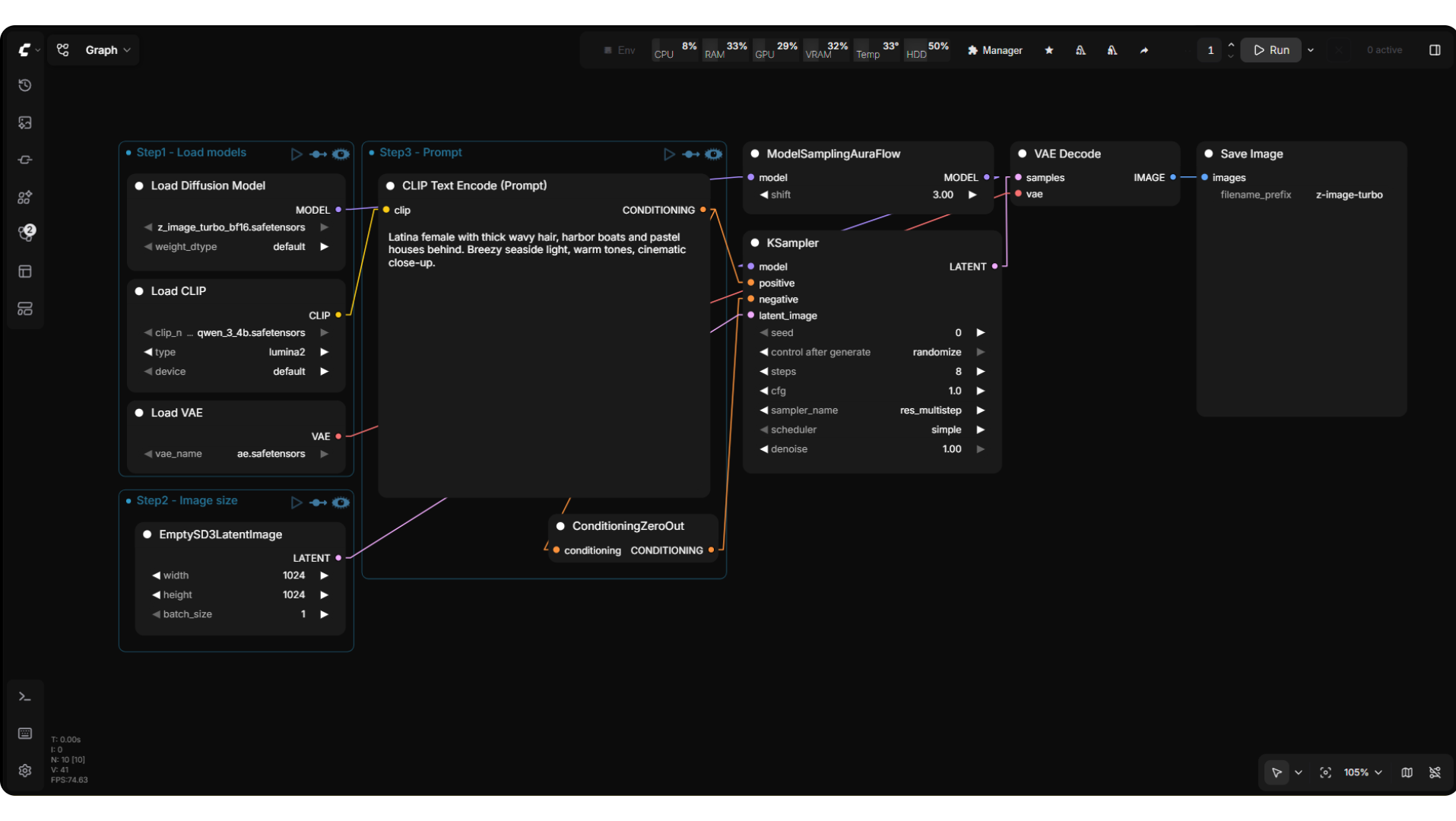
Features
Visual
- Complete UI overhaul — nodes, widgets, sidebars, dialogs, menus, buttons, inputs, scrollbars, tooltips
- Pure black palette — zinc scale, no glassmorphism, no gradients, no added transitions
- Chevron arrows on connection inputs — clean directional markers, color-matched per slot type
- Minimal groups — thin border + dot + title, no blur, no shadows
- Collapsed nodes — full title always visible, color-coded dots based on connected inputs
- Execution glow — running nodes highlight purple, completed flash green, errors flash red
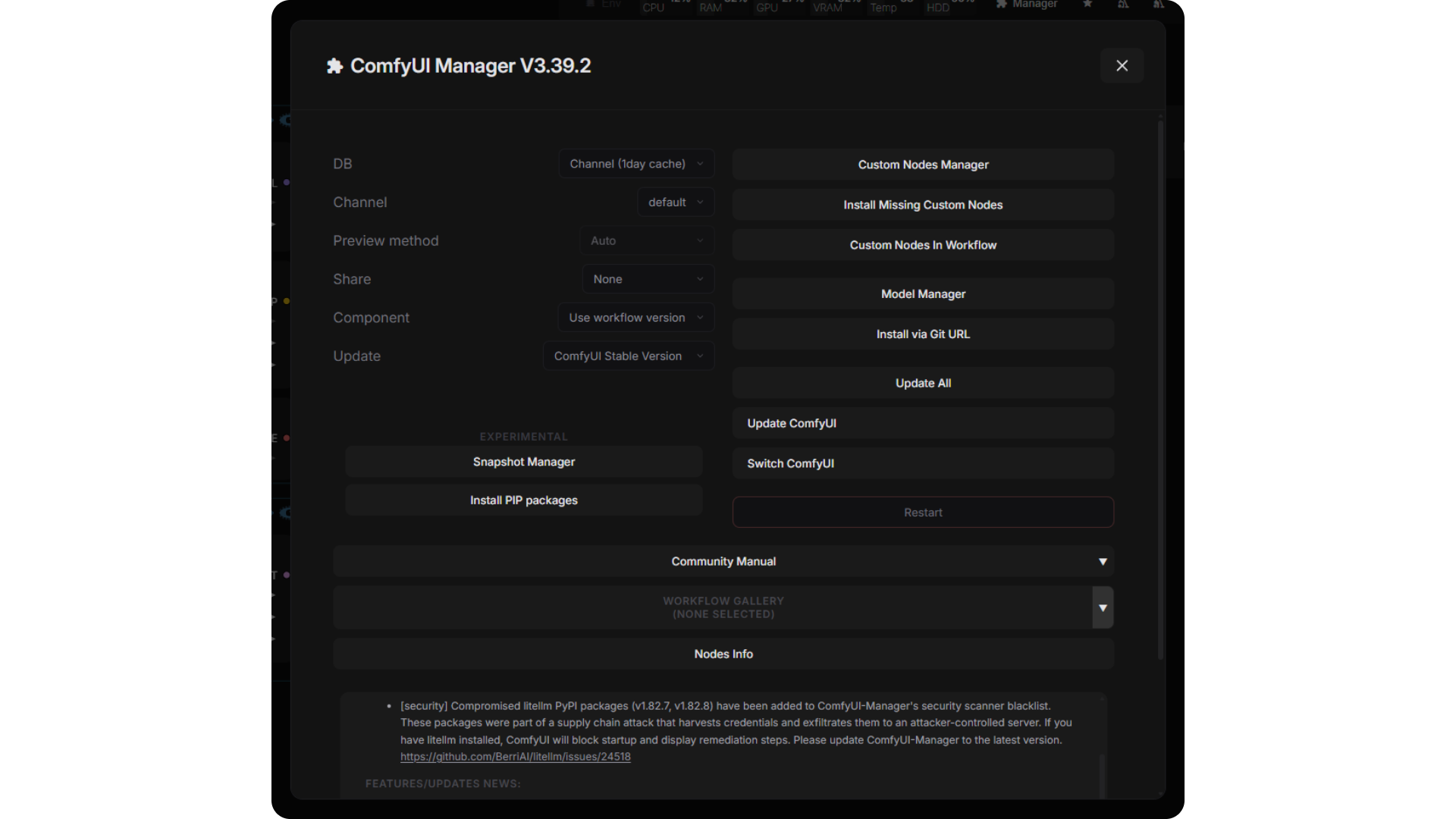
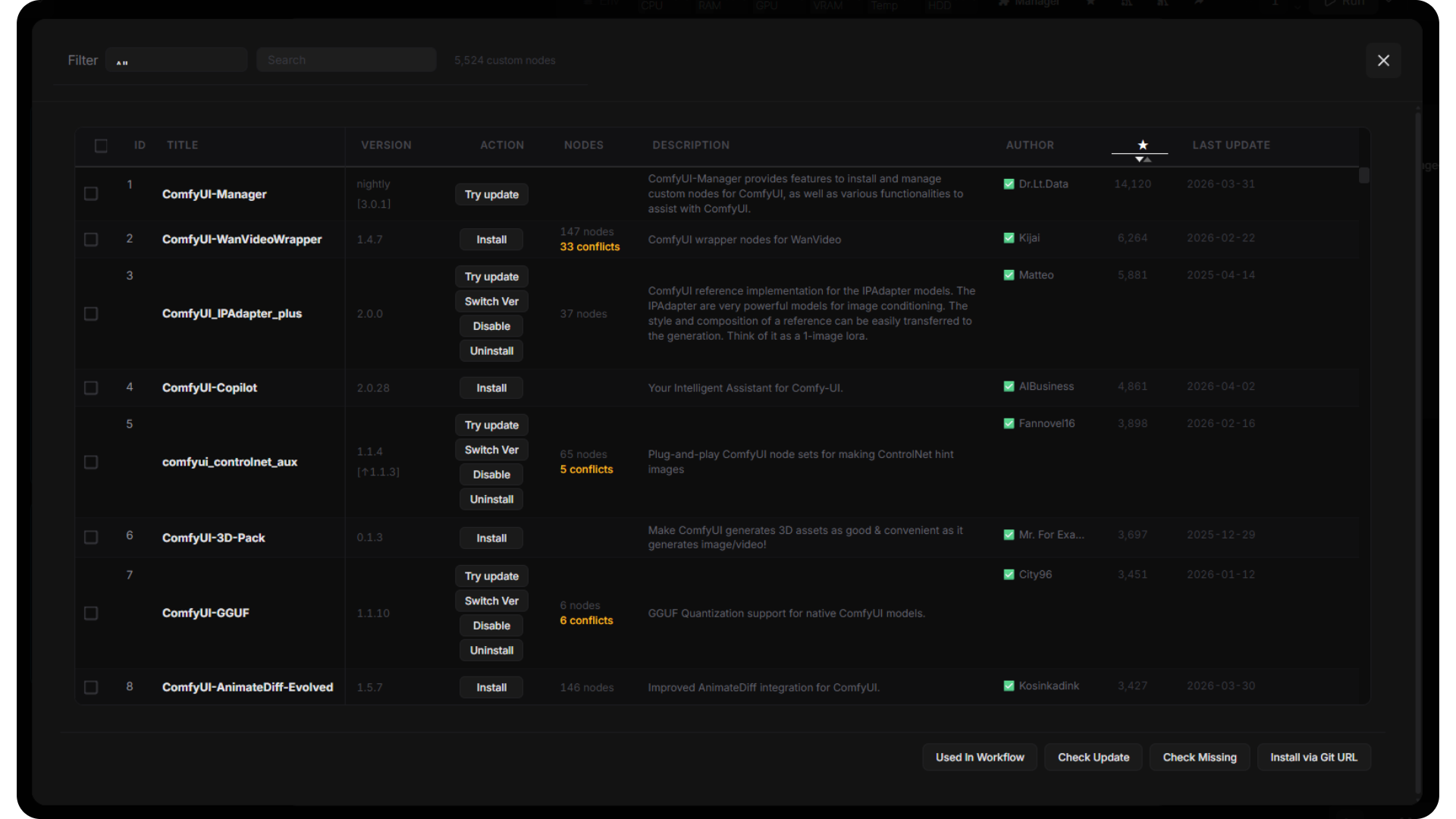
- Styled Manager — ComfyUI Manager dialog fully themed
Performance
- FPS Boost — idle throttle, low-zoom render skip, no shadowBlur
- Snap Guides — alignment lines when dragging nodes (toggleable)
- Lightweight — single JS file, no dependencies, no build step
Customization
- Theme Editor — right-click → Linear Theme to tweak everything live
- Canvas — background, node radius, connection width, link color, group color
- Nodes — body, title, shadow, outline, widget colors
- Slots — per-type connection colors (CLIP, MODEL, IMAGE, etc.)
- UI — surfaces, borders, text, bars, accents
- Per-field reset, inline save/load presets, persists across sessions
- Keyboard-accessible editor with visible focus and viewport-safe positioning
- Ordered config saves with a retry action when saving fails
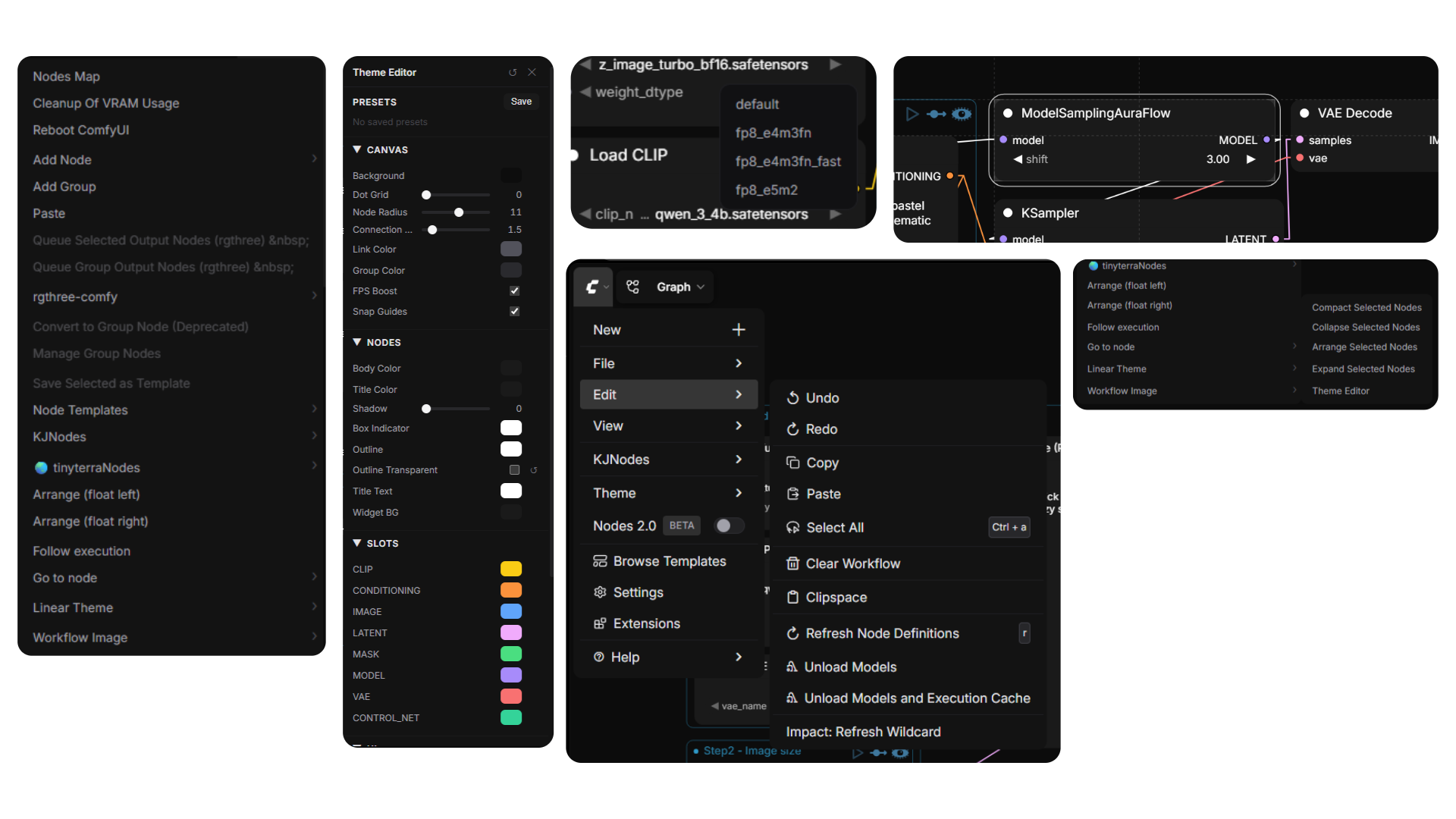
Screenshots
ComfyUI Manager — fully themed
Custom Nodes Manager
Install
Option 1: ComfyUI Manager (recommended)
Search for Linear Theme in the Manager and install.
Option 2: Clone
cd ComfyUI/custom_nodes
git clone https://github.com/Arroz-11/ComfyUI-Linear-Theme.git
Restart ComfyUI after installing.
Canvas color palette
The Linear Dark palette (slot colors, link colors, node body, etc.) registers and activates automatically on first launch. If you switch to another palette later, it is not automatically re-selected; the theme's own configured colors still apply. Re-select Linear Dark in Settings → Appearance → Color Theme anytime, or import linear_dark.json manually.
Compatibility
Tested with ComfyUI 0.40.0 / frontend 1.55.17, using both the classic canvas and Nodes 2.0. Collapsing nodes preserves inputs, outputs and connections; explicit node colors and shapes are retained. Custom node interfaces may require additional styling.
After updating, reload ComfyUI with Ctrl+F5 to load the updated frontend extension.
License
MIT