
ComfyUI-NAG
Implementation of Normalized Attention Guidance: Universal Negative Guidance for Diffusion Models for ComfyUI.
ComfyUI-NAG
Implementation of Normalized Attention Guidance: Universal Negative Guidance for Diffusion Models for ComfyUI.
NAG restores effective negative prompting in few-step diffusion models, and complements CFG in multi-step sampling for improved quality and control.
Paper: https://arxiv.org/abs/2505.21179
Code: https://github.com/ChenDarYen/Normalized-Attention-Guidance
Wan2.1 Demo: https://huggingface.co/spaces/ChenDY/NAG_wan2-1-fast
LTX Video Demo: https://huggingface.co/spaces/ChenDY/NAG_ltx-video-distilled
Flux-Dev Demo: https://huggingface.co/spaces/ChenDY/NAG_FLUX.1-dev
News
2025-07-02: HiDream is now supported!
2025-07-02: Add support for TeaCache and WaveSpeed to accelerate NAG sampling!
2025-06-30: Fix a major bug affecting Flux, Flux Kontext and Chroma, resulting in degraded guidance. Please update your NAG node!
2025-06-29: Add compile model support. You can now use compile model nodes like TorchCompileModel to speed up NAG sampling!
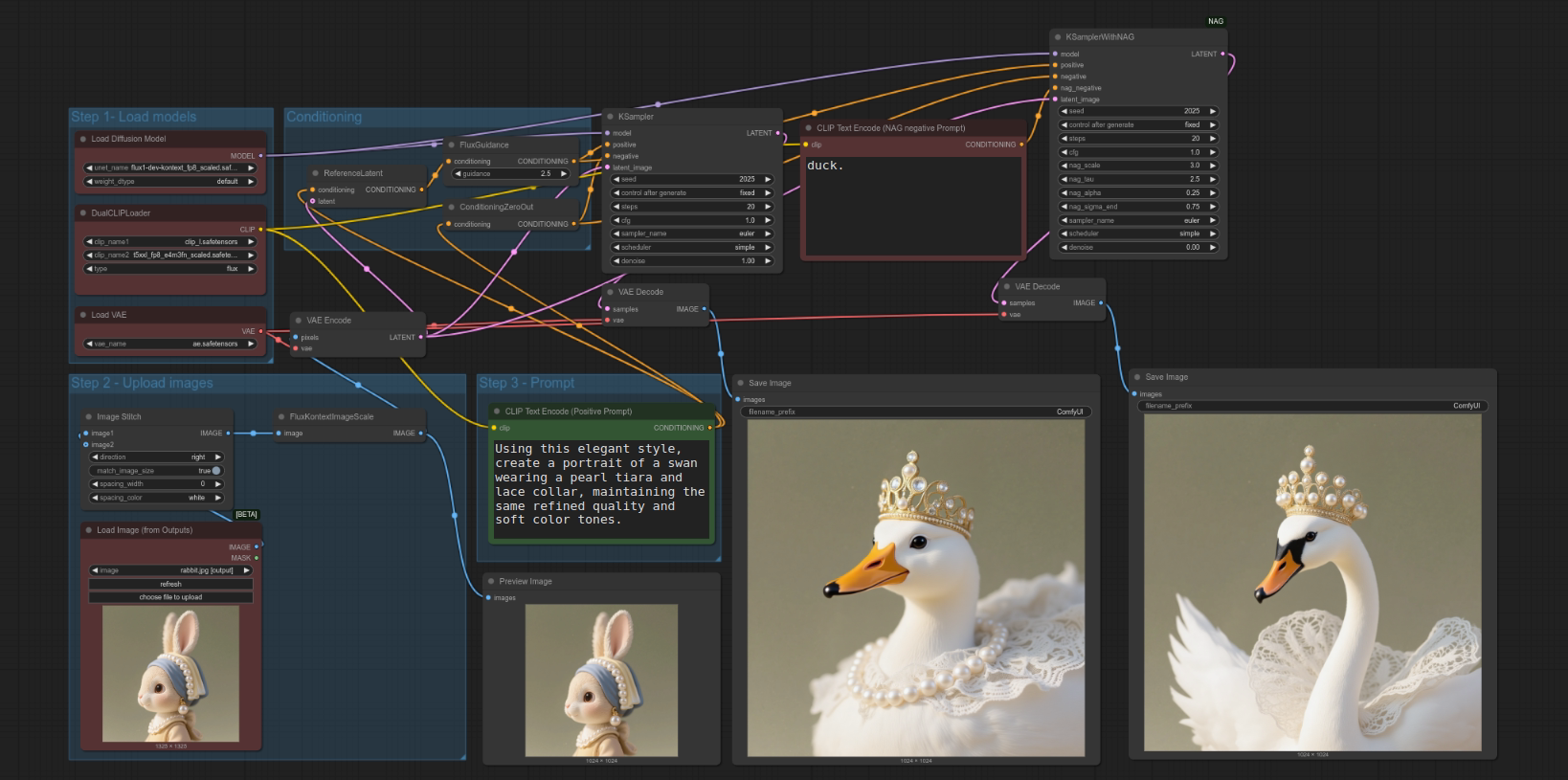
2025-06-28: Flux Kontext is now supported. Check out the workflow!
2025-06-26: Hunyuan video is now supported!
2025-06-25: Wan video generation is now supported (GGUF compatible)! Try it out with the new workflow!
Nodes
NAGCFGGuiderKSamplerWithNAG
Usage
To use NAG, simply replace the CFGGuider node with NAGCFGGuider, or the KSampler node with KSamplerWithNAG in your workflow.
We currently support Flux, Flux Kontext, Wan, Vace Wan, Hunyuan Video, Choroma, SD3.5, SDXL and SD.
Example workflows are available in the ./workflows directory!
Key Inputs
When working with a new model, it's recommended to first find a good combination of nag_tau and nag_alpha, which ensures that the negative guidance is effective without introducing artifacts.
Once you're satisfied, keep nag_tau and nag_alpha fixed and tune only nag_scale in most cases to control the strength of guidance.
Using nag_sigma_end to reduce computation without much quality drop.
For flow-based models like Flux, nag_sigma_end = 0.75 achieves near-identical results with significantly improved speed. For diffusion-based SDXL, a good default is nag_sigma_end = 4.
nag_scale: The scale for attention feature extrapolation. Higher values result in stronger negative guidance.nag_tau: The normalisation threshold. Higher values result in stronger negative guidance.nag_alpha: Blending factor between original and extrapolated attention. Higher values result in stronger negative guidance.nag_sigma_end: NAG will be active only untilnag_sigma_end.
Rule of Thumb
- For image-reference tasks (e.g., Image2Video), use lower
nag_tauandnag_alphato preserve the reference content more faithfully. - For models that require more sampling steps and higher CFG, also prefer lower
nag_tauandnag_alpha. - For few-step models, you can use higher
nag_tauandnag_alphato have stronger negative guidance.