
comfyui-rekogniflow
AWS Rekognition nodes for ComfyUI — compare faces, score image quality, and automatically pick the best image from a batch.
Nodes (4)
Does this face actually look like them? AWS Rekognition, minus the AWS headache
Fire a whole batch at a face, keep the one that actually looks like them
Pick the sharpest, best-lit, front-facing render — no reference face needed
Turn 98.1234 into '98.1234% — EXCELLENT' and actually read it
ComfyUI-RekogniFlow
AWS Rekognition nodes for ComfyUI — compare faces, score image quality, and automatically pick the best image from a batch.
Made by Aiconomist · YouTube Tutorial <!-- replace # with your video link -->
Nodes
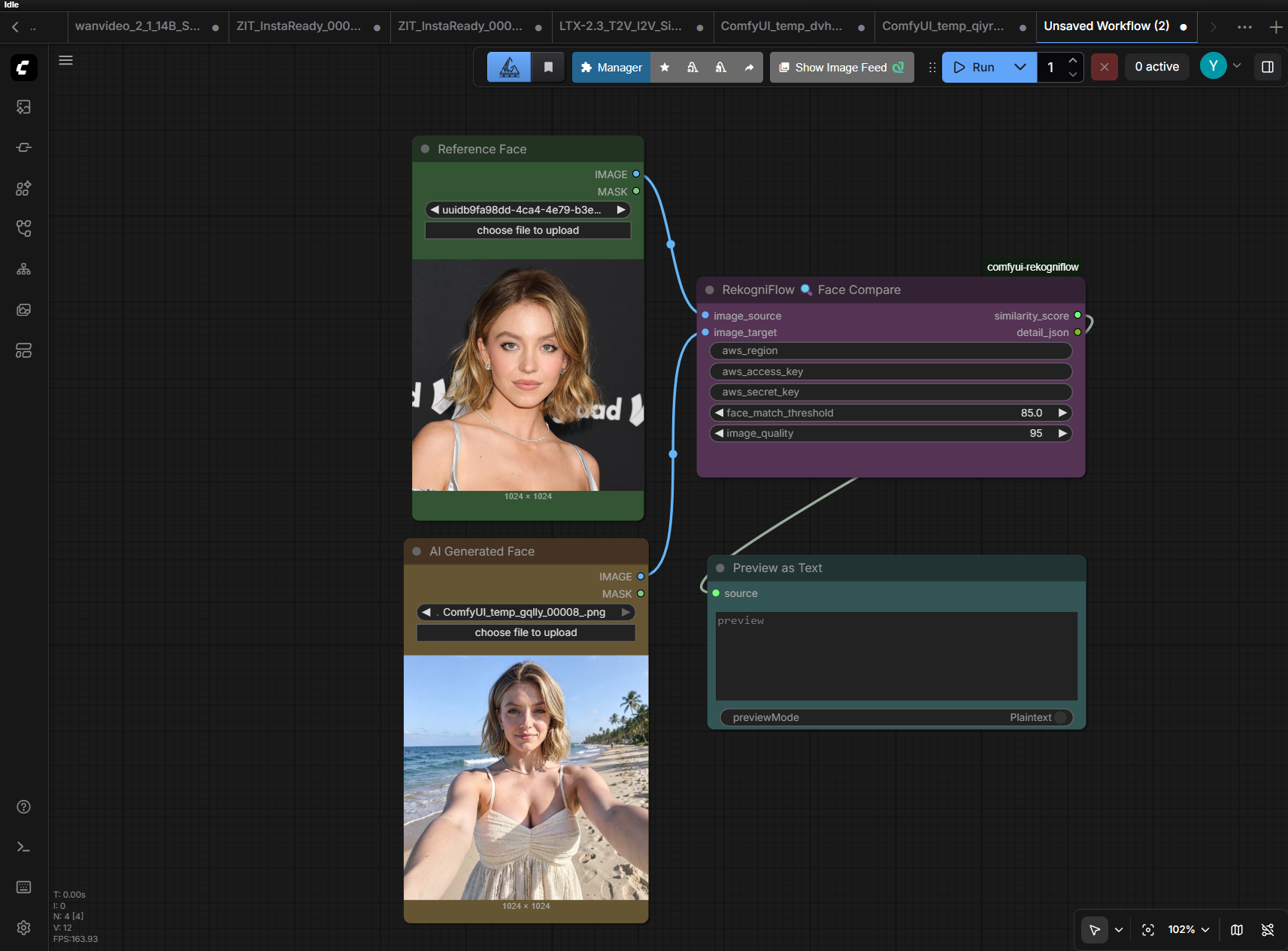
🔍 AWS Face Compare (single)
Compare one source face against one target image. Returns a similarity score from 0.0 to 100.0.
<!-- Add screenshot: single compare node wired in ComfyUI -->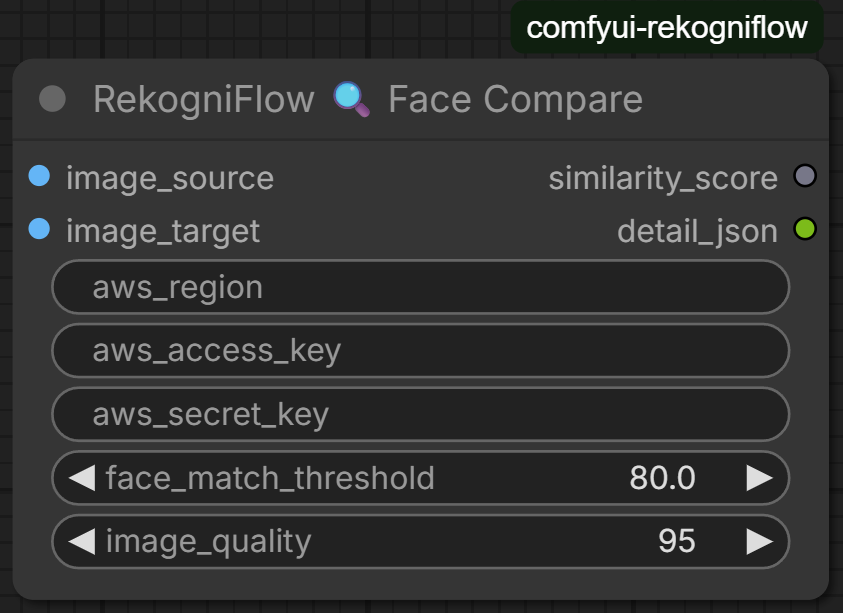
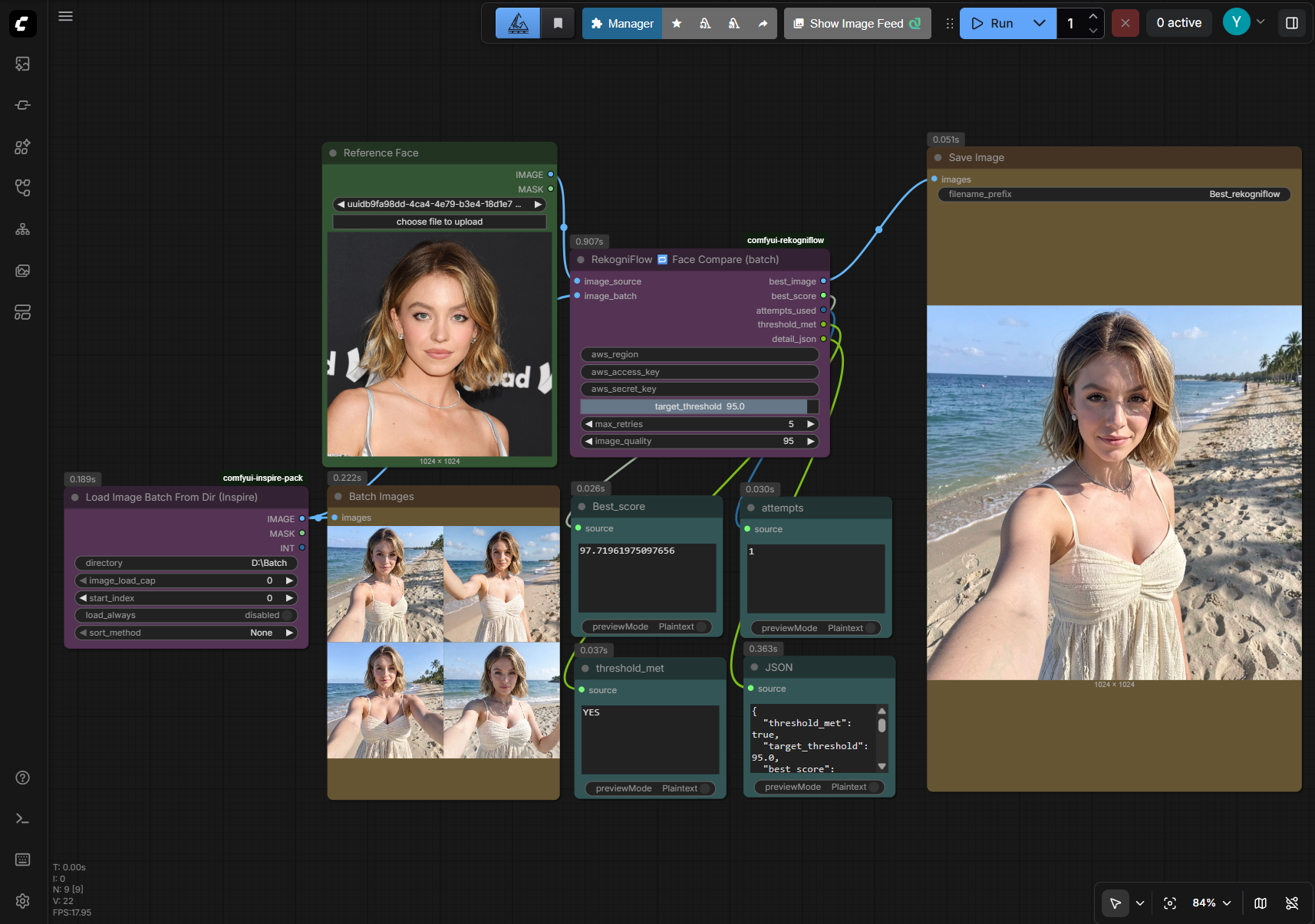
🔁 AWS Face Compare (batch + retry)
Feed a batch of generated images and a reference face. Scores each image in order and stops early the moment one exceeds your target threshold. Returns the best image, score, and how many attempts were used.
<!-- Add screenshot: batch compare node with 4 images wired up -->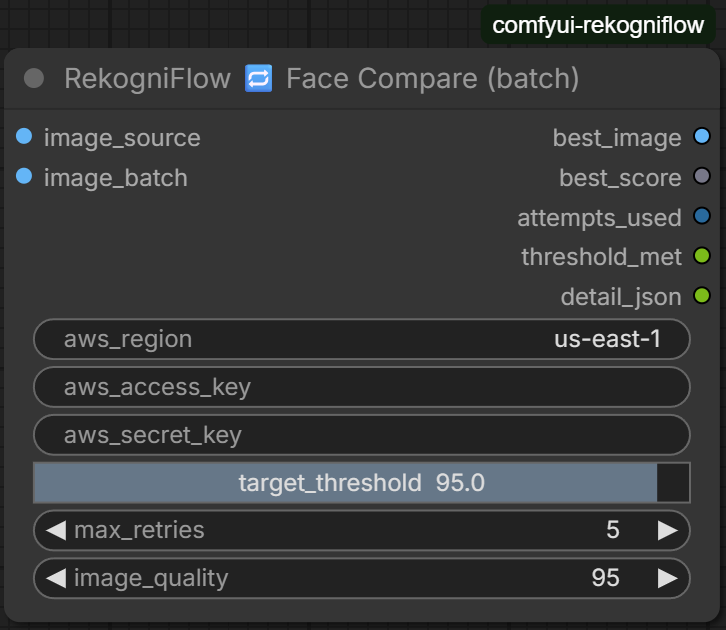
⭐ AWS Face Quality (batch)
Score a batch of images for technical face quality — sharpness, brightness, and pose angle. Returns the best image from the batch. No reference face needed.
<!-- Add screenshot: quality node wired up -->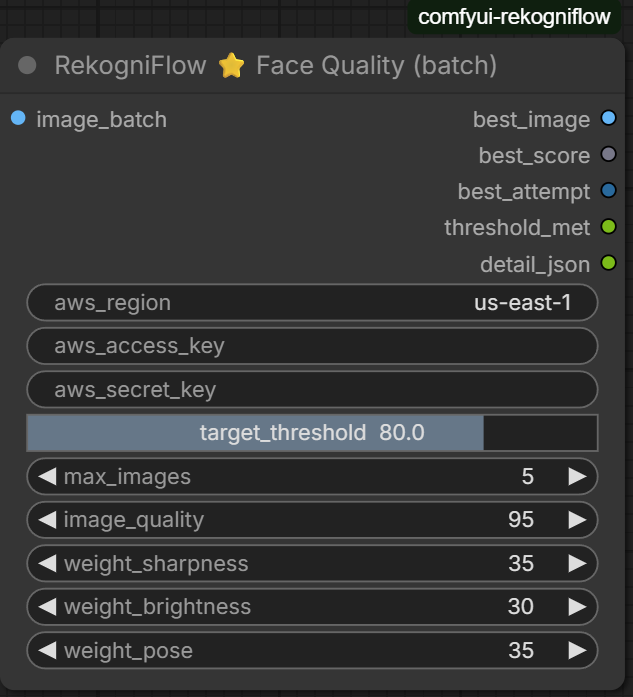
Example Results
Single compare — same person scoring 98%
<!-- Add screenshot: result showing ~98% score -->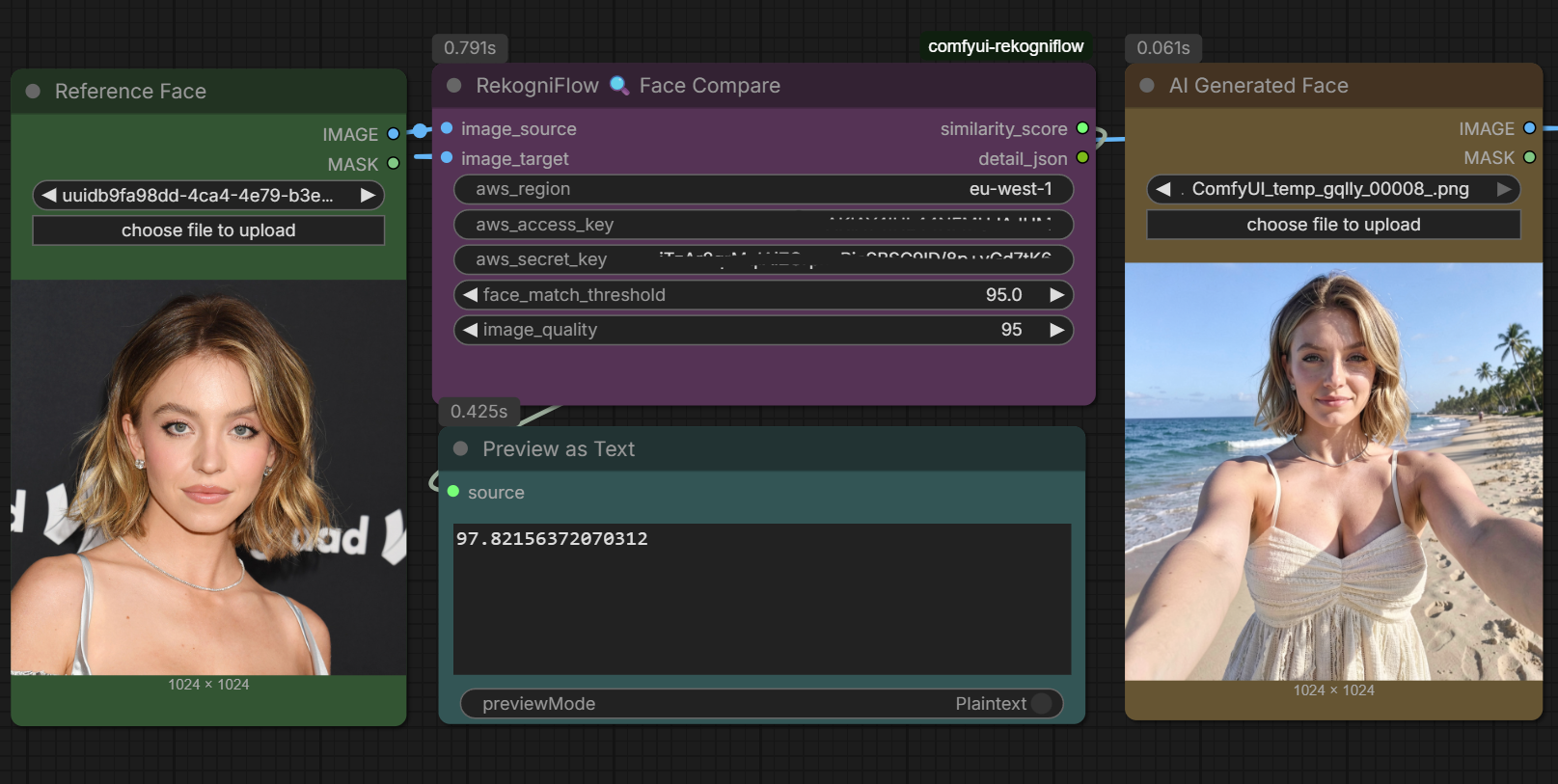
Batch compare — early exit at attempt 1
<!-- Add screenshot: JSON output showing threshold_met:true, attempts_used:1 -->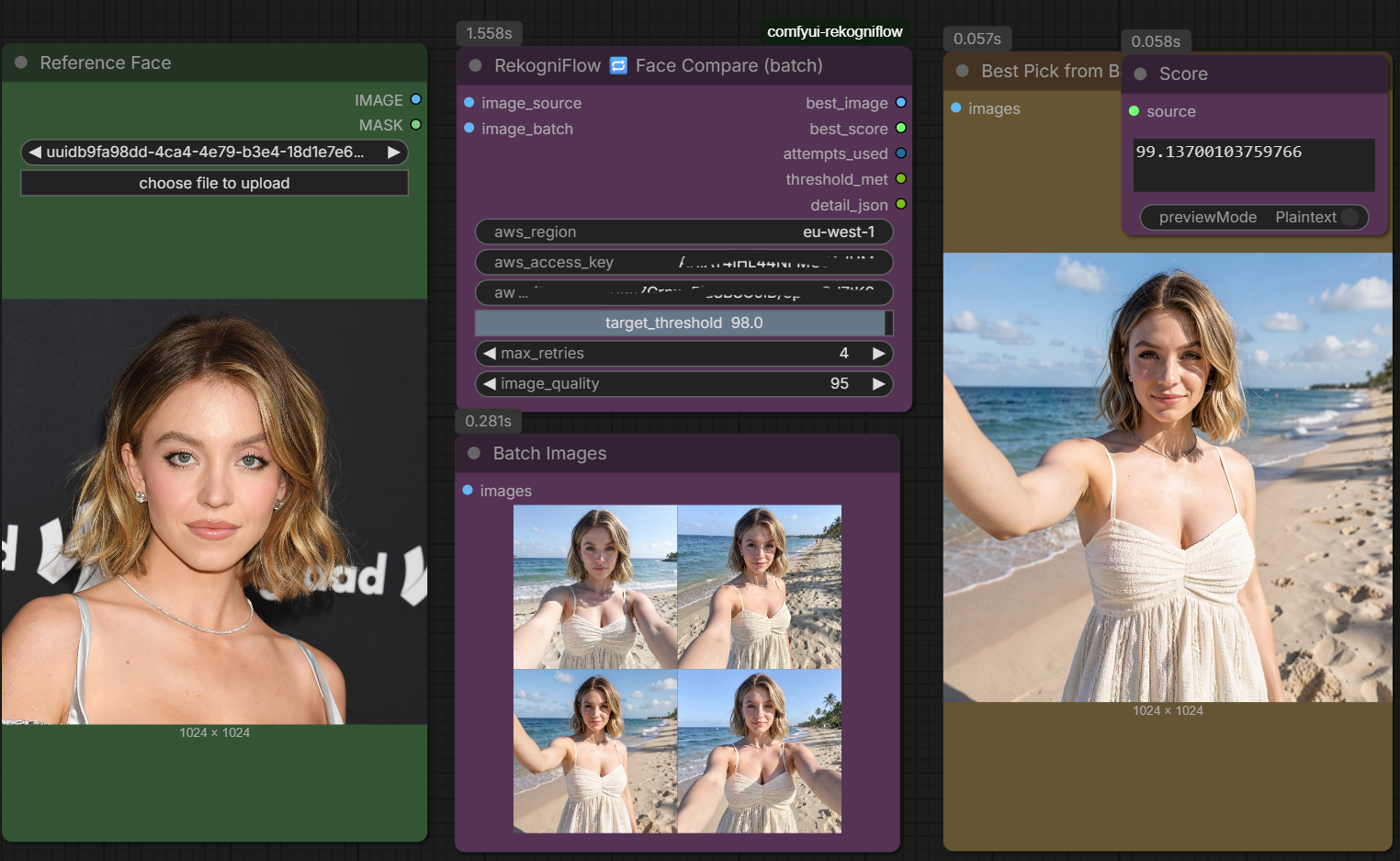
Installation
1 — Clone into ComfyUI custom nodes
cd ComfyUI/custom_nodes
git clone https://github.com/Aiconomist/comfyui-rekogniflow
2 — Install dependencies
cd comfyui-rekogniflow
pip install -r requirements.txt
3 — Set up credentials
cp .env.example .env
Open .env and fill in your values:
AWS_ACCESS_KEY_ID     = YOUR_ACCESS_KEY_HERE
AWS_SECRET_ACCESS_KEY = YOUR_SECRET_KEY_HERE
AWS_DEFAULT_REGION    = eu-west-1
or add credentials manually in the custom node.
4 — Restart ComfyUI
Nodes appear under image/face/aws. Leave the aws_access_key and aws_secret_key fields blank in the nodes — credentials load automatically from .env.
AWS Setup (quick summary)
Full walkthrough in the YouTube tutorial. <!-- replace # with video link -->
- Create an AWS account at aws.amazon.com
- Go to IAM → Users → Create user
- Attach policy:
AmazonRekognitionReadOnlyAccess - Go to Security credentials → Create access key
- Paste both keys into your
.envfile
Cost: 1,000 free comparisons/month for 12 months (AWS Free Tier), then $0.001 per call.
Node Reference
🔍 AWS Face Compare (single)
| Input | Type | Description |
|---|---|---|
| image_source | IMAGE | Reference face |
| image_target | IMAGE | Image to compare against |
| aws_region | STRING | e.g. eu-west-1 — leave blank if using .env |
| aws_access_key | STRING | Leave blank — loaded from .env |
| aws_secret_key | STRING | Leave blank — loaded from .env |
| face_match_threshold | FLOAT | Min score to report a match (default 80.0) |
| image_quality | INT | JPEG quality sent to AWS, 50–100 (default 95) |
| Output | Type | Description |
|---|---|---|
| similarity_score | FLOAT | 0.0 – 100.0 full precision |
| detail_json | STRING | Bounding boxes, confidence, full status |
🔁 AWS Face Compare (batch + retry)
| Input | Type | Description |
|---|---|---|
| image_source | IMAGE | Fixed reference face |
| image_batch | IMAGE | Batch of candidates from KSampler |
| target_threshold | FLOAT | Stop when this score is reached (default 95.0) |
| max_retries | INT | Max images to check, 1–20 (default 5) |
| image_quality | INT | JPEG quality sent to AWS (default 95) |
| Output | Type | Description |
|---|---|---|
| best_image | IMAGE | Winning image |
| best_score | FLOAT | Its similarity score |
| attempts_used | INT | How many images were checked |
| threshold_met | STRING | YES or NO |
| detail_json | STRING | Full log of every attempt and score |
⭐ AWS Face Quality (batch)
| Input | Type | Description |
|---|---|---|
| image_batch | IMAGE | Batch of images to score |
| target_threshold | FLOAT | Minimum quality score (default 80.0) |
| max_images | INT | Max images to score, 1–20 (default 5) |
| weight_sharpness | FLOAT | Sharpness weight (default 35) |
| weight_brightness | FLOAT | Brightness weight (default 30) |
| weight_pose | FLOAT | Pose/angle weight (default 35) |
| Output | Type | Description |
|---|---|---|
| best_image | IMAGE | Highest quality image |
| best_score | FLOAT | Composite quality score 0–100 |
| best_attempt | INT | Which batch image won (1-based) |
| threshold_met | STRING | YES or NO |
| detail_json | STRING | Per-image: sharpness, brightness, yaw, pitch, roll |
Score Labels
| Range | Label | |---|---| | 95 – 100% | EXCELLENT | | 80 – 94% | GOOD | | 50 – 79% | POSSIBLE | | 0 – 49% | NO MATCH |
License
MIT — free to use and modify. Credit appreciated!
Subscribe → youtube.com/@aiconomist