
Google Search by Ace Data Cloud
Google Search Dify-parity tools through Ace Data Cloud for ComfyUI
Google Search for ComfyUI by Ace Data Cloud
Search the web, images, news, maps, places or videos and inspect structured results in ComfyUI. This independent package calls a hosted API; no local model or GPU is needed. Check your access and current service pricing before any paid action.
简体中文 · Ace Data Cloud · Issues
Current version and install source
This source version is 0.1.1. Check GitHub Releases for its versioned ZIP. The Registry section below retains the last verified Active 0.1.0 on 2026-10-19; that older ZIP does not contain this release's updated guide, examples or fixes. To use this version, install its GitHub Release ZIP, or select the exact 0.1.1 Registry release once it becomes Active. Do not substitute the initial nightly selection for a verified stable release.
To install the GitHub ZIP, stop ComfyUI and back up any existing node directory. Extract the ZIP contents into ComfyUI/custom_nodes/google-search/ without adding an extra nested directory, run python -m pip install -r requirements.txt there, then restart and refresh. Keep the API Token in the actual launch-process environment. A GitHub ZIP install is separate from a verified Registry/Manager stable installation.
Install
Open the official Google Search by Ace Data Cloud Registry page, or search Google Search in Manager → Custom Nodes Manager. Verify the exact Ace publisher/repository below; use Ace Data Cloud as a fallback if the service spelling does not return it. Select Google Search by Ace Data Cloud, confirm publisher acedatacloud and source repository AceDataCloud/GoogleSearchComfyUI, then click Install. In Select Version, explicitly select the approved Registry stable release 0.1.0. The normal dialog may initially highlight nightly; do not accept it for this stable-release tutorial. Keep dependency installation enabled. After Restart Required, restart ComfyUI and refresh the browser. Registry ID: google-search.
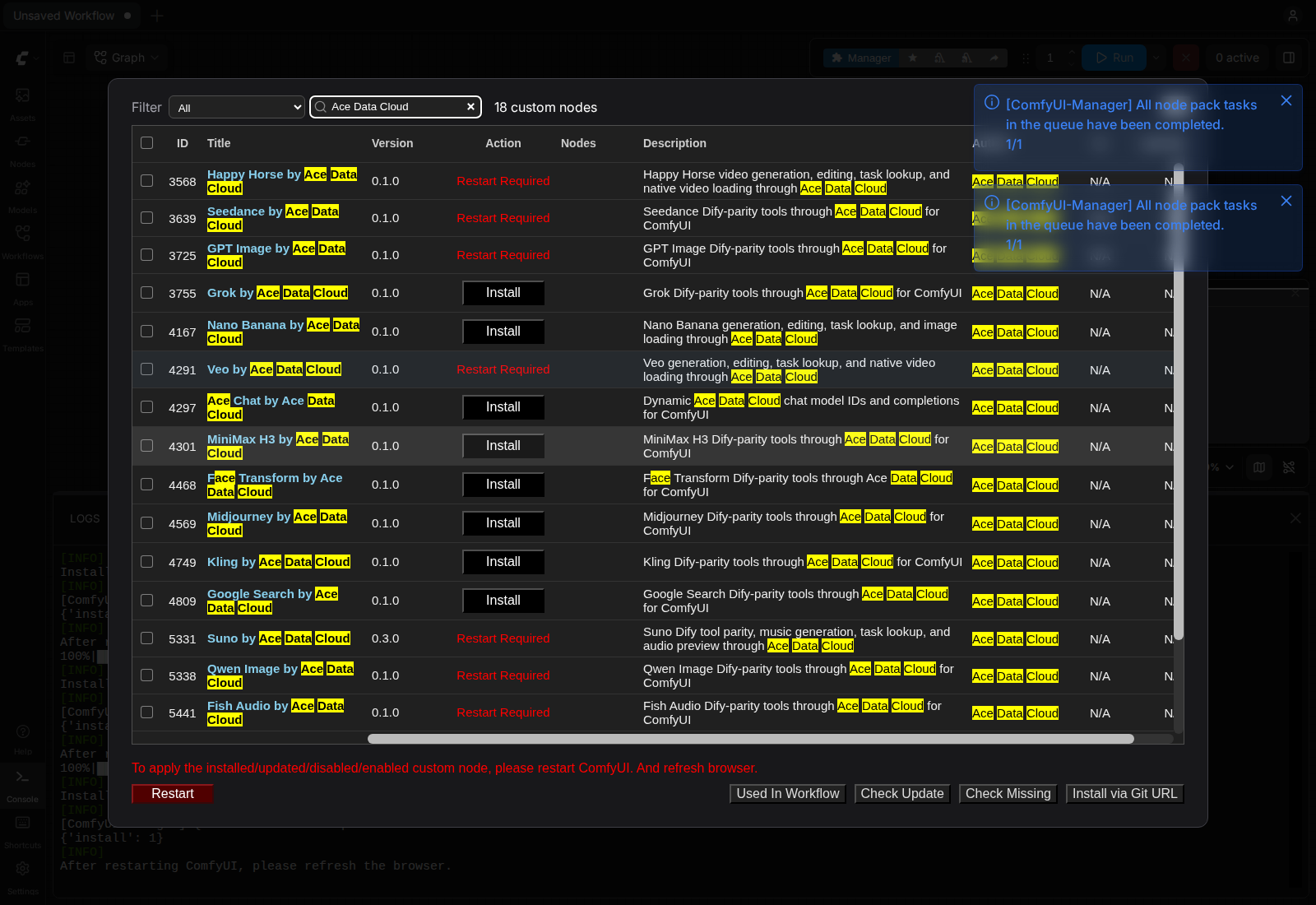
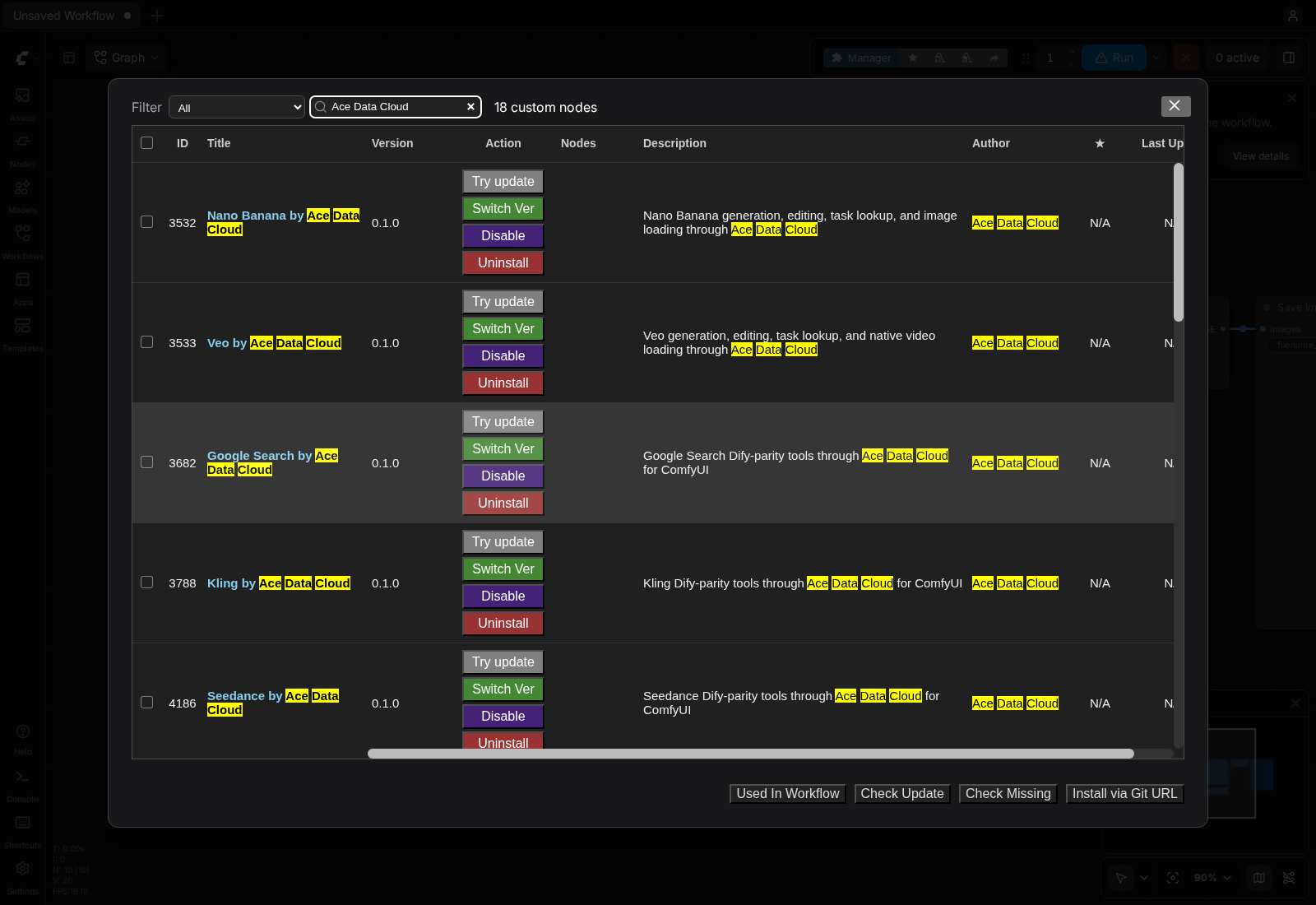
These are real 2026-10-16 Linux ComfyUI0.41.0 brand-search/installed-state screenshots, not a new service-term search or a paid request. See sources and limits.
This Registry stable installation was verified on 2026-10-16 with original ComfyUI 0.41.0 on Linux CPU. That test did not submit a generation or chat request. Newer host versions and each paid action require their own checks; model availability and price remain subject to the current service rules.
For local source testing, clone this repository into ComfyUI/custom_nodes/GoogleSearchComfyUI and run python -m pip install -r requirements.txt in ComfyUI's environment, then restart. Native media loaders require ComfyUI 0.39.0 or newer. This package uses ComfyUI's existing image/audio/video libraries for decoding.
Key and tool inputs
Copy or create your API Token
Sign in/register and initialize Applications → General application if needed. Copy an existing permitted API Token, or use Manage Keys → Create for a dedicated ComfyUI key. Check service access, expiry/Allowed APIs, Credits balance and current price first.
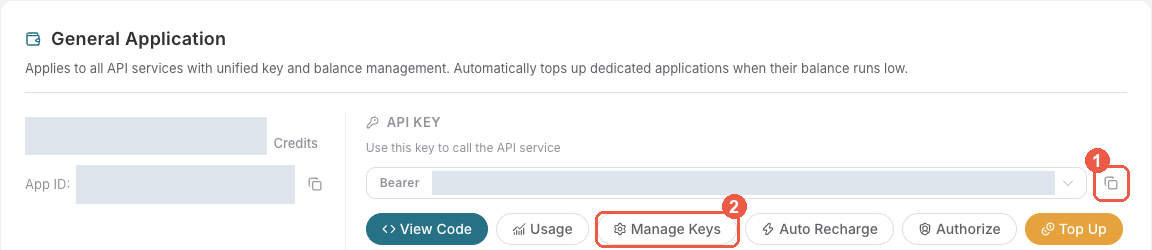
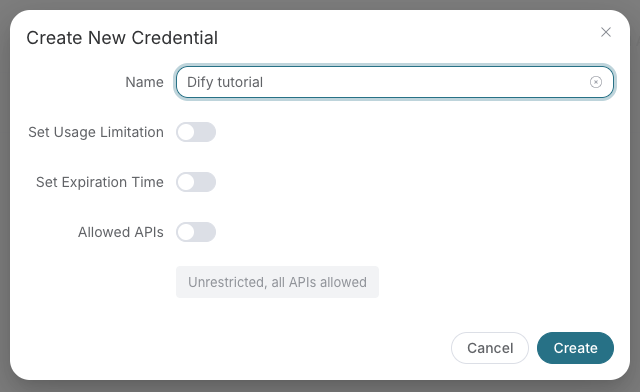
These masked 2026-10-08 Ace Console images are reused from SunoDify. The sample name Dify tutorial should be ComfyUI here; no credential was created for this guide. Configure only the Token string in the actual process that launches ComfyUI (ACEDATACLOUD_API_KEY), then restart. There is no Key widget in these nodes; never paste it into a prompt, JSON parameter, workflow or screenshot. An export in another terminal does not configure an already-running Desktop process.
- Sign in to Ace Data Cloud → Applications. If your account has no General application, choose Initialize General Application.
- Open General application and check access to the service used by this package. A service-specific application key is limited to that service. Copy an existing API key, or choose Manage Keys → Create for a separate key named
ComfyUI. - Copy only the token string, without
Beareror quotation marks. A platform management token is not the API key these nodes use. If you enable Allowed APIs, include every submission and task-query path used by your workflow. Check current pricing and available Credits before a paid action.
For a terminal launch, set the Token privately and start ComfyUI from that same terminal:
export ACEDATACLOUD_API_KEY='paste-your-private-token-here'
python main.py --cpu
Set ACEDATACLOUD_API_KEY (or ACEDATACLOUD_API_TOKEN) in the ComfyUI process environment and restart. Keep the key out of workflow JSON, screenshots, issues, and the repository.
Each Dify tool has its own node. The model and action selectors expose every fixed choice in the source YAML. Other fields appear as named text or confirmation widgets; leave one empty to omit it. parameters_json accepts the same API fields as an advanced JSON object. A nonempty widget overrides the matching JSON field; (from JSON/default) keeps a model/action supplied by JSON or the API default. Arrays and objects can be entered as JSON strings in their named widgets. Task lookup nodes also offer task_id and wait_seconds; batch lookup nodes offer ids_json. Contract validation happens before a request. Paid submissions are never retried after a connection failure; preserve an accepted task ID and inspect request history before paying again.
| Dify tool | Required fields in JSON | Model choices | Action choices |
| --- | --- | --- | --- |
| serp_google | query | — | — |
First search and synchronous result
Import 01-configure-and-run.json, enter a nonempty query such as ComfyUI workflow documentation (or set parameters_json to {"query":"ComfyUI workflow documentation","type":"search","number":3}). Confirm current search pricing and access before running once. Search can consume Credits even though it is not model generation.
The response is synchronous structured search data. Inspect result_json, titles/URLs and result fields; this package has no task ID polling or native media loader. An empty {} example is not a complete search request. Do not wait for an invented media status or run a generation node. Connect result_json to Preview as Text where useful.
Troubleshooting
| Symptom | Action |
| --- | --- |
| Missing Key /401 | Configure the actual ComfyUI launch-process API Token and restart; a platform management Token is not an API Key. |
| 403 | Read the returned reason and check service entitlement, allowed paths, expiry or content restriction; do not blindly resubmit. |
| 429 | Wait for rate limits; keep any accepted task ID and avoid duplicate paid submissions. |
| Invalid JSON/model/input | Correct the named field according to the tool table; {}/example URLs are placeholders, not a complete paid request. |
| Submit timeout/5xx | Inspect request history/trace ID before another paid submission. |
| Unexpected result or media failure | Follow this service's synchronous/async section, confirm a completed real media URL where supported, and inspect Console. No result is fabricated from pending status. |
Development
python -m unittest discover -s tests -v
python -m py_compile __init__.py client.py api_contracts.py nodes.py
pyproject.toml declares short Registry ID google-search, publisher acedatacloud, and a 400×400 proportional resize of the canonical Ace logo.
Disable auto-queue before paid chat, search or transformation requests. Check current access and price, run explicitly once, and inspect request history before resubmitting a timed-out request.