
ComfyUI Extension
ComfyUI_CivitaiPromptPicker
ComfyUI custom node for browsing Civitai image prompts directly inside a node.
Aca233/ComfyUI_CivitaiPromptPicker
Nodes1
On cloudLocal install
Categorytext/Civitai
Stars1
Updated6 months ago
Nodes (1)
Readme
ComfyUI Civitai Prompt Picker
ComfyUI custom node for browsing Civitai image prompts directly inside a node.
Features
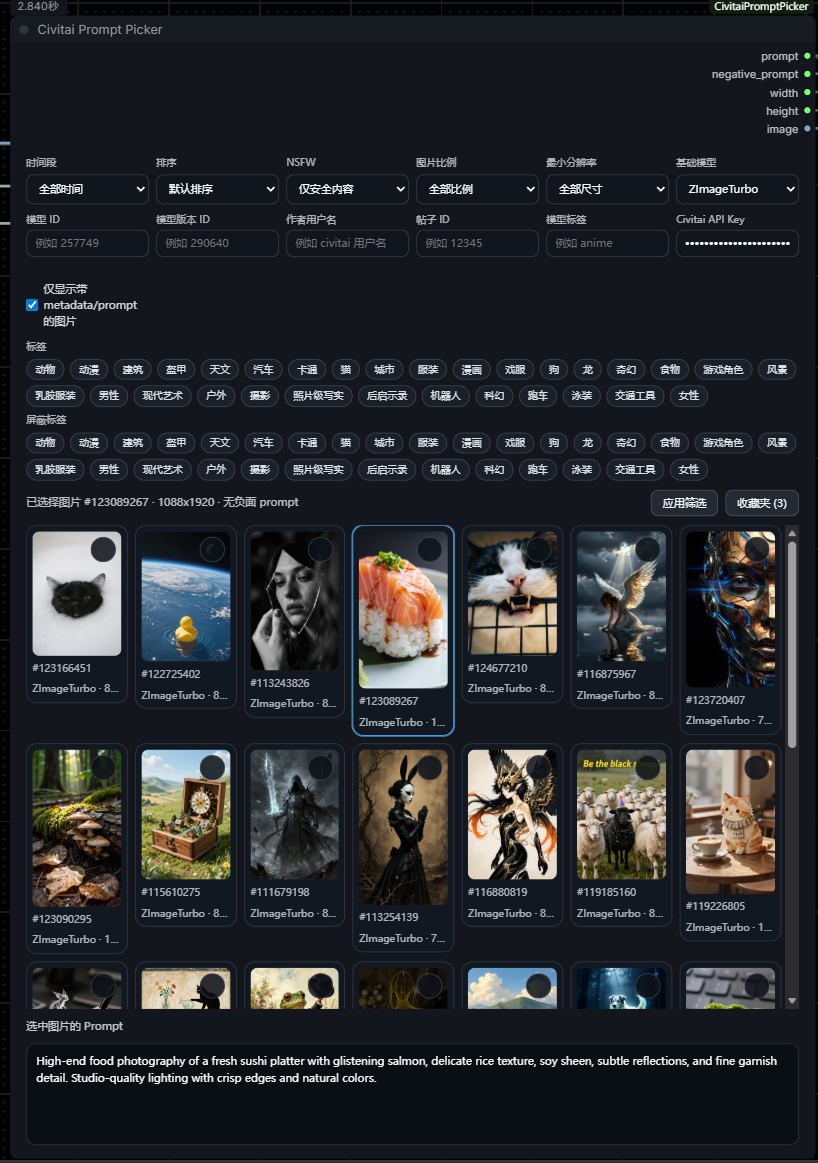
- Thumbnail browser embedded in the node UI
- Click image to output
prompt,negative_prompt,width, andheight - Infinite scroll
- Filters for time range, sort order, NSFW, base model, model ID, model version ID, and metadata-only results
- Exact local NSFW filtering when Civitai upstream results are mixed
- Faster first-screen loading with background prefill
- Local proxy image loading fallback for flaky Civitai CDN thumbnails
Screenshots
Node UI
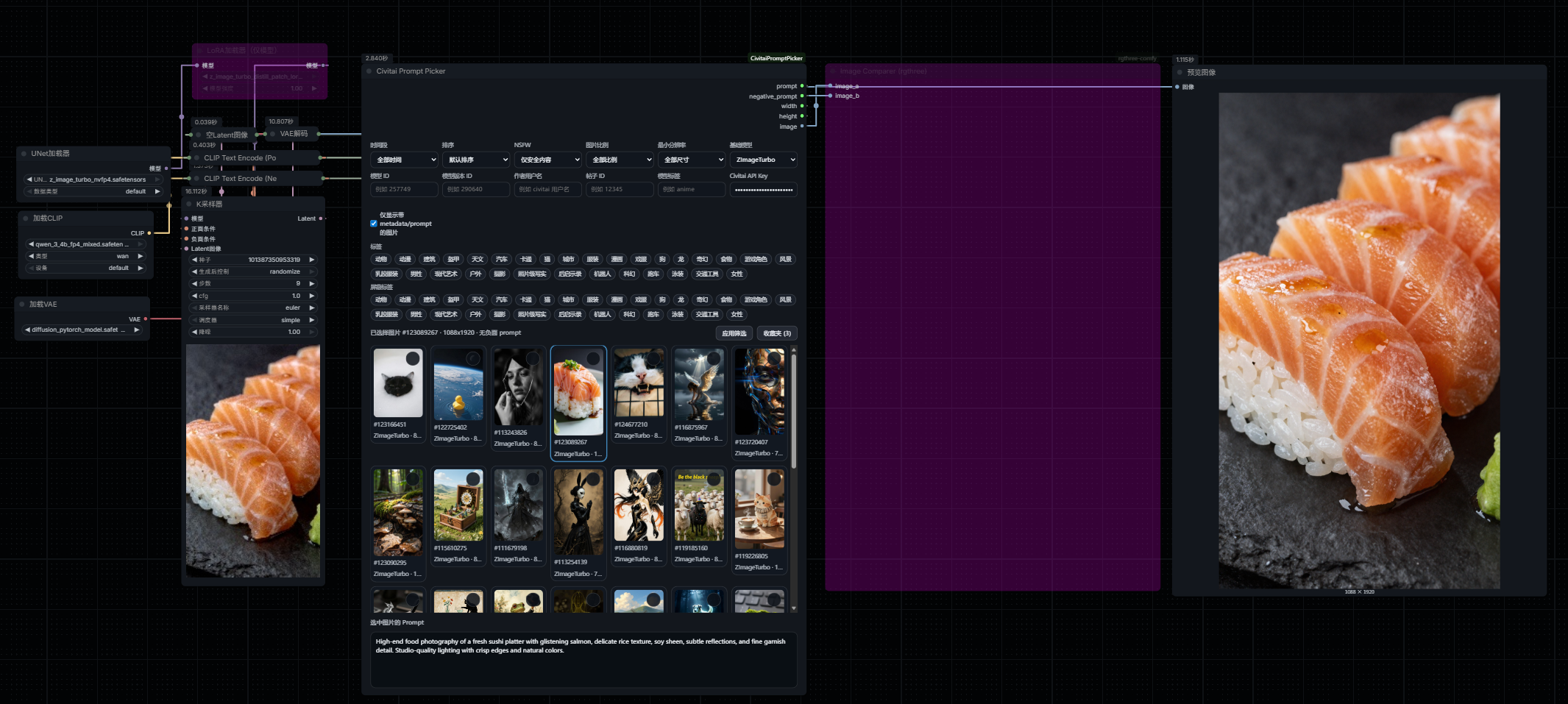
Workflow Preview
Install
Clone this repository into your ComfyUI custom_nodes directory:
cd ComfyUI/custom_nodes
git clone https://github.com/Aca233/ComfyUI_CivitaiPromptPicker.git
Then restart ComfyUI.
Usage
- Add the
Civitai Prompt Pickernode in ComfyUI. - Browse thumbnails directly inside the node.
- Click an image to output:
promptnegative_promptwidthheight
- Optional: paste your Civitai API key into the node's
Civitai API Keyfield to access more complete results, including account-visible or NSFW content when your account is allowed to see them.
中文说明
- 把仓库放进
ComfyUI/custom_nodes后重启 ComfyUI。 - 在节点列表里添加
Civitai Prompt Picker。 - 在节点内部直接浏览 Civitai 图片,单击缩略图会输出:
promptnegative_promptwidthheight
- 双击缩略图会打开对应的 Civitai 图片页面。
- 右上角星标可收藏图片,切到收藏夹后可以直接重新选择使用。
- 如果你有 Civitai API Key,填入
Civitai API Key输入框后,NSFW 和登录可见内容通常会更完整。
补充说明:
- 节点现在会优先通过本地代理加载缩略图,再回退到原始图片地址,能减轻 Civitai CDN 偶发超时带来的空白缩略图问题。
metadata/prompt选项会优先保留带 prompt 的图片。- 示例工作流在
workflows/civitai-prompt-picker-example.json,可以直接拖进 ComfyUI。
Example Workflow
This plugin now includes a bundled example workflow:
workflows/civitai-prompt-picker-example.json
You can drag that JSON file directly into ComfyUI to load the example graph.
How to get a Civitai API Key
If you want more complete image results, open your Civitai account page here:
https://civitai.com/user/account
Then:
- Sign in to your Civitai account.
- Open the account page above.
- Find the API key section on that page.
- Create a new API key if you do not already have one.
- Copy the key and paste it into the node's
Civitai API Keyinput box. - Click
Apply filtersor refresh the node results.
Notes:
- The API key is optional, but it helps when some images are hidden unless you are logged in.
- NSFW results still depend on your Civitai account permissions and visibility settings.
- Keep your API key private and do not share it publicly.
Node Outputs
promptnegative_promptwidthheight