
Krea2 Harness
ComfyUI nodes for generating Krea 2 prompts, applying moodboard styles and prompt harnesses, and selecting Krea 2 Turbo resolutions.
Nodes (6)
The 1184×896 Fix You Didn't Know You Needed
The Last Stop Before Your Positive Conditioning
The Node That Throws Away a Bad Answer
One Text Box, and a System Prompt You Never Get to See
Getting a Style Card Into Your Conditioning
The Compatibility Shim Your Moodboard Cards Need
ComfyUI-Krea2-Harness
ComfyUI-Krea2-Harness is an early experimental validation project for my research and practice in System Prompt Evolution (SPE) and related Evolution techniques. I packaged the validated results as custom nodes for ComfyUI.
<small>In this line of experimentation, the system prompt used to generate the main prompt went through 262 versions; I selected version 257. The system prompt used to process emotion words went through 133 versions; I selected version 127 for revision.</small>
<small>I do not provide materials about my SPE and Evolution research, related technologies, or evolution methods here; this research is still at an early stage. If you are working in rare-disease research—for example, using large language models to study human genetics—and have a related need, please feel free to contact me.</small>
In Krea2 Harness, a short prompt, a moodboard style you like, and an aesthetic LoRA can spark unlimited creativity. You do not need to worry about whether prompts from other agents align with the model; just enter your prompt. It handles both simple and detailed prompts.
<small>Based on the generated results, SPE and Harness continue to expand the capability boundaries of CLIP models. Through evolution, a CLIP model naturally gains the ability to reduce refusals (please use it in compliance with local laws). It is fast, with the inference speed of a native 4B LLM, and can handle tasks performed by larger models. Its one limitation is background-scene refinement, a clear model capability boundary. I leave this open without over-specifying it, for you or your Agent to fill in with detail.</small>
What Is Evolution?
I could explain and formally define what Evolution means here. Put plainly, any iteration or optimization on the input side of a large model—before the input reaches QKV and FFN—can broadly be called Evolution. Its counterparts are model training and capability alignment.
Image Generation Showcase · Moodboard Tests · Plugin Processing Structure · Workflow Structure · Quick Start · Node Reference · Example Workflows
- Current version: 0.1.0
- Node category: Nodes → ANe5s Nodes → Krea2
- Runtime dependencies: No additional Python dependencies
- Moodboard browser: Example workflows require ComfyUI-Krea-Moodboards-Local to be installed separately
Image Generation Showcase
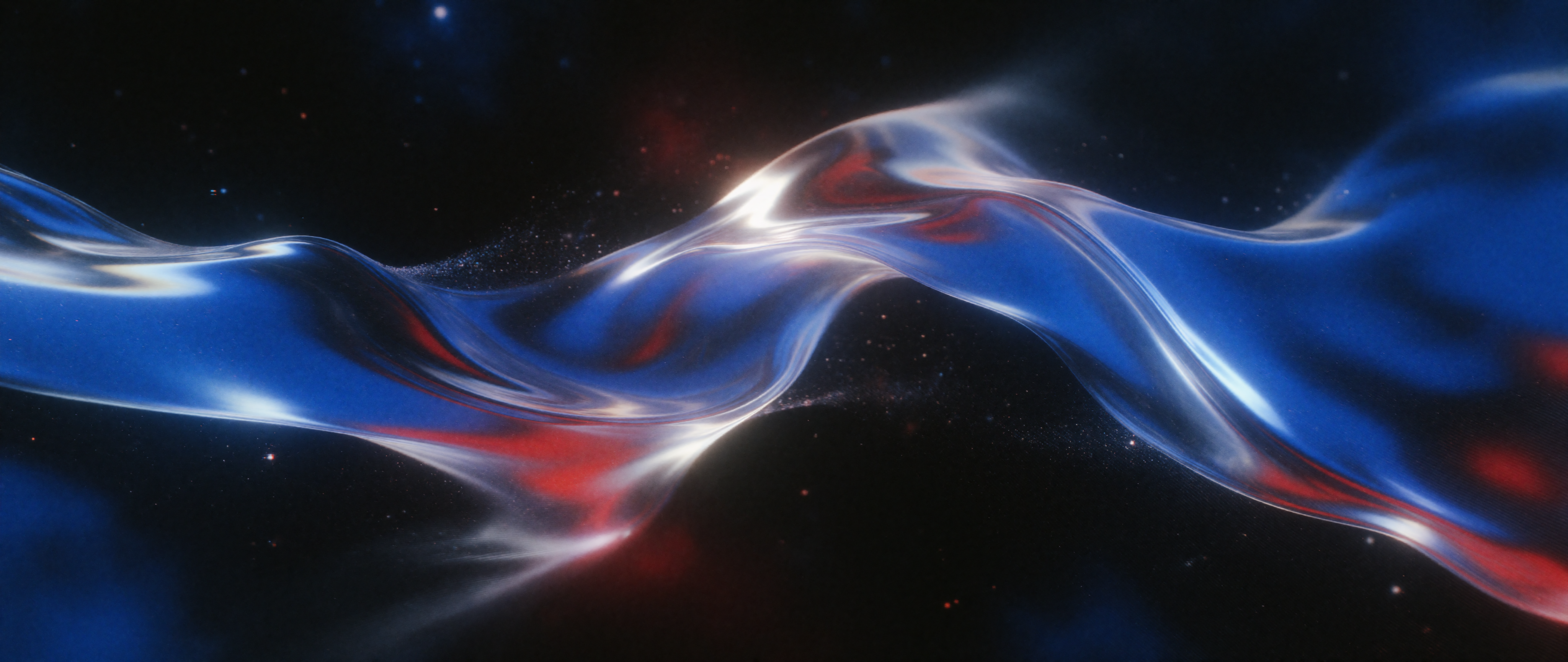
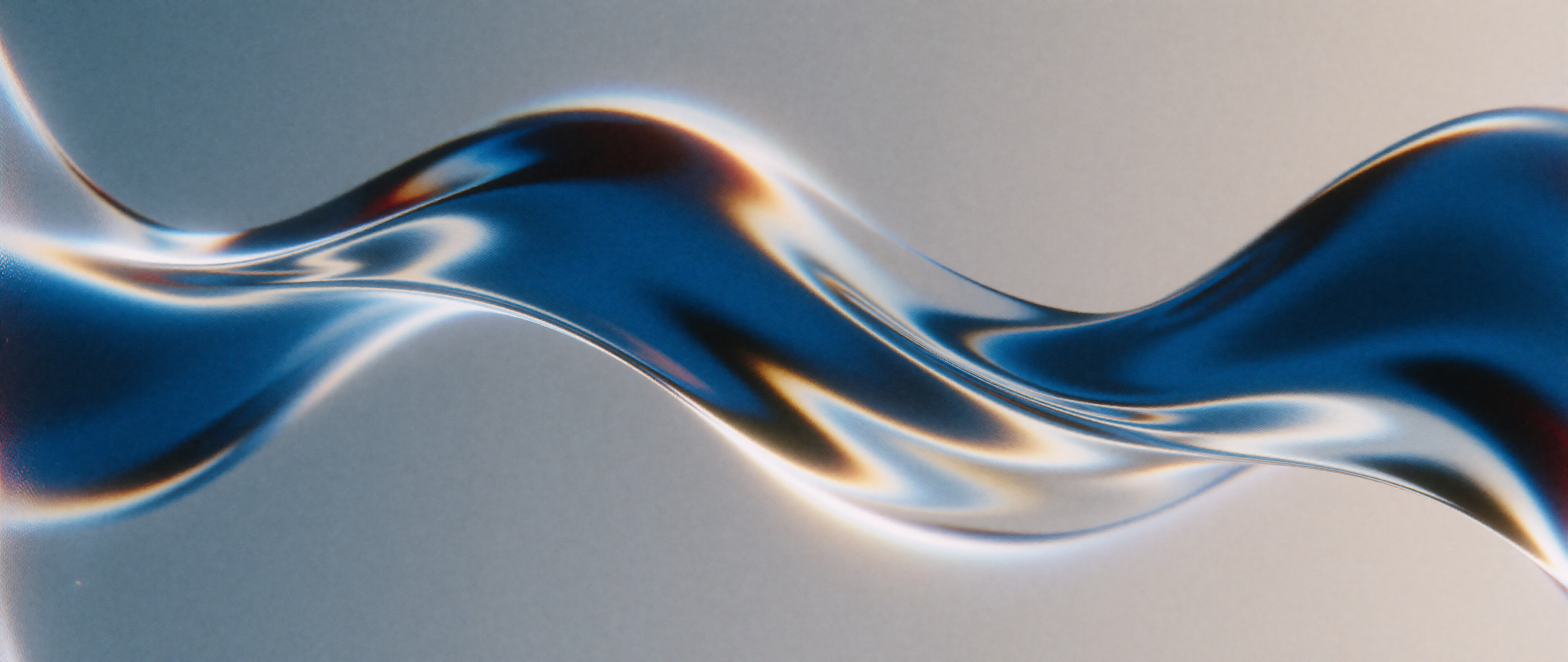
Abstract Blue–Silver Light Beam · Cover · M87 LoRA, realism_engine_krea2_v3.1 LoRA
Prompt: An abstract light beam winds horizontally across the center of the frame, with a fluid sense of motion; concept art. (Analog Cobalt Nocturne moodboard selected.) This result is used as the cover.
| Generated Result 1 | Generated Result 2 |
| --- | --- |
|  |
|  |
|
Character Reference Image-to-Image · krea2_identity_edit_v1_2 LoRA Only
<details> <summary>View Detailed Prompt and Edit Instruction</summary>Image Prompt: Exactly one adult woman, Lin Yao; eye-level medium close-up; established character appearance preserved; cold blue-white screen light on her face; one side of face illuminated and the other softly shadowed; clear rectangular screen reflection in both eyes; gaze lifted toward Gu Chuan off-camera; calm analytical questioning expression; slight eyebrow movement; lips beginning to speak; information confirmation rather than emotion; dark control room background softly blurred; eyes and reflections sharply focused; restrained performance.
Edit Instruction: Create one image of this person as the sole subject in the scene described below; Preserve her recognizable identity from the reference image, including her face, hair, skin tone, and defining features, excluding clothing and pose, while generating a new single coherent scene; Do not reproduce the reference image, its multiple views, panels, borders, crop, or layout; Ensure that only one reference person appears. (Select the Cinematic Urban Nostalgia — Overcast Beige style in Moodboards.)
</details>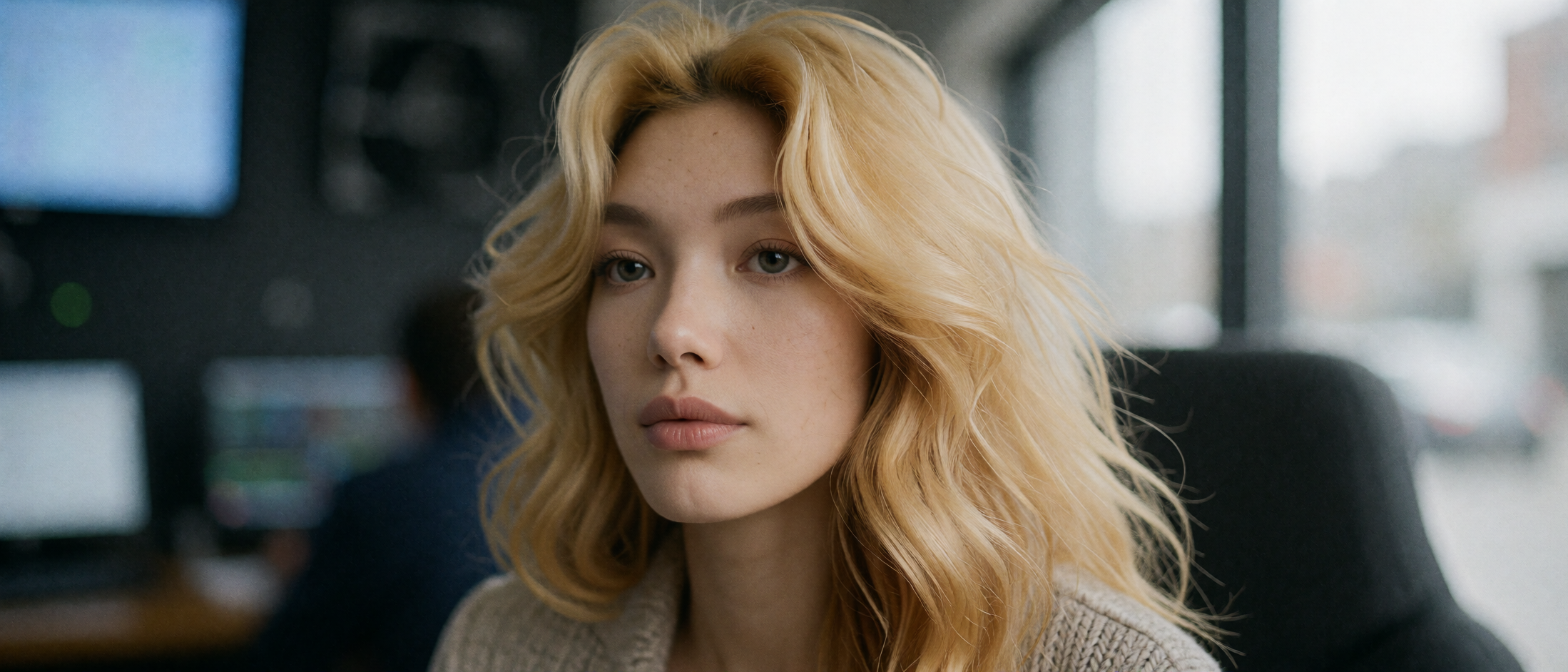
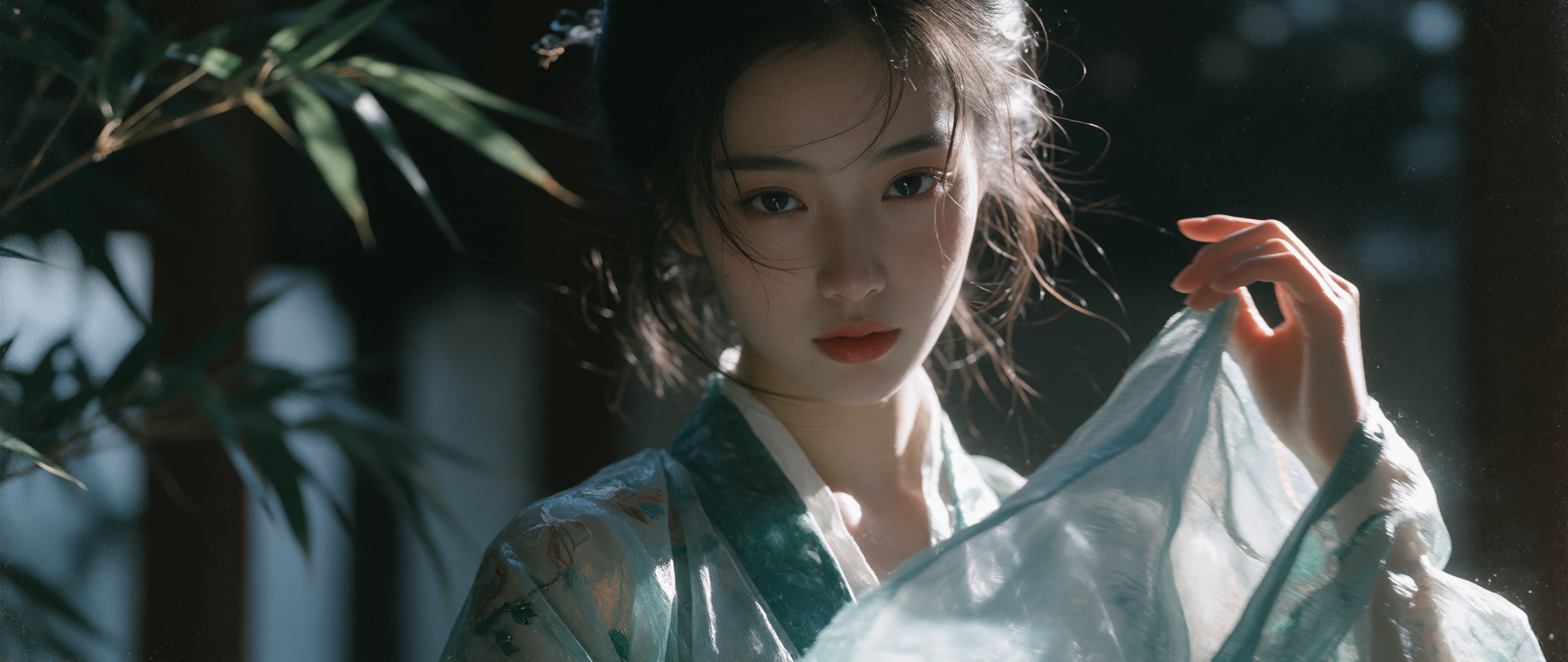
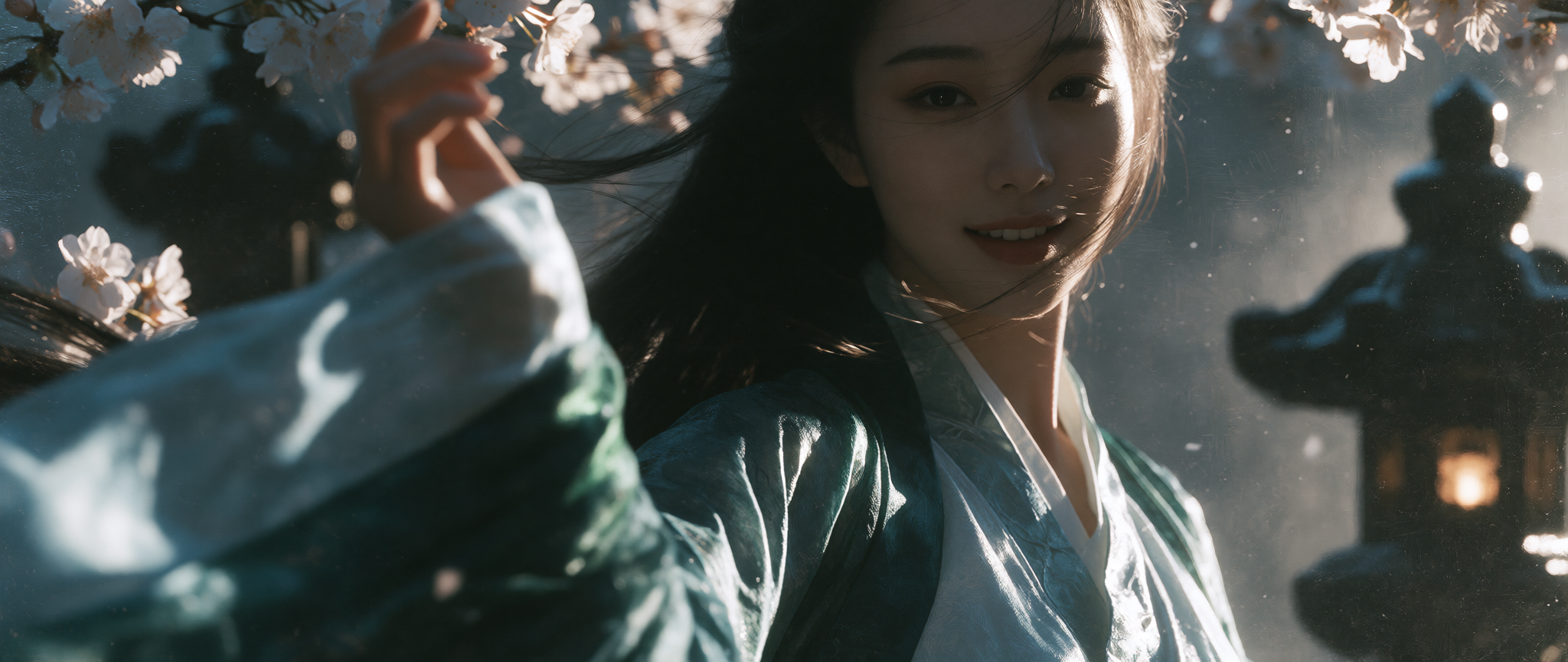
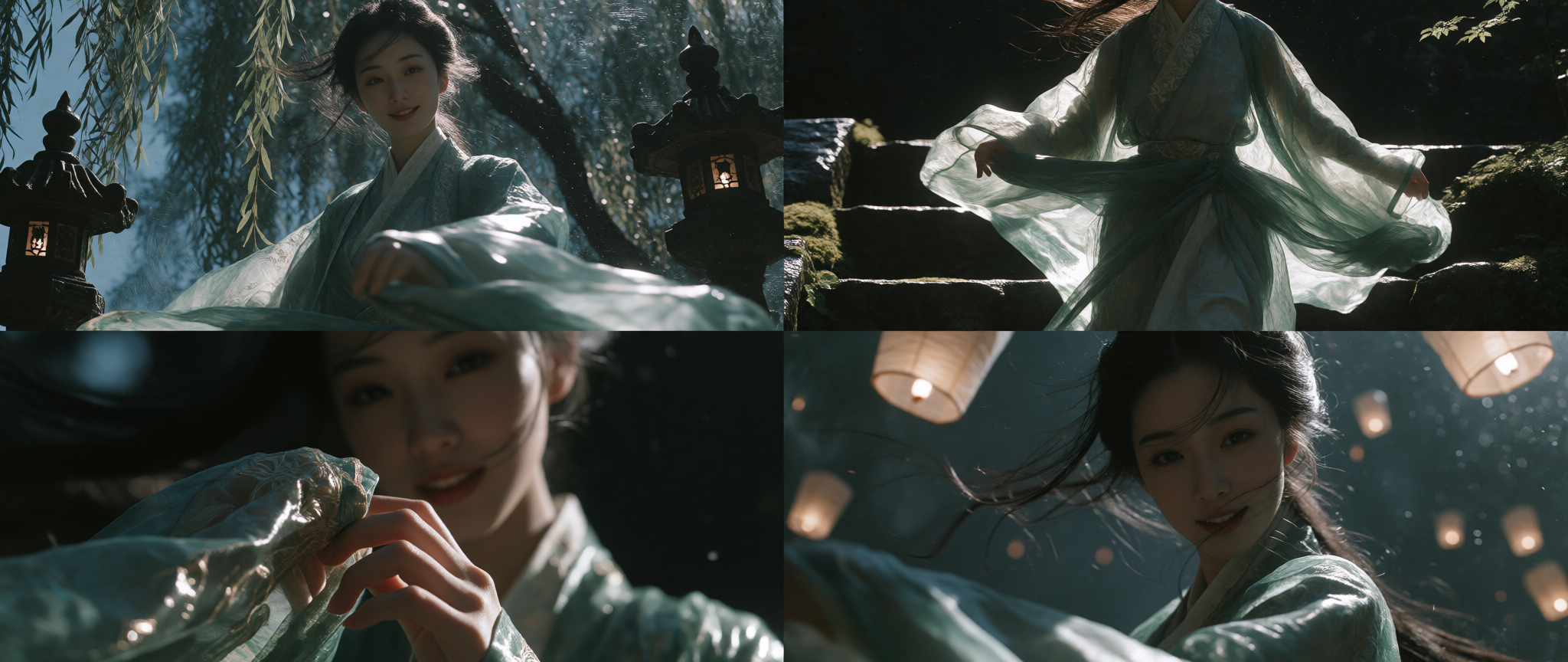
Ancient Chinese-Style Female Portrait · M87 LoRA
Prompt: An 18-year-old woman in traditional Chinese attire, with a cool, minimalist aesthetic and an innocent yet subtly sensual face, smiles at the camera. She lifts her sleeve as it moves in the wind. Portrait photography, low-angle shot. (Cinematic Nocturnal Noir moodboard selected.)
| M87 LoRA 0.8 | M87 LoRA 1.0 |
| --- | --- |
|  |
|  |
|
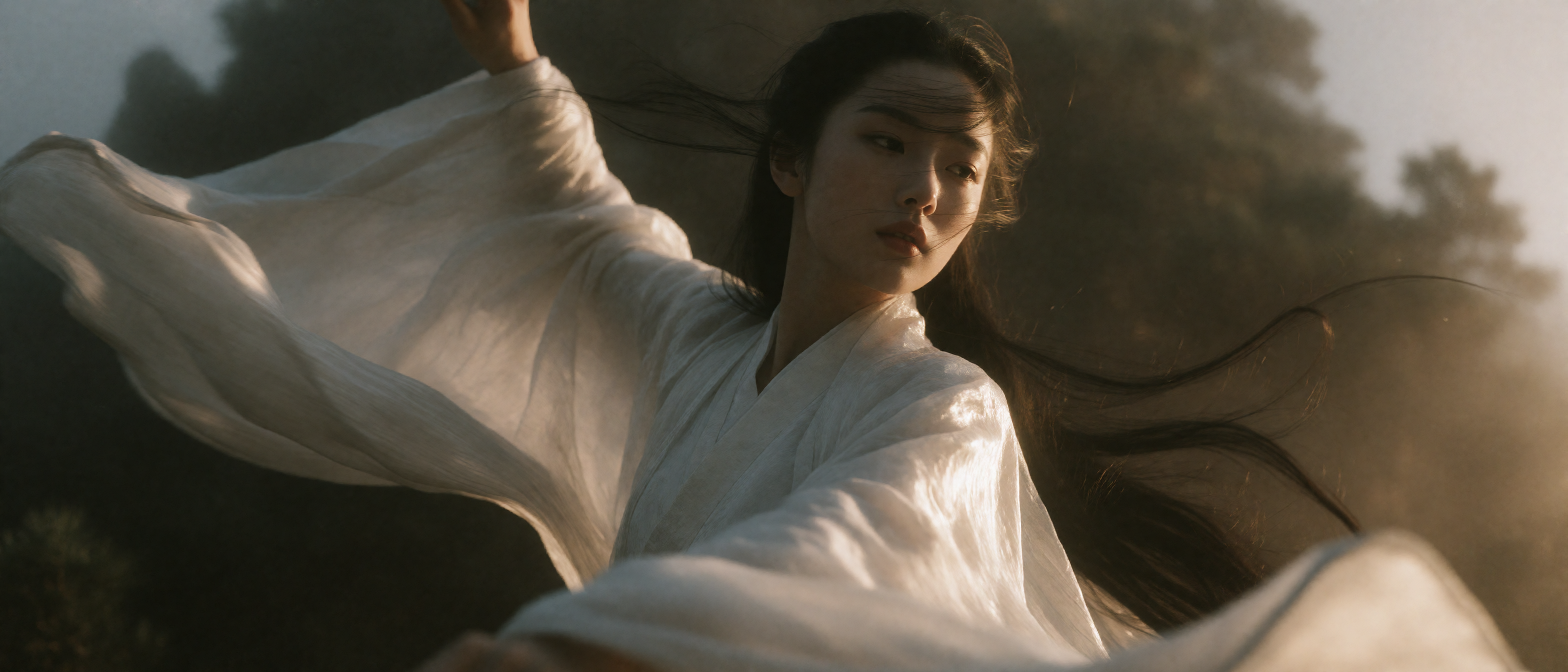
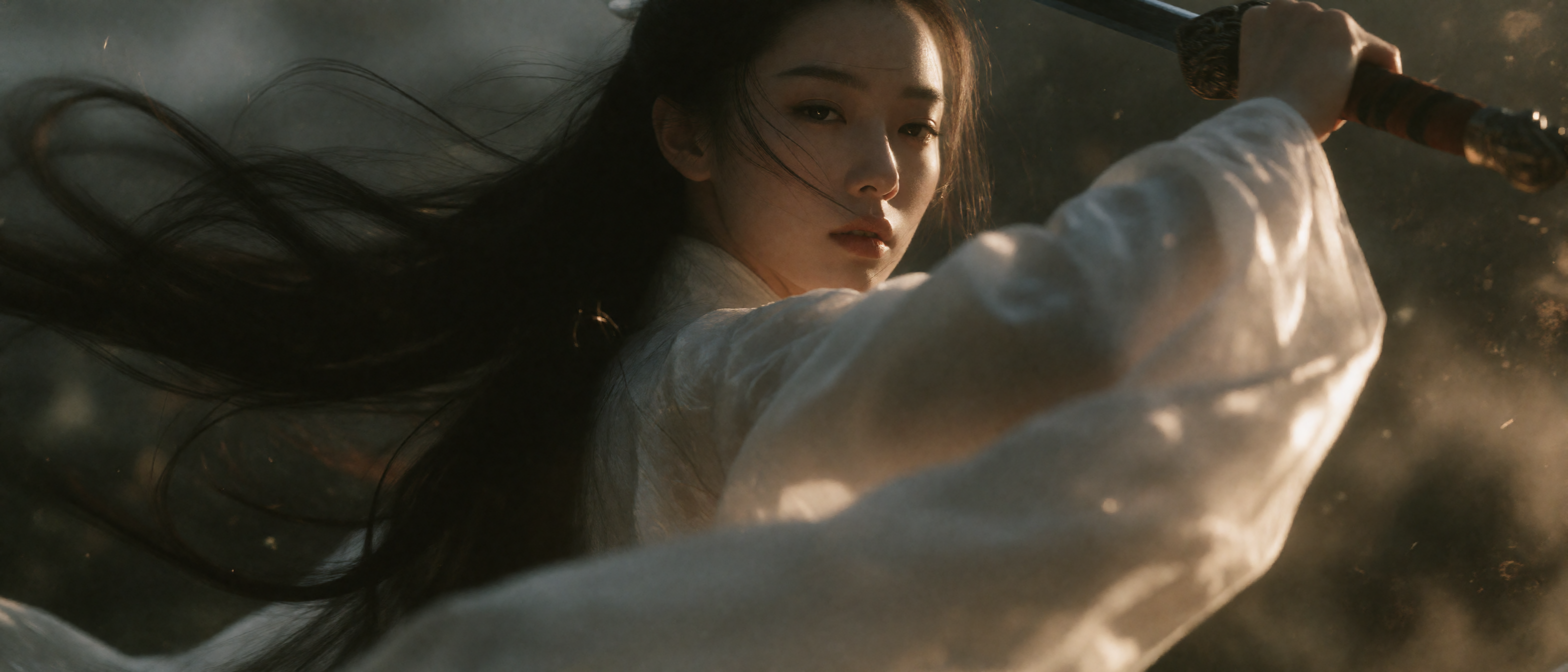
White-Robed Xianxia Swordswoman · M87 LoRA, realism_engine_krea2_v3.1 LoRA
Prompt: A beautiful 18-year-old sword immortal in ancient Chinese style, with a cool, minimalist aesthetic and an innocent yet sensual face, performs a sword dance. She wears all white, and her clothes and hair flow in the wind. Extreme low-angle upward view. (Cinematic Chiaroscuro Solitude — Golden Shaft 35mm moodboard selected.)
| Generated Result 1 | Generated Result 2 |
| --- | --- |
|  |
|  |
|
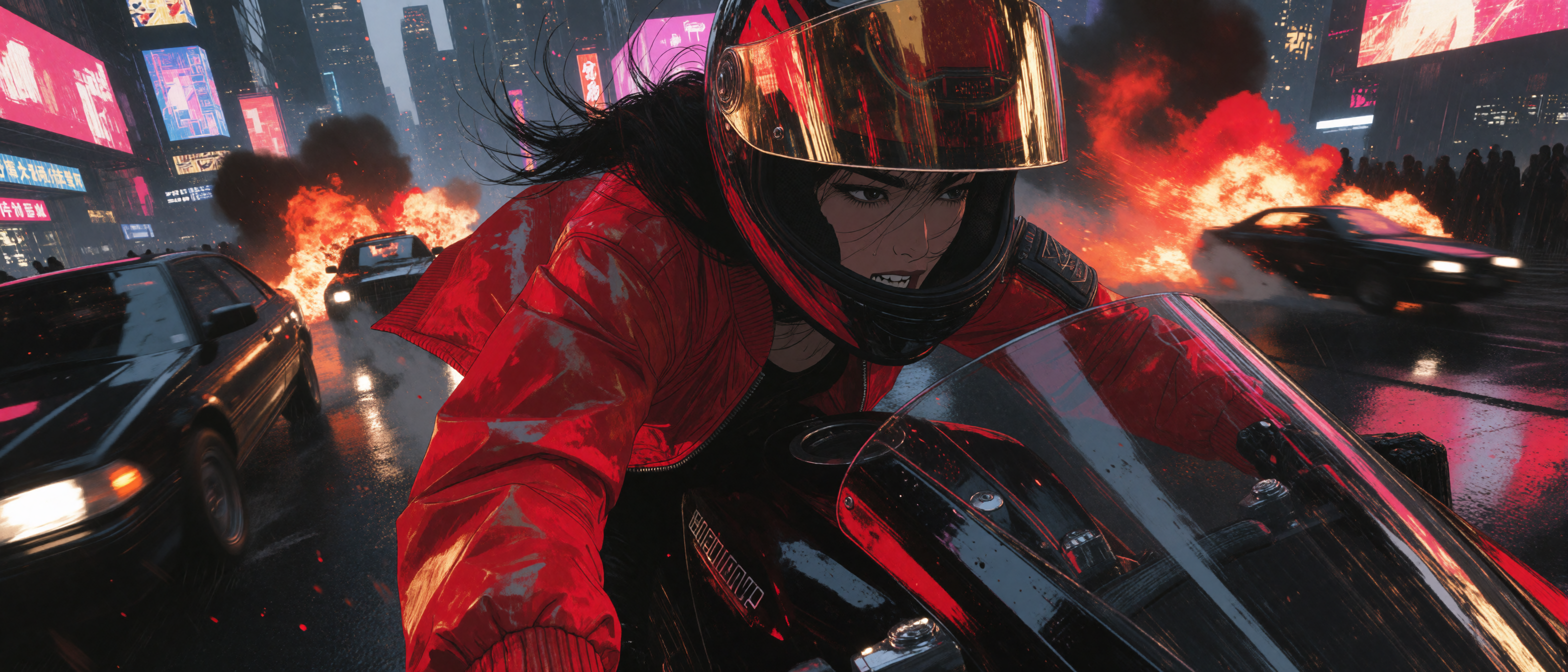
Cyberpunk Motorcycle Chase · M87 LoRA, realism_engine_krea2_v3.1 LoRA
Prompt: An Asian woman rides a motorcycle through a cyberpunk city. As she overtakes a car on her left, she looks back and laughs; a vehicle explodes in the distance. Painterly comic-book style, intricate brushwork, fisheye ultra-wide angle. (Dynamic Ink Fantasy moodboard selected.)
Four-Panel Storyboard · M87 LoRA
Prompt: A beautiful 18-year-old woman in traditional Chinese attire, with a cool, minimalist look and a softly sensual face, smiles at the camera as she lifts her sleeve in the wind. Portrait photography, low-angle shot.
Generate a four-panel storyboard grid with the same aspect ratio in all panels. Show the same person in a continuous space from different angles. The four quadrants tell a continuous story through an establishing long shot of the world, a full-body shot, a medium shot, and a close-up.
Cinematic Interior Illustration · Moodboard Style Tests · M87 LoRA, realism_engine_krea2_v3.1 LoRA
<details> <summary>View Detailed Prompt</summary>Prompt: A cinematic, semi-realistic digital illustration depicts a young woman with tousled {argument name="hair color" default="auburn"} hair loosely tied in a bun, sitting on the floor of a modern high-rise apartment. She wears a loose-fitting {argument name="clothing item" default="black knit sweater"}, with the neckline slipping off one shoulder to reveal a thin strap underneath. She looks thoughtful and slightly melancholic, leaning forward as she adjusts the stylus on a vintage turntable. The whole scene is bathed in warm golden sunlight streaming through floor-to-ceiling windows, creating strong backlighting and rim light along her hair and skin. In the background, a blurred city skyline is visible at sunset. Foreground details include scattered vinyl records, a gray ceramic mug, and black headphones resting on the wooden floor. The overall mood is cozy, nostalgic, and intimate.
</details>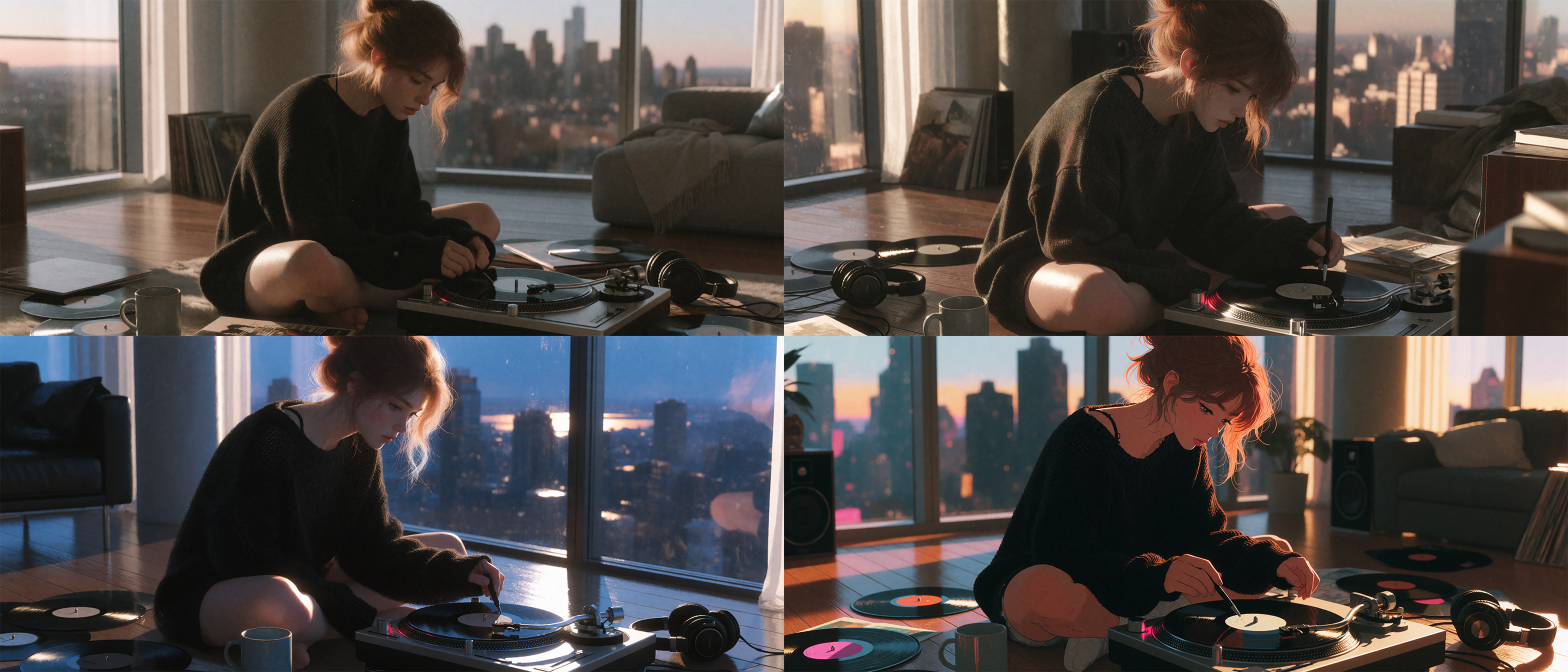
Moodboard Tests
This section compares ComfyUI Native, Moodboards T2I, and Krea2 Harness using the same image model and sampling settings. Test 3 adds workflow D to observe what happens when the native workflow's expanded prompt is sent to Moodboards.
Comparison workflows
- A · ComfyUI Native: Native ComfyUI Krea-2 Int8 text-to-image workflow.
- B · Moodboards T2I:
krea2_visual_moodboard_t2ifrom ComfyUI-Krea-Moodboards. - C · Krea2 Harness: The default text-to-image workflow provided by Krea2 Harness (workflow name:
krea2_harness_文生图默认). - D · B Moodboards + A Native Expansion: Used only in Test 3; sends the expanded prompt from workflow A into workflow B.
Unified settings: Krea-2 Turbo Int8, qwen3vl_4b_bf16, qwen_image_vae, Euler / simple, CFG 1.0, 10 steps, image seed 424242. The LLM sampler seed is 424242 for A and C; D uses the expansion text generated by A with the same seed. B has no LLM sampler during image generation. The two image sizes are 1568 × 672 and 1376 × 768.
Moodboard styles: Cinematic Nocturnal Noir — Emerald Wet Canvas for Tests 1 and 2, and Analog Cobalt Nocturne for Test 3. A does not use a moodboard.
Test 1 · Short Prompt: Creativity and Expansion
Input prompt: A library floating on the sea.
Moodboard: B and C use Cinematic Nocturnal Noir — Emerald Wet Canvas.
Resolution: 1568 × 672
| A · ComfyUI Native | B · Moodboards T2I | C · Krea2 Harness | | --- | --- | --- | | <img src="assets/readme/moodboard-test/verification-1/T1_short_creativity_expansion__A_1568x672.png" alt="A · ComfyUI Native · 1568 × 672" width="300"> | <img src="assets/readme/moodboard-test/verification-1/T1_short_creativity_expansion__B_1568x672.png" alt="B · Moodboards T2I · 1568 × 672" width="300"> | <img src="assets/readme/moodboard-test/verification-1/T1_short_creativity_expansion__C_1568x672.png" alt="C · Krea2 Harness · 1568 × 672" width="300"> |
Resolution: 1376 × 768
| A · ComfyUI Native | B · Moodboards T2I | C · Krea2 Harness | | --- | --- | --- | | <img src="assets/readme/moodboard-test/verification-1/T1_short_creativity_expansion__A_1376x768.png" alt="A · ComfyUI Native · 1376 × 768" width="300"> | <img src="assets/readme/moodboard-test/verification-1/T1_short_creativity_expansion__B_1376x768.png" alt="B · Moodboards T2I · 1376 × 768" width="300"> | <img src="assets/readme/moodboard-test/verification-1/T1_short_creativity_expansion__C_1376x768.png" alt="C · Krea2 Harness · 1376 × 768" width="300"> |
A and C both generated a library on the sea; C also introduced cool teal tones and a wet texture. B has a dark, cool-toned look, but its main subject is a close-up portrait of a man rather than a library.
Test 2 · Detailed Prompt: Information Retention and Incorrect Changes
A, B, and C use the same detailed prompt. B and C use Cinematic Nocturnal Noir — Emerald Wet Canvas.
<details> <summary>Show the detailed prompt</summary></details>A wide documentary photograph shows a small red wooden rowboat traveling from left to right across a calm alpine lake at dawn. The bow points right and the stern is on the left. Exactly one adult woman in a mustard-yellow raincoat sits at the stern, facing right toward the bow, and paddles with one wooden oar on the camera-facing side. A black dog sits at the bow, facing right. One folded white paper map lies on the middle bench between them. A single dark pine-covered island is centered on the horizon behind the boat. Keep the boat in the lower-right third; water fills the lower half and pale violet sky fills the upper half. No buildings, other boats, or text.
Resolution: 1568 × 672
| A · ComfyUI Native | B · Moodboards T2I | C · Krea2 Harness | | --- | --- | --- | | <img src="assets/readme/moodboard-test/verification-2/T2_detailed_retention__A_1568x672.png" alt="A · ComfyUI Native · 1568 × 672" width="300"> | <img src="assets/readme/moodboard-test/verification-2/T2_detailed_retention__B_1568x672.png" alt="B · Moodboards T2I · 1568 × 672" width="300"> | <img src="assets/readme/moodboard-test/verification-2/T2_detailed_retention__C_1568x672.png" alt="C · Krea2 Harness · 1568 × 672" width="300"> |
Resolution: 1376 × 768
| A · ComfyUI Native | B · Moodboards T2I | C · Krea2 Harness | | --- | --- | --- | | <img src="assets/readme/moodboard-test/verification-2/T2_detailed_retention__A_1376x768.png" alt="A · ComfyUI Native · 1376 × 768" width="300"> | <img src="assets/readme/moodboard-test/verification-2/T2_detailed_retention__B_1376x768.png" alt="B · Moodboards T2I · 1376 × 768" width="300"> | <img src="assets/readme/moodboard-test/verification-2/T2_detailed_retention__C_1376x768.png" alt="C · Krea2 Harness · 1376 × 768" width="300"> |
All six images retain the red wooden boat, the woman in a yellow raincoat, the black dog, the folded map, the pine-covered island, and the dawn lake. None adds another boat, a building, or text. The requested placement of the boat in the lower-right third is not followed precisely in every image.
Test 3 · Moodboards | Moodboard Effectiveness
Starting prompt: A red bicycle rests against a wall.
Moodboard: B, C, and D use Analog Cobalt Nocturne. A does not use a moodboard.
Resolution: 1568 × 672
| A · ComfyUI Native | B · Moodboards T2I | C · Krea2 Harness | D · B Moodboards + A Expansion | | --- | --- | --- | --- | | <img src="assets/readme/moodboard-test/verification-3/T3_moodboard_effectiveness__A_1568x672.png" alt="A · ComfyUI Native · 1568 × 672" width="220"> | <img src="assets/readme/moodboard-test/verification-3/T3_moodboard_effectiveness__B_1568x672.png" alt="B · Moodboards T2I · 1568 × 672" width="220"> | <img src="assets/readme/moodboard-test/verification-3/T3_moodboard_effectiveness__C_1568x672.png" alt="C · Krea2 Harness · 1568 × 672" width="220"> | <img src="assets/readme/moodboard-test/verification-3/T3_moodboard_effectiveness__D_1568x672.png" alt="D · B Moodboards + A Expansion · 1568 × 672" width="220"> |
Resolution: 1376 × 768
| A · ComfyUI Native | B · Moodboards T2I | C · Krea2 Harness | D · B Moodboards + A Expansion | | --- | --- | --- | --- | | <img src="assets/readme/moodboard-test/verification-3/T3_moodboard_effectiveness__A_1376x768.png" alt="A · ComfyUI Native · 1376 × 768" width="220"> | <img src="assets/readme/moodboard-test/verification-3/T3_moodboard_effectiveness__B_1376x768.png" alt="B · Moodboards T2I · 1376 × 768" width="220"> | <img src="assets/readme/moodboard-test/verification-3/T3_moodboard_effectiveness__C_1376x768.png" alt="C · Krea2 Harness · 1376 × 768" width="220"> | <img src="assets/readme/moodboard-test/verification-3/T3_moodboard_effectiveness__D_1376x768.png" alt="D · B Moodboards + A Expansion · 1376 × 768" width="220"> |
D sends A's native prompt expansion into B Moodboards T2I. B, starting from the short prompt, produces a minimalist cobalt-blue and red background. D retains the indoor wall, soft lighting, and bicycle details from A's expanded prompt, resulting in a more neutral indoor scene with weaker nocturnal moodboard colors. C carries the same moodboard into a city street scene.
<details> <summary>Show the A Native expansion used by D (LLM seed 424242)</summary>A red bicycle, with a matte finish and visible metal frame details, leans against a smooth, neutral-toned wall in a quiet, softly lit indoor space; the bike’s front wheel is slightly turned, its handlebars angled casually, and the rear rack and seat are clearly defined; the wall behind it is unadorned, creating a clean backdrop that emphasizes the bicycle’s form and color; ambient light casts gentle shadows along the bike’s frame and the wall, suggesting a late afternoon setting; the composition centers the bicycle slightly off-center, with a shallow depth of field blurring the background subtly to draw focus to the object’s texture and structure.
</details>Feature Overview
The six localized node names and their responsibilities are:
- Krea2 Prompt: Places the raw main prompt in the embedded Stage 1 system-prompt input, and outputs both the merged prompt and the original main prompt.
- Krea2 Prompt–Moodboard Compiler: Combines the raw main prompt, the Stage 1 cleaned prompt, and moodboard metadata into the embedded Stage 2 system-prompt input.
- Krea2 Prompt Harness: Cleans the Stage 1
TextGenerateresult; the original main prompt is also used as fallback text and source input. - Krea2 Moodboard Harness: Cleans the Stage 2
TextGenerateresult, uses the Stage 1 cleaned prompt as fallback, and can optionally append a style-only positive condition. - Krea2 Moodboard Adapter: Converts string outputs from the external Krea Moodboard Visual Browser into compatible metadata JSON and a style-only positive condition.
- Krea2 Resolution Selector: Returns width and height from the aspect ratio and target megapixel value; it runs on a separate resolution branch.
English node names, port labels, descriptions, and tooltips are defined in the node source; the Chinese locale overrides the interface text.
Plugin Processing Structure
The six nodes cover two-stage prompt-input construction and output cleanup, adaptation of moodboard browser strings, and independent resolution selection. The example workflows use ComfyUI core TextGenerate and Qwen3-VL to generate prompt text; the images themselves are generated by the external Krea 2 Turbo model and sampler nodes. This plugin does not provide TextGenerate, model weights, image samplers, a VAE, or a moodboard browser.
Workflow Structure
The diagram below summarizes the example workflow’s node boundaries and main data flows. The cleaned Stage 1 prompt is also the Stage 2 fallback; the original main prompt remains the source ledger for Stage 2. The resolution selector is a separate branch.
<p align="center"> <img src="assets/readme/workflow-en.svg" width="100%" alt="Two-stage ComfyUI-Krea2-Harness workflow: build and clean the Stage 1 prompt, compile and clean the Stage 2 prompt with a moodboard, and select resolution on a separate branch"> </p>Stage 1: Build and Clean the Main Prompt
- Connect the original main prompt to Krea2 Prompt. It outputs a
Merged Promptcontaining the embedded Stage 1 role-separated system prompt, as well as the originalMain Prompt. - Connect
Merged Promptto ComfyUI coreTextGeneratefor Stage 1. Connect the generated result andMain Promptto Krea2 Prompt Harness. - Connect the Krea2 Prompt Harness output
Clean Promptto bothclean_prompton Krea2 Prompt–Moodboard Compiler andfallback_prompton Krea2 Moodboard Harness.
Stage 2: Compile the Moodboard and Clean the Final Prompt
- Connect the
positive,title,uuid, andmetadata_jsonstring outputs from Krea Moodboard Visual Browser to Krea2 Moodboard Adapter. - Krea2 Moodboard Adapter outputs
Metadata JSONandStyle-only Positive. If the metadata is a valid JSON object withoutprompt_guidance, the node attempts to restore that field from the browser’spositiveoutput; an existing field is never overwritten. Krea2 Prompt–Moodboard Compiler uses an internal style adapter to organize metadata into a style channel.Compositionis not passed to the model as a layout command; only explicit optical conditions recognized by the code are retained and converted into local optical effects. Connect the converted metadata to the compiler’smetadata_json, the originalMain Prompttomain_prompt, and the Stage 1Clean Prompttoclean_prompt. - Connect the Krea2 Prompt–Moodboard Compiler output to ComfyUI core
TextGeneratefor Stage 2. Connect its generated result toprompton Krea2 Moodboard Harness. Connect the originalMain Prompt, Stage 1Clean Prompt, adapterMetadata JSON, andStyle-only Positivetooriginal_main_prompt,fallback_prompt,metadata_json, andstyle_only_positive, respectively. - Krea2 Moodboard Harness cleans the Stage 2 result and can optionally format and append the style-only positive condition. Connect its
Clean Promptto the downstream positive text encoder. The final image is generated by downstream Krea 2 and sampler nodes.
The external browser’s negative output does not pass through this plugin; connect it directly to the downstream negative text encoder. Connect the resolution selector’s Width and Height outputs to the size inputs of Empty Latent Image.
Quick Start
Requirements
| Component | Requirement |
| --- | --- |
| Python | 3.10 or later |
| ComfyUI | 0.3.0 or later |
| Additional Python dependencies | None |
| TextGenerate | The example workflows use the ComfyUI core node; use a ComfyUI build that supports the corresponding Qwen3-VL model |
| Moodboard browser | Example workflows require ComfyUI-Krea-Moodboards-Local |
Installation
Clone the repository into ComfyUI’s custom_nodes directory:
cd ComfyUI/custom_nodes
git clone https://github.com/ANe5s/ComfyUI-Krea2-Harness.git
You can also copy the ComfyUI-Krea2-Harness folder directly to:
ComfyUI/custom_nodes/ComfyUI-Krea2-Harness
After installation, fully restart ComfyUI. Refreshing the browser page alone will not reload Python custom nodes. Once loaded, the nodes are available under:
Nodes > ANe5s Nodes > Krea2
The minimum versions and Python dependency information above apply to this plugin only. The example workflows also require the Krea 2 Turbo diffusion model, Qwen3-VL text encoder, and Qwen Image VAE. Examples that use LoRAs, upscaling, or reference-image editing also require the corresponding models and extensions. Each workflow JSON contains a MarkdownNote listing model files, download links, and suggested directories. ComfyUI Desktop/Cloud may lag behind Nightly builds required by some model-node features.
The two system prompts are packaged in the code as embedded Base64 UTF-8 constants. This is only an encoding and packaging method. Both system prompts are licensed under the GNU General Public License v3.0 or later (GPL-3.0-or-later); see LICENSE.
Node Reference
The internal node types and port keys used by the current workflows are the same in the Chinese and English interfaces; localization changes only node names, descriptions, and port labels.
- Krea2 Prompt — Builds the Stage 1 system-prompt input and retains the original main prompt as an output.
- Krea2 Prompt–Moodboard Compiler — Combines the prompt and moodboard information into the Stage 2
TextGenerateinput. - Krea2 Prompt Harness — Cleans the Stage 1
TextGenerateresult. - Krea2 Moodboard Harness — Cleans the final result and can optionally append a style-only positive condition.
- Krea2 Moodboard Adapter — Adapts output from the external moodboard browser.
- Krea2 Resolution Selector — Returns width and height from the aspect ratio and target MP value.
Prompt Construction and Cleanup
- Krea2 Prompt has one editable input: the original main prompt. It inserts this text into the embedded Stage 1 role-separated ChatML system prompt and also outputs the unchanged
Main Promptfor source tracking and fallback. - Krea2 Prompt Harness receives the Stage 1 generated result and the original main prompt; the original text serves as both fallback and source ledger. Refusals, protocol echoes, empty results, and some entity/medium drift trigger fallback; drift detection is heuristic. Focus protection and conditional profile-face-detail protection are disabled. Entity/medium checks (allowing medium wording in broad environment prompts) and retention of original optical anchors are fixed policies in the node.
- Krea2 Prompt–Moodboard Compiler receives moodboard metadata, the original main prompt, and the Stage 1 cleaned prompt. It organizes the metadata into structured style channels and combines them with the original source ledger and embedded Stage 2 system prompt to produce the
TextGenerateinput. - Krea2 Moodboard Harness cleans the Stage 2 generated result, using the Stage 1 cleaned prompt as fallback and the original main prompt as the source. Its
metadata_jsoninput follows the existing cleaner’sstyle_profilesemantics; this is a separate interface from the structured style channel that the compiler creates forTextGenerate. Source focus and conditional profile-face-detail protections are fixed on. The optionalstyle_only_positiveinput is formatted and appended after a blank line.
Moodboard Adapter
Krea2 Moodboard Adapter connects to these string outputs from the external Krea Moodboard Visual Browser:
- Inputs: positive condition, title, UUID, metadata JSON
- Outputs: compatible metadata JSON, style-only positive condition
Krea2 Moodboard Adapter handles only the browser-provided strings and JSON. It does not read card images or query or download cards. It extracts Style-only Positive from positive. If metadata_json is a valid JSON object without prompt_guidance, it attempts to restore that field from positive; it fills only a missing value and never overwrites an existing one. The uuid input is retained to match the browser’s output ports; the current adapter logic does not use it to look up a card.
The Krea2 Prompt–Moodboard Compiler has a separate internal KreaMoodboardStyleAdapter. It organizes metadata into structured style channels. General layout instructions in Composition are discarded; only explicit optical keywords recognized by the code are rewritten as local effects on existing elements. This plugin does not import or bundle the Moodboard browser, card catalog, or assets; the browser node must be provided by an external extension. The browser’s negative output does not pass through this plugin and should connect directly to the downstream negative input.
Krea2 Resolution Selector
Krea2 Resolution Selector uses the aspect ratios and 1K base-resolution options provided natively by the official Krea 2 Turbo website. At a target of 1.0 megapixel, the node returns the corresponding base size:
| Aspect ratio | Resolution | | --- | --- | | 4:3 | 1184 × 896 | | 3:2 | 1248 × 832 | | 16:9 | 1376 × 768 | | 2.35:1 | 1568 × 672 | | 1:1 | 1024 × 1024 | | 4:5 | 928 × 1152 | | 3:4 | 896 × 1184 | | 2:3 | 832 × 1248 | | 9:16 | 768 × 1376 |
The target megapixel input ranges from 1.0 to 4.0 in increments of 0.1. Above 1.0, the node scales the selected aspect ratio and aligns width and height to a 32 px grid; neither side exceeds 2048 px. At the side-length limit, the final pixel count may be below the target. Connect the width and height outputs to the corresponding size inputs of Empty Latent Image.
Example Workflows
Drag a JSON file onto the ComfyUI canvas. Chinese and English workflows are included in the examples directory:
- Text-to-image: Default — Chinese workflow · English workflow
- Text-to-image: Two-pass Upscale — Chinese workflow · English workflow
- Image-to-image: Default — Chinese workflow · English workflow
| Workflow | Additional dependencies |
| --- | --- |
| Text-to-image | Krea Moodboard Visual Browser, Krea 2 Turbo diffusion model, Qwen3-VL text encoder, and Qwen Image VAE; the LoRA branch can be toggled in the graph |
| Two-pass upscale | Text-to-image dependencies plus the upscaler model referenced by the workflow (the example uses 4xFFHQDAT.pth) |
| Reference-image editing | Text-to-image dependencies, ComfyUI-Krea2Edit, and the identity-editing LoRA referenced by the workflow |
Each workflow’s MarkdownNote lists model download links and directories. The LoadImage node in the reference-image editing example does not include an image in the JSON; after importing, select the scene image and identity reference image again in the node. If a loader reports a missing model, select a compatible weight already installed on your machine.
FAQ
The nodes do not appear.
Fully restart ComfyUI and check the startup log for custom-node import errors.
No moodboard cards are available in the workflow.
This plugin only adapts browser outputs; it does not include the card catalog or browser interface. Install a compatible Krea Moodboard Visual Browser separately, then connect its string outputs to Krea2 Moodboard Adapter.
The resolution does not match expectations.
Check the selected aspect ratio and connect this node’s width and height outputs to the size inputs of Empty Latent. The node follows the 32 px grid and the 2048 px maximum side length.
Localization and Internal Types
Chinese localization files are located at:
locales/zh/main.jsonlocales/zh/nodeDefs.json
English interface text is defined in the node source and serves as the default. Localization changes only interface text; internal node types, input keys, and output keys remain stable.
Project Scope and License
This plugin does not include Qwen3-VL or Krea 2 model weights, image samplers, or training code.
The workflows in this README document how to connect the current plugin nodes; the generated examples demonstrate image-generation results.
This project is licensed under the GNU General Public License v3.0 or later (GPL-3.0-or-later). See LICENSE for the license text and CHANGELOG.md for version changes.
Feedback
If you encounter plugin-loading or workflow issues, first check your ComfyUI version and confirm that the dependency nodes and models are installed correctly. Then open a GitHub Issue with the relevant startup log or workflow screenshot.