
LingBot-Video Dense 1.3B FP8
Selective fused FP8 LingBot-Video Dense 1.3B runtime and workflows for ComfyUI
Nodes (15)
LingBot-Video Dense 1.3B FP8 for ComfyUI
A ComfyUI custom-node pack and selective fused FP8 checkpoint for the official LingBot-Video Dense 1.3B model. It includes ready-to-load text-to-video (T2V), first-frame image-to-video (TI2V), and experimental first/last-frame workflows.
This is an independent community project, not an official Robbyant release.
Example outputs
Photorealistic text-to-video
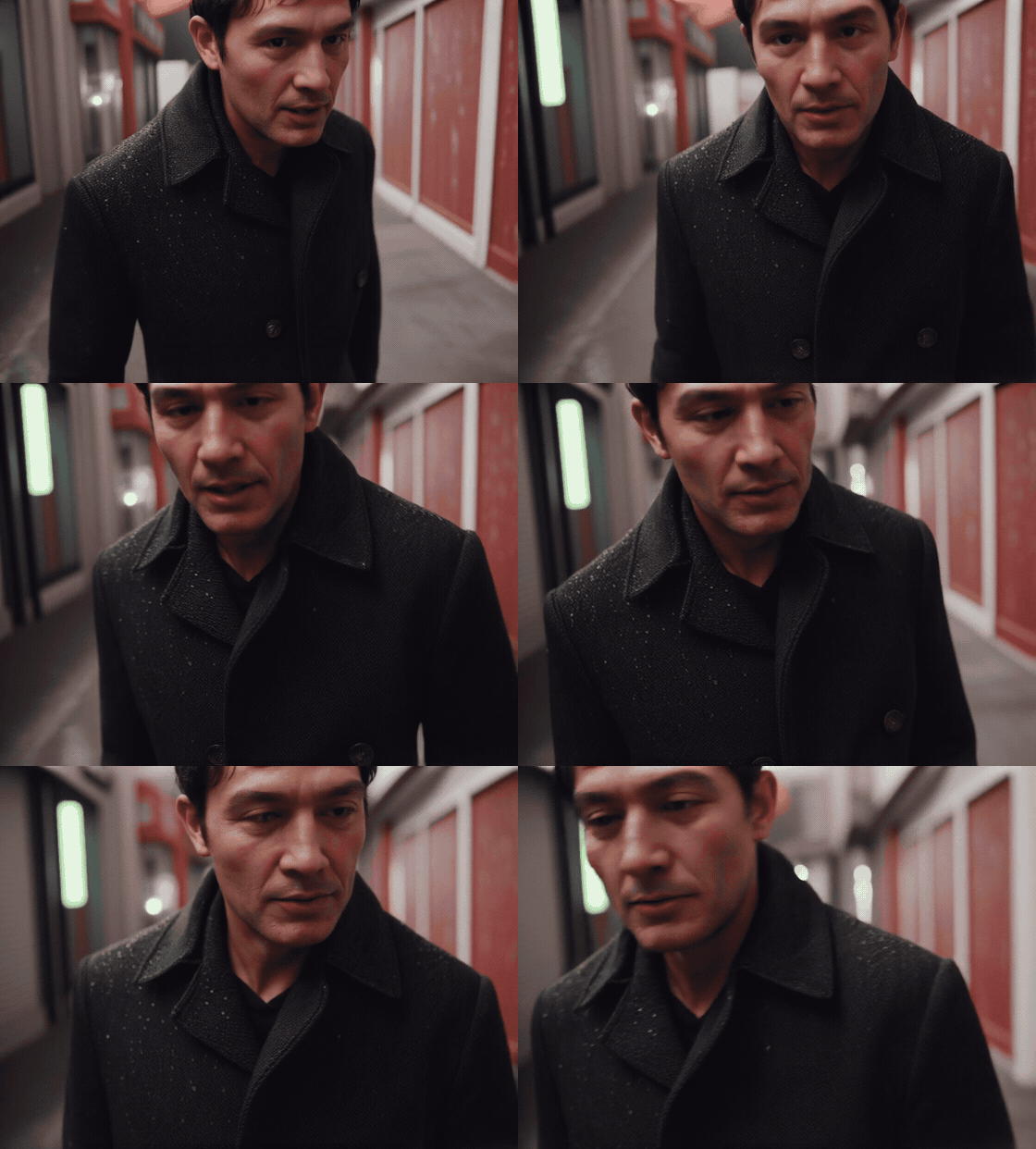
A text-to-video result showcasing stable identity, wet fabric, facial detail, and continuous close-range camera movement.
First-frame image-to-video

An image-to-video result showcasing strong first-frame style retention, consistent character features, and a continuous expression change.
Original FP8 smoke preview
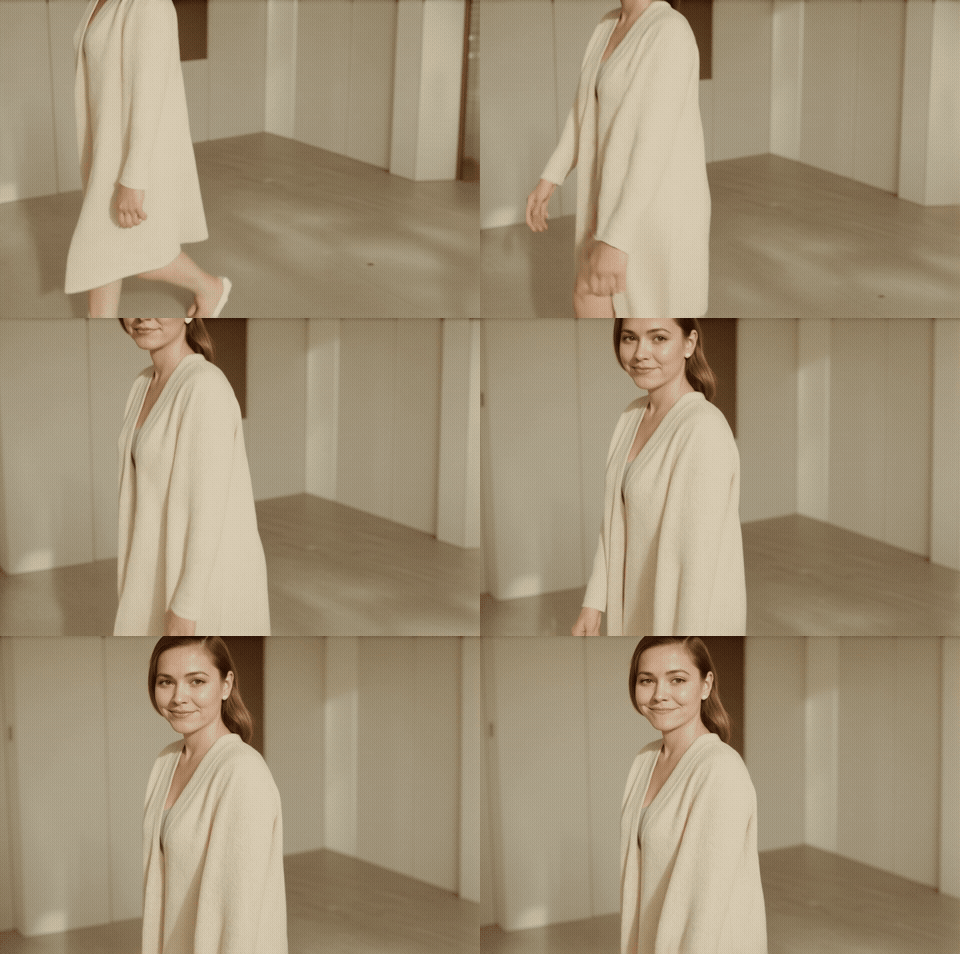
These GIFs are compressed previews from the published FP8 path. They demonstrate that the integration produces video; they are not BF16/FP8 quality-equivalence comparisons and should not be used for timing.
What the FP8 path does
The checkpoint uses native CUDA E4M3 W8A8 scaled matrix multiplication for the projections that measured faster on the test machine:
- fused attention Q/K/V
- fused MLP gate/up
Attention output, MLP down projection, conditioning, normalization, input, and output paths remain BF16 to preserve quality where FP8 did not earn a measured speed advantage. The original BF16 transformer is never modified.
In a matched cached 256×144×5-frame, one-step sampler smoke test on one RTX 5080, FP8 took 3.651 s versus 4.651 s for BF16: 1.27× faster, or about 21.5% less sampler time in that smoke test. Fused QKV and gate/up microbenchmarks measured 1.29× and 1.62× respectively. See BENCHMARKS.md for the exact scope and limitations.
Tested system
- NVIDIA RTX 5080, 16 GB VRAM
- 64 GB system RAM
- Windows / WDDM
- Python 3.11.9
- PyTorch 2.12.1+cu130, CUDA 13.0
- Diffusers 0.38.0, Transformers 5.3.0
- SageAttention 2.2.0
- Current ComfyUI source checkout (commit
b910f4faduring validation)
The FP8 runtime requires a CUDA GPU/runtime where PyTorch can execute
torch._scaled_mm with E4M3 tensors. The loader now checks this before loading
the multi-gigabyte model. Other GPUs, other RTX 50-series cards, and Linux may
work but have not been validated. This repository makes no family-wide speed or
compatibility claim.
Installation
1. Install the custom node
Run this from either a ComfyUI source checkout, the Windows Portable root, or
the ComfyUI directory inside Windows Portable. The setup below resolves both
the ComfyUI root and its matching Python executable:
$comfyRoot, $python = if (Test-Path .\venv\Scripts\python.exe) {
  (Resolve-Path .).Path, (Resolve-Path .\venv\Scripts\python.exe).Path
} elseif ((Test-Path .\python_embeded\python.exe) -and (Test-Path .\ComfyUI\main.py)) {
  (Resolve-Path .\ComfyUI).Path, (Resolve-Path .\python_embeded\python.exe).Path
} elseif (Test-Path ..\python_embeded\python.exe) {
  (Resolve-Path .).Path, (Resolve-Path ..\python_embeded\python.exe).Path
} else {
  throw "Run this from a ComfyUI source or Windows Portable directory."
}
$nodeDir = Join-Path $comfyRoot "custom_nodes\ComfyUI-LingBotVideo"
$modelDir = Join-Path $comfyRoot "models\lingbot_video\lingbot-video-dense-1.3b"

git clone https://github.com/ALX-CODE/lingbot-video-1.3b-fp8 `
  $nodeDir
& $python -m pip install -r (Join-Path $nodeDir "requirements.txt")
Do not replace your working PyTorch installation with a generic build. The
tested FP8 path depends on a CUDA-enabled PyTorch build appropriate for the GPU.
The requirements include accelerate, which is mandatory for the low-memory
transformer loader.
2. Download the official base model components
Install the Hugging Face CLI into the ComfyUI environment if needed, then
download the official model revision used for this release. Choose one command:
keep the BF16 transformer for fallback and FP8 conversion, or exclude it to
save roughly 2.8 GB when you only need the published FP8 checkpoint.
& $python -m pip install -U "huggingface_hub[cli]"
$pythonDir = Split-Path $python
$hf = @(
  (Join-Path $pythonDir "hf.exe"),
  (Join-Path $pythonDir "Scripts\hf.exe")
) | Where-Object { Test-Path $_ } | Select-Object -First 1
if (-not $hf) { throw "hf.exe was not installed in the ComfyUI Python environment." }
# Option A: complete base model, including the BF16 fallback/FP8 conversion source
& $hf download `
  robbyant/lingbot-video-dense-1.3b `
  --revision f9789a7d9b4772a47aba62d4eb5282ddefd1da21 `
  --local-dir $modelDir

# Option B: FP8-only base components; excludes the BF16 transformer
& $hf download `
  robbyant/lingbot-video-dense-1.3b `
  --revision f9789a7d9b4772a47aba62d4eb5282ddefd1da21 `
  --exclude "transformer/*" `
  --local-dir $modelDir
The final model directory must contain model_index.json, processor,
scheduler, text_encoder, vae, and transformer_fp8_dense.
3. Download the FP8 transformer
The versioned downloader resumes partial transfers, safely restarts invalid partials, and verifies both files with SHA-256:
& $python `
  (Join-Path $nodeDir "tools\download_fp8.py") `
  --model-dir $modelDir
You can also download config.json and
diffusion_pytorch_model.safetensors manually from the matching GitHub Release
and place them in:
ComfyUI/models/lingbot_video/lingbot-video-dense-1.3b/transformer_fp8_dense/
Checksums are in SHA256SUMS.txt. A minimal FP8-only install is about 11.3 GB; keeping the BF16 reference transformer brings it to about 14.1 GB.
4. Install workflow node packs
All three UI workflows contain node types from the packs below. FlashVSR and RIFE are optional at execution time, but all three packs must be installed for the workflow files to open without missing-node errors.
- ComfyUI-VideoHelperSuite for MP4 output
- ComfyUI-FlashVSR_Ultra_Fast for optional 2× spatial upscaling
- ComfyUI-VFI for optional RIFE interpolation
Install them with ComfyUI-Manager or clone each repository into
ComfyUI/custom_nodes and install its requirements with $python. FlashVSR
also requires the complete FlashVSR model folder under
ComfyUI/models/FlashVSR; follow its upstream README. ComfyUI-VFI downloads
flownet.pkl on first use, or accepts it under ComfyUI/models/rife for an
offline setup.
FlashVSR and RIFE default to disabled and execute lazily. When enabled, the workflow order is FlashVSR first, RIFE second.
5. Install and verify SageAttention
The measured workflow uses SageAttention, but compatible wheels depend on your exact PyTorch, CUDA, Python, and GPU combination. Install a matching build from the SageAttention project without replacing your working PyTorch, then verify it in the ComfyUI environment:
& $python -c "import sageattention; print('SageAttention import OK')"
6. Launch ComfyUI and load a workflow
Use your normal launcher with SageAttention enabled. On the tested install:
Push-Location $comfyRoot
& $python main.py --use-sage-attention --disable-xformers
Pop-Location
Drag one of these files into ComfyUI:
workflows/lingbot_fp8_t2v.json— plaintext T2Vworkflows/lingbot_fp8_ti2v.json— first-frame + plaintext TI2Vworkflows/lingbot_fp8_flf_experimental.json— experimental first/last-frame bridge
Before queueing TI2V, select an existing image in its Load Image node. Before
queueing FLF, select both endpoint images. The filenames stored in the workflow
are intentionally nonexistent placeholders so personal inputs are never
published accidentally.
The loader should show model lingbot-video-dense-1.3b and transformer
transformer_fp8_dense. If the model dropdown does not find an external path,
set LINGBOT_MODEL_ROOTS to one or more model-root directories separated by
the platform path separator, then restart ComfyUI.
Workflow controls
- Enter FPS and total seconds; frame count is calculated and snapped to
LingBot's required
4n+1form. - The prompt node uses the base model's local Qwen text encoder to expand plaintext and map it into LingBot's required JSON shape. Structural validation and one repair attempt are applied, but this is not the official dedicated prompt-rewriter model and cannot guarantee semantic prompt quality. A structured-JSON override remains available.
- The sampler displays stage, denoise step, percentage, elapsed time, ETA, CFG mode, and any fallback reason.
sequential_sageis the validated default. Batched CFG modes remain opt-in because they were slower on the tested 16 GB system.- The TI2V sampler fixes the first latent frame throughout denoising.
- The FLF sampler pins both endpoint latents. LingBot was not trained for this mode, so large endpoint differences can morph, freeze, or jump.
Published workflows start conservatively at 640×352, 20 FPS, 3 seconds, 28 steps, CFG 3.0, shift 3.0, fixed seed 42, sequential Sage CFG, and no post-processing. After the first smoke test succeeds, 40 steps is the reference quality setting. Keep the seed fixed and change one setting at a time.
Compatibility and troubleshooting
accelerate/low-memory error: reinstall this repository's requirements into the same Python environment that launches ComfyUI.- Sage import/backend error: install a SageAttention build matching the installed PyTorch and CUDA build; do not allow pip to replace PyTorch.
- FP8 preflight error: the selected GPU/runtime cannot execute the required E4M3 scaled matrix multiplication. Use the official BF16 transformer instead.
- Missing workflow nodes: install VideoHelperSuite, FlashVSR Ultra Fast, and ComfyUI-VFI even when their post-process toggles are off.
- TI2V/FLF missing image: replace the intentional placeholder in every
Load Imagenode before queueing. - Linux or a different GPU: these remain community-tested configurations; start with the published 640×352×3-second smoke settings.
Build your own FP8 checkpoint
The release asset is ready to use. To reproduce it from the official BF16 Dense 1.3B transformer:
& $python `
  (Join-Path $nodeDir "tools\convert_dense_fp8.py") `
  --model-dir $modelDir
The converter writes transformer_fp8_dense.incomplete first, validates all
120 quantized weights and their scales, then atomically renames the result.
License and attribution
Apache-2.0. This repository vendors and adapts portions of the official Robbyant/LingBot-Video project. See NOTICE.md and LICENSE. The FP8 checkpoint is a quantized derivative of the official Dense 1.3B weights.
Release archives also include the license and notice alongside the FP8 assets. See SECURITY.md, SUPPORT.md, and CONTRIBUTING.md for reporting and contribution guidance. Release changes are recorded in CHANGELOG.md, and participation is governed by CODE_OF_CONDUCT.md.