
ComfyUI-LinkRouter
Object-avoiding orthogonal link routing for ComfyUI. Links automatically detour around nodes with smooth right-angle paths. Flow animation, hover highlight, floating control bar, and full settings panel. Pure frontend — zero impact on generation.
ComfyUI-LinkRouter
<a href="https://buymeacoffee.com/90red" target="_blank"> <img src="https://img.buymeacoffee.com/button-api/?text=Buy+me+a+coffee&emoji=%E2%98%95&slug=90red&button_colour=FFDD00&font_colour=000000&font_family=Bree&outline_colour=000000&coffee_colour=ffffff" alt="Buy me a coffee" style="height: 60px !important;width: 217px !important;"> </a>I'm new to all this — first plugin, first GitHub repo, learning as I go. If you find bugs, have ideas, or just want to help a beginner out, I'd be incredibly grateful. Bug reports, PRs, suggestions, or just buying me a coffee ☕ — every bit of support honestly makes my day. Thank you! 🙏
Object-avoiding orthogonal link routing for ComfyUI. Links automatically detour around nodes with smooth right-angle paths — no more spaghetti lines.
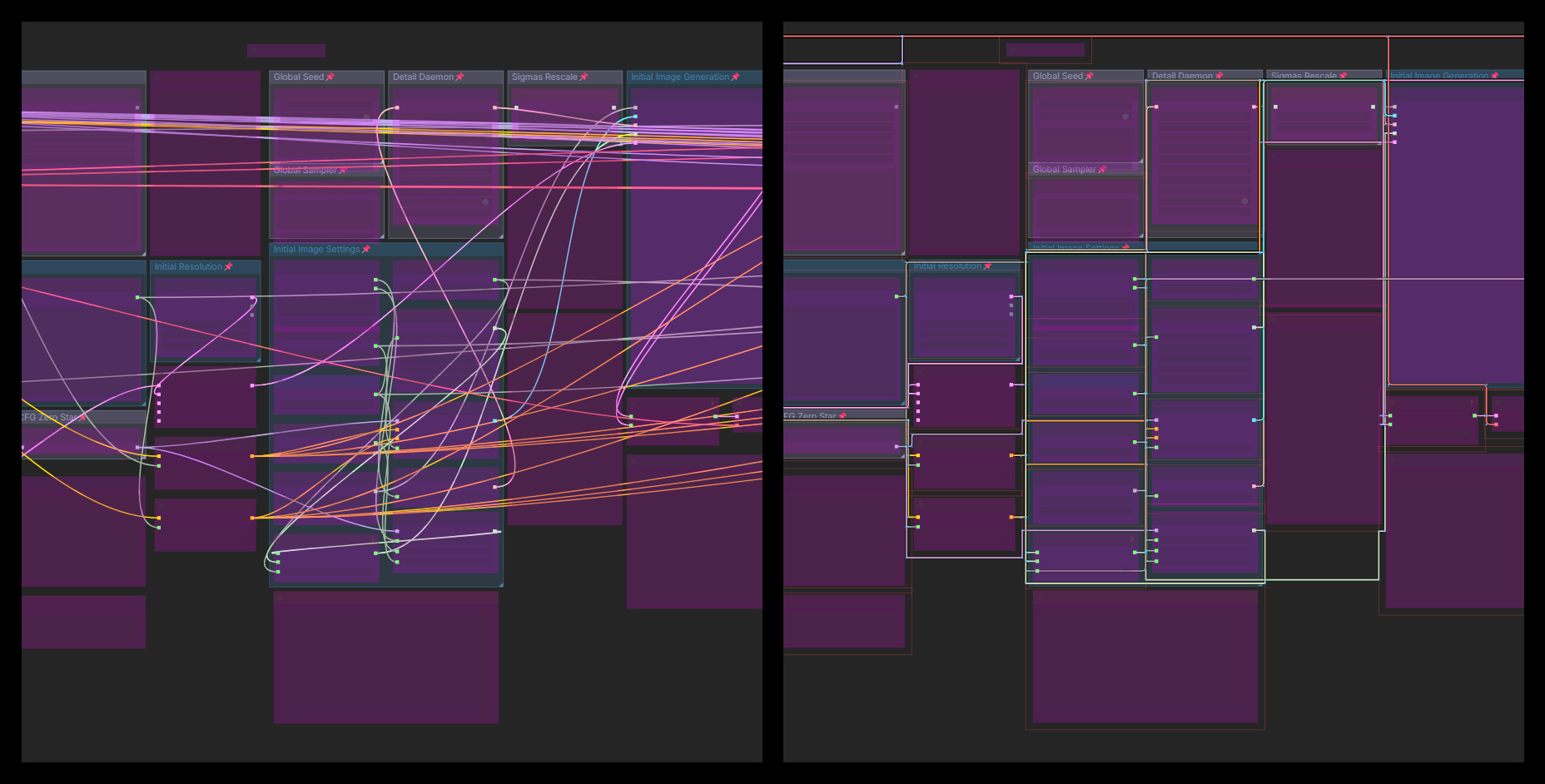
Features
Links automatically route around nodes instead of through them. Animated flow markers on hover or selection. Floating bar for quick toggles.
Installation
Via ComfyUI Manager
Search for LinkRouter in ComfyUI Manager and click Install.
Manual
cd ComfyUI/custom_nodes/
git clone https://github.com/90-RED/ComfyUI-LinkRouter
Then reload ComfyUI with Ctrl+R.
Usage
LinkRouter is enabled by default. A floating bar appears on the right:
| 🔀 | Toggle routing | | 🌊📐➖ | Cycle official link styles | | ✨➤◾ | Cycle flow markers (animated/static/none) |
All visual parameters are in Settings → LinkRouter.
Credits
- Algorithm: Wybrow, Marriott, Stuckey — "Orthogonal Connector Routing" (Graph Drawing 2009)
- Incremental routing: Wybrow et al. — "Incremental Connector Routing" (GD 2005)
- Inspiration: libavoid (Adaptagrams), react-flow-smart-edge, JointJS
- All code is original JavaScript — no third-party dependencies
License
Apache-2.0 — see LICENSE.