
ComfyUI-42lux-Hildegard-Refiner
Tile-based refinement nodes for ComfyUI, built around the Hildegard-Refiner reference-latent scheme. Designed for FLUX.2 Klein.
Nodes (3)
The seam-killer — how Hildegard stitches tiles back without patchwork
The tile-grid brain of Hildegard — plan the upscale before you sample
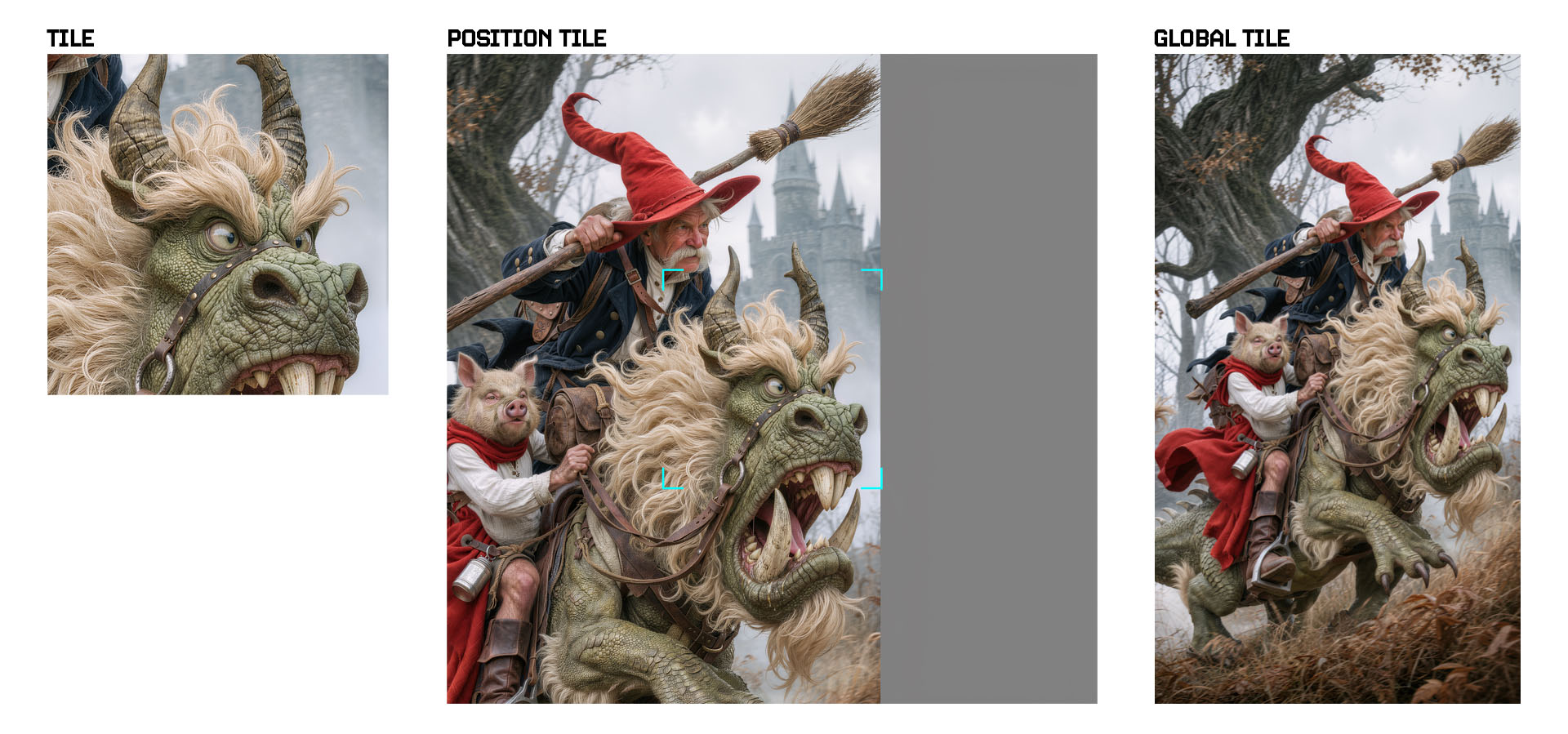
Three reference latents per tile — the actual trick behind Hildegard
ComfyUI-42lux-Hildegard-Refiner
Tile-based refinement nodes for ComfyUI, built around the Hildegard-Refiner reference-latent scheme. Designed for FLUX.2 Klein.
The pack is small and modular: three nodes that compose into a clean tile-refine pipeline. Tiling math is borrowed from ComfyUI_Steudio; the reference- latent construction (tile / position-map / global) is the actual Hildegard-Refiner contribution.
Requires the Hildegard LoRA — these nodes build the reference latents, but a base FLUX.2 Klein checkpoint doesn't know what to do with them. The matching LoRA teaches the model to consume the three reference slots. Download it from huggingface.co/42lux/hildegard and load it as a normal LoRA before sampling.
Examples
| Before | After | |
|---|---|---|
|  |
|  |
|  |
|
|
|  |
|  |
| 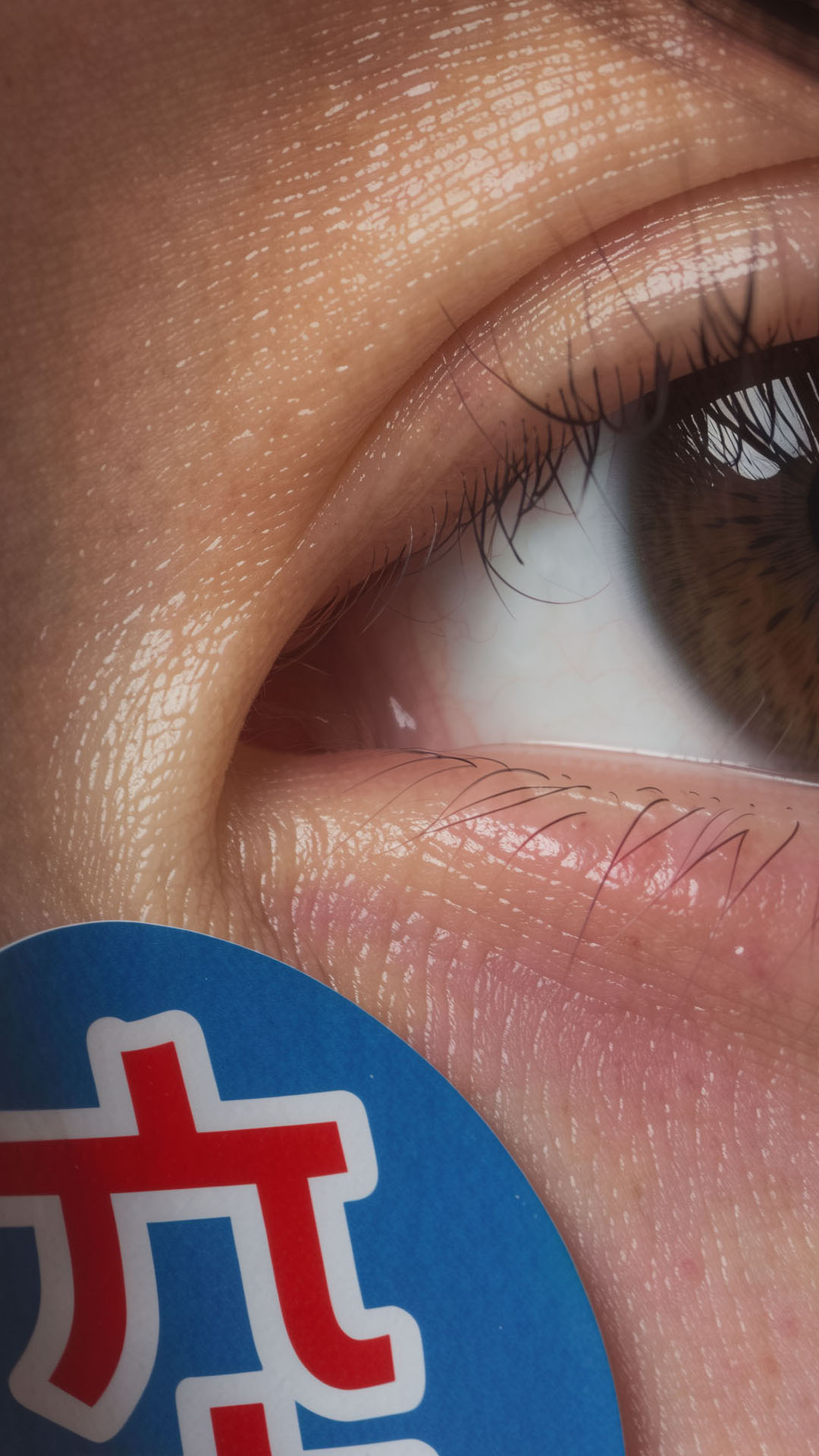 |
|
What it does
A standard tiled upscale + refine workflow looks like:
Load Image → Hildegard Plan → Hildegard References Split → [your sampler] → Hildegard Combine → Save Image
- Plan decides the upscaled dimensions and tile grid that satisfy your tile size, minimum overlap, and minimum scale factor, then resamples the image to fit (lanczos by default).
- References Split slices the upscaled image into tiles and, for each tile, builds the three Hildegard reference latents:
- tile_latent — VAE-encoded crop of the tile itself
- position_latent — VAE-encoded 3×3 "position map" (current tile in the center cell, the 8 neighbors around it, with corner markers ringing the center)
- global_latent — VAE-encoded thumbnail of the whole upscaled image (long edge capped at
ctrl3_max_size, default 768px)
- Your sampler runs once per tile, with the three latents fed into the model as reference latents (typically via the Klein conditioning toolkit
plus per-ref weight controls). All four outputs from References Split are index-aligned — element
icorresponds to the same physical tile acrossTILE(S),tile_latent, andposition_latent. - Combine stitches the processed tiles back into a single image with a feathered alpha mask. Each tile's mask is solid in its interior and zero
in an
overlap/4-wide strip on every side that borders a neighbor; the mask is then Gaussian-blurred (or box-blurred at narrow overlaps). Result: smooth seams where tiles meet, hard edges at canvas borders.
Frequency separation on the tile reference
References Split can attenuate the tile reference's high-frequency band before it's VAE-encoded into tile_latent. This lets you trade fidelity for creative headroom without touching the other reference slots.
Two controls:
tile_high_freq_reduce(0.0 – 1.0, default0.0) — how much of the high-frequency band to subtract from the tile reference.0.0— full source detail preserved (tight fidelity, model has little room to add).0.5— balanced: source's color and structure preserved, but the model is free to synthesize fresh micro-detail.1.0— soft, low-contrast version with only broad shapes and color preserved.
low_freq_radius(1 – 256 px, default256) — Gaussian-blur radius defining the cutoff between low and high frequencies. Larger = more of the source's detail is classified as "low frequency" and survives the reduce; smaller = only the very-broadest shapes survive and the model regenerates everything else.
Only tile_latent is affected. The TILE(S) image output, position_latent, and global_latent are untouched, so structure and global context stay locked while you open up texture for the model.
Rule of thumb: raise tile_high_freq_reduce when the source is already noisy/over-sharpened and you want the model to re-synthesize clean detail; keep it at 0.0 when the source is clean and you want a faithful pass.
Iterative scaling
Prefer several smaller passes over one big jump. Two or three passes at ~2× each consistently beat a single 4–8× pass: every step gives the model a cleaner reference to work from, drift stays bounded, and seams stay invisible because each tile only has to invent a modest amount of new detail. One big jump tends to hallucinate structure, exaggerate noise, and amplify any per-tile mistakes into something the next pass can't recover from.
A practical recipe: pass 1 cleans and roughly doubles, pass 2 sharpens and doubles again, optional pass 3 only if you need extreme final resolution. Adjust tile_high_freq_reduce per pass — early passes can use 0.0 for fidelity, later passes can lift it slightly if the source detail starts to look stale relative to the new resolution.
tile_weight — resemblance vs. creativity
In the example workflow, tile_weight controls how strongly the tile_latent reference pulls the sampler toward the source tile. It's the direct analogue of the resemblance / creativity slider on services like Magnific:
- Higher
tile_weight→ more resemblance. The output sticks tightly to the source's structure, color, and detail. Safer, less drift, less added detail. - Lower
tile_weight→ more creativity. The model leans on the prompt and its own priors, inventing fresh detail. Bolder results, higher risk of structural drift or content the source never had.
Pair it with tile_high_freq_reduce: low tile_weight + high tile_high_freq_reduce is the most permissive setting (model is free to reinvent micro-detail), high tile_weight + 0.0 reduce is the most faithful (lock to source).
Tiling example
Here's how a source image gets divided into a tile grid (overlap regions shaded). The same coordinate system is used by both References Split
and Combine, so each tile lands back exactly where it came from.
Prompting
The Hildegard LoRA is trained on a trigger phrase (RFNTILE.) plus a structured prompt describing what's in the tile. Three reference templates
live in llm_prompt_templates/, tuned to different tile-count regimes:
| Template | When | Style |
|---|---|---|
| full_build_upscale_prompt.md | Source ≲ 2K–3K, few tiles | Block-based per-element prompt with named materials and guards |
| texture_upscale_prompt.md | Many-tile pass, recognisable material regions per tile | Single-paragraph texture survey |
| subject_less_upscale_prompt.md | Very-high-res, dense-repeat subjects, large empty regions | Generic material families only, no named subjects |
The rule of thumb:
- Smaller source / fewer tiles → more ambitious prompt. Each tile holds most of the subject, so naming the materials, the fragile elements, and the lighting gives the model anchors it can actually use.
- Larger result / more tiles → more conservative prompt. Tiles become surface crops or context-free regions; named subjects start hallucinating into tiles that don't contain them. Strip the prompt down to material families or go fully subject-less.
If a pass straddles two tiers, pick the less specific one. A texture survey on a few-tile pass leaves some detail on the table; a full build on a many-tile pass introduces drift you can't undo. The templates' own intros document the decision in more depth they're worth reading once before composing your first prompt for a new image.
Baseline Prompt:
RFNTILE. refine and add detail to this upscaled tile. Restore the image quality and resolve it to a sharp, high-resolution result. Remove compression artifacts, banding, and noise, and clarify soft or blurred areas into crisp, clean edges and definition. Enrich existing textures and surfaces with fine, intricate, physically accurate detail, matching the existing grain, focus, and material properties of each surface. Keep in-focus areas crisp and sharp, keep softly blurred areas soft, and leave flat or evenly-toned areas clean and smooth. Recover detail only where detail is already present, and add no new objects, elements, or content — refine only what is already in the tile. Preserve the original lighting, colour, contrast, and composition exactly as shown. Produce a clean, photorealistic result faithful to the source.
Attribution
The tile-grid math (Plan's overlap-aware grid solver) and the feathered-mask stitching (Combine) are adapted from ComfyUI_Steudio by Steudio,
licensed GPL-3.0. The control-build geometry (per-tile crop, 3×3 position map with corner markers, global thumbnail) and the V3 node schema rewrite are new in this pack, motivated by the Hildegard-Refiner LoRA training scheme.
The "Wizard Rider" was prompted by Fred Fraiche and is used with permission. <3
If you find the Divide-and-Conquer tiling useful on its own, give the upstream Steudio pack a star.