
【FLUX】ComfyUI Installer: v1.1: FLUXComfyuiInstaller_v11.zip
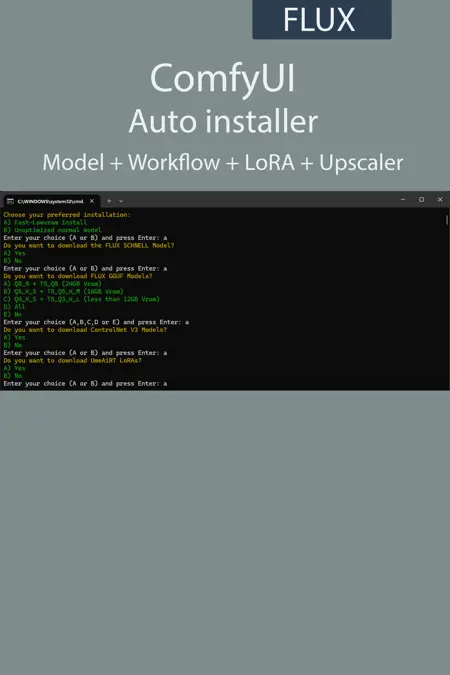
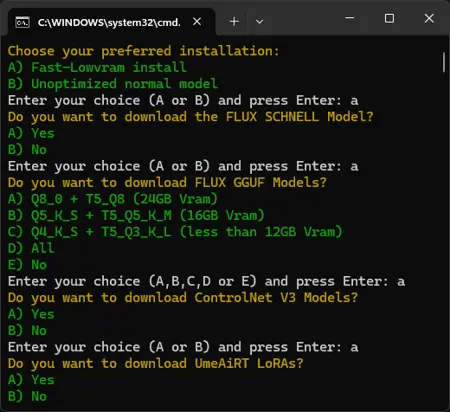
Add new workflows, node correction and some optimisation
UmeAiRT ComfyUI auto installer
I'm sharing with you my installation script, which automatically provides ComfyUI, workflows, FLUX model, ...
With a few questions at the beginning of the script, only the desired elements will be downloaded.
Prerequisites :
What's included :
ComfyUI :
portable version pytorch 2.8.0+cu129,
ComfyUI Manager,
all custom nodes used in my workflows.
Workflow :
TXT to IMG.json: Basic text-to-image generation.IMG to IMG.json: Basic image-to-image generation.INPAINT.json: For modifying or replacing part of an image (inpainting).OUTPAINT.json: For extending an image beyond its original borders (outpainting).KONTEXT.json: For contextual editing and generation.ControlNet
CtrlNet Canny.json: Guides generation using Canny edges.CtrlNet Depth.json: Guides generation using a depth map.CtrlNet HED.json: Guides generation using soft edges (HED).CtrlNet Openpose.json: Guides generation from a skeletal pose.
Tools
LoRA.json: Example of how to use a LoRA with FLUX models.Upscale.json
Models : (base,gguf,nunchaku)
Flux1-dev,
Flux1-fill,
Flux1-Kontext.
Clips :
ViT-L-14-TEXT-detail-improved-hiT-GmP-TE-only-HF,
Clip_l,
t5xxl_fp8_e4m3fn.safetensors.
ControlNet :
Canny,
Depth,
Hed,
OpenPose.