
ComfyUI Extension
comfyui_live_input_stream
Webcam & Screen Share Input Nodes with Cropping and Live Preview of the Cropped Stream
wouterverweirder/comfyui_live_input_stream
Nodes3
On cloudLocal install
CategoryLive Input Stream
Stars7
Updated9 days ago
Nodes (3)
Readme
ComfyUI Live Input Stream
Real-time video input nodes for ComfyUI that enable webcam capture, screen sharing, and MJPEG stream processing with live preview and cropping capabilities.
Quickstart
- Install ComfyUI.
- Install ComfyUI-Manager
- Look up this extension in ComfyUI-Manager. If you are installing manually, clone this repository under
ComfyUI/custom_nodes. - Restart ComfyUI.
Features
This extension provides three powerful input nodes for working with live video streams in ComfyUI:
🎥 Webcam Live Input Stream
Capture live video from your webcam with full control and preview.
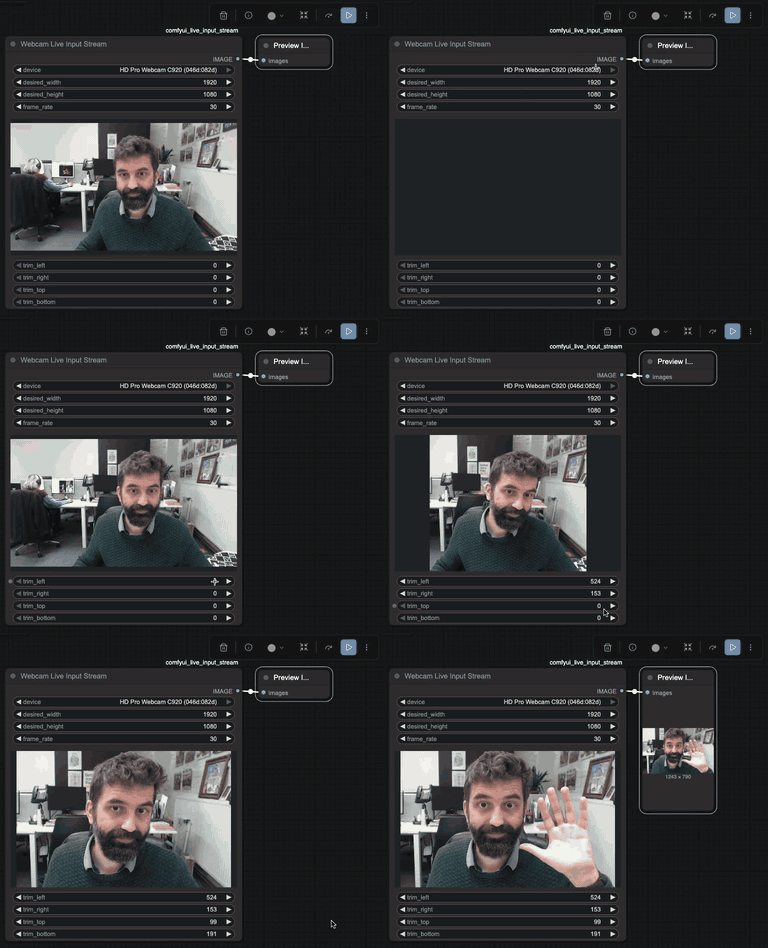
- Device Selection: Choose from available webcam devices
- Live Preview: See your webcam feed directly in the ComfyUI interface
- Real-time Cropping: Trim left, right, top, and bottom with live preview of cropped area
- High Resolution Support: Automatically requests the highest resolution available from your camera
🖥️ Screen Live Input Stream
Capture and process your screen, windows, or browser tabs in real-time.
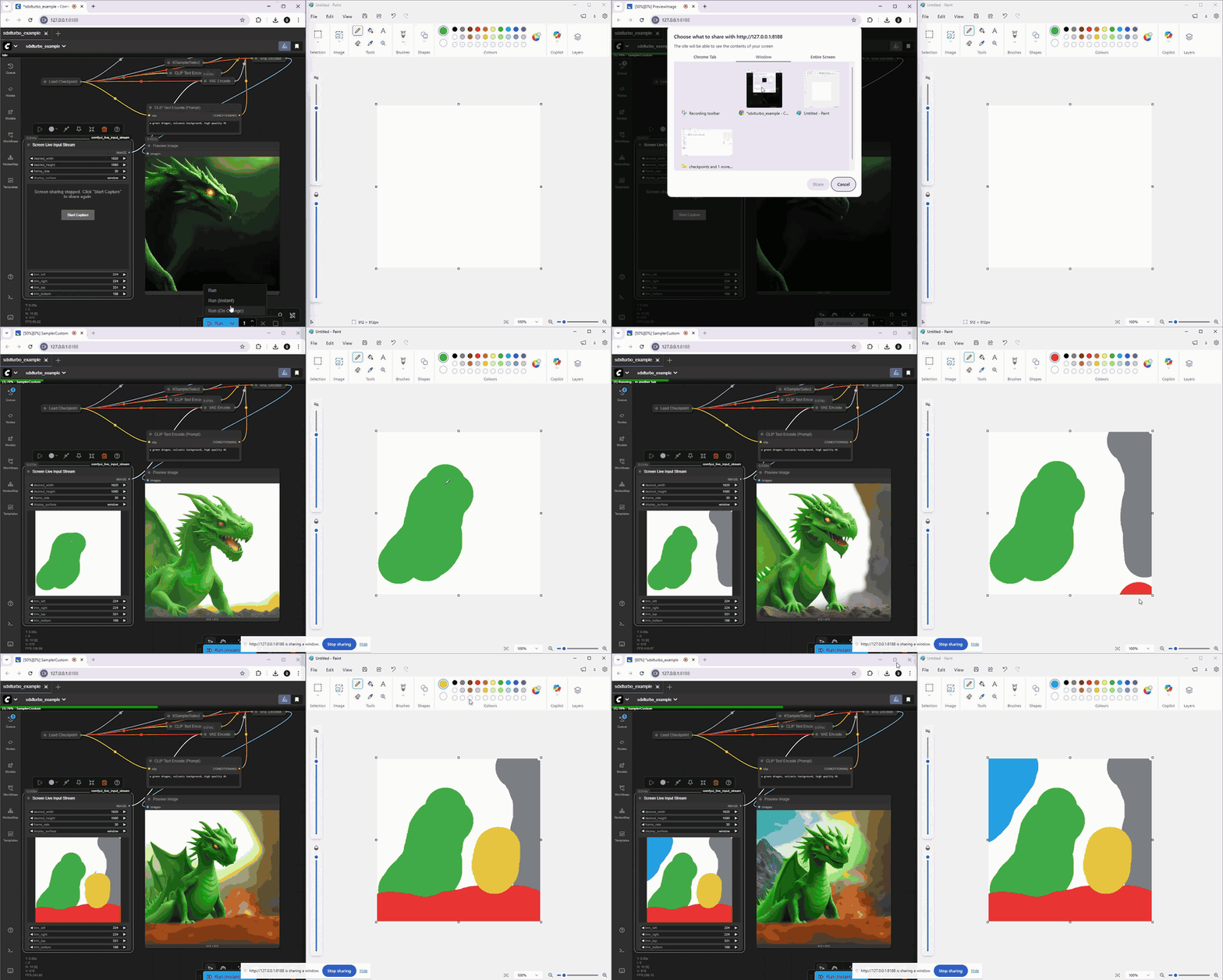
- Flexible Source Selection: Choose between monitor, window, or browser tab capture
- Resolution Control: Set ideal width and height constraints (default 1920x1080)
- Frame Rate Control: Adjust frame rate from 1-120 fps (default 30 fps)
- Live Preview: View the captured screen with trimming applied in real-time
- Real-time Cropping: Trim any edges with live preview
📡 MJPEG Stream Live Input Stream
Connect to external MJPEG streams from IP cameras, video servers, or other sources.
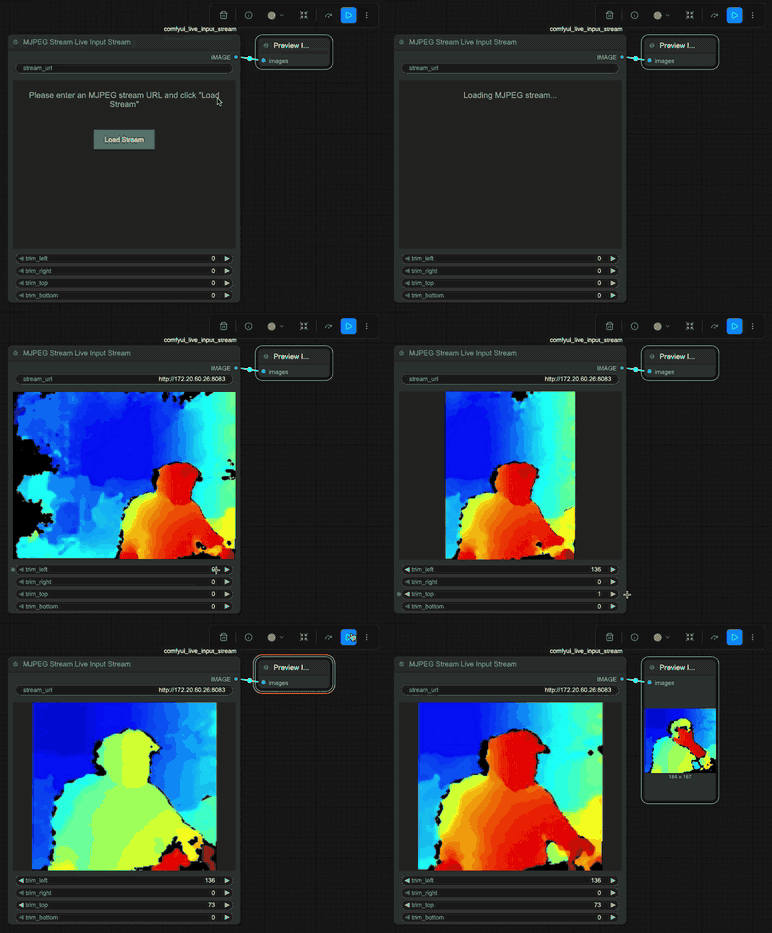
- URL Input: Simply enter any MJPEG stream URL
- CORS Proxy: Built-in Python proxy layer automatically handles CORS restrictions
- Real-time Cropping: Trim any edges with live preview
Use Cases
- Webcam Effects: Apply ComfyUI image processing to live webcam feeds
- Screen Recording Workflows: Process screen captures with AI models in real-time. You could for example use this to capture a drawing application window and have ComfyUI enhance or modify the drawing live as you create it.
- IP Camera Integration: Connect security cameras or video streams to ComfyUI
- Live Demonstrations: Capture and process live content for presentations