
Skoogeer-Noise
Noise, conditioning, and perturbation utility nodes for ComfyUI (procedural noise, mesh drag, latent channel stats preview).
Nodes (62)
Stop Guessing What's in That Socket
The Return Trip From Frequency Space
Append One List to Another, Nothing Else
Jittering Your Prompt Embeddings on Purpose
Rebuild Your Prompt Embedding, With Gain
Pull a Prompt Apart by Frequency to Rebalance Its Grip
Blur Your Conditioning on Purpose
Multiply a conditioning by a plain float
Melt Your Image Into Paint With a Real Fluid Simulation
Flow Your Latent Like Dye — Deformation Before Decode
Keep the Shape, Replace the Texture
The Other Half of Latent Channel Surgery
Pick Your Noise Primitive, Layer It, Done
Warp an Image by Dragging an Invisible Mesh
Seeded Grain for Images, Without the Guesswork
Smooth, Structured Texture Instead of Static
Grow Some Biology Into Your Image
Add noise that looks like water and clouds, not static
Make an Image Dissolve Into Smoke, Without Leaving ComfyUI
Liquify your image with vortex warps, not pixel static
Splice One Image Into a Batch Without Breaking the Graph
Cracks, bubbles, and reptile skin from one noise function
See the whole prompt list, not just the first line
A LoRA That Ramps In While You Sample
Yes, It's the Same as Latent Noise — Here's Why
Glitch, Rotate, and Rearrange Features
Latent-space color matching, before the VAE ever sees it
Surgical Feature Transfer Between Two Latents
Gates, quantization, and dropout
See what your latent's channels are actually doing
Add the exact right amount of noise, sampler-style
The fractal noise that underlies half of nature's textures
Put the detail back, but louder (or quieter)
Separate a latent's detail from its shapes
The latent soft-focus filter that's gentle on your VRAM
Warp your latent like a cloth instead of dumping noise on it
Seeded Perturbation for Latents That Know Their Own Scale
Deliberately glitch a Flux-style packed latent
Smooth, structured variation instead of TV static
Grow Patterns Where the Sampler Can See Them
Perlin's less-aliased cousin for organic latent drift
Dreamy Dissolves Before the VAE Even Runs
A vortex warp that melts your latent around, well, vortices
Replace or insert a latent inside an existing batch
See what your latent's channels actually look like
Cellular noise for cracks, bubbles, and organic tessellation
Pull a contiguous chunk out of any ComfyUI list
Combine two candidate pools before sampling
Put keys from two prompt branches into every render
Fan out one sampler across many models without a for-loop
Turn one prompt with {placeholders} into a whole batch
Build one prompt variable without writing YAML
Your whole prompt-versioning brain in one YAML block
The engine that turns candidate pools into real prompts
Skip the sampling, render one concrete prompt variable
One Master Seed to Drive Them All
Put a Flux.2 latent back into its 128-channel packing
Because Your Prompt Batch Is Begging to Be Shuffled
The experimental attention patch you should probably not ship
Take a latent apart in the frequency domain
An LLM-Serving Trick, Transplanted to Diffusion
The one node to put in front of every Flux.2 latent edit
Skoogeer-Noise
A ComfyUI custom node pack for latent/image/conditioning perturbations, text templating, and diagnostics.
Overview
- Spatial perturbations (mesh drag warps) for
LATENTandIMAGE. - Seeded Gaussian noise utilities for
LATENT,IMAGE, andCONDITIONING, plus seed fan-out helpers. - Mustache-based text templating nodes for prompt permutation generation.
- Procedural / structured noise generators (Perlin, Simplex, Worley, reaction-diffusion, fBm, swirl).
- Low/high frequency split helpers for
LATENTandCONDITIONING. - Experimental model patching for RotorQuant/TurboQuant-style attention approximations.
- Latent diagnostics preview nodes.
This pack was extracted from ComfyUI-FlowMatching-Upscaler and also includes the latent/image/conditioning noise + filtering nodes that were previously shipped in ComfyUI-QwenRectifiedFlowInverter.
Contents
Installation
- Clone into
ComfyUI/custom_nodes/Skoogeer-Noise - Restart ComfyUI
Dependencies: torch, numpy>=1.26, einops, and pyyaml>=6.0.3 (ComfyUI typically already includes torch/numpy/pyyaml).
Quick Start
Workflow sketch (SD-style latents):
Latent -> Latent Channel Linear Transform (operation=orthogonal_rotate, selection_mode=top_roughness, selection_fraction=0.25, mix=0.6)
      -> Latent Swirl Noise (vortices=3, strength=0.8, mix=0.5)
      -> VAE Decode
Flux.2 latents (patchified) should wrap latent-space ops:
Unpatchify Flux.2 Latent -> (your latent ops) -> Patchify Flux.2 Latent
Tips:
- Use
maskto localize effects. - Lower
mixfor subtle edits. - Pair
Latent Channel Stats Previewto inspect channel shifts.
Concepts
Data Types / Shapes
LATENT
ComfyUI latents are dictionaries containing a "samples" tensor.
- Most SD-style latents:
(B, C, H, W) - Some video / flow-matching latents:
(B, C, T, H, W)
All latent nodes in this pack operate on latent["samples"] and preserve other latent dict keys. Most latent nodes accept an optional mask input; when provided, the mask is resized to latent resolution (bicubic when downscaling) and the effect is applied only within the mask. Latent Mesh Drag also warps latent["noise_mask"] when present.
IMAGE
ComfyUI images are torch tensors in BHWC format: (B, H, W, C) (usually C=3). Some nodes also accept 5D "video" tensors: (B, T, H, W, C).
Image noise nodes accept an optional mask input; when provided, the mask is resized to the image resolution (bicubic when downscaling) and the effect is applied only within the mask.
CONDITIONING
ComfyUI conditioning is a list of [embedding, metadata] entries. The conditioning nodes in this pack operate on:
- the embedding tensor (commonly shaped like
(tokens, features)or(B, tokens, features)), and metadata["pooled_output"]when present.
Parameter Conventions
- Seed (
seed): 64-bit integer used to make perturbations repeatable. For batched inputs, noise nodes offset the seed by batch index (seed + index) so each sample is deterministic regardless of batch size. - Strength (
strength): unless stated otherwise, noise nodes scale their generated pattern by the standard deviation of the input (per-sample). - Channel mode (
channel_mode):shared: reuse one generated field for all channelsper_channel: reseed and generate per channel
- Temporal mode (
temporal_mode) (5D tensors only):locked: reuse one pattern across frames (temporally stable)animated: reseed per frame (more variation, can flicker)
Common Parameters
| Parameter | Meaning | Notes |
|-----------|---------|-------|
| seed | 64-bit integer for repeatable randomness. | When present, it drives deterministic sampling. |
| strength | Scales noise relative to the input's standard deviation. | Unless a node defines strength differently. |
| channel_mode | Controls whether noise is shared or per-channel. | shared reuses one field, per_channel reseeds per channel. |
| temporal_mode | Controls temporal consistency for 5D tensors. | locked is stable, animated reseeds per frame. |
| mix | Blends original and modified outputs. | 0 = original, 1 = full effect. |
| mask | Optional mask limiting the effect. | Resized to target resolution. |
When node tables list these parameters, the Notes column may say "See Common Parameters."
Selection Modes
all: apply to every channel.random: choose a random subset per sample usingseed.top_variance: choose channels with the highest spatial variance (usually the most active features).top_roughness: choose channels with the highest mean gradient magnitude (often texture/fine detail carriers).indices: use the explicit channel list inselection_indices.selection_order: pickhighestorlowestwhen usingtop_variance/top_roughness(low values tend to affect smoother, structural channels).selection_countoverridesselection_fractionwhen> 0.
Flux.2 Patchification
Flux.2 VAEs patchify 2x2 at the final downscale step, producing 128-channel latents at 1/16 spatial resolution. Our latent noise nodes operate on spatial neighborhoods, so applying them directly to patchified latents can introduce 2x2 block artifacts and incorrect spatial correlations. Use Unpatchify Flux.2 Latent before running latent noise nodes, then Patchify Flux.2 Latent afterward to return to the standard Flux.2 format.
Node Reference
Node Index
| Node | Category | Output(s) |
|------|----------|-----------|
| Latent Mesh Drag | latent/perturb | LATENT |
| Image Mesh Drag | image/perturb | IMAGE |
| Fluid Latent Advection | latent/perturb | LATENT, IMAGE |
| Fluid Image Advection | image/perturb | IMAGE, IMAGE |
| Latent Smoke Simulation | latent/perturb | LATENT, IMAGE, IMAGE |
| Image Smoke Simulation | image/perturb | IMAGE, IMAGE, IMAGE |
| Latent Noise | latent/perturb | LATENT |
| Image Noise | image/perturb | IMAGE |
| Next Seeds | utils/seed | INT, INT, INT, INT |
| Mustache Variable | text/template | MUSTACHE_VARIABLES |
| Mustache Variable Set | text/template | MUSTACHE_VARIABLE_LIST |
| Mustache Variables | text/template | MUSTACHE_VARIABLES |
| Merge Mustache Variable Defs | text/template | MUSTACHE_VARIABLES |
| Mustache Variable Sampler | text/template | MUSTACHE_VARIABLE_LIST |
| Mustache Template | text/template | STRING list |
| Join Text List | text/debug | STRING, INT |
| AnythingToMarkdown | text/debug | STRING |
| Merge Mustache Variable Sets | text/template | MUSTACHE_VARIABLE_LIST |
| Concatenate Lists | utils/list | list |
| Reorder List | utils/list | list |
| List Slice | utils/list | list |
| Latent to Image Batch | latent/debug | IMAGE |
| Image Batch to Latent | latent/debug | LATENT |
| ImageToBatch | image/batch | IMAGE |
| LatentToBatch | latent/batch | LATENT |
| Latent Channel Stats Preview | latent/debug | IMAGE |
| Latent Channel Linear Transform | latent/channel | LATENT |
| Latent Channel Nonlinear Transform | latent/channel | LATENT |
| Latent Channel Merge | latent/channel | LATENT |
| Latent Channel Match | latent/channel | LATENT |
| Latent Packed Slot Transform | latent/channel | LATENT |
| Latent Gaussian Blur | Latent/Filter | LATENT |
| Latent Frequency Split | Latent/Filter | LATENT (low), LATENT (high) |
| Latent Frequency Merge | Latent/Filter | LATENT |
| Add Latent Noise (Seeded) | Latent/Noise | LATENT |
| Add Image Noise (Seeded) | Image/Noise | IMAGE |
| Latent Perlin Fractal Noise | Latent/Noise | LATENT |
| Image Perlin Fractal Noise | Image/Noise | IMAGE |
| Latent Simplex Noise | Latent/Noise | LATENT |
| Image Simplex Noise | Image/Noise | IMAGE |
| Latent Worley Noise | Latent/Noise | LATENT |
| Image Worley Noise | Image/Noise | IMAGE |
| Latent Reaction-Diffusion | Latent/Noise | LATENT |
| Image Reaction-Diffusion | Image/Noise | IMAGE |
| Latent Fractal Brownian Motion | Latent/Noise | LATENT |
| Image Fractal Brownian Motion | Image/Noise | IMAGE |
| Latent Swirl Noise | Latent/Noise | LATENT |
| Image Swirl Noise | Image/Noise | IMAGE |
| Forward Diffusion (Add Scheduled Noise) | Latent/Noise | LATENT |
| KSampler (LoRA Sigma Inverse) | sampling | LATENT |
| Unpatchify Flux.2 Latent | Latent/Flux | LATENT |
| Patchify Flux.2 Latent | Latent/Flux | LATENT |
| Models List | model/batch | MODEL list |
| Model (RotorQuant Attention) | model/patch | MODEL |
| Model (TurboQuant Attention) | model/patch | MODEL |
| Conditioning (Add Noise) | conditioning/noise | CONDITIONING |
| Conditioning (Gaussian Blur) | conditioning/filter | CONDITIONING |
| Conditioning (Frequency Split) | conditioning/filter | CONDITIONING (low), CONDITIONING (high) |
| Conditioning (Frequency Merge) | conditioning/filter | CONDITIONING |
| Conditioning (Scale) | conditioning/filter | CONDITIONING |
Spatial Perturbations
Latent Mesh Drag
Applies a cloth-like spatial warp to a LATENT by randomly dragging control vertices on a coarse mesh and interpolating a smooth displacement field.
- Menu category:
latent/perturb - Returns:
LATENT
Inputs
| Field | Type | Default | Range/Options | Notes |
|------|------|---------|--------------|------|
| latent | LATENT | – | – | Latent to warp spatially using a random mesh drag. |
| mask | MASK | – | – | Optional mask to limit the warp to masked areas. The mask is resized to latent resolution (bicubic when downscaling). |
| seed | INT | 0 | 0..2^64-1 | Seed controlling which mesh points are dragged and by how much. |
| points | INT | 12 | 0..2048 | Number of mesh vertices to randomly drag. |
| drag_min | FLOAT | 0.0 | 0.0..128.0 | Minimum drag distance (latent pixels). |
| drag_max | FLOAT | 4.0 | 0.0..128.0 | Maximum drag distance (latent pixels). |
| direction | FLOAT | -1.0 | -1.0..360.0 | Drag direction in degrees (0=up, 90=right, 180=down, 270=left). -1 allows random directions. |
| stroke_width | FLOAT | -1.0 | -1.0..4096.0 | When >0, limits the warp to narrow brush-stroke channels aligned with the direction (one per dragged mesh point; when direction>=0, stroke centers are jittered so they aren't grid-aligned). Units are latent pixels. -1 disables. |
| displacement_interpolation | enum | bicubic | bilinear/bicubic/bspline/nearest | How to interpolate sparse mesh drags into a full displacement field (bspline is smoother). |
| spline_passes | INT | 2 | 0..16 | Only used when displacement_interpolation = bspline. |
| sampling_interpolation | enum | bilinear | bilinear/bicubic/nearest | How to sample the source tensor when applying the warp. |
Notes
- Drag distances are specified in latent pixels (multiply by ~8 for image-space pixels with SD-style VAEs).
- If a
maskis supplied, the warp is applied only in the masked area (and the mask is resized to latent resolution). - If the input latent contains a
noise_masktensor, it is warped using the same displacement (and respects themaskwhen provided).
Image Mesh Drag
Applies the same mesh-drag deformation in image space (pixel units) to ComfyUI IMAGE tensors.
- Menu category:
image/perturb - Returns:
IMAGE
Inputs
| Field | Type | Default | Range/Options | Notes |
|------|------|---------|--------------|------|
| image | IMAGE | – | – | Image to warp spatially using a random mesh drag. |
| seed | INT | 0 | 0..2^64-1 | Seed controlling which mesh points are dragged and by how much. |
| points | INT | 12 | 0..4096 | Number of mesh vertices to randomly drag. |
| drag_min | FLOAT | 0.0 | 0.0..4096.0 | Minimum drag distance (image pixels). |
| drag_max | FLOAT | 32.0 | 0.0..4096.0 | Maximum drag distance (image pixels). |
| direction | FLOAT | -1.0 | -1.0..360.0 | Drag direction in degrees (0=up, 90=right, 180=down, 270=left). -1 allows random directions. |
| stroke_width | FLOAT | -1.0 | -1.0..16384.0 | When >0, limits the warp to narrow brush-stroke channels aligned with the direction (one per dragged mesh point; when direction>=0, stroke centers are jittered so they aren't grid-aligned). Units are image pixels. -1 disables. |
| displacement_interpolation | enum | bicubic | bilinear/bicubic/bspline/nearest | How to interpolate sparse mesh drags into a full displacement field (bspline is smoother). |
| spline_passes | INT | 2 | 0..16 | Only used when displacement_interpolation = bspline. |
| sampling_interpolation | enum | bilinear | bilinear/bicubic/nearest | How to sample the source image when applying the warp. |
Fluid Latent Advection
Advects latent channels through a viscous velocity field and returns a velocity preview image.
- Menu category:
latent/perturb - Returns:
LATENT,IMAGE
Inputs
See docs/fluid-simulation.md for the full parameter list (shared with the image variant). Core controls include steps, dt, resolution_scale, force injection settings, vorticity, and wrap_mode.
Notes
- Optional
masklimits the effect to masked areas.
Fluid Image Advection
Distorts an image by advecting pixels through a viscous velocity field and returns a velocity preview image.
- Menu category:
image/perturb - Returns:
IMAGE,IMAGE
Inputs
See docs/fluid-simulation.md for the full parameter list (shared with the latent variant). Core controls include steps, dt, resolution_scale, force injection settings, vorticity, and wrap_mode.
Notes
- Optional
masklimits the effect to masked areas.
Latent Smoke Simulation
Simulates buoyancy-driven smoke in latent space and returns density and velocity previews.
- Menu category:
latent/perturb - Returns:
LATENT,IMAGE,IMAGE
Inputs
See docs/fluid-simulation.md for smoke-mode parameters such as smoke_source_mode, buoyancy, cooling, and output batching controls.
Image Smoke Simulation
Simulates buoyancy-driven smoke in image space and returns density and velocity previews.
- Menu category:
image/perturb - Returns:
IMAGE,IMAGE,IMAGE
Inputs
See docs/fluid-simulation.md for smoke-mode parameters such as smoke_source_mode, buoyancy, cooling, and output batching controls.
Seeded Noise
Latent Noise
Adds seeded Gaussian noise to a ComfyUI LATENT dictionary.
- Menu category:
latent/perturb - Returns:
LATENT
Inputs
| Field | Type | Default | Range/Options | Notes |
|------|------|---------|--------------|------|
| latent | LATENT | – | – | Latent to receive additional Gaussian noise. |
| seed | INT | 0 | 0..2^64-1 | See Common Parameters. |
| strength | FLOAT | 1.0 | 0.0..10.0 | See Common Parameters. |
Image Noise
Adds seeded Gaussian noise to a ComfyUI IMAGE tensor.
- Menu category:
image/perturb - Returns:
IMAGE
Inputs
| Field | Type | Default | Range/Options | Notes |
|------|------|---------|--------------|------|
| image | IMAGE | – | – | Image to receive additional Gaussian noise. |
| seed | INT | 0 | 0..2^64-1 | See Common Parameters. |
| strength | FLOAT | 1.0 | 0.0..10.0 | See Common Parameters. |
Next Seeds
Expands one 64-bit seed into four deterministic 64-bit seed outputs using a MurmurHash-style 64-bit mixer over offset streams. Each output can emit one seed or a list of seeds from its own deterministic stream.
- Menu category:
utils/seed - Returns:
INT,INT,INT,INT
Inputs
| Field | Type | Default | Range/Options | Notes |
|------|------|---------|--------------|------|
| seed | INT | 0 | 0..2^64-1 | Base ComfyUI seed. The node first treats it as an unsigned 64-bit integer, then derives four independent-looking child seeds from it. Use this when you want one master seed to drive four downstream nodes without manually picking related seed values. |
| count | INT | 1 | 1..4096 | Number of seeds to emit per output. 1 preserves the original four-way fan-out. Larger values emit list-valued INT batches on each output. |
Outputs
| Output | Type | Description |
|------|------|-------------|
| seed_1 | INT | First derived 64-bit seed stream. Emits one seed when count = 1, otherwise a list of count seeds. |
| seed_2 | INT | Second derived 64-bit seed stream. Emits one seed when count = 1, otherwise a list of count seeds. |
| seed_3 | INT | Third derived 64-bit seed stream. Emits one seed when count = 1, otherwise a list of count seeds. |
| seed_4 | INT | Fourth derived 64-bit seed stream. Emits one seed when count = 1, otherwise a list of count seeds. |
How it works internally
Starting from the input seed, the node creates 64-bit stream values by adding a large fixed increment each time (0x9E3779B97F4A7C15, a golden-ratio-derived step commonly used for sequence spacing in hash/PRNG code). Each stream value is then passed through the 64-bit mixer:
x = (x ^ (x >> 33)) & 0xFFFFFFFFFFFFFFFF
x = (x * 0xff51afd7ed558ccd) & 0xFFFFFFFFFFFFFFFF
x = (x ^ (x >> 33)) & 0xFFFFFFFFFFFFFFFF
x = (x * 0xc4ceb9fe1a85ec53) & 0xFFFFFFFFFFFFFFFF
x = (x ^ (x >> 33)) & 0xFFFFFFFFFFFFFFFF
This is the MurmurHash3 64-bit finalizer, used here as a strong bit-mixing function rather than as a full hash. Two practical details matter:
- The arithmetic is masked back to
0..2^64-1after each step, so the outputs stay valid ComfyUI 64-bit seeds. - The node mixes offset stream values instead of repeatedly mixing the raw input directly. That avoids the
seed = 0fixed-point case (0would otherwise mix back to0) and gives distinct outputs even from simple nearby inputs. - When
count > 1, the node generates4 * countmixed values and de-interleaves them back into four per-output streams. That keeps each output's first emitted seed identical to the old scalar behavior while extending the same stream deterministically for the remaining list entries.
Notes
- The mapping is fully deterministic: the same input
seedandcountalways produce the same output lists. - The outputs are intended for seed fan-out, not cryptography.
- Negative values are not accepted by the node UI; if one is supplied programmatically, it is wrapped to unsigned 64-bit before mixing.
Text Templates
Mustache ports use shape-oriented names:
variable_defsmeansMUSTACHE_VARIABLES, the variable-definition dictionary.variable_setsmeansMUSTACHE_VARIABLE_LIST, the sampled concrete assignment list.list_itemsmeans a generic list-valued socket.text_itemsmeans a list-valuedSTRINGsocket.
Mustache Variable
Builds a one-key MUSTACHE_VARIABLES mapping without writing YAML manually. Use it when you already have a variable name and either one string or a list-valued STRING input that should become that variable's candidate values.
- Menu category:
text/template - Returns:
MUSTACHE_VARIABLES
Inputs
| Field | Type | Default | Range/Options | Notes |
|------|------|---------|--------------|------|
| variable_name | STRING | animal | – | Variable name to define. The name is trimmed, must be non-empty, and cannot use reserved/internal names. |
| variable_values | STRING or STRING list | fox | multiline | Scalar values are wrapped into a one-item candidate list. If a list-valued STRING input is connected, every item becomes one candidate value under variable_name, in order. |
Example
variable_name = animal,variable_values = foxreturns{"animal": ["fox"]}variable_name = animal,variable_values = ["fox", "wolf", "cat"]returns{"animal": ["fox", "wolf", "cat"]}
Notes
- This node returns
MUSTACHE_VARIABLES, notMUSTACHE_VARIABLE_LIST. Feed it intoMustache Variable Samplerwhen you want concrete per-entry settings. - It is useful as a bridge from list-valued text outputs into the mustache-variable pipeline without going through YAML.
Mustache Variable Set
Builds a single-entry MUSTACHE_VARIABLE_LIST from one concrete key/value pair. Use it when you want to feed a simple value directly into Mustache Template without creating MUSTACHE_VARIABLES definitions and sampling them first.
- Menu category:
text/template - Returns:
MUSTACHE_VARIABLE_LIST
Inputs
| Field | Type | Default | Range/Options | Notes |
|------|------|---------|--------------|------|
| variable_name | STRING | animal | – | Variable name to define in the returned concrete variable set. The name is trimmed, must be non-empty, and cannot use reserved/internal names. |
| variable_value | STRING | fox | multiline | Concrete value to store under variable_name. |
Outputs
| Output | Type | Description |
|------|------|-------------|
| variable_sets | MUSTACHE_VARIABLE_LIST | A one-item list containing one concrete variable-setting dictionary. |
Example
variable_name = animal,variable_value = foxreturns[{"animal": "fox"}]
Notes
- This node returns
MUSTACHE_VARIABLE_LIST, notMUSTACHE_VARIABLES, so it can connect directly toMustache Template. - Use
Mustache Variableinstead when you want to define candidate values that should still pass throughMustache Variable Sampler.
Mustache Variables
Parses a YAML mapping of variable names to candidate values and packages it as a MUSTACHE_VARIABLES dictionary for downstream templating nodes.
For a workflow-oriented walkthrough with recursive-template patterns and operator usage, see docs/mustache_template_guide.yaml.
For a larger tracked YAML sample that follows that guide's layered approach and demonstrates weighted optional clauses, clause reuse, deeper nested composition, and semantically tuned sampled outputs, see sample.yaml.
- Menu category:
text/template - Returns:
MUSTACHE_VARIABLES
Inputs
| Field | Type | Default | Range/Options | Notes |
|------|------|---------|--------------|------|
| yaml_text | STRING or STRING list | sample YAML | multiline | YAML mapping of variable names to values, or a YAML list of mappings. Lists of scalar values are the normal form for each variable; scalar values are accepted as shorthand and are wrapped into a one-item list. Each final value is coerced to text before rendering. When a list of YAML strings is provided, all mappings are merged together. |
| variable_sets | MUSTACHE_VARIABLE_LIST | – | optional | Optional second-stage templating input. In the normal case you define variables directly in yaml_text and reference them there. Connect this only when you want upstream concrete variable settings to render the YAML before it is parsed. |
Example YAML
haircolor:
  - brown
  - blonde
leglength:
  - short
  - long
  - weird
Variables are normally defined and referenced inside the same YAML block:
color:
  - brown
  - blue
  - black

hairarrangement:
  - ponytail
  - bun

hairstyle:
  - {{color:static}} hair in a {{hairarrangement:static}}
Those same in-node references also support placeholder-level instance settings:
color:
  - brown
  - blue
  - black

pair:
  - {{color}} hair with {{color:repeat}} eyes
Placeholder Operators
| Operator | Effect | Notes |
|------|------|------|
| randomize | Choose a fresh random value during lazy expansion. | Default lazy selection mode. |
| static | Use the already-resolved value for that variable. | Use this when you do not want per-instantiation random reselection. |
| repeat | Reuse the most recent lazy choice for that variable in the same template render. | Useful after a randomized occurrence of the same variable. |
| lowercase | Convert the filled-in value to lowercase. | Mutually exclusive with propercase and uppercase. |
| propercase | Uppercase the first character of the filled-in value. | Mutually exclusive with lowercase and uppercase. |
| uppercase | Convert the filled-in value to uppercase. | Mutually exclusive with lowercase and propercase. |
| notrim | Preserve leading and trailing whitespace. | By default, placeholders trim surrounding whitespace after lookup. |
Operators can be combined when they do not conflict, for example {{color:static,lowercase}} or {{color:uppercase,notrim}}.
static and repeat are different:
staticmeans "use the current resolved value for this variable." It does not make a new random choice.repeatmeans "reuse the most recent lazy choice for this variable made earlier in the same template render."
Example with repeat:
color:
  - brown
  - blue

pair:
  - {{color}} hair with {{color:repeat}} eyes
Here {{color}} uses the default lazy randomize behavior, and {{color:repeat}} reuses that same sampled color.
Example with static:
color:
  - brown
  - blue

pair:
  - {{color:static}} hair with {{color:static}} eyes
Here both placeholders use the already-resolved color value from the current variable setting. static does not create a fresh lazy random choice on its own.
Notes
- YAML must parse to a mapping or to a list of mappings at the top level.
- Nested objects and nested lists inside variable values are rejected.
- Empty input returns an empty variable set.
- Duplicate variable names within one YAML input now raise an error instead of being merged silently.
- When multiple YAML strings are provided, repeated keys are merged by appending their values in input order.
- By default,
Mustache Variablesis self-contained: define the variables inyaml_text, and other entries in that same YAML can reference them directly. - If
variable_setsis connected,yaml_textstays as the node's YAML template and the upstreamMUSTACHE_VARIABLE_LISTis used only as an extra pre-rendering source before parsing. - That pre-render is now partial: placeholders satisfied by the upstream
variable_setsinput are rendered first, while unresolved placeholders are left in place for the later lazy local-reference pass. - This is the intended way to chain stages such as
Mustache Variables -> Mustache Variable Sampler -> Reorder List -> Mustache Variables. - Do not wire a
MUSTACHE_VARIABLE_LISTintoyaml_text; that replaces the YAML template instead of rendering it. - Variable values may reference any other variable defined in the same YAML, regardless of source order. Those references stay lazy inside
MUSTACHE_VARIABLESand are only rendered whenMustache Variable Samplersynthesizes concrete settings. - Local template references normally point to variables defined somewhere in that same YAML. The optional
variable_setsinput only matters for chained or second-stage templating. Referencing a name that exists in neither place raises an error. - Placeholder instance settings are written inside the mustache expression, such as
{{color:static}},{{color:repeat}},{{color:lowercase}},{{color:propercase}},{{color:uppercase}}, or{{color:notrim}}. Escape a literal colon in the variable name as\:if needed. - By default, placeholders trim surrounding whitespace from the filled-in value and use
randomizebehavior during lazy expansion. Usenotrimto preserve surrounding whitespace andstaticto opt out of per-instantiation random choice. - Multiple compatible settings can be combined with commas, such as
{{color:static,lowercase}}or{{color:uppercase,notrim}}. randomizeis the default lazy selection mode and draws a fresh seeded random value from that variable's full value list during lazy rendering.staticuses the already-resolved variable value instead, andrepeatreuses the most recent lazy choice for that variable earlier in the same template render.lowercase,propercase,uppercase, and the default trim behavior transform the filled-in value after lookup.randomize,repeat, andstaticare mutually exclusive selection actions, andlowercase,propercase, anduppercaseare mutually exclusive case transforms. Invalid combinations raise an error.- Random weights can be attached to a variable value by appending
:probabilityto the end of the scalar, for exampleblack:0.4or"soft blue:0.4". - If the YAML scalar itself needs quotes, keep the weight inside the quotes for canonical YAML, for example
"my item:0.3". The parser also accepts the shorthand"my item":0.3and normalizes it before YAML parsing. - If only some values for a variable use a
:probabilitysuffix, the unspecified values split the remaining probability mass evenly. If every value is weighted explicitly, their probabilities must sum to1.0. - YAML parsing uses PyYAML's C-backed safe loader when it is available, which materially reduces CPU time for large templated-YAML batches.
- The
variable_setsinput tolerates nested list wrappers from upstream list utilities and concatenation nodes, as long as the leaves are variable-setting dictionaries.
Merge Mustache Variable Defs
Merges two MUSTACHE_VARIABLES mappings into one. Use this when two branches define candidate pools and you want one combined variable-definition dictionary before Mustache Variable Sampler.
- Menu category:
text/template - Returns:
MUSTACHE_VARIABLES
Inputs
| Field | Type | Default | Range/Options | Notes |
|------|------|---------|--------------|------|
| variable_defs_1 | MUSTACHE_VARIABLES | – | – | First variable-definition mapping. |
| variable_defs_2 | MUSTACHE_VARIABLES | – | – | Second variable-definition mapping. |
| conflict_mode | enum | keep_first | keep_first/keep_second/merge_values | Conflict policy for duplicate variable names. |
Conflict Modes
| Mode | Effect |
|------|------|
| keep_first | Preserve the value list from variable_defs_1 and ignore the conflicting definition from variable_defs_2. |
| keep_second | Overwrite the conflicting definition from variable_defs_1 with the one from variable_defs_2. |
| merge_values | Append the candidate values from variable_defs_2 after the values from variable_defs_1. |
Notes
- This node merges variable definitions, not concrete sampled entries. If you already have
MUSTACHE_VARIABLE_LISToutputs, useMerge Mustache Variable Setsinstead. merge_valuesfollows the same duplicate-key semantics as multi-inputMustache Variables: it appends plain value lists in order, but conflicting weighted definitions still raise an error.
Mustache Variable Sampler
Expands a MUSTACHE_VARIABLES mapping into a MUSTACHE_VARIABLE_LIST, where each entry is a concrete variable assignment like {"haircolor": "brown", "leglength": "short"}.
- Menu category:
text/template - Returns:
MUSTACHE_VARIABLE_LIST
Inputs
| Field | Type | Default | Range/Options | Notes |
|------|------|---------|--------------|------|
| variable_defs | MUSTACHE_VARIABLES | – | – | Variable-definition mapping to expand into concrete per-prompt settings. |
| sampling_mode | enum | sequential | sequential/random | sequential walks the Cartesian product in stable order. random randomizes key order, value order, and sampled permutation order before emitting concrete settings. |
| seed | INT | 0 | 0..2^64-1 | 64-bit seed used when sampling_mode = random. The same seed yields the same concrete variable-setting order. |
| limit | INT | -1 | -1..2147483647 | Maximum number of concrete variable settings to emit. -1 means no limit. |
Notes
- This node now owns permutation generation, so large Cartesian products can be capped before
Mustache Templateruns. - Locally derived YAML values from
Mustache Variablesalso expand here, not during YAML parsing, so samplerlimitis now the place where recursive/local variable explosions are controlled. - Lazy placeholder settings like
{{color:randomize}}are also resolved here. They use the node's seeded RNG, so repeated runs with the sameseedstay deterministic. - Lazy variables are evaluated in dependency order rather than raw YAML insertion order, so YAML variable order no longer affects valid reference resolution.
- In
randommode, the sampler does not merely shuffle value lists. It randomizes key order, value order, and the emitted permutation order so the resultingMUSTACHE_VARIABLE_LISTis a seeded random subset/permutation of the full space. - When a variable value list carries
:probabilitymetadata fromMustache Variables, random sampling uses those probabilities instead of assuming a uniform distribution. - Weighted random sampling still emits unique concrete settings. For moderate product sizes it does exact weighted sampling without replacement; for huge spaces it falls back to repeated weighted draws with duplicate rejection.
- When
limitis finite, random sampling draws unique permutation indices directly from the full mixed-radix space inO(limit)time and memory. It does not rely onrandom.sample(range(...)), so it still works when the total permutation count is larger than Python'sPy_ssize_trange. - If
limit = -1, the node is being asked to materialize the full output list. To avoid workflows that appear hung on huge permutation spaces, unbounded expansion now raises an error once the total setting count exceeds100000; use a finitelimitin those cases.
Mustache Template
Renders a template string containing mustache placeholders like {{haircolor}} against a MUSTACHE_VARIABLE_LIST and outputs one string per concrete variable-setting entry. Because the output is a ComfyUI STRING list, downstream nodes such as CLIP Text Encode will execute once per rendered prompt.
- Menu category:
text/template - Returns:
STRINGlist
Inputs
| Field | Type | Default | Range/Options | Notes |
|------|------|---------|--------------|------|
| variable_sets | MUSTACHE_VARIABLE_LIST | – | – | Concrete variable settings generated by Mustache Variable Sampler. One output prompt is rendered for each list entry. |
| template | STRING | "The man has {{haircolor}} hair and {{leglength}} legs." | multiline | Template text to render. Every referenced placeholder must exist in each MUSTACHE_VARIABLE_LIST entry. Repeated placeholders reuse the same selected value within a given entry. |
How permutation expansion works
The node itself no longer computes permutations. Instead, it receives an already-expanded MUSTACHE_VARIABLE_LIST from Mustache Variable Sampler and renders the template once per entry.
For the example above and the template:
The man has {{haircolor}} hair and {{leglength}} legs.
the node emits these six strings, in order:
The man has brown hair and short legs.
The man has brown hair and long legs.
The man has brown hair and weird legs.
The man has blonde hair and short legs.
The man has blonde hair and long legs.
The man has blonde hair and weird legs.
Notes
- Variables present in a
MUSTACHE_VARIABLE_LISTentry but not referenced in the template are ignored. - Templates with no placeholders are repeated once for each entry in the variable list.
- Referencing a missing variable raises an error instead of silently leaving
{{name}}in place. - The renderer compiles the mustache template into a reusable Python format string once per node execution, which further reduces CPU overhead on large prompt batches while preserving literal
{}text. - ComfyUI's built-in
Preview as Texttypically only shows the first item from a list-valuedSTRINGoutput. UseJoin Text Listbefore previewing if you want to inspect the whole rendered batch.
Join Text List
Consumes a list-valued STRING input and joins every item into one string so preview/debug nodes can show the whole batch at once.
- Menu category:
text/debug - Returns:
STRING,INT
Inputs
| Field | Type | Default | Range/Options | Notes |
|------|------|---------|--------------|------|
| text_items | STRING list | – | – | List-valued string input, such as the output of Mustache Template. |
| separator | STRING | \n | multiline | Text inserted between each item. Escape sequences like \n, \r, and \t are decoded, so values like \n===\n produce visible section breaks. |
Outputs
| Output | Type | Description |
|------|------|-------------|
| joined_text | STRING | All list items joined with the requested separator. |
| count | INT | Number of input strings that were joined. |
Notes
- The node unwraps singleton-list widget values for
separator, which matches how ComfyUI sometimes passes control inputs into list-aware nodes.
Typical usage
Mustache Template -> Join Text List -> Preview as Text
AnythingToMarkdown
Formats any connected value as a readable Markdown summary. It detects common ComfyUI-native structures such as LATENT, IMAGE, and CONDITIONING, and also reports regular Python container and scalar types.
- Menu category:
text/debug - Returns:
STRING
Inputs
| Field | Type | Default | Range/Options | Notes |
|------|------|---------|--------------|------|
| anything | any | – | – | Value to inspect. Lists are inspected item-by-item. |
Outputs
| Output | Type | Description |
|------|------|-------------|
| markdown | STRING | Markdown text describing the detected type and contents. |
Notes
- The node publishes the same Markdown through its own ComfyUI text preview payload, so it can be used directly as an output node.
- The
markdownsocket is emitted as a single list-awareSTRINGitem so downstream text nodes receive the Markdown document itself rather than a Python list wrapper. - Tensors are summarized by shape, dtype, device, element count, min, max, mean, and standard deviation.
- Tensor contents are not dumped into the output.
- Container summaries are bounded so large inputs remain previewable.
Merge Mustache Variable Sets
Merges two MUSTACHE_VARIABLE_LIST inputs entry-by-entry so each output entry contains the union of keys from both sides. This is the node to use when one branch produces fields like camera_lens and another produces fields like person_masc, and your downstream template needs both in the same rendered entry.
- Menu category:
text/template - Returns:
MUSTACHE_VARIABLE_LIST
Inputs
| Field | Type | Default | Range/Options | Notes |
|------|------|---------|--------------|------|
| variable_sets_1 | MUSTACHE_VARIABLE_LIST | – | – | First variable-setting list. |
| variable_sets_2 | MUSTACHE_VARIABLE_LIST | – | – | Second variable-setting list. Keys from this side overwrite duplicate keys from variable_sets_1. |
Outputs
| Output | Type | Description |
|------|------|-------------|
| variable_sets | MUSTACHE_VARIABLE_LIST | Entry-by-entry merged variable-setting list. |
Notes
- If both inputs have the same length, entries are merged by index.
- If one side has exactly one entry, that singleton entry is broadcast across the other side.
- If both sides have different lengths greater than one, the node raises an error.
- Use this instead of
Concatenate Listswhen downstream templates need one entry that contains keys from both branches.
Reorder List
Reorders a list-valued input without changing the item type. This is a generic utility node that can reverse any list or apply a seeded shuffle.
- Menu category:
utils/list - Returns: list of the same item type
Inputs
| Field | Type | Default | Range/Options | Notes |
|------|------|---------|--------------|------|
| list_items | list | – | – | List-valued input to reorder. |
| mode | enum | shuffle | shuffle/reverse | shuffle applies a seeded random permutation. reverse flips the list order. |
| seed | INT | 0 | 0..2^64-1 | 64-bit seed used when mode = shuffle. The same seed yields the same permutation. |
Outputs
| Output | Type | Description |
|------|------|-------------|
| list_items | list | Reordered list of the same item type as the input. |
Notes
- This node is list-aware and intended for list-valued sockets such as
STRINGlists coming out ofMustache Template. reverseignoresseed.
Concatenate Lists
Concatenates two list-valued inputs into one list without changing the item type. This is useful when you want to append batches, not when you need to combine per-entry dictionaries.
- Menu category:
utils/list - Returns: list of the same item type
Inputs
| Field | Type | Default | Range/Options | Notes |
|------|------|---------|--------------|------|
| list_items_1 | list | – | – | First list-valued input. |
| list_items_2 | list | – | – | Second list-valued input, appended after list_items_1. |
Outputs
| Output | Type | Description |
|------|------|-------------|
| list_items | list | Concatenation of list_items_1 followed by list_items_2. |
Notes
- This node is generic and works with
MUSTACHE_VARIABLE_LIST,STRINGlists, and other list-valued sockets. - For the mustache workflow, the list-valued node is
Mustache Variable Sampler;Mustache Variablesitself still returns aMUSTACHE_VARIABLESmapping. - For mustache workflows, use
Merge Mustache Variable Setsinstead when a downstream template needs each output entry to include keys from both input branches.
List Slice
Extracts a contiguous slice from a list-valued input without changing the item type.
- Menu category:
utils/list - Returns: list of the same item type
Inputs
| Field | Type | Default | Range/Options | Notes |
|------|------|---------|--------------|------|
| list_items | list | – | – | List-valued input to slice. Non-list inputs are copied through unchanged. |
| start_index | INT | 1 | 1..2147483647 | 1-based starting item. Values past the list end clamp to the last item. |
| length | INT | 1 | 1..2147483647 | Maximum number of items to include. Values past the list end truncate to available items. |
Outputs
| Output | Type | Description |
|------|------|-------------|
| list_items | list | The selected contiguous slice, or the original value when the input is not a list. |
Notes
start_indexandlengthmust both be1or greater.- Empty list inputs return an empty list.
Utilities and Debug
Latent to Image Batch
Converts each latent channel into its own grayscale image and batches the results.
- Menu category:
latent/debug - Returns:
IMAGE
Inputs
| Field | Type | Default | Range/Options | Notes |
|------|------|---------|--------------|------|
| latent | LATENT | – | – | Latent to render into per-channel grayscale images. |
| normalize | BOOLEAN | false | – | If true, per-image min/max normalization maps values into [0,1]. |
| output_channels | enum | 3 | 1/3 | Use 3 to repeat grayscale into RGB for PreviewImage compatibility; output shape is (B*C, H, W, C). |
Image Batch to Latent
Merges a batch of per-channel grayscale images back into a LATENT tensor.
- Menu category:
latent/debug - Returns:
LATENT
Inputs
| Field | Type | Default | Range/Options | Notes |
|------|------|---------|--------------|------|
| image_batch | IMAGE | – | – | Batch of images representing latent channels. |
| batch_size | INT | 0 | 0..4096 | Original latent batch size (0 to infer from channels). |
| channels | INT | 0 | 0..4096 | Channel count per latent sample (0 to infer from batch_size). |
| channel_source | enum | r | r/g/b/mean | Which channel to use from RGB inputs (mean averages channels). |
ImageToBatch
Replaces or inserts an image or image batch in an existing IMAGE batch at a selected batch index.
- Menu category:
image/batch - Returns:
IMAGE
Inputs
| Field | Type | Default | Range/Options | Notes |
|------|------|---------|--------------|------|
| image_batch | IMAGE | - | - | Existing image batch to modify. |
| image | IMAGE | - | - | Image or image batch to place. Spatial shape, channels, dtype, and device must match image_batch. |
| index | INT | 0 | 0..4096 | Target batch index. In replace mode it must point at an existing item; in insert mode it can also equal the current batch size to append. |
| mode | enum | replace | replace/insert | replace overwrites existing item(s). insert shifts existing items right. |
LatentToBatch
Replaces or inserts a latent or latent batch in an existing LATENT batch at a selected batch index.
- Menu category:
latent/batch - Returns:
LATENT
Inputs
| Field | Type | Default | Range/Options | Notes |
|------|------|---------|--------------|------|
| latent_batch | LATENT | - | - | Existing latent batch to modify. |
| latent | LATENT | - | - | Latent or latent batch to place. Sample shape after the batch dimension, dtype, and device must match latent_batch. |
| index | INT | 0 | 0..4096 | Target batch index. In replace mode it must point at an existing item; in insert mode it can also equal the current batch size to append. |
| mode | enum | replace | replace/insert | replace overwrites existing item(s). insert shifts existing items right. |
Notes
noise_maskis spliced when both inputs provide it; singleton masks are expanded to the matching sample count.- Existing
batch_indexmetadata is preserved and spliced when present.
Latent Channel Stats Preview
Renders a bar-chart preview of per-channel mean and standard deviation for LATENT["samples"].
- Menu category:
latent/debug - Returns:
IMAGE
Inputs
| Field | Type | Default | Range/Options | Notes |
|------|------|---------|--------------|------|
| latent | LATENT | – | – | Latent to analyze. |
| channel_limit | INT | 16 | 1..64 | Number of channels to display. |
| height | INT | 256 | 72..1024 | Output image height (layout adjusts automatically). |
Channel Transforms
Latent Channel Linear Transform
Applies linear channel-space transforms (signed permutations, orthogonal rotations, Householder reflections, low-rank shears).
- Menu category:
latent/channel - Returns:
LATENT
Inputs
| Field | Type | Default | Range/Options | Notes |
|------|------|---------|--------------|------|
| latent | LATENT | – | – | Latent to transform in channel-space. |
| operation | enum | signed_permute | signed_permute/orthogonal_rotate/householder_reflect/low_rank_shear | Linear transform to apply. |
| seed | INT | 0 | 0..2^64-1 | Seed for deterministic selection/transforms. |
| sign_flip_prob | FLOAT | 0.5 | 0.0..1.0 | Sign-flip probability for signed permutations. |
| tile_size | INT | 0 | 0..512 | Tile size (latent pixels) for per-tile permutations. |
| block_size | INT | 0 | 0..4096 | Channels per orthogonal block (0 = full). |
| alpha | FLOAT | 0.5 | -4.0..4.0 | Shear strength for low-rank shear. |
| selection_mode | enum | all | all/random/top_variance/top_roughness/indices | Channel selection strategy. |
| selection_fraction | FLOAT | 1.0 | 0.0..1.0 | Fraction of channels when selection_count=0. |
| selection_count | INT | 0 | 0..4096 | Exact number of channels (overrides fraction). |
| selection_order | enum | highest | highest/lowest | Choose high or low variance/roughness. |
| selection_indices | STRING | "" | – | Comma-separated indices when selection_mode=indices. |
| mix | FLOAT | 1.0 | 0.0..1.0 | See Common Parameters. |
| match_stats | BOOLEAN | false | – | Match per-channel mean/std after edit. |
| mask | MASK | – | – | Optional mask to limit the transform. |
Mode behavior + impact
| Mode | What it does | Likely impact |
|------|--------------|---------------|
| signed_permute | Reorders selected channels; optional sign flips keep norms but remap the feature basis. | Hard, crunchy remaps and codec-like glitches that often retain overall structure. |
| orthogonal_rotate | Globally mixes channels via an orthogonal rotation (energy-preserving). | Smooth “style drift” shifts in material/texture without tearing; more coherent than permutation. |
| householder_reflect | Reflects along a random feature direction (single hyperplane flip). | Inversion-like feature accents; can feel like latent “photonegative” or specular inversions. |
| low_rank_shear | Rank‑1 update: measure along one direction and add along another. | Feature feedback / resonance; can create blooming or melting effects without total scramble. |
Latent Channel Nonlinear Transform
Applies nonlinear channel-space transforms (gating, quantization, clipping, dropout/replacement).
- Menu category:
latent/channel - Returns:
LATENT
Inputs
| Field | Type | Default | Range/Options | Notes |
|------|------|---------|--------------|------|
| latent | LATENT | – | – | Latent to transform in channel-space. |
| operation | enum | gate_multiply | gate_multiply/gate_add/quantize/clip_hard/clip_soft/dropout_zero/dropout_noise/dropout_swap | Nonlinear transform to apply. |
| seed | INT | 0 | 0..2^64-1 | Seed for deterministic gating/dropout. |
| gate_strength | FLOAT | 1.0 | 0.0..10.0 | Gate slope (gate_* operations). |
| beta | FLOAT | 1.0 | -4.0..4.0 | Gate scale (gate_* operations). |
| blur_radius | INT | 0 | 0..64 | Blur radius for gate maps (latent pixels). |
| quantize_step | FLOAT | 0.25 | 0.0..10.0 | Step size for quantization. |
| clip_threshold | FLOAT | 2.0 | 0.0..10.0 | Threshold for clipping. |
| selection_mode | enum | all | all/random/top_variance/top_roughness/indices | Channel selection strategy. |
| selection_fraction | FLOAT | 1.0 | 0.0..1.0 | Fraction of channels when selection_count=0. |
| selection_count | INT | 0 | 0..4096 | Exact number of channels (overrides fraction). |
| selection_order | enum | highest | highest/lowest | Choose high or low variance/roughness. |
| selection_indices | STRING | "" | – | Comma-separated indices when selection_mode=indices. |
| mix | FLOAT | 1.0 | 0.0..1.0 | See Common Parameters. |
| match_stats | BOOLEAN | false | – | Match per-channel mean/std after edit. |
| mask | MASK | – | – | Optional mask to limit the transform. |
Mode behavior + impact
| Mode | What it does | Likely impact |
|------|--------------|---------------|
| gate_multiply | Builds a per‑pixel gate from a random projection and multiplies channels by it. | Self‑amplifying/suppressing regions; “alive” glitches that track existing structure. |
| gate_add | Computes a gate and adds a gated feature direction back into channels. | Content‑dependent bias; can create halos, embossed edges, or resonant highlights. |
| quantize | Rounds values to a fixed step size. | Posterized, crunchy textures; flatter gradients and vector‑art vibe. |
| clip_hard | Hard clamps values to [-t, t]. | Removes sharp spikes; can flatten detail and yield plasticky surfaces. |
| clip_soft | Soft clamps with tanh at threshold t. | Gentler compression; dreamy/flattened details without abrupt clipping. |
| dropout_zero | Zeros selected channels. | Missing‑feature hallucinations; sudden structure loss and glitch gaps. |
| dropout_noise | Replaces channels with mean/std‑matched noise. | Grainy, unstable textures while keeping channel statistics stable. |
| dropout_swap | Swaps selected channels with other random channels. | Channel cross‑talk artifacts; can look like latent “miswiring.” |
Latent Channel Merge
Blends selected channels from a source latent into a destination latent.
- Menu category:
latent/channel - Returns:
LATENT
Inputs
| Field | Type | Default | Range/Options | Notes |
|------|------|---------|--------------|------|
| destination | LATENT | – | – | Latent to blend into (destination). |
| source | LATENT | – | – | Latent providing channels to blend (source). |
| seed | INT | 0 | 0..2^64-1 | Seed for deterministic selection when selection_mode=random. |
| selection_mode | enum | all | all/random/top_variance/top_roughness/indices | Channel selection strategy (metrics measured on the source latent). |
| selection_fraction | FLOAT | 1.0 | 0.0..1.0 | Fraction of channels when selection_count=0. |
| selection_count | INT | 0 | 0..4096 | Exact number of channels (overrides fraction). |
| selection_order | enum | highest | highest/lowest | Choose high or low variance/roughness. |
| selection_indices | STRING | "" | – | Comma-separated indices when selection_mode=indices. |
| blend_strength | FLOAT | 1.0 | -4.0..4.0 | Blend factor for selected channels (0 keeps destination, 1 uses source, values outside [0,1] extrapolate). |
| mask | MASK | – | – | Optional mask to limit the merge. |
Latent Channel Match
Transfers the per-channel mean and standard deviation from a reference latent onto a target latent, similar to a color-match operation but performed directly in latent space.
- Menu category:
latent/channel - Returns:
LATENT
Inputs
| Field | Type | Default | Range/Options | Notes |
|------|------|---------|--------------|------|
| target | LATENT | – | – | Latent whose channels will be normalized to match the reference statistics. |
| reference | LATENT | – | – | Latent providing the per-channel mean/std to transfer. |
| mix | FLOAT | 1.0 | 0.0..1.0 | Blend factor between the original target and the fully matched result. |
| mask | MASK | – | – | Optional mask to limit the matched result spatially. |
Notes
- Matching is done independently per channel using the reference channel mean/std and the target channel mean/std.
- The reference latent can either flatten to one sample or to the same flattened sample count as the target. A single reference sample broadcasts across the target batch.
- Spatial sizes may differ between reference and target because only channel statistics are transferred.
- This is useful for latent-space “palette transfer” or for normalizing one latent toward another latent’s overall channel distribution before downstream blending or decoding.
Latent Packed Slot Transform
Applies slot-level operations to packed (space-to-depth) latents by permuting/rotating the P x P slots inside the channel dimension.
- Menu category:
latent/channel - Returns:
LATENT
Inputs
| Field | Type | Default | Range/Options | Notes |
|------|------|---------|--------------|------|
| latent | LATENT | – | – | Packed latent to transform per slot. |
| operation | enum | shuffle | shuffle/rotate_cw/rotate_ccw/flip_h/flip_v | Slot operation to apply. |
| patch_size | INT | 2 | 1..8 | Patch size P for P x P slot layout. |
| base_channels | INT | 0 | 0..4096 | Base channels before packing (0 = infer). |
| seed | INT | 0 | 0..2^64-1 | Seed for slot shuffles. |
| mix | FLOAT | 1.0 | 0.0..1.0 | See Common Parameters. |
| match_stats | BOOLEAN | false | – | Match per-channel mean/std after edit. |
| mask | MASK | – | – | Optional mask to limit the transform. |
Mode behavior + impact
| Mode | What it does | Likely impact |
|------|--------------|---------------|
| shuffle | Randomly permutes the P x P slot ordering within each base channel. | Digital macro‑blocking, moiré‑like micro‑shifts, checkerboard artifacts. |
| rotate_cw | Rotates the slot grid clockwise (90 degrees). | Directional slot shifts; subtle “micro‑rotation” with structured aliasing. |
| rotate_ccw | Rotates the slot grid counterclockwise (90 degrees). | Same as rotate_cw but in opposite direction; can pair for oscillation. |
| flip_h | Flips slots left‑right. | Mirrored slot patterns; can cause chromatic‑aberration‑like shifts. |
| flip_v | Flips slots top‑bottom. | Vertical slot mirroring; structured digital shimmer. |
Frequency Filtering
Latent Gaussian Blur
Gaussian blur for latents (supports both 4D and 5D latents).
- Menu category:
Latent/Filter - Returns:
LATENT
Inputs
| Field | Type | Default | Range/Options | Notes |
|------|------|---------|--------------|------|
| latent | LATENT | – | – | Latent tensor to blur. |
| sigma | FLOAT | 1.0 | 0.0..10.0 | Standard deviation for the Gaussian kernel. 0 is a no-op. |
| blur_mode | enum | Spatial Only | Spatial Only/Spatial and Channel | When Spatial and Channel, also blurs across the channel dimension. |
Latent Frequency Split
Splits a latent into low-pass and high-pass bands by subtracting a Gaussian-smoothed version.
- Menu category:
Latent/Filter - Returns:
LATENT(low),LATENT(high)
Inputs
| Field | Type | Default | Range/Options | Notes |
|------|------|---------|--------------|------|
| latent | LATENT | – | – | Latent to decompose into low/high frequency bands. |
| sigma | FLOAT | 1.5 | 0.0..20.0 | Radius of Gaussian low-pass. Higher moves more detail into the high band. |
Outputs
low_pass: blurred latenthigh_pass:latent - low_pass(zeros whensigma <= 0)
Latent Frequency Merge
Merges the low-pass and high-pass bands back into a single latent.
- Menu category:
Latent/Filter - Returns:
LATENT
Inputs
| Field | Type | Default | Range/Options | Notes |
|------|------|---------|--------------|------|
| low_pass | LATENT | – | – | Low-frequency latent band produced by Latent Frequency Split. |
| high_pass | LATENT | – | – | High-frequency latent band to merge back in. |
| low_gain | FLOAT | 1.0 | -5.0..5.0 | Multiplier for the low-pass band before merging. |
| high_gain | FLOAT | 1.0 | -5.0..5.0 | Multiplier for the high-pass band before merging. |
Output
merged:low_pass * low_gain + high_pass * high_gain
Procedural Noise
Add Latent Noise (Seeded)
Adds seeded Gaussian noise to LATENT["samples"] (strength is relative to the latent's standard deviation).
- Menu category:
Latent/Noise - Returns:
LATENT
Inputs
| Field | Type | Default | Range/Options | Notes |
|------|------|---------|--------------|------|
| latent | LATENT | – | – | Latent to receive additional Gaussian noise. |
| seed | INT | 0 | 0..2^64-1 | See Common Parameters. |
| strength | FLOAT | 1.0 | 0.0..10.0 | 1.0 adds noise with roughly the same std as the latent. |
Add Image Noise (Seeded)
Adds seeded Gaussian noise to an IMAGE tensor (strength is relative to the image's standard deviation).
- Menu category:
Image/Noise - Returns:
IMAGE
Inputs
| Field | Type | Default | Range/Options | Notes |
|------|------|---------|--------------|------|
| image | IMAGE | – | – | Image to receive additional Gaussian noise. |
| seed | INT | 0 | 0..2^64-1 | See Common Parameters. |
| strength | FLOAT | 1.0 | 0.0..10.0 | 1.0 adds noise with roughly the same std as the image. |
Latent Perlin Fractal Noise
Adds smooth fractal Perlin noise to a latent for structured variation.
- Menu category:
Latent/Noise - Returns:
LATENT
Inputs
| Field | Type | Default | Range/Options | Notes |
|------|------|---------|--------------|------|
| latent | LATENT | – | – | Latent that will be perturbed with fractal Perlin noise. |
| seed | INT | 0 | 0..2^64-1 | Seed controlling the procedural noise pattern. |
| frequency | FLOAT | 2.0 | 0.01..64.0 | Base lattice frequency (higher = finer detail). |
| octaves | INT | 4 | 1..12 | Number of noise layers to accumulate. |
| persistence | FLOAT | 0.5 | 0.0..1.0 | Amplitude multiplier between octaves. |
| lacunarity | FLOAT | 2.0 | 1.0..6.0 | Frequency multiplier between octaves. |
| strength | FLOAT | 0.5 | 0.0..5.0 | Scales normalized noise relative to the latent's standard deviation. |
| channel_mode | enum | shared | shared/per_channel | See Common Parameters. |
Notes
- For 5D latents
(B,C,T,H,W), this node generates 3D Perlin noise across(T,H,W)(notemporal_modeparameter).
Image Perlin Fractal Noise
Adds smooth fractal Perlin noise to an image for structured variation.
- Menu category:
Image/Noise - Returns:
IMAGE
Inputs
| Field | Type | Default | Range/Options | Notes |
|------|------|---------|--------------|------|
| image | IMAGE | – | – | Image that will be perturbed with fractal Perlin noise. |
| seed | INT | 0 | 0..2^64-1 | Seed controlling the procedural noise pattern. |
| frequency | FLOAT | 2.0 | 0.01..64.0 | Base lattice frequency (higher = finer detail). |
| octaves | INT | 4 | 1..12 | Number of noise layers to accumulate. |
| persistence | FLOAT | 0.5 | 0.0..1.0 | Amplitude multiplier between octaves. |
| lacunarity | FLOAT | 2.0 | 1.0..6.0 | Frequency multiplier between octaves. |
| strength | FLOAT | 0.5 | 0.0..5.0 | Scales normalized noise relative to the image's standard deviation. |
| channel_mode | enum | shared | shared/per_channel | See Common Parameters. |
| temporal_mode | enum | locked | locked/animated | See Common Parameters. |
Latent Simplex Noise
Adds layered fractal simplex noise to a latent for organic perturbations.
- Menu category:
Latent/Noise - Returns:
LATENT
Inputs
| Field | Type | Default | Range/Options | Notes |
|------|------|---------|--------------|------|
| latent | LATENT | – | – | Latent to perturb with simplex noise. |
| seed | INT | 0 | 0..2^64-1 | Seed controlling the simplex lattice offsets. |
| frequency | FLOAT | 2.0 | 0.01..64.0 | Base lattice frequency for the simplex grid. |
| octaves | INT | 4 | 1..12 | Number of simplex layers to accumulate. |
| persistence | FLOAT | 0.5 | 0.0..1.0 | Amplitude multiplier applied between octaves. |
| lacunarity | FLOAT | 2.0 | 1.0..6.0 | Frequency multiplier applied between octaves. |
| strength | FLOAT | 0.5 | 0.0..5.0 | Scales normalized simplex noise relative to the latent's standard deviation. |
| channel_mode | enum | shared | shared/per_channel | See Common Parameters. |
| temporal_mode | enum | locked | locked/animated | See Common Parameters. |
Image Simplex Noise
Adds layered fractal simplex noise to an image.
- Menu category:
Image/Noise - Returns:
IMAGE
Inputs
| Field | Type | Default | Range/Options | Notes |
|------|------|---------|--------------|------|
| image | IMAGE | – | – | Image to perturb with simplex noise. |
| seed | INT | 0 | 0..2^64-1 | Seed controlling the simplex lattice offsets. |
| frequency | FLOAT | 2.0 | 0.01..64.0 | Base lattice frequency for the simplex grid. |
| octaves | INT | 4 | 1..12 | Number of simplex layers to accumulate. |
| persistence | FLOAT | 0.5 | 0.0..1.0 | Amplitude multiplier applied between octaves. |
| lacunarity | FLOAT | 2.0 | 1.0..6.0 | Frequency multiplier applied between octaves. |
| strength | FLOAT | 0.5 | 0.0..5.0 | Scales normalized simplex noise relative to the image's standard deviation. |
| channel_mode | enum | shared | shared/per_channel | See Common Parameters. |
| temporal_mode | enum | locked | locked/animated | See Common Parameters. |
Latent Worley Noise
Generates cellular (Worley) noise for cracked / biological / bubble-like textures.
- Menu category:
Latent/Noise - Returns:
LATENT
Inputs
| Field | Type | Default | Range/Options | Notes |
|------|------|---------|--------------|------|
| latent | LATENT | – | – | Latent to perturb with Worley (cellular) noise. |
| seed | INT | 0 | 0..2^64-1 | Seed for the feature point distribution. |
| feature_points | INT | 16 | 1..4096 | Base number of feature points scattered across the plane. |
| octaves | INT | 3 | 1..8 | Number of cellular layers to accumulate. |
| persistence | FLOAT | 0.65 | 0.0..1.0 | Amplitude multiplier between Worley octaves. |
| lacunarity | FLOAT | 2.0 | 1.0..6.0 | Multiplier for the feature point count between octaves. |
| distance_metric | enum | euclidean | euclidean/manhattan/chebyshev | Distance metric used when measuring feature proximity. |
| jitter | FLOAT | 0.35 | 0.0..1.0 | How far feature points can drift inside each cell. |
| strength | FLOAT | 0.5 | 0.0..5.0 | Scales normalized Worley noise relative to the latent's standard deviation. |
| channel_mode | enum | shared | shared/per_channel | See Common Parameters. |
| temporal_mode | enum | locked | locked/animated | See Common Parameters. |
Image Worley Noise
Generates cellular (Worley) noise and injects it into an image.
- Menu category:
Image/Noise - Returns:
IMAGE
Inputs
| Field | Type | Default | Range/Options | Notes |
|------|------|---------|--------------|------|
| image | IMAGE | – | – | Image to perturb with Worley (cellular) noise. |
| seed | INT | 0 | 0..2^64-1 | Seed for the feature point distribution. |
| feature_points | INT | 16 | 1..4096 | Base number of feature points scattered across the plane. |
| octaves | INT | 3 | 1..8 | Number of cellular layers to accumulate. |
| persistence | FLOAT | 0.65 | 0.0..1.0 | Amplitude multiplier between Worley octaves. |
| lacunarity | FLOAT | 2.0 | 1.0..6.0 | Multiplier for the feature point count between octaves. |
| distance_metric | enum | euclidean | euclidean/manhattan/chebyshev | Distance metric used when measuring feature proximity. |
| jitter | FLOAT | 0.35 | 0.0..1.0 | How far feature points can drift inside each cell. |
| strength | FLOAT | 0.5 | 0.0..5.0 | Scales normalized Worley noise relative to the image's standard deviation. |
| channel_mode | enum | shared | shared/per_channel | See Common Parameters. |
| temporal_mode | enum | locked | locked/animated | See Common Parameters. |
Latent Reaction-Diffusion
Runs a Gray-Scott reaction-diffusion simulation and injects the resulting pattern into a latent.
- Menu category:
Latent/Noise - Returns:
LATENT
Inputs
| Field | Type | Default | Range/Options | Notes |
|------|------|---------|--------------|------|
| latent | LATENT | – | – | Latent that will receive reaction-diffusion patterns. |
| seed | INT | 0 | 0..2^64-1 | Seed for the initial chemical concentrations. |
| iterations | INT | 200 | 1..2000 | Number of Gray-Scott simulation steps. |
| feed_rate | FLOAT | 0.036 | 0.0..0.1 | Feed rate (F) controlling how quickly chemical U is replenished. |
| kill_rate | FLOAT | 0.065 | 0.0..0.1 | Kill rate (K) regulating removal of chemical V. |
| diffusion_u | FLOAT | 0.16 | 0.0..1.0 | Diffusion rate for chemical U. |
| diffusion_v | FLOAT | 0.08 | 0.0..1.0 | Diffusion rate for chemical V. |
| time_step | FLOAT | 1.0 | 0.01..5.0 | Simulation time step used during integration. |
| strength | FLOAT | 0.75 | 0.0..5.0 | Scales normalized pattern relative to the latent's standard deviation. |
| channel_mode | enum | shared | shared/per_channel | Reuse one simulation for all channels or rerun per channel. |
| temporal_mode | enum | locked | locked/animated | See Common Parameters. |
Image Reaction-Diffusion
Runs a Gray-Scott reaction-diffusion simulation and injects the resulting pattern into an image.
- Menu category:
Image/Noise - Returns:
IMAGE
Inputs
| Field | Type | Default | Range/Options | Notes |
|------|------|---------|--------------|------|
| image | IMAGE | – | – | Image that will receive reaction-diffusion patterns. |
| seed | INT | 0 | 0..2^64-1 | Seed for the initial chemical concentrations. |
| iterations | INT | 200 | 1..2000 | Number of Gray-Scott simulation steps. |
| feed_rate | FLOAT | 0.036 | 0.0..0.1 | Feed rate (F) controlling how quickly chemical U is replenished. |
| kill_rate | FLOAT | 0.065 | 0.0..0.1 | Kill rate (K) regulating removal of chemical V. |
| diffusion_u | FLOAT | 0.16 | 0.0..1.0 | Diffusion rate for chemical U. |
| diffusion_v | FLOAT | 0.08 | 0.0..1.0 | Diffusion rate for chemical V. |
| time_step | FLOAT | 1.0 | 0.01..5.0 | Simulation time step used during integration. |
| strength | FLOAT | 0.75 | 0.0..5.0 | Scales normalized pattern relative to the image's standard deviation. |
| channel_mode | enum | shared | shared/per_channel | Reuse one simulation for all channels or rerun per channel. |
| temporal_mode | enum | locked | locked/animated | See Common Parameters. |
Latent Fractal Brownian Motion
Builds fractal Brownian motion (fBm) from a selectable base noise and injects it into a latent.
- Menu category:
Latent/Noise - Returns:
LATENT
Inputs
| Field | Type | Default | Range/Options | Notes |
|------|------|---------|--------------|------|
| latent | LATENT | – | – | Latent to enrich with fractal Brownian motion. |
| seed | INT | 0 | 0..2^64-1 | Seed for the base noise generator. |
| base_noise | enum | simplex | simplex/perlin/worley | Noise primitive accumulated by the fBm stack. |
| frequency | FLOAT | 2.0 | 0.01..64.0 | Fundamental frequency for simplex/perlin (acts as a multiplier for Worley). |
| feature_points | INT | 16 | 1..4096 | Base feature point count (used when base_noise = worley). |
| octaves | INT | 5 | 1..12 | Number of fBm layers to accumulate. |
| persistence | FLOAT | 0.5 | 0.0..1.0 | Amplitude multiplier between fBm layers. |
| lacunarity | FLOAT | 2.0 | 1.0..6.0 | Frequency multiplier between fBm layers. |
| distance_metric | enum | euclidean | euclidean/manhattan/chebyshev | Distance metric used when the base noise is Worley. |
| jitter | FLOAT | 0.35 | 0.0..1.0 | Feature jitter amount for Worley base noise. |
| strength | FLOAT | 0.5 | 0.0..5.0 | Scales normalized fBm relative to the latent's standard deviation. |
| channel_mode | enum | shared | shared/per_channel | Shared fBm field per sample or reseeded per channel. |
| temporal_mode | enum | locked | locked/animated | See Common Parameters. |
Image Fractal Brownian Motion
Builds fractal Brownian motion (fBm) from a selectable base noise and injects it into an image.
- Menu category:
Image/Noise - Returns:
IMAGE
Inputs
| Field | Type | Default | Range/Options | Notes |
|------|------|---------|--------------|------|
| image | IMAGE | – | – | Image to enrich with fractal Brownian motion. |
| seed | INT | 0 | 0..2^64-1 | Seed for the base noise generator. |
| base_noise | enum | simplex | simplex/perlin/worley | Noise primitive accumulated by the fBm stack. |
| frequency | FLOAT | 2.0 | 0.01..64.0 | Fundamental frequency for simplex/perlin (acts as a multiplier for Worley). |
| feature_points | INT | 16 | 1..4096 | Base feature point count (used when base_noise = worley). |
| octaves | INT | 5 | 1..12 | Number of fBm layers to accumulate. |
| persistence | FLOAT | 0.5 | 0.0..1.0 | Amplitude multiplier between fBm layers. |
| lacunarity | FLOAT | 2.0 | 1.0..6.0 | Frequency multiplier between fBm layers. |
| distance_metric | enum | euclidean | euclidean/manhattan/chebyshev | Distance metric used when the base noise is Worley. |
| jitter | FLOAT | 0.35 | 0.0..1.0 | Feature jitter amount for Worley base noise. |
| strength | FLOAT | 0.5 | 0.0..5.0 | Scales normalized fBm relative to the image's standard deviation. |
| channel_mode | enum | shared | shared/per_channel | Shared fBm field per sample or reseeded per channel. |
| temporal_mode | enum | locked | locked/animated | See Common Parameters. |
Latent Swirl Noise
Swirls latent pixels around randomized centers (vortex-like warp). This is a spatial deformation, not additive noise.
- Menu category:
Latent/Noise - Returns:
LATENT
Inputs
| Field | Type | Default | Range/Options | Notes |
|------|------|---------|--------------|------|
| latent | LATENT | – | – | Latent to deform with vortex-style warps. |
| seed | INT | 0 | 0..2^64-1 | Seed for vortex placement and direction randomness. |
| vortices | INT | 1 | 1..16 | Number of independent vortex centres to spawn per latent. |
| channel_mode | enum | global | global/per_channel | Shared swirl grid for all affected channels or unique grid per channel. |
| channel_fraction | FLOAT | 1.0 | 0.0..1.0 | Fraction of channels to swirl (subset chosen per sample). |
| strength | FLOAT | 0.75 | 0.0..6.28 | Peak swirl rotation in radians near the vortex center. |
| radius | FLOAT | 0.5 | 0.05..2.0 | Normalized radius controlling how far the vortex influence extends. |
| center_spread | FLOAT | 0.25 | 0.0..1.0 | How far the vortex origin drifts from the latent center. |
| direction_bias | FLOAT | 0.0 | -1.0..1.0 | Bias toward counter-clockwise (1) or clockwise (-1) swirl. |
| mix | FLOAT | 1.0 | 0.0..1.0 | See Common Parameters. |
Image Swirl Noise
Swirls image pixels around randomized centers (vortex-like warp). This is a spatial deformation, not additive noise.
- Menu category:
Image/Noise - Returns:
IMAGE
Inputs
| Field | Type | Default | Range/Options | Notes |
|------|------|---------|--------------|------|
| image | IMAGE | – | – | Image to deform with vortex-style warps. |
| seed | INT | 0 | 0..2^64-1 | Seed for vortex placement and direction randomness. |
| vortices | INT | 1 | 1..16 | Number of independent vortex centres to spawn per image. |
| channel_mode | enum | global | global/per_channel | Shared swirl grid for all affected channels or unique grid per channel. |
| channel_fraction | FLOAT | 1.0 | 0.0..1.0 | Fraction of channels to swirl (subset chosen per sample). |
| strength | FLOAT | 0.75 | 0.0..6.28 | Peak swirl rotation in radians near the vortex center. |
| radius | FLOAT | 0.5 | 0.05..2.0 | Normalized radius controlling how far the vortex influence extends. |
| center_spread | FLOAT | 0.25 | 0.0..1.0 | How far the vortex origin drifts from the image center. |
| direction_bias | FLOAT | 0.0 | -1.0..1.0 | Bias toward counter-clockwise (1) or clockwise (-1) swirl. |
| mix | FLOAT | 1.0 | 0.0..1.0 | See Common Parameters. |
Forward Diffusion (Add Scheduled Noise)
Adds “sampler-like” scheduled noise to a clean latent, using the model's sigma schedule when available.
- Menu category:
Latent/Noise - Returns:
LATENT
Inputs
| Field | Type | Default | Range/Options | Notes |
|------|------|---------|--------------|------|
| model | MODEL | – | – | Diffusion model that defines the forward noise schedule. |
| latent | LATENT | – | – | Clean latent to push forward along the schedule. |
| seed | INT | 0 | 0..2^64-1 | Seed for the forward diffusion noise. |
| steps | INT | 20 | 1..10000 | Number of steps in the sampler's schedule. |
| noise_strength | FLOAT | 0.8 | 0.0..1.0 | How far along the schedule to noise to (0 = no-op). |
Notes
- When ComfyUI is available, this node pulls
sigmasfromcomfy.samplers.KSampler(model, steps=...). Otherwise it falls back to a simple linear sigma schedule. noise_strengthis mapped to a start step viastart_step = steps - int(steps * noise_strength).
KSampler (LoRA Sigma Inverse)
KSampler-compatible sampler node with an embedded model-only LoRA loader. The LoRA strength is changed per sigma step using:
strength[i] = min_lora_strength + (max_lora_strength - min_lora_strength) * (1 - sigma[i] / max(sigma))
This means LoRA influence starts at min_lora_strength at high sigma and moves toward max_lora_strength as sigma decreases.
You can also gate LoRA application by step index:
-
If
i < min_lora_step, effective strength is0. -
If
i > max_lora_step, effective strength is0. -
-1for either bound disables that bound (always enabled on that side). -
Menu category:
sampling -
Returns:
LATENT
Inputs
| Field | Type | Default | Range/Options | Notes |
|------|------|---------|--------------|------|
| model | MODEL | – | – | Diffusion model to denoise with. |
| seed | INT | 0 | 0..2^64-1 | Seed for latent noise preparation. |
| steps | INT | 20 | 1..10000 | Sampling steps. |
| cfg | FLOAT | 8.0 | 0.0..100.0 | CFG scale. |
| sampler_name | enum | euler | ComfyUI sampler list | Sampling algorithm. |
| scheduler | enum | normal | ComfyUI scheduler list | Sigma schedule family. |
| positive | CONDITIONING | – | – | Positive conditioning. |
| negative | CONDITIONING | – | – | Negative conditioning. |
| latent_image | LATENT | – | – | Input latent. |
| lora_name | enum | first available | LoRA files in loras | LoRA to schedule. |
| min_lora_strength | FLOAT | 0.0 | -100.0..100.0 | Starting LoRA strength at maximum sigma. |
| max_lora_strength | FLOAT | 1.0 | -100.0..100.0 | Final LoRA strength at minimum sigma. |
| min_lora_step | INT | -1 | -1..10000 | First enabled step index; -1 = no lower bound. |
| max_lora_step | INT | -1 | -1..10000 | Last enabled step index; -1 = no upper bound. |
| denoise | FLOAT | 1.0 | 0.0..1.0 | Denoise fraction (same as KSampler). |
| scale_cfg | BOOLEAN | false | true/false | If enabled, active CFG becomes cfg - (cfg - 1.0) * lora_strength on LoRA-active steps. |
| clamp_cfg_after | INT | -1 | -1..10000 | Sets the CFG value to 1.0 after the given sampling step. |
Notes
- This node now prefers ComfyUI's bypass LoRA injection path for adapter-based LoRAs, so LoRA weights are injected once and strength is updated at runtime via per-call multipliers (no per-step repatching).
- The bypass path now also synchronizes adapter tensors to the active UNet input device at runtime, preventing intermittent CPU/GPU mismatch errors on offload-heavy runs.
scale_cfgis useful for distilled-model LoRAs that become unstable at higher CFG values; it automatically pulls CFG toward1.0as scheduled LoRA strength increases.clamp_cfg_afteronly affectsscale_cfg; the default-1leaves the linear CFG scaling behavior unchanged.- If the LoRA contains non-bypass-compatible patch types, the node falls back to hook keyframe scheduling for correctness.
- LoRA scheduling here is model-only because
KSampler-style nodes do not receive a CLIP input.
Flux Tools
Unpatchify Flux.2 Latent
Converts patchified Flux.2 latents into unpatchified latents with double spatial resolution.
- Menu category:
Latent/Flux - Returns:
LATENT
Inputs
| Field | Type | Default | Range/Options | Notes |
|------|------|---------|--------------|------|
| latent | LATENT | – | – | Flux.2 latent to expand from 128-channel 2x2 patchified form. |
Notes
- Use this before latent noise nodes so their spatial operations happen on true neighboring pixels rather than 2x2 patch blocks.
Patchify Flux.2 Latent
Re-patchifies an unpatchified Flux.2 latent back to the standard 2x2 patch format.
- Menu category:
Latent/Flux - Returns:
LATENT
Inputs
| Field | Type | Default | Range/Options | Notes |
|------|------|---------|--------------|------|
| latent | LATENT | – | – | Unpatchified Flux.2 latent to return to 128-channel patchified form. |
Notes
- Use this after latent noise nodes to restore the format expected by Flux.2 models and downstream nodes.
Model Patches
Models List
Combines multiple MODEL patcher objects into a list-valued MODEL output.
This mirrors the workflow role of ComfyUI's native Batch Latents and Batch Masks, but it does not merge model internals; it emits a list so standard ComfyUI list mapping can run downstream nodes once per model.
- Menu category:
model/batch - Returns:
MODELlist
Inputs
| Field | Type | Default | Range/Options | Notes |
|------|------|---------|--------------|------|
| model_1 | MODEL | – | – | First model patcher object to emit. |
| model_2 | MODEL | – | – | Second model patcher object to emit. |
| model_3 .. model_50 | MODEL | – | optional | Additional model patcher objects appended in socket order. |
Notes
- Feed the output into a normal
MODELinput such as nativeKSampler.modelto sample once per model while singleton inputs like seed, steps, conditioning, and latent are repeated. - ComfyUI's executor maps list outputs into non-list-aware downstream nodes, and native
KSamplerdoes not declareINPUT_IS_LIST, so each model object is passed to one sampler invocation.
Model (RotorQuant Attention)
Clones a MODEL and installs an experimental attention override that adapts the RotorQuant paper's cheap blockwise 3D rotations to ComfyUI attention.
Instead of patching ComfyUI core or replacing your sampler, you place this node between your model loader and a normal KSampler.
- Menu category:
model/patch - Returns:
MODEL
Inputs
| Field | Type | Default | Range/Options | Notes |
|------|------|---------|--------------|------|
| model | MODEL | – | – | Source model to clone and patch. |
| keep_components | INT | 3 | 1..3 | Values below 3 are currently forced back to 3 because the lossy variants produce poor image quality. |
| min_token_product | INT | 65536 | 0..1073741824 | Minimum query_tokens * key_tokens needed before the override activates. |
| attention_scope | enum | self | self/cross/both | Which attention calls to patch. self is usually the best target for diffusion latent attention. |
| layer_start | INT | -1 | -1..4096 | First transformer block index to patch. -1 disables the lower bound. |
| layer_end | INT | -1 | -1..4096 | Last transformer block index to patch. -1 disables the upper bound. |
| rotation_seed | INT | 0 | 0..2^64-1 | Seed used to generate the deterministic per-block rotor rotations. |
| max_head_dim | INT | 256 | 3..4096 | Skip unusually large heads if the projection overhead would likely dominate. |
| force_fp32 | enum | disable | disable/enable | Optionally run the patched q/k/v path in fp32 for extra stability. |
Notes
- RotorQuant lossy modes are currently disabled in this node because
keep_components < 3produced poor image quality in practice. - This is an adaptation of RotorQuant's rotor-style blockwise orthogonal transform idea, not a direct port of its LLM KV-cache quantizer.
- The node patches
transformer_options["optimized_attention_override"], so it composes naturally with normal ComfyUI sampler nodes.
Model (TurboQuant Attention)
Clones a MODEL and installs an experimental attention override inspired by the original TurboQuant paper: random orthogonal rotation plus coordinate-wise scalar quantization.
Like the RotorQuant node, this is a ComfyUI attention patch rather than a literal KV-cache storage backend.
- Menu category:
model/patch - Returns:
MODEL
Inputs
| Field | Type | Default | Range/Options | Notes |
|------|------|---------|--------------|------|
| model | MODEL | – | – | Source model to clone and patch. |
| bits | INT | 8 | 1..8 | Bits per rotated coordinate for the scalar quantizer. Higher is safer for image quality; lower is more aggressive. |
| qjl_dim | INT | 64 | 1..4096 | Projection width used by the QJL-style residual correction term. |
| use_qjl | enum | disable | disable/enable | Enable the 1-bit residual correction stage for logits. Currently forced off in the runtime path. |
| quantize_values | enum | disable | disable/enable | Quantize values as well as keys. Disable is safer for image quality and is the default. |
| min_token_product | INT | 65536 | 0..1073741824 | Minimum query_tokens * key_tokens needed before the override activates. |
| max_token_product | INT | 262144 | 0..1073741824 | Skip attention calls above this query_tokens * key_tokens threshold. Conservative default avoids the largest, most memory-sensitive layers. |
| attention_scope | enum | self | self/cross/both | Which attention calls to patch. |
| layer_start | INT | -1 | -1..4096 | First transformer block index to patch. -1 disables the lower bound. |
| layer_end | INT | -1 | -1..4096 | Last transformer block index to patch. -1 disables the upper bound. |
| rotation_seed | INT | 0 | 0..2^64-1 | Seed used for the random orthogonal rotation and Gaussian residual projection. |
| max_head_dim | INT | 256 | 1..4096 | Skip unusually large heads if the projection overhead would likely dominate. |
| force_fp32 | enum | disable | disable/enable | Optionally run the patched q/k/v path in fp32 for extra stability. |
| memory_margin_mb | INT | 1024 | 0..65536 | Keep this much free CUDA memory in reserve before allowing the TurboQuant workspace allocation. |
| log_every | INT | 50 | 0..1000000 | Emit a TurboQuant runtime summary every N attention calls. 1 gives per-call summaries; 0 disables periodic summaries. |
| log_fallbacks | enum | disable | enable/disable | Log individual skip and exception fallback reasons when TurboQuant does not activate. |
Notes
- This node is the closer match to the original TurboQuant recipe than the RotorQuant node.
- The runtime path rotates
q/k/v, quantizeskand optionallyv, then passes those transformed tensors back into ComfyUI's original optimized attention implementation. That avoids the dense-logit memory blowup of the earlier prototype. - QJL correction is currently disabled in the runtime path even if the input says
enable; that stage reintroduced dense-memory pressure and OOMs on large diffusion layers. - The default settings are intentionally conservative. Aggressive settings like
bits <= 4orquantize_values = enablecan badly damage diffusion image quality and may still be slower than baseline sampling. - In ComfyUI this is still an attention override, not persistent KV-cache compression, so expect approximation tradeoffs rather than the exact runtime profile reported for LLM serving.
- TurboQuant stats now reset automatically at the start of each new sampling run, so the periodic summaries reflect the current run instead of stale process-wide history.
- For debugging, set
log_every = 1to get immediate runtime summaries andlog_fallbacks = enableto see why calls were skipped. The module also exposesget_turboquant_stats()/reset_turboquant_stats()for programmatic inspection.
Conditioning Tools
Conditioning (Add Noise)
Adds seeded Gaussian noise to conditioning embeddings and their pooled_output when present.
- Menu category:
conditioning/noise - Returns:
CONDITIONING
Inputs
| Field | Type | Default | Range/Options | Notes |
|------|------|---------|--------------|------|
| conditioning | CONDITIONING | – | – | Conditioning list to perturb with Gaussian noise. |
| seed | INT | 0 | 0..2^64-1 | Seed that drives the conditioning noise. |
| strength | FLOAT | 0.1 | 0.0..5.0 | Noise strength relative to each tensor's standard deviation. |
Conditioning (Gaussian Blur)
Applies Gaussian smoothing along the token dimension of conditioning embeddings.
- Menu category:
conditioning/filter - Returns:
CONDITIONING
Inputs
| Field | Type | Default | Range/Options | Notes |
|------|------|---------|--------------|------|
| conditioning | CONDITIONING | – | – | Conditioning list whose token dimension will be blurred. |
| sigma | FLOAT | 0.75 | 0.0..10.0 | Standard deviation of the blur kernel along the token axis. |
Conditioning (Frequency Split)
Separates conditioning embeddings into low/high bands via Gaussian smoothing along the token axis.
- Menu category:
conditioning/filter - Returns:
CONDITIONING(low),CONDITIONING(high)
Inputs
| Field | Type | Default | Range/Options | Notes |
|------|------|---------|--------------|------|
| conditioning | CONDITIONING | – | – | Conditioning list to separate into low/high bands. |
| sigma | FLOAT | 0.75 | 0.0..10.0 | Cutoff for the Gaussian low-pass applied along the token axis. |
Conditioning (Frequency Merge)
Recombines low/high conditioning bands back into a single conditioning list.
- Menu category:
conditioning/filter - Returns:
CONDITIONING
Inputs
| Field | Type | Default | Range/Options | Notes |
|------|------|---------|--------------|------|
| low_pass | CONDITIONING | – | – | Low-frequency conditioning list produced by the split node. |
| high_pass | CONDITIONING | – | – | High-frequency conditioning list to recombine. |
| low_gain | FLOAT | 1.0 | -5.0..5.0 | Multiplier for the low-pass band before merging. |
| high_gain | FLOAT | 1.0 | -5.0..5.0 | Multiplier for the high-pass band before merging. |
Conditioning (Scale)
Scales conditioning embeddings (and pooled_output when present) to amplify or mute prompt influence.
- Menu category:
conditioning/filter - Returns:
CONDITIONING
Inputs
| Field | Type | Default | Range/Options | Notes |
|------|------|---------|--------------|------|
| conditioning | CONDITIONING | – | – | Conditioning list to scale. |
| factor | FLOAT | 1.0 | 0.0..10.0 | Multiplier applied to embeddings. 0 mutes, 1 keeps original. |
Examples Gallery
These are small illustrative before/after pairs. Replace them with real ComfyUI renders as needed.
<details> <summary>Channel Rotation (orthogonal_rotate)</summary>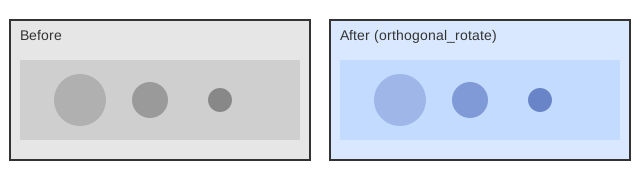
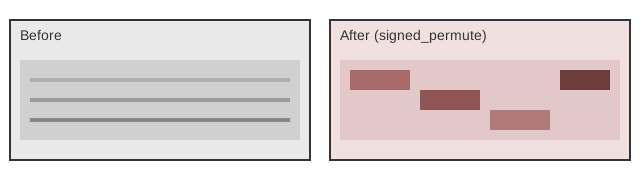
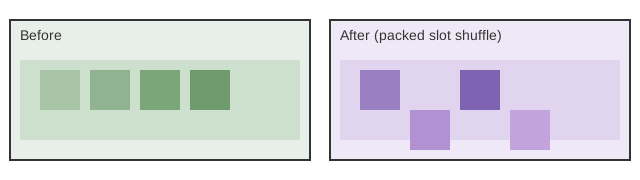
Development
Run tests with pytest.