
ComfyUI Extended
Nodes for ComfyUI that extend the core functionality without adding extra dependencies.
Nodes (18)
Push, bulge, shrink, or twirl your image — a mini Photoshop Liquify
A two-way image swap, with a naming twist
Pick between four masks with a single integer
Is that node actually outputting true? Now you can see it
Finally see the denoising strength, CFG, or whatever float your workflow is really using
Check the seed, steps, or batch size your workflow is really passing around
Actually see your mask on top of the image before you sample with it
See the text actually flowing through your workflow
Randomize your resolution on every run from a simple list
An integer that increments, decrements, or randomizes itself between runs
A text constant you can actually see, no extra pack required
Soften mask edges so inpaints and composites stop showing seams
Rectangle, ellipse, or triangle, positioned and rotated
Crop an image down to just the masked region — the face-fix workflow's opening move
Resize a mask to any size — or just the right size for your latent
A mini calculator that runs Python-ish expressions in your graph
Get an image's width and height as real INT values, instantly
Route one of two values by condition, without rewiring your whole graph
ComfyUI Extended
Nodes for ComfyUI that extend the core functionality without adding extra dependencies.
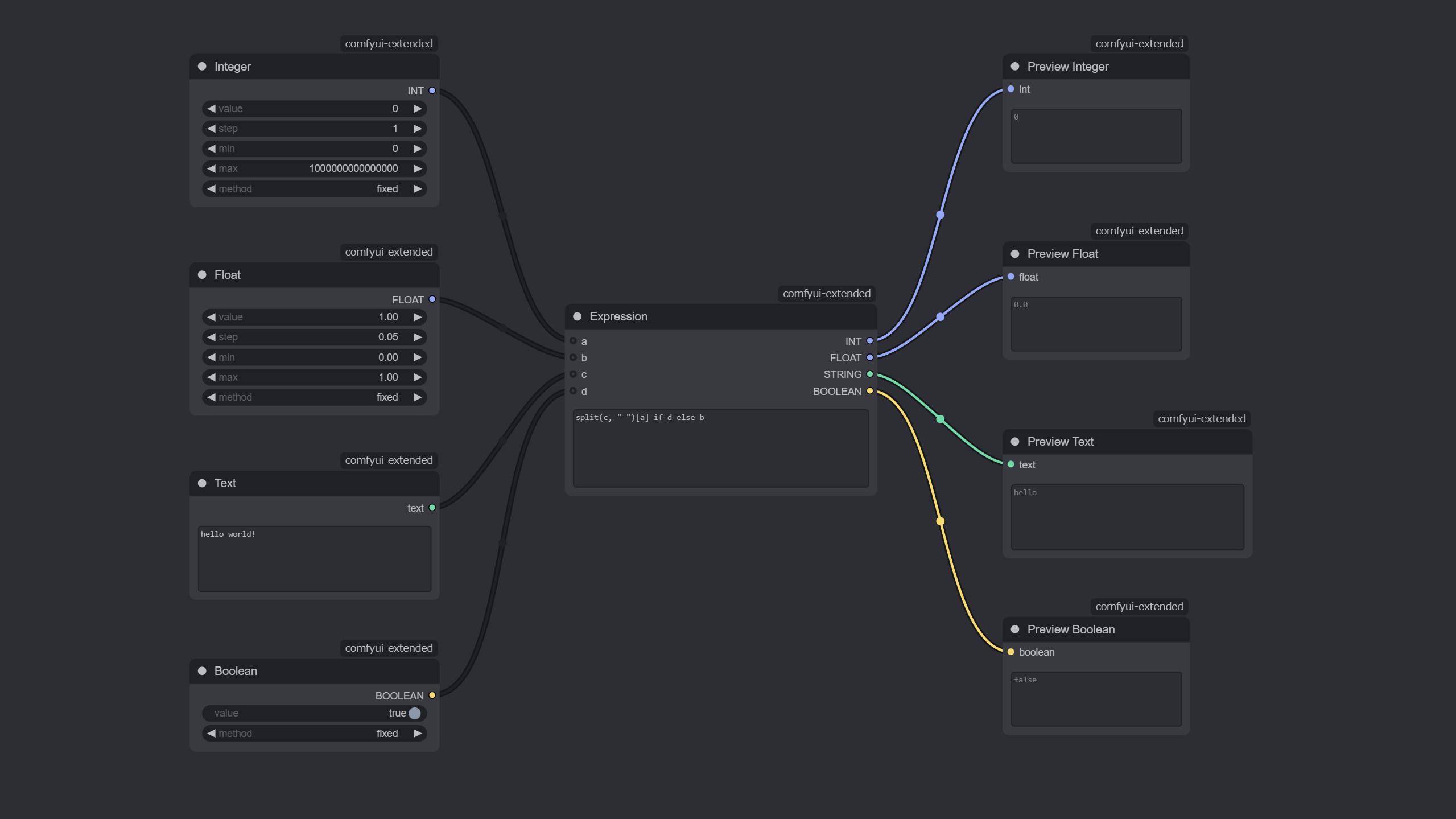
Features
- [x] Preview Nodes
- [x] Primitive Nodes
- [x] Utility Nodes
Installation
There are 2 ways to install this custom node:
ComfyUI Manager (Recommended)
- Install ComfyUI Manager if you don't have it yet.
- Find "ComfyUI Extended" in the Manager and install it.
Manual
cd /path/to/your/ComfyUI/custom_nodes
git clone https://github.com/rookiepsi/comfyui-extended.git
Restart ComfyUI to load the new nodes.
Usage
For detailed explanation of each node, please refer to the docs.
Contributing
Contributions are welcome! Please feel free to submit a Pull Request.
Development
- Look for an issue to work on or create a new one.
- Wait for approval.
- Fork this repository.
- Create a new branch
feature/[feature-name]orbug/[bug-name]. - Make your changes.
- Test your changes thoroughly.
- Create a Pull Request.
- Become a legend.
License
This project is licensed under the MIT license.