
ComfyUI Extension
ComfyUI_text_diff
Compare two texts with GitHub/GitLab-style diff highlighting in ComfyUI
dcyd-lun/ComfyUI_text_diff
Nodes1
On cloudLocal install
Categoryutils/text
Stars1
Updated11 months ago
Readme
ComfyUI Text Diff
Compare two text strings with GitHub/GitLab-style diff highlighting in ComfyUI.
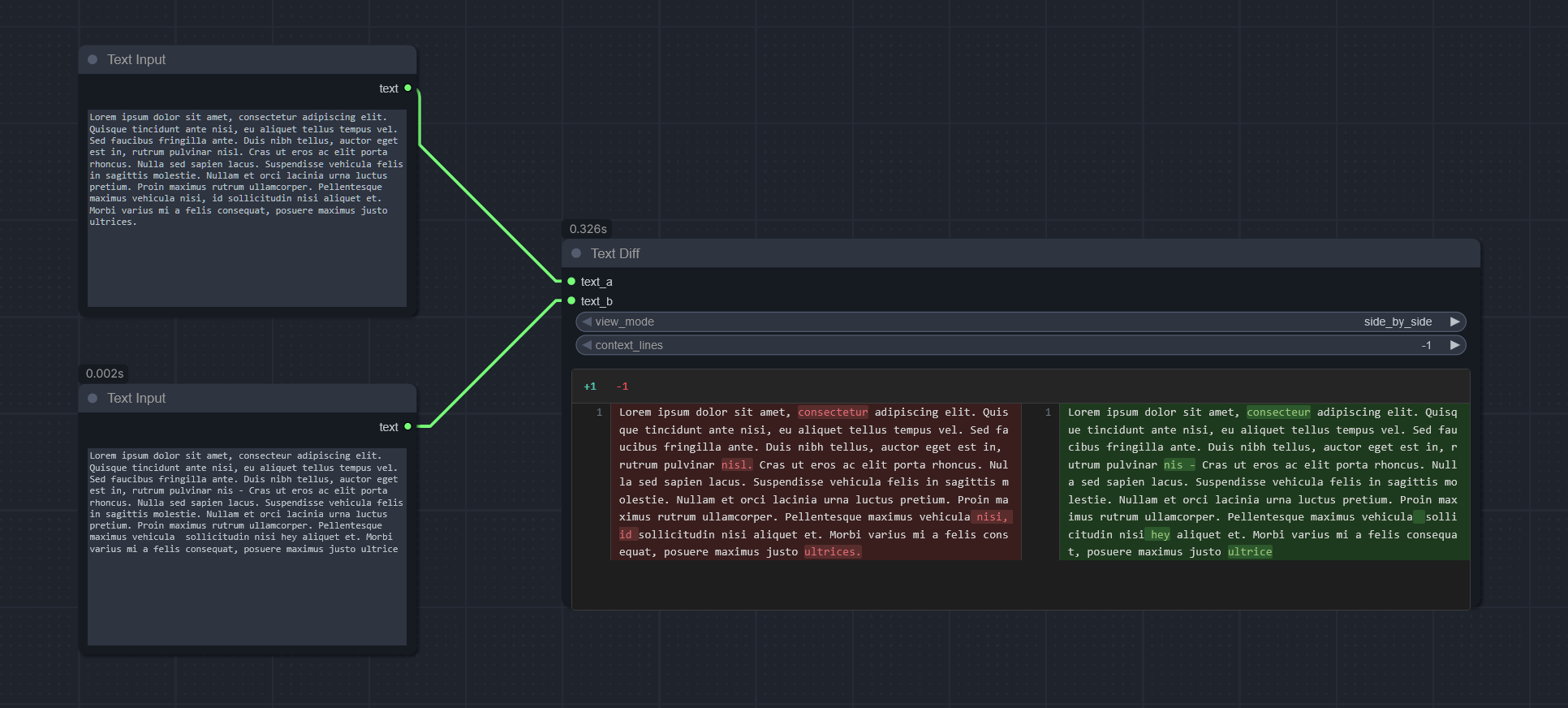
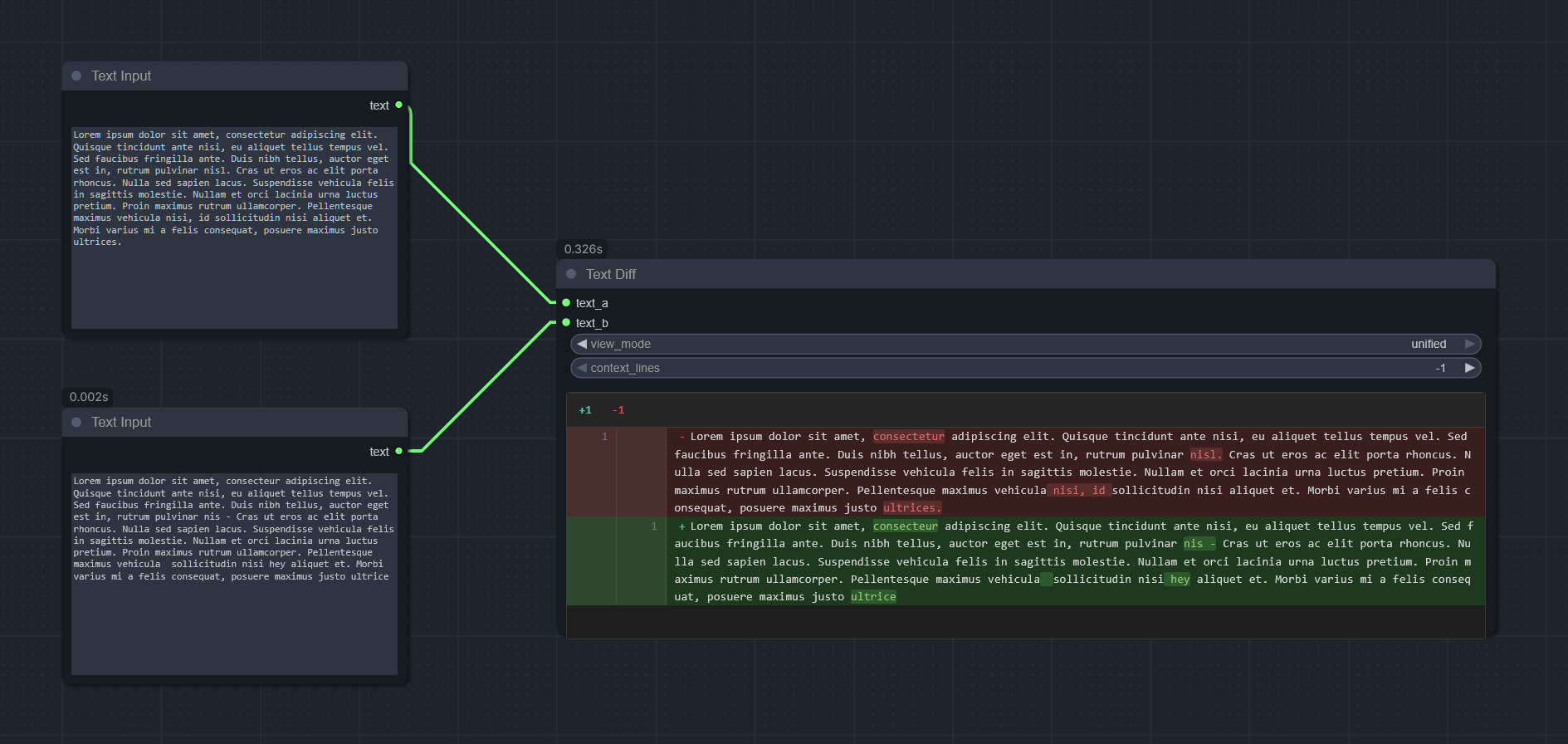
Features
- Line-by-line comparison with line numbers
- Character-level highlighting within changed lines
- Two display modes: Unified (single column) and Side-by-Side (two columns)
- Instant view mode switching without re-running the workflow
- Context lines control to focus on changes
- No external dependencies (Python standard library only)
Installation
Manual Installation
cd ComfyUI/custom_nodes
git clone https://github.com/dcyd-lun/ComfyUI_text_diff.git
Restart ComfyUI after installation.
Usage
- Add the Text Diff node from
utils/textcategory - Connect two text inputs (
text_aandtext_b) - Run the workflow to see the diff
- Switch between view modes instantly using the dropdown
Inputs
| Input | Type | Description |
|-------|------|-------------|
| text_a | STRING | Original text |
| text_b | STRING | Modified text |
| view_mode | DROPDOWN | side_by_side (default) or unified |
| context_lines | INT | Lines of context around changes (-1 = show all) |