
ComfyUI-XJNodes
A modular collection of custom nodes for ComfyUI, organized by data type for easy navigation and maintenance.
Nodes (64)
Grow an image list one picture at a time — the accumulator for loops
One toggle turns every LoRA in your stack on or off
Hold the model in VRAM while you work, unload it when you're done
Tell the model it's done, it can unload now
Drop a labeled breadcrumb in the console without breaking the flow
The empty list you need before you can grow one
Generate a list of floats between two numbers, exactly like a range()
Pull one specific image out of a list by index — negatives work
Batch Resizing Without the Stretch Marks
Turn a whole batch of images into one tidy grid, no extra node pack required
Strip the blank frames out of your image list automatically
How many images are in that list? Ask, don't guess.
Carve a range out of your image list like Python slicing
A/B your renders side by side with tabs, like rgthree's comparer
Preview any image and paint a mask on it, right inside the workflow
Flip, jitter, distort, repeat
A scale calculator that hands ComfyUI the numbers it actually wants
Target a megapixel count, not a lucky scale factor
Make the seed follow the picture, not the other way around
Data-augmentation transforms without leaving the graph
The subtract twin, for when your counter goes the other way
Add a number to an integer, with a wire instead of a widget
Seed offset in one node, the way the pack's README intends
Pull one value out of a JSON blob without a regex in sight
Load an image by exact path, because 'dynamic' beats 'convenient'
Load a whole folder of images as one batch, Inspire-Pack style
Dump a whole folder of images into the graph, sorted and capped
Load an image and get its whole biography back as data
The bottom half of the loop — where the magic (and the quirks) live
The for-loop ComfyUI kept promising you
Blow up a mask without turning every corner into a square
When your mask under-segments, teach it to follow color
The mask grower that knows where edges are
Reach into a batch and pull out image number N
Grab a random handful from a batch — with a couple of guest-list exceptions
A random string generator with a character set you control
Random prompts from a file you already keep on disk
A numbered prompt list where fixed, random, and ranged all make sense
Turn the sampler dropdown into a wire you can route
The saver that stuffs your prompt, workflow and notes into the file
Stop hand-picking sigmas, let the workflow decide
Auto-level the detail pass so it matches the scene
Soften the detail pass when sharp is the wrong call
Tune saturation and tone on the detail pass
Fix the tint the detail pass left behind
Stop the detail pass from changing the colors
How many segments did the detector actually find?
Grow a mask without clipping it at the crop edge
Crack a SEG open into image, mask, and coordinates
Keep only the SEGS you actually care about
Keep only the faces, drop the hands
Collapse a pile of detections into one combined region
Grab one segment out of the pile and do something custom
Grow masks along real color boundaries
Grow masks with edges and color keeping them honest
Unsharp-mask the detail pass before it lands
Paste a processed crop back into the original image
A different prompt for every detected segment
A string that does nothing, and that's the point
Ramp the sampling knobs across a multi-pass upscale
Peek at a prompt file before you use it
Turn a text file into a list of prompts
Grab the single value hiding inside a ComfyUI list
The one-line fix when ComfyUI wants a list and you've got a single value
ComfyUI-XJNodes
A modular collection of custom nodes for ComfyUI, organized by data type for easy navigation and maintenance.
Note: This repository is primarily for personal use and experimentation.
Available Nodes
This package provides custom nodes organized into four main categories:
Image Nodes
- Image Batch Resize (Pad/Crop) (
XJNodes/image)- Combine up to 8 image inputs into one batch, in input order. Each input may itself be a batch.
image_1is required;image_2throughimage_8may be disconnected orNoneand are skipped.- Set
widthandheightfor the output resolution (default: 1024 × 1024). pad: preserve the full image with centered black padding.crop: fill the target and crop excess from the center. Both preserve aspect ratio up to pixel rounding and use bilinear resizing with antialiasing.- Inputs must have matching channel counts. For more than 8 inputs, chain nodes using the same resolution.
Loaders:
-
Random Image from Dir (
XJNodes/image)- Returns one image, its transparency mask, and its absolute file path on each execution.
random: visits every image once in shuffled order before reshuffling; avoids an immediate repeat between cycles when there is more than one image.iteration: starts at a random position in the sorted file list, advances one file per execution, and wraps around.- Choose
inputoroutputand enter asubdirectory, or use Browse Subdirs, matching Load Image With Metadata. Enablerecursiveto include subdirectories. The selected image appears in the node preview after execution. Supports PNG, JPEG, WebP, BMP, TIFF, and GIF (first frame only), with EXIF orientation applied. - Memory is local to the node instance, is not saved in the workflow, and resets when the instance is recreated or the directory, mode, recursive setting, or file list changes. Empty/missing folders and unreadable images raise errors.
-
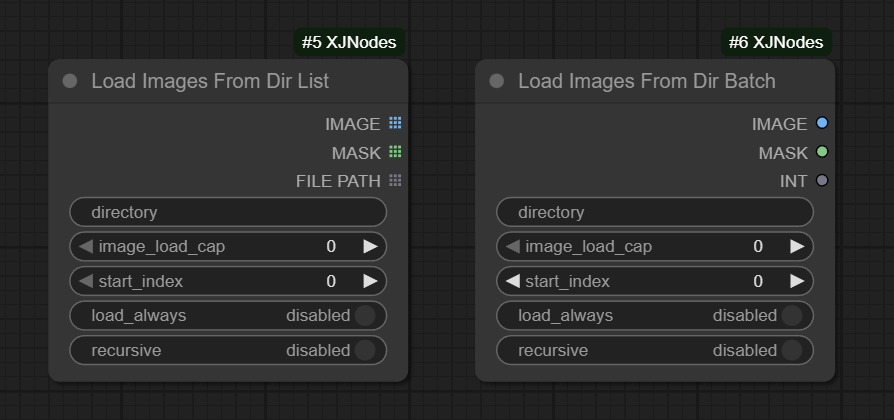
Load Images From Dir Batch / Load Images From Dir List
- Load multiple images from a directory as a batch/list, with options for image cap, start index.
- Allow Recursive loading
- Inspired by (Dr.Lt.Data's Inspire-Pack)
-
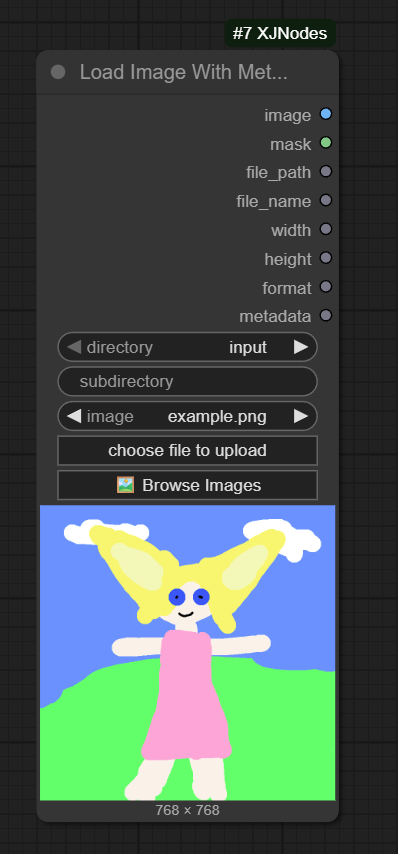
Load Image With Metadata
-
Load image from input/output directories with full metadata extraction
- dimensions
- format
- PNG text chunks
- workflow data
- extra metadata fields
-
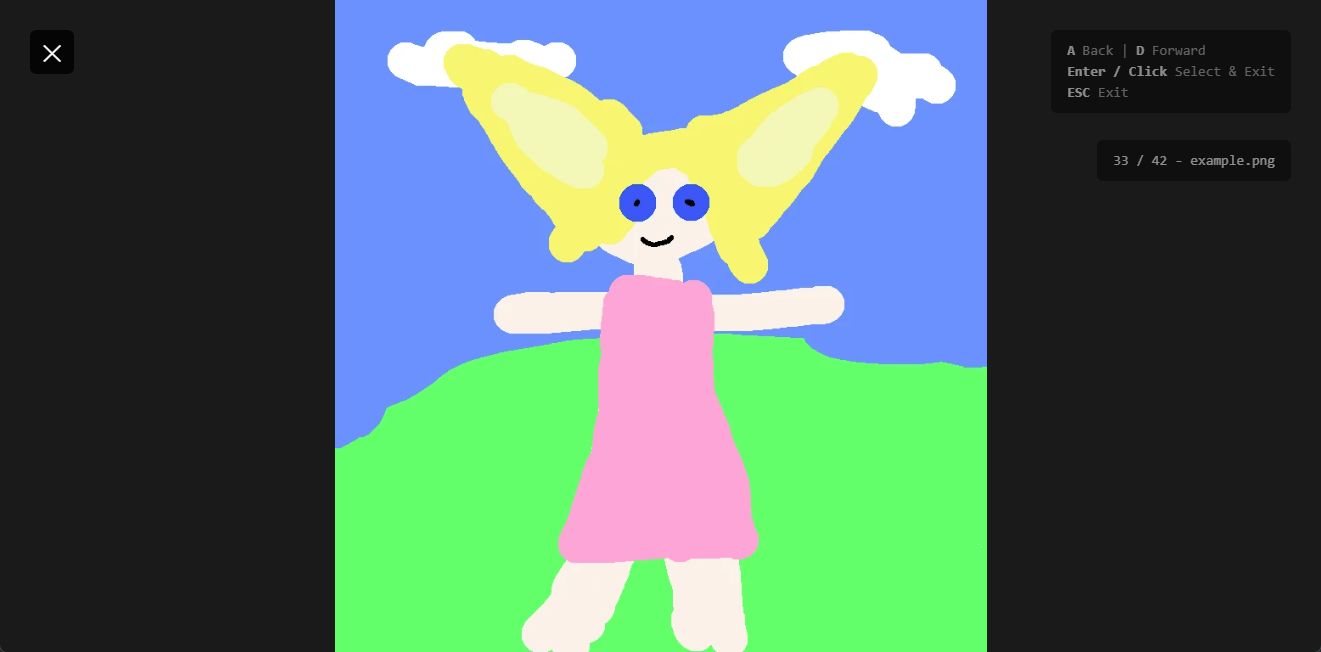
Browser UI for selecting images
-
-
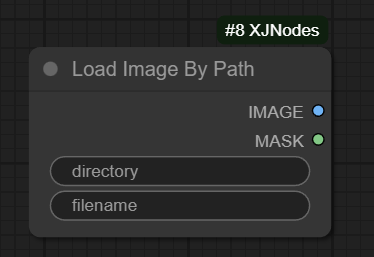
Load Image By Path
- Simple loader that takes directory and filename as string inputs
- Useful for dynamic loading based on workflow logic (E.g. Loading image path from metadata)
Savers:
-
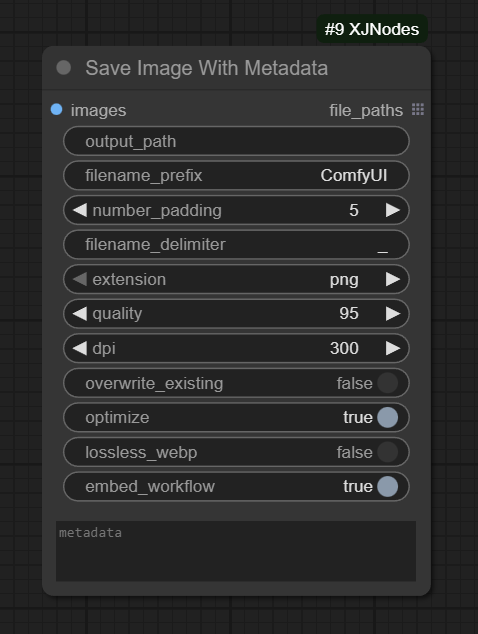
Save Image With Metadata
- Save images with embedded metadata, workflow, and custom metadata fields
- Options for output directory, filename patterns, and format (PNG/JPEG)
- Inspired by (WAS's WAS Node Suite)
Transforms:
- Image Transform
- Apply transformations to images with specified parameters
- Image Random Transform
- Apply random transformations to images for data augmentation
Scaling:
- Image Scale Calc
- Calculate scaling dimensions for images
- Image Scale Megapixel
- Scale images to target megapixel resolution
Batch:
- Image Grid
- Arrange multiple images into a grid layout
- One Image From Batch
- Extract a single image from a batch by index
- Image List Filter
- Filter images from a list based on criteria
- Random Images From Batch
- Randomly select images from a batch
Compare:
- Image Pair Compare
- Compare two image sets with paired selection
- Numeric tabs (1, 2, 3...) to select corresponding A/B image pairs
- Slide and Click comparison modes
- Sliding right reveals A; sliding left reveals B; "Open Image" opens the image with the larger visible area
- Image size display under each image
- Inspired by rgthree's Image Comparar
Lora Nodes
- Conditional Lora Loader
- Load multiple loras dynamically with a single boolean condition
- Enable/disable all loras with one toggle
- Supports multiple lora inputs (lora_1, lora_2, etc.) with individual strength controls
- Inspired by rgthree's Power Lora Loader
Text Nodes
Loaders:
-
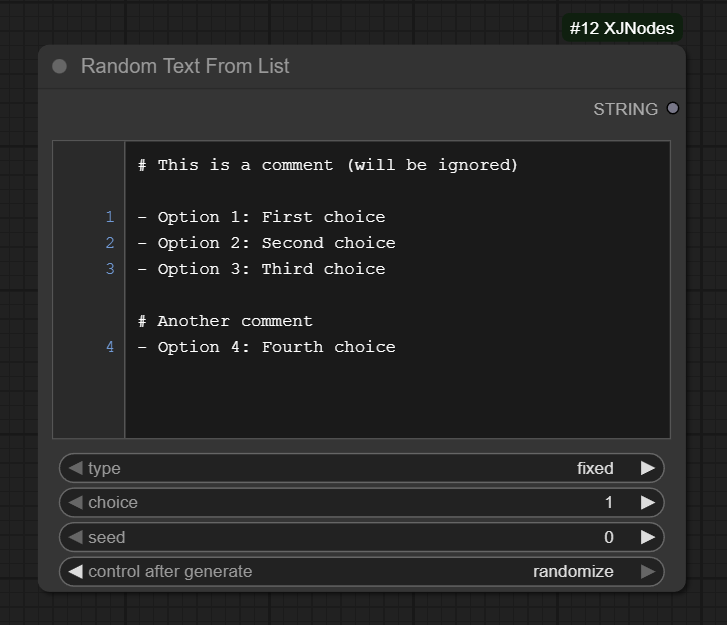
Random Text From List
- Select text from a numbered list widget (fixed or random selection)
- Fixed or random selection options
- Simple YAML-like list syntax
- Use full-line comments such as
# Landscapesas section headings. Click T (Table of contents) in the editor toolbar to list headings with source line numbers, then select one to scroll to and highlight its line. Tab/Enter navigate the buttons; Escape closes the contents. Headings remain excluded from text selection. - Useful for prompts, captions, tags, selection.
- Optional
memory(off by default) reduces repeats inrandomandlistmodes. Enable it to draw from a shared-across-instances, per-node bag of distinct candidate texts. Selected texts are removed; before the next draw, the bag refills if strictly less than 25% remains. With 60 distinct candidates, the first 46 draws are distinct, then the bag refills on draw 47. Refills avoid immediately repeating the last result when alternatives exist; earlier results can repeat after a refill. - Set
cache_timeto the selection memory idle timeout in seconds (default 7200 = 2 hours, minimum 1). Each draw restarts that bag’s timer. Bags idle for more than their configured timeout are removed on the next memory-enabled draw; restarting ComfyUI clears all bags. This controls selection memory, not ComfyUI’s output cache. Changing candidate texts or their order resets the bag; changing seed does not. - Memory is separated by workflow ID (when supplied), node ID, and selection mode. Set a different
memory_idper workflow when workflow metadata is unavailable (for example, API submissions); otherwise workflows using the same node ID and mode can share memory. A nonemptymemory_idoverrides the workflow ID. - With memory enabled, duplicate indices/texts count as one candidate, and results depend on both seed and previous draws. Only actual node execution consumes a draw: keep changing seed between runs, since cached outputs do not advance the bag.
fixedmode and memory-off selection retain their previous behavior.
-
Random Text From File
- Select text from .txt or .md files in input directory (supports comments with #, list items with -)
-
Text List From File
- Load all valid lines from a text file as a list
Info:
- Text File Info
- Get information about text files (line count, etc.)
JSON:
-
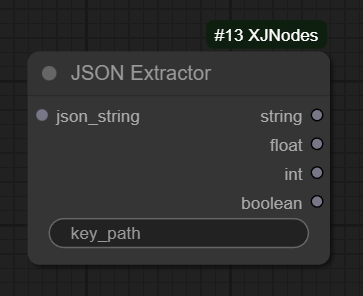
JSON Extractor
- Extract value from JSON data structures
- Supports x.y.z notation for nested keys
- Useful for parsing metadata from files.
Primitives
Adapters:
- Scheduler Adapter
- Adapter for ComfyUI scheduler compatibility
- Sampler Adapter
- Adapter for ComfyUI sampler compatibility
- StringPass
- Simple string passthrough utility
Integers:
-
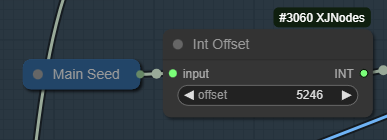
Int Offset
- Add offset to integer values
- Add or subtract offset based on parameter
- Useful for seed offset from main seed.
-
Integer Increment
- Increment integer by a value
-
Integer Decrement
- Decrement integer by a value
Floats:
- Float Range List
- Generate a list of float values within a range
Lists:
- Empty Image List - Create an empty list for accumulation
- Append to Image List - Add images to a list (handles batch tensors)
- Get Image from List - Extract single image by index
- Image List Slice - Extract range of images
- Image List Length - Get list size
- Wrap as List / Unwrap from List - Convert between single values and lists
Flow Control
Loop System:
- Loop Start / Loop End
- Index-based iteration with up to 20 value slots
- Featured: Preserves lists as-is - No auto-expansion, lists stay intact through iterations
- Supports image list accumulation patterns
- See docs/loop-system.md for implementation details
Specialized
SUPIR:
- SUPIR Parameters
- Helper node for SUPIR upscaling workflow parameters
Installation
- Navigate to your ComfyUI custom nodes directory:
cd ComfyUI/custom_nodes/
- Clone this repository:
git clone https://github.com/yourusername/ComfyUI-XJNodes.git
- Restart ComfyUI
Requirements
See requirements.txt for any additional dependencies.
License
This project is licensed under the GNU General Public License v3.0 (GPL-3.0).