
ComfyUI Extension
ComfyUI_RetroArch_Player
Simple ComfyUI RetroArch Web Player embed
WASasquatch/ComfyUI_RetroArch_Player
Nodes1
On cloudLocal install
CategoryWAS/Play
Stars2
Updated10 months ago
Readme
ComfyUI RetroArch Player
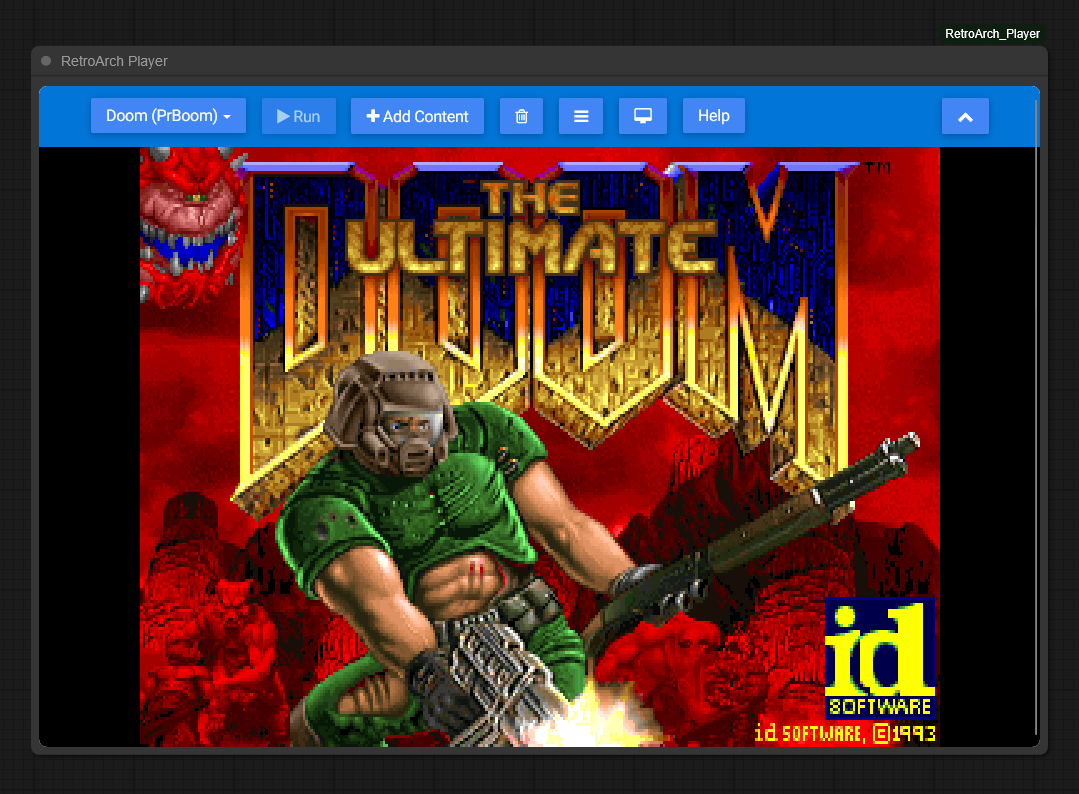
Embeds the RetroArch Web Player inside a ComfyUI node.
This project uses the hosted RetroArch web player:
- https://web.libretro.com/
Install
-
Option A (git clone)
- Clone this repo into:
ComfyUI/custom_nodes/ComfyUI_RetroArch_Player
- Clone this repo into:
-
Option B (Manager)
- Open Manager and install ComfyUI_RetroArch_Player
-
Option C (zip)
- Download the repo as a zip.
- Extract it to:
ComfyUI/custom_nodes/ComfyUI_RetroArch_Player
Restart ComfyUI after installing.
Usage
-
Add the node
- In ComfyUI, add the node:
ComfyRetroArchPlayer(RetroArch Player)
- In ComfyUI, add the node:
-
Use RetroArch
- The player UI is embedded inside the node.
- Use the RetroArch menu to select a core and load content.
- Supports many systems including NES, SNES, Genesis, PlayStation, and more.
Notes
-
Hosted web app
- This embed loads
https://web.libretro.com/in an iframe, so it requires internet access.
- This embed loads
-
Fullscreen limitations
- Due to cross-origin restrictions, the fullscreen button in RetroArch may not work within the iframe.
Troubleshooting
-
The player UI doesn't update after changes
- Do a hard refresh in your browser:
Ctrl+F5
- Or clear browser cache for the ComfyUI site.
- Do a hard refresh in your browser:
-
Node appears but iframe is missing/blank
- Open DevTools Console and look for errors.
- Confirm that
https://web.libretro.com/is reachable from your browser.
-
Iframe seems misaligned during zoom/pan
- Make sure you're running the latest
web/comfy_retroarch_player.jsfrom this repo. - If you have multiple copies installed, remove old versions from other
custom_nodesfolders.
- Make sure you're running the latest
-
I uploaded a rom with "Add Content" but it doesn't show up
- Now that you've uploaded a ROM, click "Load Content" and and click "Start Directory" to see uploaded ROMs to select.
- Select the ROM file and it will list compatible cores to select.
- Select the core and the game should launch.
Credits / License
- RetroArch Web Player: web.libretro.com by the libretro team
- This extension embeds the hosted RetroArch web player via iframe.