
SnJake_Baikal_Swin_Anime
SnJake Baikal-Swin-Anime x2 is a custom ComfyUI node for upscaling anime/illustration images with a dedicated restoration model.
Nodes (2)
Baikal Anime Upscaler
x2 upscaling for anime and illustrations, with Baikal LoopSR and SwinFIR v31.
Download models · Example workflow
Examples
Bicubic x2 → Baikal LoopSR x2. Same display size, no additional sharpening. LoopSR: EMA step 24000, loops 4.
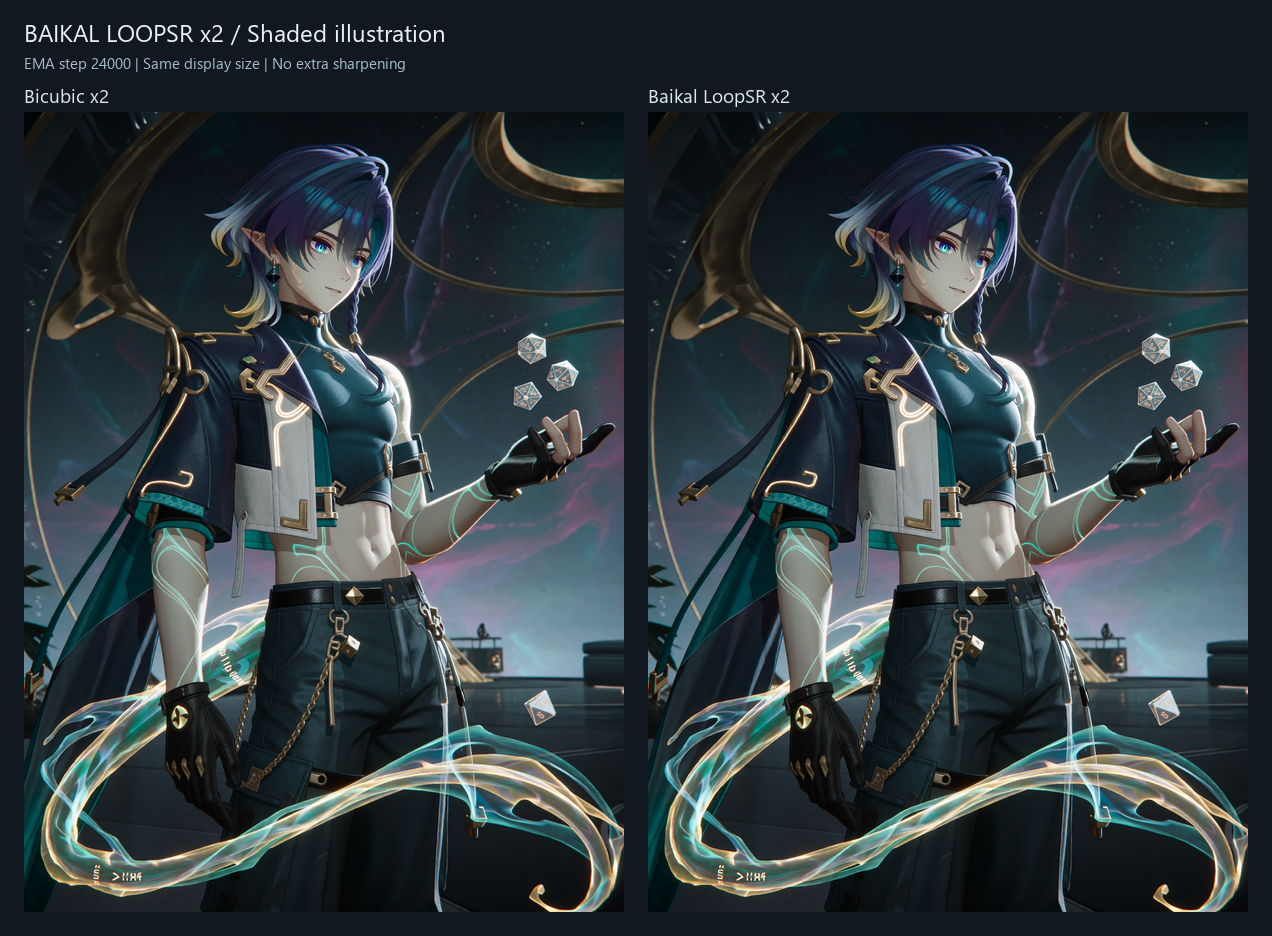
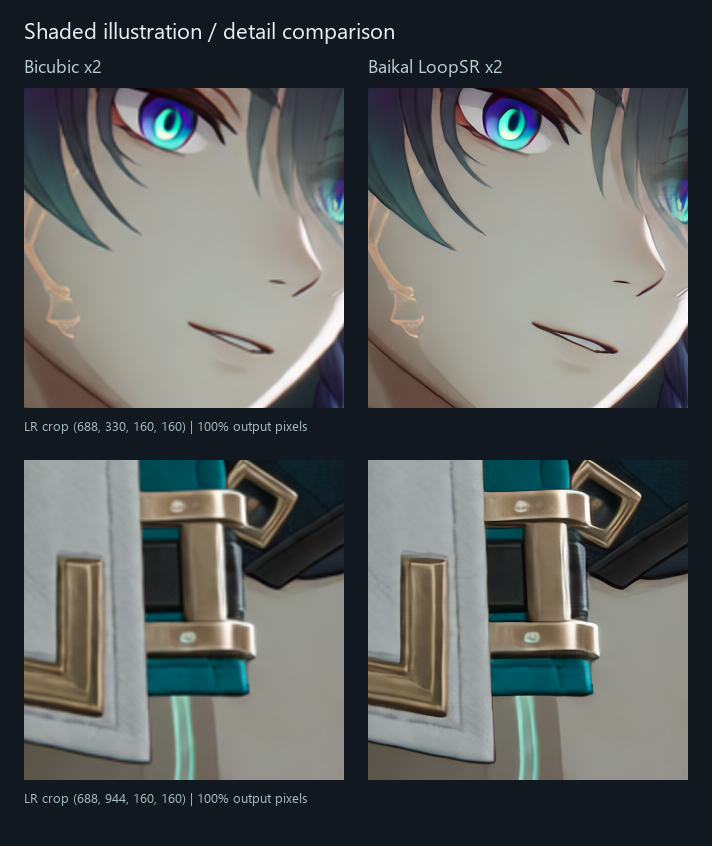
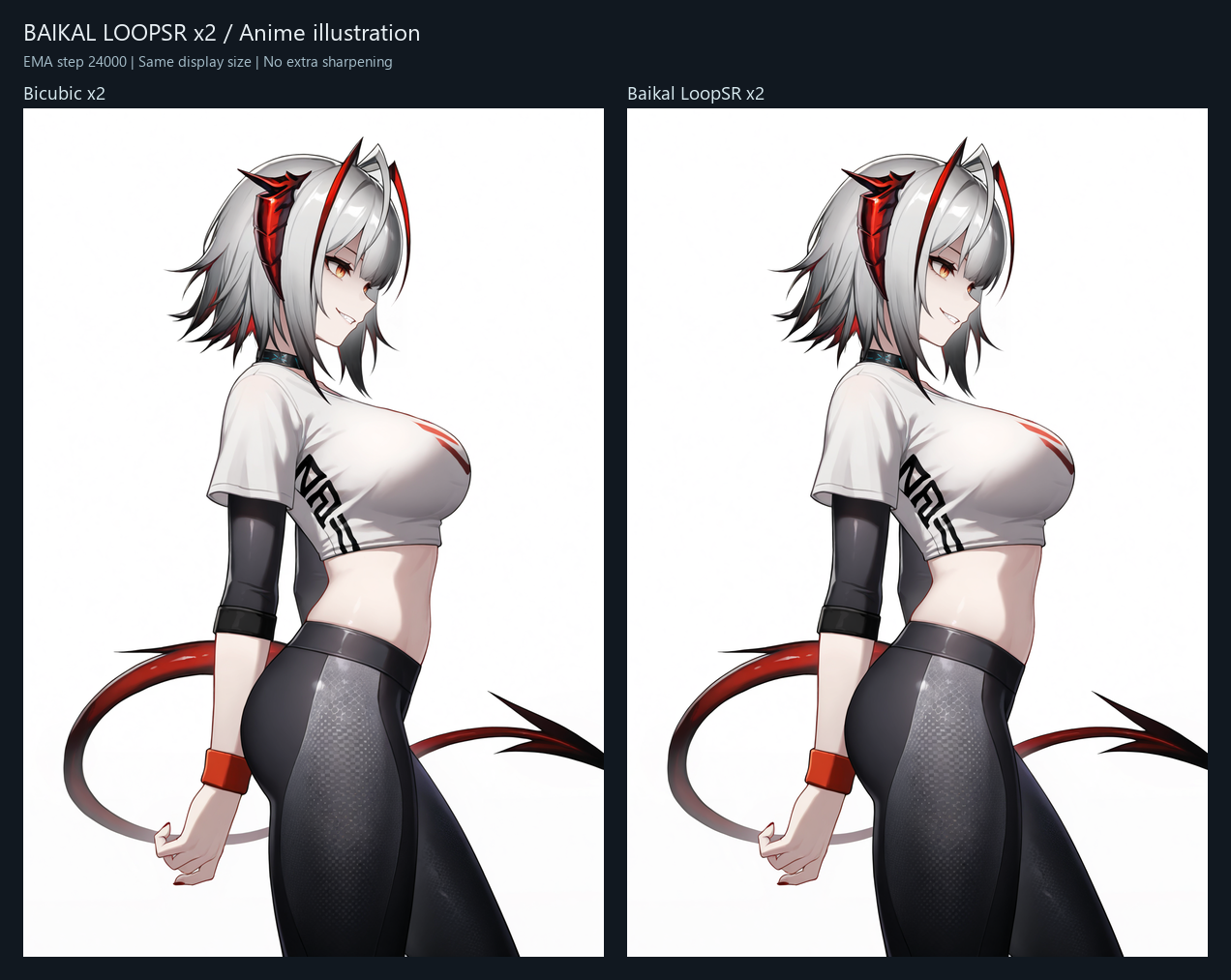
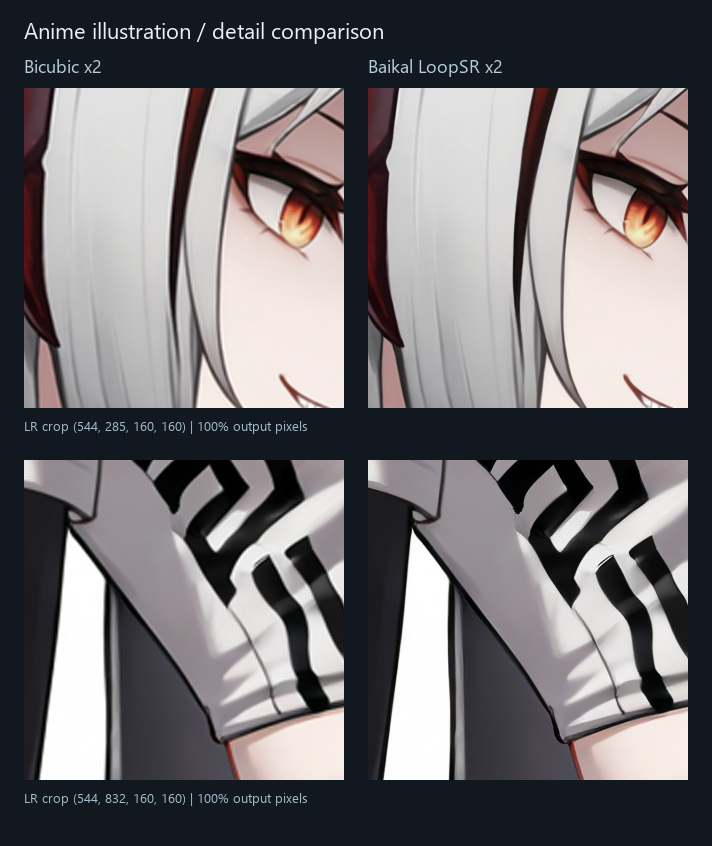
Full-resolution inputs/results: Hugging Face examples.
Installation
Clone into ComfyUI/custom_nodes, install requirements with ComfyUI's Python, then restart:
git clone --branch dev https://github.com/SnJake/ComfyUI-Baikal-Anime.git
python -m pip install -r ComfyUI-Baikal-Anime/requirements.txt
For Windows portable, from its root:
python_embeded\python.exe -m pip install -r ComfyUI\custom_nodes\ComfyUI-Baikal-Anime\requirements.txt
Use one checkout; update the existing installation instead of installing a duplicate. Place weights in ComfyUI/models/anime_upscale/ or let the loader download them.
Usage
Category Baikal/Upscale: Baikal Model Loader → Baikal Anime Upscale → Save Image.
| Model | File |
|---|---|
| Baikal LoopSR x2 | Baikal_LoopSR_x2.safetensors |
| Baikal SwinFIR v31 | Baikal_SwinFIR_Anime_x2_v31.safetensors |
LoopSR supports loops 1–4. Default tiling: 256 / overlap 32 / halo 96 in LR pixels; tile: 0 attempts a whole-image forward. Precision: auto/BF16/FP16/none, CPU or CUDA. The loader's UPSCALE_MODEL output also works with the standard image-upscaling node.
Standalone LoopSR:
python tools/infer.py --weights Baikal_LoopSR_x2.safetensors --input input.png --output output.png
LoopSR adapts shared loops, XSA and deep supervision from Looped Diffusion Transformer. Technical notes.
MIT · License