
ComfyUI Voice Clone
Custom TTS node that clones voice from a reference audio and speaks entered text.
Nodes (3)
ComfyUI Voice Clone
Custom TTS node that clones voice from a reference audio and speaks entered text.
Install Voice Clone Custom Node
Install the ComfyUI Voice Clone custom node using the manager,
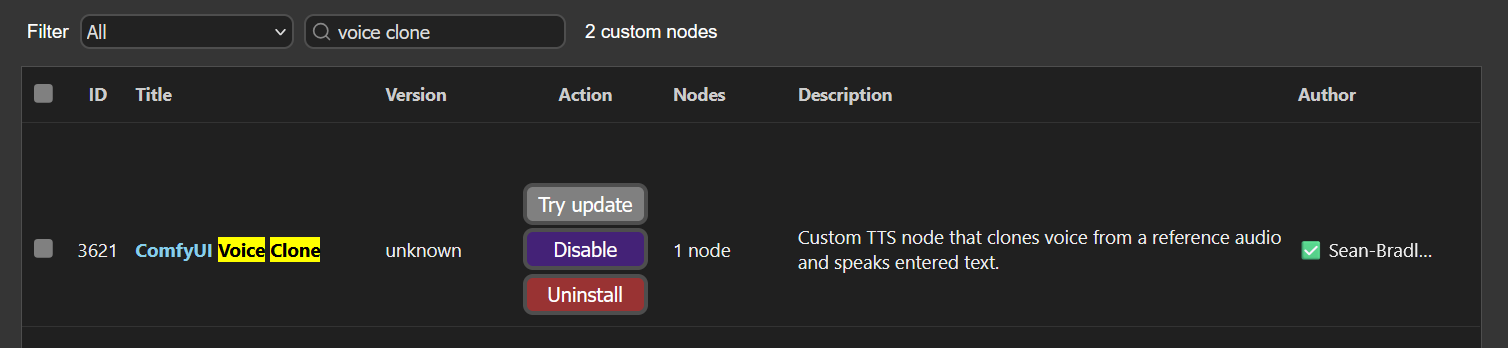
Or, install using your command/terminal prompt.
- Navigate to your
ComfyUI/custom_nodesfolder. - Run,
git clone https://github.com/Sean-Bradley/ComfyUI-Voice-Clone.git - Navigate to your
ComfyUI_windows_portablefolder. - Run,
python_embeded\python -m pip install -r ComfyUI/custom_nodes/comfyui-voice-clone/requirements.txt - Restart ComfyUI
Install Models
All required models can be downloaded from https://huggingface.co/Sean-Bradley/ComfyUI/tree/main/models/tts/chatterbox
Ensure that your folder structure and downloaded files resemble this below.
📂 ComfyUI/
├── 📂 models/
│   ├── 📂 tts/
│   │   └── 📂 chatterbox/
|   |       ├── conds.pt
|   |       ├── s3gen.safetensors
|   |       ├── t3_cfg.safetensors
|   |       ├── tokenizer.json
|   |       └── ve.safetensors
Example Workflow Layouts
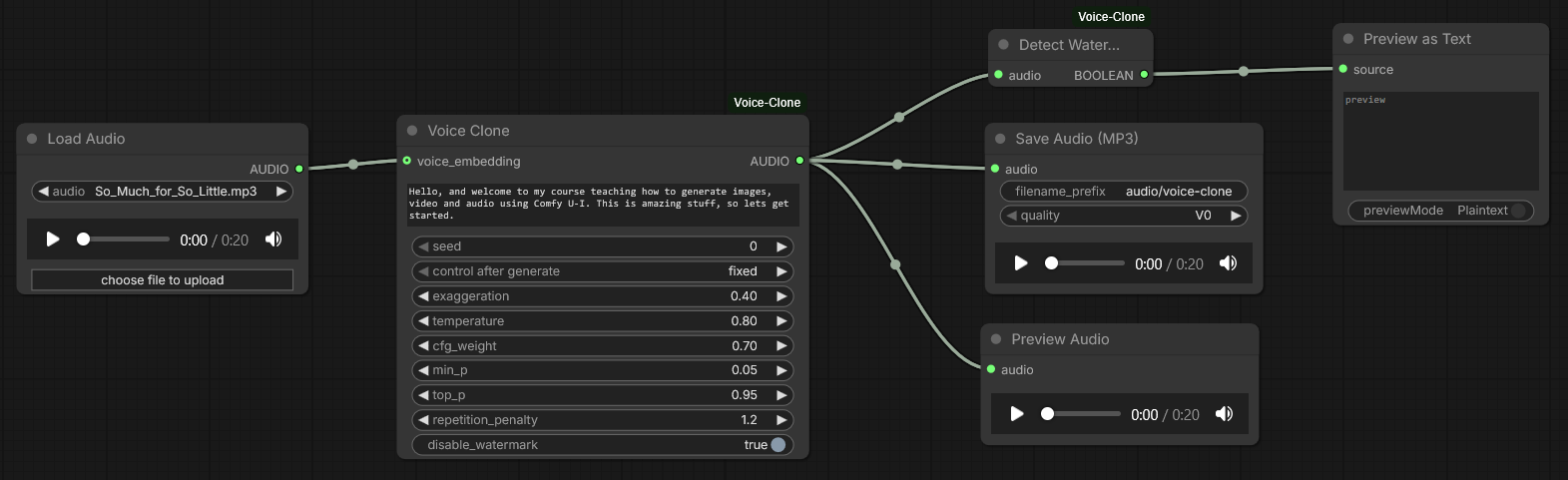
Voice Clone
Download <a href="docs/voice-clone_00001_.mp3" download style="white-space: nowrap">Example Voice Clone</a> and drag into ComyfUI to see the workflow.
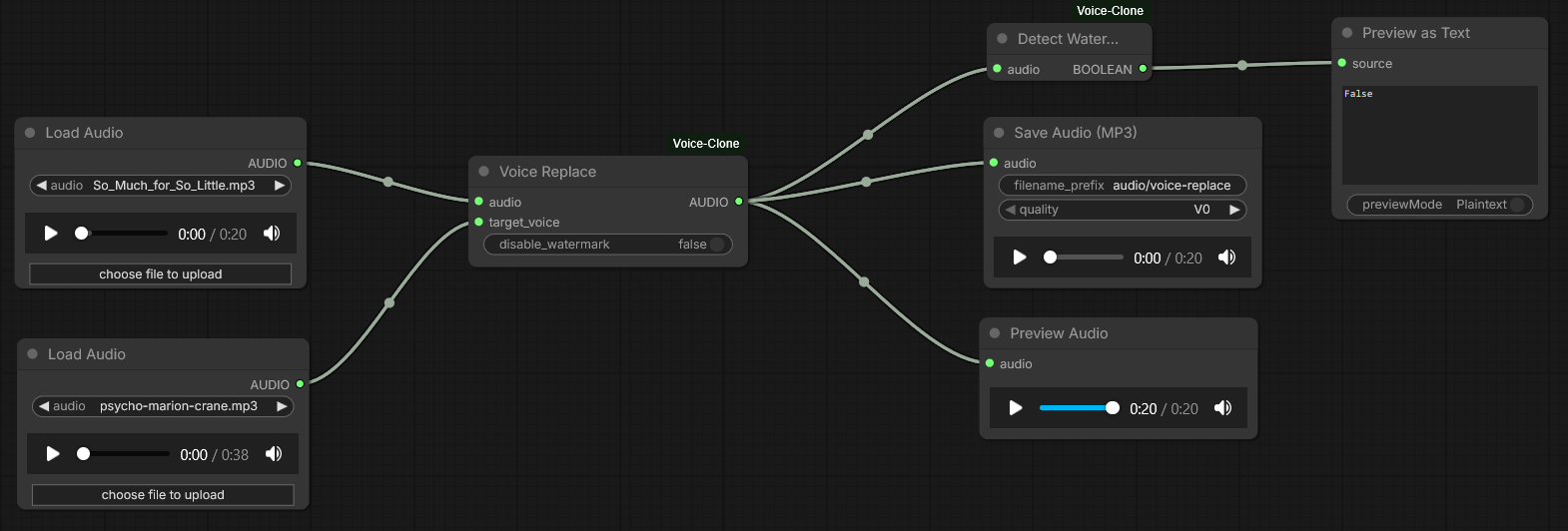
Voice Replace
Download <a href="docs/voice-replace_00001_.mp3" download style="white-space: nowrap">Example Voice Replace</a> and drag into ComyfUI to see the workflow.
Sample Audios
| Download | Description | | ------------------------------------------------------------------------------------- | ------------------------------------------------------------------------------------------------------------------------------------------------------------------- | | So_Much_for_So_Little.mp3 | Audio snippets assembled from So Much for So Little animated cartoon. Copyright © 1949 Warner Bros. Cartoons | | puss-n-booty-lady.mp3 | Audio snippets assembled from Puss n' Booty animated cartoon. Copyright © 1943 Warner Bros. Cartoons | | scrap-happy-daffy-duck.mp3 | Audio snippets assembled from Scrap Happy Daffy animated cartoon. Copyright © 1949 Warner Bros. Cartoons | | Night of the Living Dead 1968 (man) | Audio snippets assembled from Night of the Living Dead (1968). Copyright © 1968 Image Ten, Inc | | Night of the Living Dead 1968 (woman) | Audio snippets assembled from Night of the Living Dead (1968). Copyright © 1968 Image Ten, Inc | | Psycho (Norman Bates) | Audio snippets assembled from Psycho (1960). Copyright © 1960 Shamley Productions, Inc. | | Psycho (Marion Crane) | Audio snippets assembled from Psycho (1960). Copyright © 1960 Shamley Productions, Inc. |
Settings
| Setting | Description |
| -------------------------- | ------------------------------------------------------------------------------------------------------------------------------------------------------------------------------------------------------------------------------------------------------------------------------------------------- |
| exaggeration | Controls the expressiveness / prosody of the generated voice. Higher values make the speech more emphatic and varied; lower values produce a flatter, more neutral delivery. Valid range: 0.25 - 2.0. |
| temperature | Sampling temperature for the text-to-speech decoder. Higher values increase randomness and variety in the generated audio; lower values make outputs more conservative and deterministic. Valid range: 0.15 - 2.0. |
| cfg_weight | Classifier-free guidance (CFG) weight that balances adherence to the text conditioning vs. model priors. Larger values force the model to follow the conditioning (text/prompt) more strongly, which can improve faithfulness but may increase artifacts if set too high. Valid range: 0.05 - 1.0 |
| min_p | A lower-probability cutoff used during sampling to filter extremely unlikely tokens or frames. Helps avoid very low-probability outputs that could degrade quality. Valid range: 0.0 - 1.0 |
| top_p | Nucleus (top-p) sampling cumulative probability threshold. The decoder samples from the smallest set of tokens whose cumulative probability ≥ top_p. top_p = 1.0 disables nucleus filtering (i.e., sample from full distribution). Valid range: 0.0 - 1.0 |
| repetition_penalty | Penalizes repetition during generation. Values > 1.0 discourage repeating the same tokens/frames, reducing looping/redundancy in speech. Valid range: 1.0 - 2.0 |
| voice_embedding (optional) | If provided, an audio reference is used as an audio prompt for voice cloning. |
| disable_watermark | By default, audio output is watermarked using PerTh Watermarking. You can disable this by selecting true. |
About
This custom node uses resemble-ai/chatterbox under the hood.