
SCG_LocalVLM
This is an implementation of Qwen3-VL for ComfyUI, which supports for text-based and single-image queries.
Nodes (4)
The no-frills text LLM node hiding inside the VL pack
The text-only node that writes your prompts for you
Qwen2.5VL turns an image plus a sentence into text
The original local vision-language node, still the one for captioning
ComfyUI Qwen VL Nodes
This repository provides ComfyUI nodes that wrap the latest vision-language and language-only checkpoints from the Qwen family. Both Qwen3 VL and Qwen2.5 VL models are supported for multimodal reasoning, alongside text-only Qwen2.5/Qwen3 models for prompt generation.
What's New
- Custom Model Support: Load any Qwen2.5/Qwen3 compatible model from HuggingFace via
custom_models.json - Multi-Image Input: QwenVL node now supports up to 4 image inputs for multi-image reasoning
- Bypass Mode: Skip model inference and pass text directly through for workflow debugging
- Increased Token Limit: Max tokens increased to 8000 for longer outputs
- System Prompt: QwenVL node now exposes system prompt for custom instructions
- Added support for the Qwen3 VL family (
Qwen3-VL-4B-Thinking,Qwen3-VL-8B-Thinking, etc.) - Retained compatibility with existing Qwen2.5 VL models
- Text-only workflows support both Qwen2.5 and Qwen3 instruct checkpoints
Performance & Attention Modes
Attention Mode Options: auto, sdpa, flash_attention_2, eager
| Mode | Recommendation |
|------|----------------|
| sdpa | Recommended - Best compatibility and performance on most GPUs |
| flash_attention_2 | Fastest on SM 80-90 GPUs (RTX 30/40 series). Requires pip install flash-attn |
| eager | Fallback for compatibility issues |
| auto | Defaults to SDPA |
Quantization Notes:
- Non-quantized with SDPA: ~17 tokens/sec on RTX 5090
- 4-bit quantization: May be slower on newer GPUs (Blackwell) due to kernel compatibility
Sample Workflows
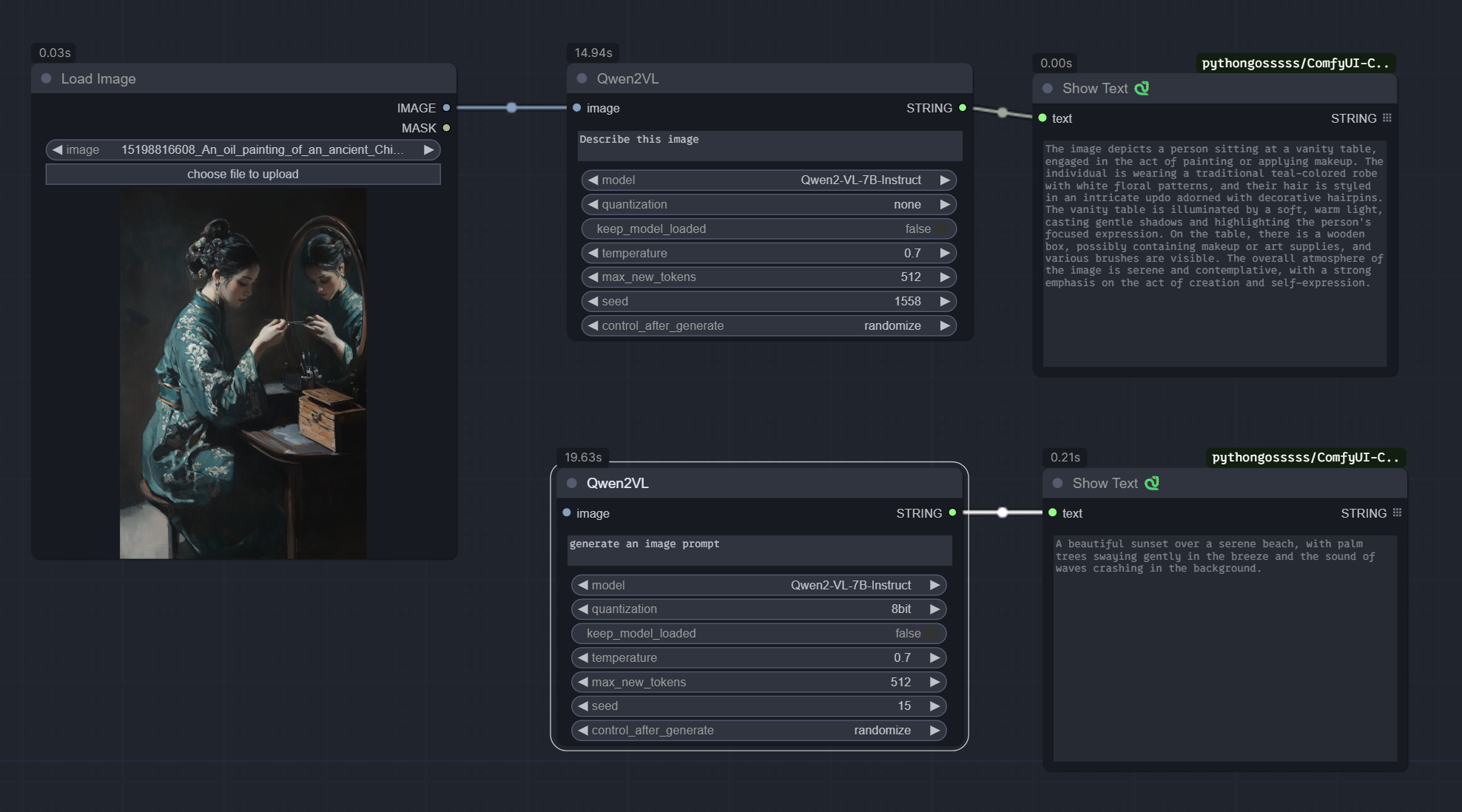
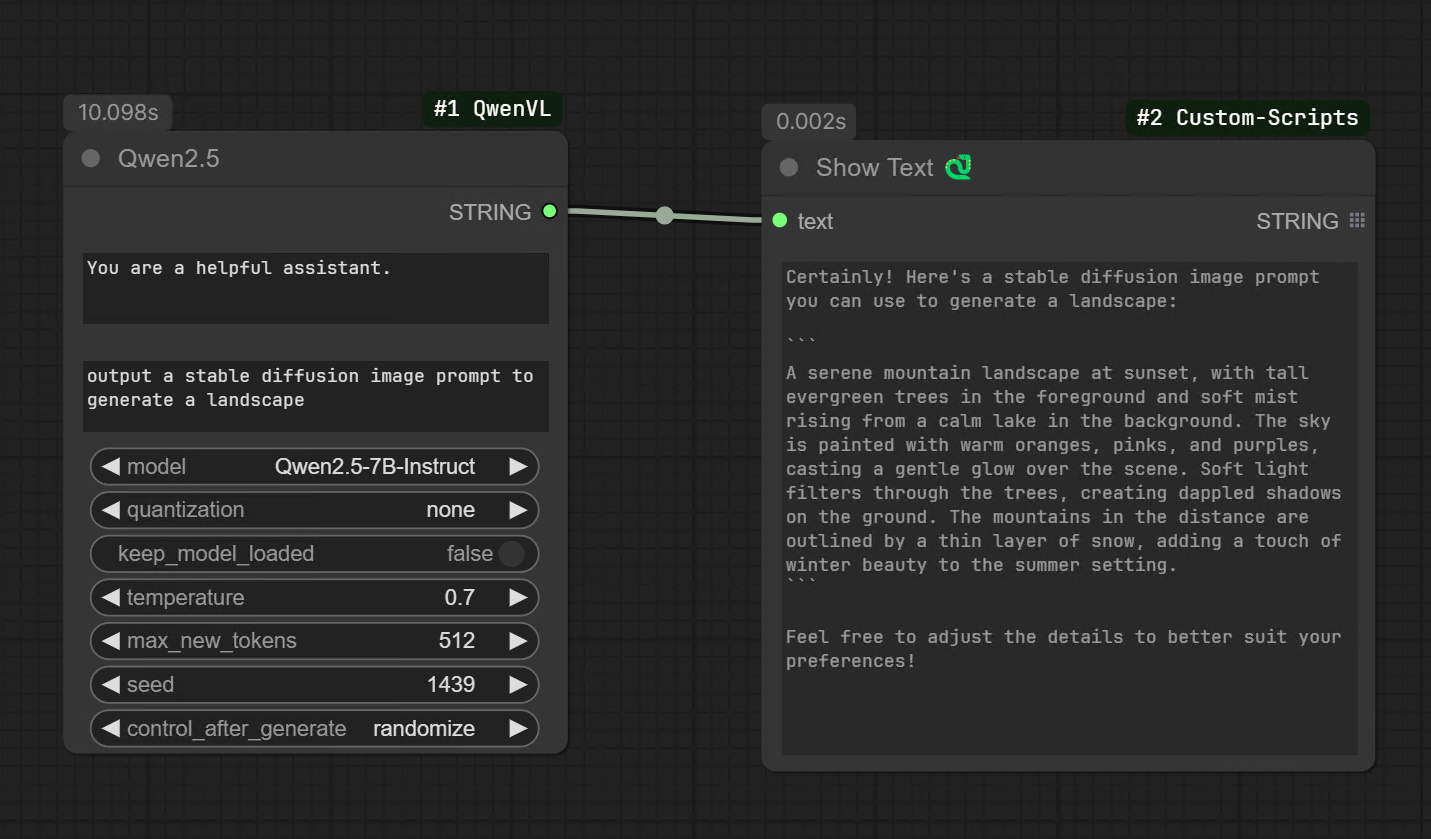
- Multimodal workflow example:
workflow/Qwen2VL.json - Text generation workflow example:
workflow/qwen25.json
Installation
You can install through ComfyUI Manager (search for Qwen-VL wrapper for ComfyUI) or manually:
-
Clone the repository:
git clone https://github.com/alexcong/ComfyUI_QwenVL.git -
Change into the project directory:
cd ComfyUI_QwenVL -
Install dependencies (ensure you are inside your ComfyUI virtual environment if you use one):
pip install -r requirements.txtNote: This only installs a minimal set of dependencies that aren't already provided by ComfyUI:
huggingface_hub- For downloading modelsaccelerate- For efficient model loading with quantizationqwen-vl-utils- Qwen vision-language utilitiesbitsandbytes- Quantization support (4bit/8bit)
Core dependencies like PyTorch, Transformers, NumPy, and Pillow are already included with ComfyUI.
Supported Nodes
QwenVL Node (Vision-Language)
Multimodal generation with Qwen3 VL and Qwen2.5 VL checkpoints.
Inputs:
system– System prompt for model instructions (default: "You are a helpful assistant.")text– User prompt/questionimage1,image2,image3,image4– Up to 4 optional image inputs (processed in order)video_path– Optional video inputmodel– Select from built-in or custom modelsquantization– none/4-bit/8-bit for memory optimizationkeep_model_loaded– Cache model between runsbypass– Pass text directly to output without inferencetemperature– Sampling temperature (0-1)max_new_tokens– Maximum output tokens (up to 8000)seed– Manual seed for reproducibility (-1 for random)
Qwen Node (Text-Only)
Text-only generation backed by Qwen2.5/Qwen3 instruct models.
Inputs:
system– System promptprompt– User promptmodel– Select from built-in or custom modelsquantization– none/4-bit/8-bitkeep_model_loaded– Cache model between runsbypass– Pass prompt directly to output without inferencetemperature,max_new_tokens,seed– Generation parameters
Custom Models
You can add any Qwen2.5 or Qwen3 compatible model from HuggingFace by editing the custom_models.json file in this directory.
Adding Custom Models
Edit custom_models.json with the following structure:
{
  "hf_models": {
    "My-Custom-Model-Name": {
      "repo_id": "username/model-repo-name",
      "model_class": "Qwen3",
      "default": false,
      "quantized": false,
      "vram_requirement": {
        "4bit": 4,
        "8bit": 6,
        "full": 12
      }
    }
  }
}
Field Descriptions
| Field | Required | Description |
|-------|----------|-------------|
| repo_id | Yes | HuggingFace repository ID (e.g., "coder3101/Qwen3-VL-2B-Instruct-heretic") |
| model_class | No | Force model architecture: "Qwen3" or "Qwen2.5". Auto-detected from name if omitted. |
| default | No | Reserved for future use |
| quantized | No | Informational: whether the model is pre-quantized |
| vram_requirement | No | Informational: estimated VRAM usage in GB for each quantization level |
Model Type Detection
- VL (Vision-Language) models: Names containing
-VL-are added to the QwenVL node dropdown - Text-only models: All other models are added to the Qwen node dropdown
- Model class: Auto-detected from name (
Qwen3if name contains "Qwen3", otherwiseQwen2.5)
Example: Adding a Fine-tuned Model
{
  "hf_models": {
    "Qwen3-VL-2B-Instruct-Heretic": {
      "repo_id": "coder3101/Qwen3-VL-2B-Instruct-heretic"
    },
    "My-Qwen3-8B-Finetune": {
      "repo_id": "myusername/my-qwen3-8b-finetune",
      "model_class": "Qwen3"
    }
  }
}
Models are automatically downloaded from HuggingFace on first use and stored in ComfyUI/models/LLM/.
Model Storage
Downloaded models are stored under ComfyUI/models/LLM/.
Bypass Mode
Both nodes include a bypass toggle. When enabled:
- QwenVL: The
textinput is passed directly to the output without model inference - Qwen: The
promptinput is passed directly to the output without model inference
This is useful for workflow debugging or when you want to conditionally skip expensive model calls.