Extensions/BV Node Pack
ComfyUI Extension

BV Node Pack

A ComfyUI node pack with utility and workflow nodes: a flexible config-driven Pipe system plus Subgraph-friendly UI nodes (Heading, Spacer, Divider) with dynamic JavaScript rendering.

By BlackVortexAI·Created 8 months ago·Updated 2 days ago· 6
BlackVortexAI/bv_nodepack
Nodes53
On cloudLocal install
Category🌀 BV Node Pack/regional/prompt enhancement, 🌀 BV Node Pack/control
Stars6
Updated2 days ago

Nodes (53)

🌀 BV Apply Regional Enhancement

The safety rail between 'propose' and 'commit'

🌀 BV Node Pack/regional/prompt enhancement
🌀 BV Comfy CLIP LLM Provider

The prompt-enhancer provider that never touches the internet

🌀 BV Node Pack/regional/prompt enhancement
🌀 BV Control Center

Mute or bypass a whole node group from one panel, without deleting anything

🌀 BV Node Pack/control
BV Detailer Loop Advance (internal)

The loop's counter — the i++ you'll never type

__hidden__
🌀 BV Detailer Loop Detect to SEGS (Impact)

Detection on the crop, not the whole image — the trick that makes this loop work

🌀 BV Node Pack/regional/integrations/Impact Pack
🌀 BV Detailer Loop End

The loop's exit door — wire your finished image here

🌀 BV Node Pack/regional/detailer
🌀 BV Detailer Loop Job Resolver

The node that turns one loop step into a real detail job

🌀 BV Node Pack/regional/detailer
BV Detailer Loop Result (internal)

Where the loop's final image actually comes from

__hidden__
🌀 BV Detailer Loop Start

Where every BV regional detailer run begins

🌀 BV Node Pack/regional/detailer
BV Detailer While End (internal)

The hidden node that makes ComfyUI loop at all

__hidden__
BV Detailer While Start (internal)

The while-loop gate every BV detailer iteration walks through

__hidden__
🌀 BV External Detector Binding (Advanced)

Only needed when your detector comes from another pack

🌀 BV Node Pack/advanced/integrations
🌀 BV Detector Registry

Several detectors, one node, no provider spaghetti

🌀 BV Node Pack/regional/detailer
🌀 BV Dynamic Combo

A dropdown you can actually edit, that also gives you int and float versions for free

🌀 BV Node Pack/subgraph
🌀 BV Empty Latent Random Ratio

BV Empty Latent Random Ratio rolls the dice for you

🌀 BV Node Pack/latent
🌀 BV Hex Color → Int

The two-line node that turns '#ff8800' into a number some other node actually wants

🌀 BV Node Pack/utils
🌀 BV Latent Random Aspect Ratio [Deprecated]

Aspect-ratio roulette that's reproducible, because the seed decides

🌀 BV Node Pack/deprecated
🌀 BV Latent Random Rotate 90

A seed-flip that spins your latent 90° — great for batch variety

🌀 BV Node Pack/latent
🌀 BV Named LoRA Stack

Give your LORA_STACK a name so regional LoRAs know where to go

🌀 BV Node Pack/regional/core
🌀 BV Pipe [Deprecated]

One connection that carries your whole pipeline, and you can override any slot

🌀 BV Node Pack/deprecated
🌀 BV Pipe Config [Deprecated]

The legend that tells BV Pipe what to call its slots

🌀 BV Node Pack/deprecated
🌀 BV Prompt AST Debug

See the actual tree your tagged prompt became — JSON, prettified

🌀 BV Node Pack/prompting
🌀 BV Prompt Category Switch

Enable or disable prompt sections by category, without touching the text

🌀 BV Node Pack/prompting
🌀 BV Prompt Decode

Pull just the prompt sections you want out of the AST — 'style only', please

🌀 BV Node Pack/prompting
🌀 BV Prompt Encode

Turn tagged prompt markup into a tree you can filter — not another fragile string hack

🌀 BV Node Pack/prompting
🌀 BV Regional Anima Adapter

BV Regional output into the external Anima regional pack

🌀 BV Node Pack/regional/models/Anima
🌀 BV Regional Anima Conditioning

One attention patch, nine sliders

🌀 BV Node Pack/regional/models/Anima
🌀 BV Regional Anima LLLite

BV Regional Anima LLLite turns regions into a control image

🌀 BV Node Pack/regional/models/Anima
🌀 BV Regional Color Control Image

A deterministic color map of your regions, ready for layout control

🌀 BV Node Pack/regional/models/Anima
🌀 BV Regional Debug

When your regional image is wrong, this node tells you why

🌀 BV Node Pack/regional/core
🌀 BV Regional Deconstructor

Prompts, ASTs, and source, one selection at a time

🌀 BV Node Pack/regional/core
🌀 BV Regional Detailer Mask

Detail a face without running a detector

🌀 BV Node Pack/regional/integrations/Impact Pack
🌀 BV Regional Detailer Plan

Your drawn regions, turned into an ordered detail queue

🌀 BV Node Pack/regional/detailer
🌀 BV Regional FLUX.2 Klein 9B Attention

Regional routing for FLUX.2 Klein 9B, locked to the exact architecture

🌀 BV Node Pack/regional/models/FLUX.2 Klein 9B
🌀 BV Regional Save Send

BV Regional Save Send

🌀 BV Node Pack/regional/output
🌀 BV Regional Preview Send

Get your render back into the regional editor as background — BV Regional Preview Send

🌀 BV Node Pack/regional/output
🌀 BV Regional Krea 2 Attention (Experimental)

Experimental regional routing for Krea 2 — good, and honest about being experimental

🌀 BV Node Pack/regional/models/Krea 2
🌀 BV Regional Mask Render

BV Regional Mask Render

🌀 BV Node Pack/regional/core
🌀 BV Regional Native Conditioning

The regional compiler that works with everything (if you're patient with masks)

🌀 BV Node Pack/regional/models/Generic
🌀 BV Regional Prompt

BV Regional Prompt

🌀 BV Node Pack/regional/core
🌀 BV Regional Prompt Enhancer

The prompt rewriter that respects your regions

🌀 BV Node Pack/regional/prompt enhancement
🌀 BV Regional Prompt Extract

Get a region's actual prompt text out, without the JSON archaeology

🌀 BV Node Pack/regional/core
🌀 BV Regional SDXL Attention

The SDXL regional node that routes attention instead of praying at masks

🌀 BV Node Pack/regional/models/SDXL
🌀 BV Regional Select

BV Regional Select

🌀 BV Node Pack/regional/core
🌀 BV Regional Z-Image Attention

Regional conditioning for Z-Image Turbo, where the negative prompt is a lie

🌀 BV Node Pack/regional/models/Z-Image
🌀 BV Remote LLM Provider

Pick your LLM, type a model ID, keep the API key out of your workflow

🌀 BV Node Pack/regional/prompt enhancement
🌀 BV Seed

A seed node that remembers what it last ran, minus the randomize roulette

🌀 BV Node Pack/utils
🌀 BV Smart Pipe

BV Smart Pipe grows its contract as you go

🌀 BV Node Pack/pipe
🌀 BV Smart Pipe Merge

The rejoin point for BV Smart Pipes — where branches come home

🌀 BV Node Pack/pipe
🌀 BV Subgraph Divider

A horizontal line to separate the sections your headings name

🌀 BV Node Pack/subgraph
🌀 BV Subgraph Heading

A bold header node that labels sections of your graph — and your subgraph

🌀 BV Node Pack/subgraph
🌀 BV Subgraph Spacer

A node that is literally just empty vertical space — and that's the point

🌀 BV Node Pack/subgraph
🌀 BV Text Log Writer

Write any string to a file, keep your LLM receipts

🌀 BV Node Pack/utils
Readme

BV Node Pack for ComfyUI

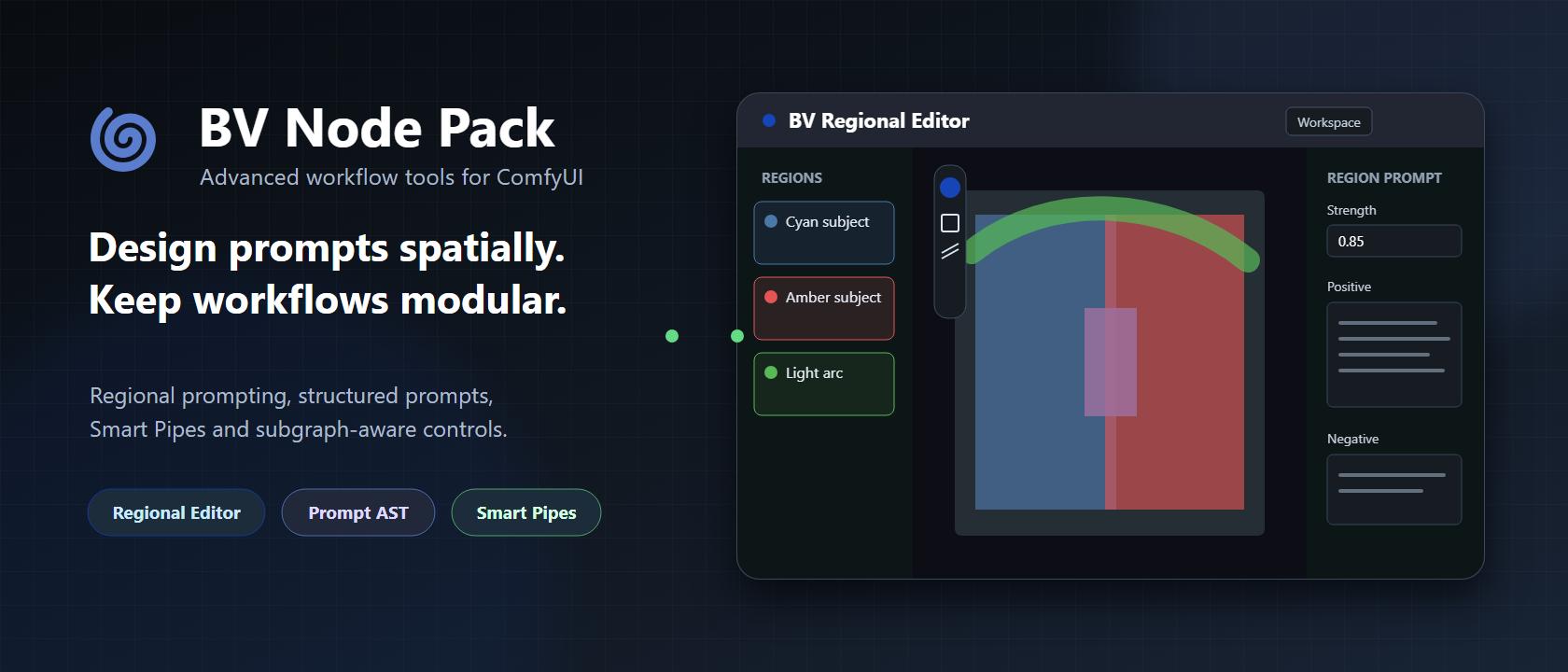
BV Node Pack hero

BV Node Pack is a collection of deep workflow tools for regional prompting, structured prompts, Smart Pipes, Subgraph interfaces, reusable graph controls and deterministic latent utilities.

The pack targets current ComfyUI workflows and treats stable data contracts, Subgraph behavior and graceful failure as first-class features.

[!NOTE] AI-assisted development: BV Node Pack was created with extensive assistance from generative AI during architecture exploration, implementation, debugging, testing and documentation. Product direction, requirements, technical decisions, code review and validation in real ComfyUI workflows remain human-led. This project does not claim to be solely hand-written; AI-assisted contributions are reviewed and tested before publication.

BV Node Pack includes frontend extensions. Restart ComfyUI and hard-refresh the browser after installing or updating so Python nodes and JavaScript stay in sync.

Highlights

| Feature | What it solves | | --- | --- | | Regional Editor | Author named rectangle, ellipse, polygon and brush regions with additive/subtractive geometry, binary mask inspection and live tool previews | | Regional Detailer Loop | Process every Detailer/Both region sequentially with its own prompts, composed masks and optional ROI-local detectors | | Prompt Autocomplete | Local, optional CSV/TSV completion in BV editors and ordinary ComfyUI multiline fields | | Prompt AST | Filter and reuse semantic prompt blocks without fragile string replacement | | Smart Pipe | Grow typed workflow state through wired or wireless branches while retaining stable slot identity | | Subgraph UI | Project headings, dividers, spacers and controlled choices onto purpose-built Subgraphs | | Control Center | Switch named graph stages between activate, mute and bypass with deterministic conflict handling |

Installation

ComfyUI Manager

Search for BV Node Pack in the Custom Nodes Manager / Extensions view and install it.

Git

cd ComfyUI/custom_nodes
git clone https://github.com/BlackVortexAI/bv_nodepack.git

Restart ComfyUI, then hard-refresh the browser with Ctrl + F5.

Update

cd ComfyUI/custom_nodes/bv_nodepack
git pull

Restart ComfyUI after updates. To uninstall, remove the bv_nodepack directory, restart ComfyUI and hard-refresh the browser.

Regional prompting

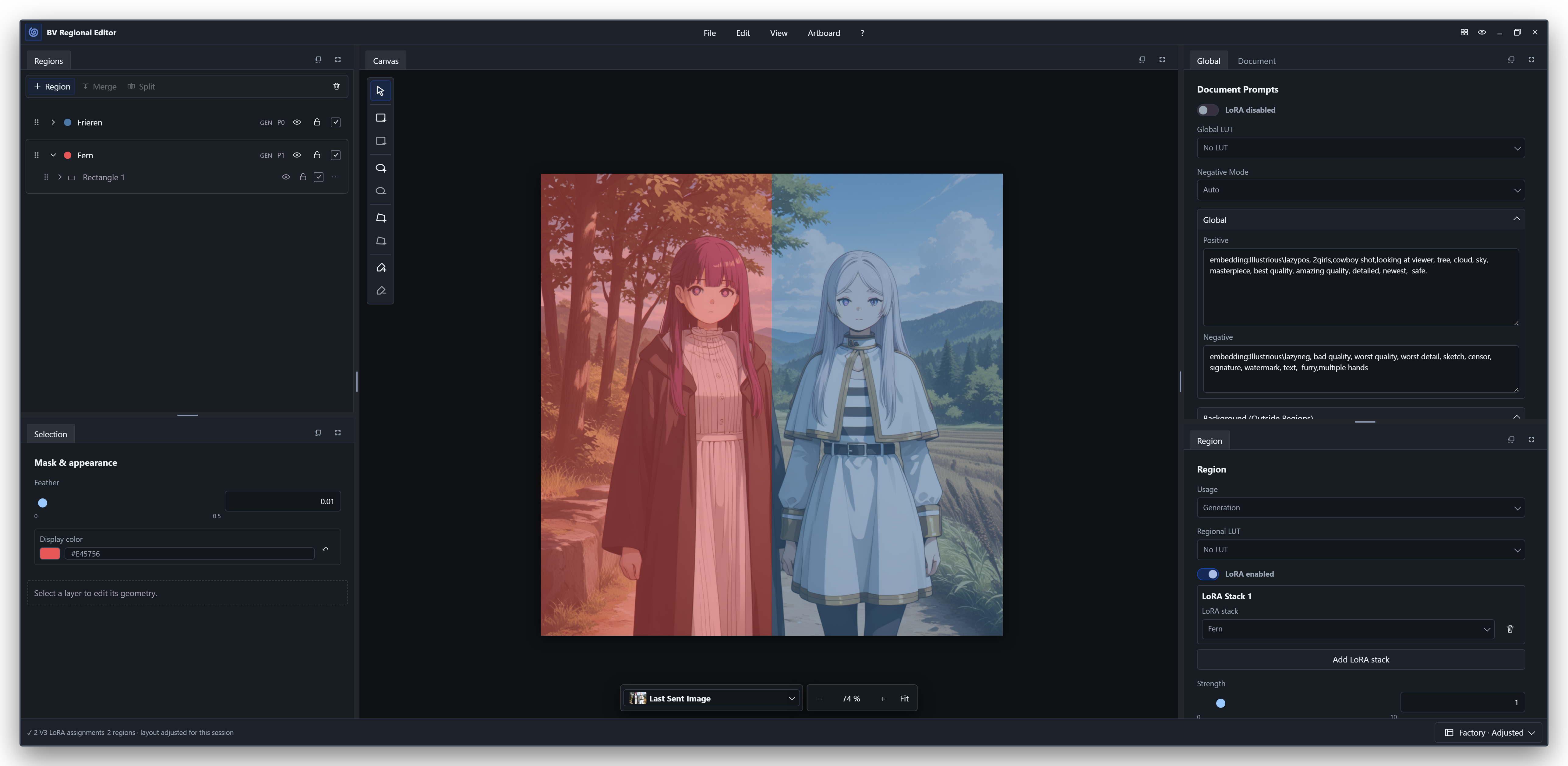
BV Regional Editor with overlapping rectangle and brush regions

The model-neutral BV_REGIONAL document separates authoring from execution. The editor stores prompts, geometry and stable identities; compiler nodes translate that document for a particular model/backend.

Anima regional prompting result

This Anima example uses two independently conditioned androids, small overlapping interaction rectangles around their hands and a painted light-arc region. The character prompts do not encode left/right placement; the regional document supplies the spatial guidance.

Download the workflow PNG · Download the regional document

[!IMPORTANT] Regional conditioning is spatial guidance, not a hard segmentation or layout constraint. A model can extend subjects beyond a region, move an interaction, blend attributes or ignore part of the requested composition. joint overlap lets overlapping pixels attend to multiple regional contexts; it does not force the depicted subjects to interact. Region strength changes conditioning influence, not boundary strictness.

Reliable results come from the combination of clear prompt engineering, region geometry and overlap suited to the actual spatial task, and the model's learned priors. Attention routing guides the composition; it does not make an implausible layout deterministic.

Core workflow

  1. Add BV Regional Prompt and open it from the node or BV toolbar action.
  2. Define Global and Background prompts.
  3. Add regions, then draw rectangles or additive/subtractive brush layers.
  4. Connect regional to a compiler:
    • BV Regional Native Conditioning for standard masked ComfyUI conditioning;
    • BV Regional SDXL Attention for model-internal cross-attention routing on compatible SDXL checkpoints;
    • BV Regional Z-Image Attention for joint-attention routing on Z-Image Turbo;
    • BV Regional FLUX.2 Klein 9B Attention for exact-architecture joint-attention routing on FLUX.2 Klein 9B;
    • BV Regional Krea 2 Attention (Experimental) for main single-stream joint-attention routing on Krea 2;
    • BV Regional Anima Conditioning for the built-in Anima attention backend;
    • BV Regional Color Control Image for a model-neutral solid RGB control image;
    • BV Regional Anima LLLite to load and apply a local Anima LLLite model patch through ComfyUI core.
  5. Connect patched_model/positive/negative to a standard KSampler.
  6. Optionally return the latest image through Preview Send or Save Send.

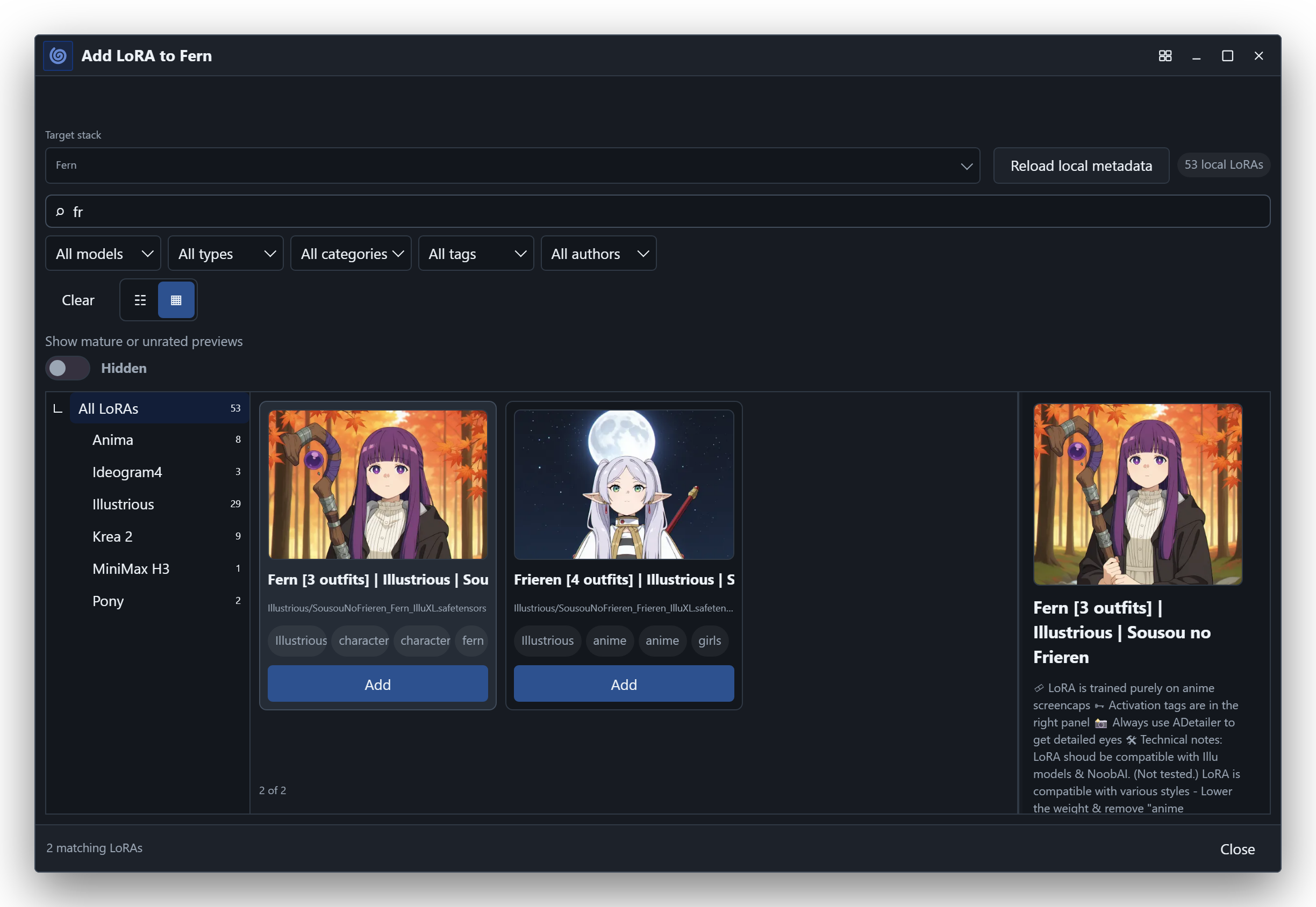
Optional regional LoRA hooks are available on the native-conditioning, Anima attention and experimental Krea 2 attention paths. Connect an external LORA_STACK producer to BV Named LoRA Stack, chain its registry into the conditioning node, and connect the prompt node's lora_bindings sidecar output. The editor can then assign one unchanged live stack globally and one additional stack per region. The registry and bindings inputs are optional; workflows that do not connect them retain the previous regional LoRA behavior. Empty stacks and entries whose model and CLIP strengths are both zero are valid no-ops.

Anima attention evaluates one full model pass for the global baseline plus one masked pass for every distinct effective regional model stack. Regions with identical model stacks share a pass, and CLIP-only strength differences do not add model passes. A single regional stack therefore normally doubles sampling work, while two different regional stacks normally triple it. Actual runtime and peak VRAM depend on the model, resolution, sampler and ComfyUI memory management.

BV Regional Anima Conditioning also exposes the experimental regional_lora_mode selector. Its default remains multipass_legacy, preserving published Anima workflows and their image results. token_gated_singlepass applies compatible model-side LoRA deltas directly to the assigned regional text and spatiotemporal image tokens while regional attention routing is active. After end_percent, regional text routing stops as configured, while the spatially masked image-side LoRA deltas decay with the remaining sampling sigma from full strength towards 35% at the end. This preserves late character identity while leaving the base model more room for fine geometry and without extending the more aggressive regional text context through the entire denoising schedule. CLIP-side LoRA strengths continue to be applied while each regional prompt is encoded. Unsupported or non-maskable model layers fail explicitly; select multipass_legacy for those LoRAs. When base_ratio is greater than zero, Anima still evaluates its intentional unmodified baseline pass, so "single-pass" refers specifically to eliminating the additional per-stack regional LoRA passes.

| Anima regional LoRA mode | Recommended use | Trade-off | | --- | --- | --- | | multipass_legacy (default) | Published workflows, maximum compatibility and quality-sensitive interaction scenes | One additional model pass per distinct effective regional model stack | | token_gated_singlepass (experimental) | Faster iteration and compositions whose subjects remain mostly spatially separated | Different image result; overlapping subjects and anatomy can receive competing regional LoRA influence |

Single-pass routing controls where compatible LoRA deltas are applied; it cannot guarantee anatomy or resolve contradictory prompts beyond the underlying model's own capabilities. Direct subject interaction, shared limbs, hands, embraces and broad mask overlaps remain difficult cases even without regional modification. Use multipass_legacy when those details matter more than sampling speed. Existing Anima workflows that do not store regional_lora_mode continue to resolve to multipass_legacy.

Named LoRA stack interoperability

The incoming community LORA_STACK value itself is an unlabelled runtime list:

[["path/to/lora.safetensors", 0.8, 0.6]]

BV Named LoRA Stack wraps one or more of these stacks in the public, JSON-compatible BV_LORA_STACK_REGISTRY v1 contract. Other node packs may emit that type directly, including stable id, display name, and unchanged stack entries, without depending on BV's sender node. See the complete contract and example in BV Regional LoRA Bindings v1 and its JSON Schema.

The editor supports additive and subtractive rectangles, ellipses, polygons and brushes, live tool outlines with pixel dimensions, a resolved binary-mask inspection mode, overlap, priority ordering, undo/redo, multi-selection, lossless compound-layer merging, resolution-aware disconnected-area splitting, layer controls, zoom, pan, WYSIWYG aspect ratios, document import/export and persistent per-document UI state.

Read the illustrated Regional Editor Guide for tools, prompts, model behavior, image feedback, document utilities and current limits.

<details> <summary><strong>Open the editor and use Quick Edit</strong></summary>

The node exposes both entry points directly:

BV Regional Prompt node

The same actions are available from the ComfyUI toolbar for the currently selected regional document:

BV toolbar actions

Open editor toolbar action

Quick Edit toolbar action

Quick Edit provides prompt-only access without opening the artboard:

Regional Quick Edit

</details> <details> <summary><strong>Workspace, floating mode and display controls</strong></summary>

Regional Editor workspace mode

Regional Editor floating mode

Mask visibility and background-image opacity are editor-only display settings:

Regional Editor display controls

</details> <details> <summary><strong>Rectangles, interaction overlap and brush regions</strong></summary>

Each character uses a main rectangle plus an independently selectable interaction rectangle. The brush region demonstrates a non-rectangular light arc.

Cyan character main region

Cyan interaction region

Amber character main region

Amber interaction region

Painted light arc region

</details> <details> <summary><strong>Minimal Anima workflow</strong></summary>

Anima regional workflow

</details>

Regional node family

| Node | Purpose | | --- | --- | | BV Regional Prompt | Owns and outputs the serialized BV_REGIONAL document | | BV Named LoRA Stack | Gives an external LORA_STACK a stable workflow-local identity and builds a chainable registry | | BV Regional Native Conditioning | Compiles Global, Background and regions with blend, exclusive, hybrid or mask_bounds native composition | | BV Regional SDXL Attention | Routes Global, Background and regional text contexts inside SDXL cross-attention; verified with WAI Illustrious SDXL and Pony Diffusion V6 XL | | BV Regional Z-Image Attention | Routes Global, Background and regional text contexts through Z-Image Turbo joint attention and emits KSampler-ready zero negative conditioning | | BV Regional FLUX.2 Klein 9B Attention | Routes Global, Background and regional text contexts through the exact FLUX.2 Klein 9B joint-attention architecture and emits sampler-ready zero negative conditioning | | BV Regional Krea 2 Attention (Experimental) | Routes Global, Background and regional text contexts through Krea 2's 28 main single-stream attention blocks and offers default token-gated single-pass or legacy multi-pass regional LoRAs; four upstream text-fusion blocks remain global | | BV Regional Anima Conditioning | Applies the built-in Anima attention patch and emits KSampler-ready outputs | | BV Regional Anima Adapter | Optional compatibility path for the external Anima regional node pack | | BV Regional Color Control Image | Renders enabled regions as stable solid colors on white; P0 wins overlaps | | BV Regional Anima LLLite | Loads a local Anima LLLite MODEL_PATCH, applies the rendered color control and emits the patched model plus debug image/legend | | BV Regional Preview Send | Sends a temporary image preview to a selected editor | | BV Regional Save Send | Saves and sends the same image to a selected editor | | BV Regional Debug | Shows canonical JSON, a summary and document_id | | BV Regional Select | Selects Global, Background or one region | | BV Regional Deconstructor | Exposes AST, text, source and reusable selection data | | BV Regional Prompt Extract | Extracts positive/negative prompt representations | | BV Regional Mask Render | Renders a selected mask and pixel bounding box | | BV Regional Detailer Mask | Renders one named region, compiles its Global + Region prompts and outputs IMAGE, MASK and an Impact-compatible BASIC_PIPE | | BV Regional Detailer Plan | Creates and visually configures ordered jobs from enabled Detailer/Both regions and owns their optional Detector Registry | | BV Detailer Loop Job Resolver | Resolves one Loop State into detailer job, current image, region mask and basic pipe | | BV Detector Registry | Configures and loads several named Ultralytics, ONNX and optional SAM models inside one node; no visible Impact provider chain is required | | BV Detector Binding | Optional advanced adapter for detector objects supplied by other nodes | | BV Detailer Loop Detect to SEGS (Impact) | Uses the detector binding already owned by the current job and emits only mask-gated SEGS | | BV Detailer Loop Start / End | Carries plan, job index and accumulated image inside one Loop State; End needs only flow plus processed image | | BV Comfy CLIP LLM Provider | Exposes a compatible local generative CLIP through the BV prompt-enhancer provider contract | | BV Remote LLM Provider | Selects an OpenAI-compatible provider and model with strict structured output and a separately stored user API key | | BV Regional Prompt Enhancer | Proposes and verifies prompt-only changes using regional geometry and relationship context | | BV Apply Regional Enhancement | Applies a verified, source-matched proposal while preserving all non-prompt document data |

Regional detailer loop

The detailer loop turns the editor's enabled detailer and both regions into ordered jobs. Each iteration receives the image produced by the previous iteration, the region-aware BASIC_PIPE, the composed mask and the region's prompt context. Connect BV Detailer Loop Detect to SEGS (Impact) to an Impact Detailer (SEGS) node when detector refinement is required; without a registered detector, the mask is converted directly to SEGS.

The tested public wiring is:

BV Regional Prompt ---------> BV Regional Detailer Plan
BV Detector Registry -------> BV Regional Detailer Plan
BV Regional Detailer Plan --> BV Detailer Loop Start
initial image --------------> BV Detailer Loop Start

BV Detailer Loop Start.loop_state --> BV Detailer Loop Job Resolver
model + clip + vae ----------------> BV Detailer Loop Job Resolver
BV Detailer Loop Job Resolver.detailer_job/current_image/region_mask
    --> BV Detailer Loop Detect to SEGS (Impact)

BV Detailer Loop Job Resolver.current_image/basic_pipe
    + BV Detailer Loop Detect to SEGS (Impact).SEGS
    --> Impact Detailer (SEGS/pipe)

BV Detailer Loop Start.flow + Impact Detailer.image
    --> BV Detailer Loop End.final_image

Only the six BV nodes shown in this wiring are part of the user-authored loop. The recursive control nodes marked (internal) are implementation details and are created by ComfyUI during graph expansion; they should not be placed manually.

BV Detector Registry connects to BV Regional Detailer Plan, which validates assignments and owns the registry for all jobs. The Registry provides a visual list of detector IDs and model names and supports several detectors in one node. It loads Ultralytics, ONNX and optional SAM models internally through the installed Impact providers, so ordinary workflows do not contain provider, binding or chained registry nodes. The plan dialog selects these detector IDs from a dropdown. Impact Pack is therefore required for detector loading and the documented SEGS detailer path, but the BV plan and regional-mask contracts remain package-neutral. BV Detector Binding remains an optional advanced input for third-party detector objects. It removes unusable placeholder outputs, so an Ultralytics BBOX model's non-functional segmentation sentinel is not treated as a connected segmentation detector. Detection runs only on the padded regional crop; returned coordinates are rebased to the full image before detailing.

The default plan creates one job per eligible region. Its Configure Detailer Plan dialog groups regions, changes job order, combines masks, selects prompt composition and assigns detector IDs without exposing the serialized JSON contract. A job without a detector uses its composed regional mask directly. A detector-backed job restricts detection to the padded regional crop, intersects the result with the regional mask and sends full-image coordinates to Impact. Every completed iteration becomes the input image of the next job, so later jobs retain earlier detailer changes. See BV Detailer Plan v1 for the contract and wiring.

Spatially aware regional prompt enhancement

The prompt-enhancement workflow keeps proposal and mutation separate:

This is not a generic prompt rewriter. The enhancer is spatially aware: it receives the canvas, region geometry, hierarchy, overlap, priority and the existing Global, Background and regional prompt relationships as immutable context. It uses that context to improve scene coherence, spatial wording and object ownership while changing prompt text only; region identities, masks and workflow structure remain protected. Spatial awareness is guidance rather than a deterministic layout promise: LLM output and image sampling can still fluctuate, and the target image model may duplicate or mis-bind an object despite a correct enhanced prompt.

BV Regional Prompt Enhancer separates prompt language from enhancement freedom. Choose Anima / hybrid for sentence-aware hybrid prompts, Natural language for prose-oriented models, or Tag only / SDXL for conservative tag collision cleanup. The creativity control ranges from 0.0 (spelling, grammar and sentence correction) to 1.0 (coherent creative scene enhancement). Immutable regional structure and source facts remain protected at every level; tag-only mode is internally capped at 0.3.

BV Comfy CLIP LLM Provider ─┐
                            ├─> BV Regional Prompt Enhancer ─> BV Apply Regional Enhancement
BV Remote LLM Provider ─────┘

BV Remote LLM Provider defaults to the generic OpenAI Compatible profile. Choose OpenAI, Venice, Abacus.AI, Ollama, LM Studio, llama.cpp, vLLM, LocalAI, or a custom OpenAI-compatible Chat Completions endpoint, then enter any compatible model ID. OpenAI, Venice and Abacus.AI use fixed catalog endpoints; Abacus.AI uses the self-service RouteLLM endpoint and defaults to route-llm. The node UI updates the endpoint when the provider changes and makes it read-only for fixed profiles. custom_endpoint is editable only for the generic profile. HTTPS is required except for loopback servers such as LM Studio or Ollama. The provider requests strict JSON-schema output and does not enable tools or web search. The Venice profile additionally disables Venice's own system prompt. Local profiles use managed loopback endpoints without API keys. Local OpenAI Compatible (Custom) accepts a custom loopback endpoint without authentication; the external custom profile retains Bearer-key authentication.

Tested model recommendations

These are practical starting points from the regional Anima sentence-prompt tests, not a universal model ranking:

| Use case | Model / node setting | Effort | Notes | |---|---|---:|---| | Recommended local default | Qwen/Qwen3-8B-GGUF as hf.co/Qwen/Qwen3-8B-GGUF:Q4_K_M through Ollama | low | Best local balance tested for strict JSON, natural wording and source preservation | | Low-resource local fallback | qwen3:4b through Ollama | low | Functional and schema-compatible, but more likely to produce awkward tag/prose mixtures and weaker enhancements | | Existing ComfyUI-local alternative | qwen3vl_8b_fp8_scaled.safetensors through BV Comfy CLIP LLM Provider | provider-managed | Good tested enhancement quality, but uses the ComfyUI model path and more of the generation machine's resources | | Recommended paid baseline | gpt-5-mini through an available OpenAI-compatible provider | low | Strong tested quality without requiring a frontier-priced model | | Quality/reference test | gpt-5.5 through an available OpenAI-compatible provider | provider-supported | Strong result, but substantially more expensive and unnecessary as the default |

Start with creativity = 0.5. Use the same enhancer input, settings and image seed when comparing models. Evaluate the returned prompt diff separately from the rendered image: an image model may still duplicate or mis-bind objects even when the enhanced prompt correctly requests a single object. Model IDs can vary between providers; use the exact ID exposed by the selected service. Vision capability is not required for the remote/Ollama path because the enhancer sends text and JSON only.

Install or start the recommended Ollama model directly with:

ollama run hf.co/Qwen/Qwen3-8B-GGUF:Q4_K_M
<details> <summary><strong>Anima example: original vs. spatially enhanced prompt</strong></summary>

This controlled comparison uses the same Anima workflow and image seed 827414017477856 for both outputs. The enhanced path used hf.co/Qwen/Qwen3-8B-GGUF:Q4_K_M through Ollama with reasoning_effort = medium, creativity = 0.5, Anima/hybrid prompt language, eight Euler Ancestral steps and CFG 1. In this sample, spatial enhancement keeps one cup near the woman and restores the open notebook near the man. Results remain probabilistic; other LLM responses or image seeds may be less consistent.

| Original regional prompt | Spatially enhanced regional prompt | |---|---| | Original Anima regional prompt result | Spatially enhanced Anima regional prompt result |

</details>

Successful remote responses are cached persistently under user/default/bv_nodepack/cache/remote_llm/v1. The cache identity covers the effective request payload, provider, endpoint and model but never the API key. An identical request therefore does not create another paid external call after unrelated workflow edits or a ComfyUI restart. Changing prompts, model, provider, endpoint, reasoning settings, token limit or a non-zero seed creates a new request.

Provider definitions are loaded from data/ai/providers/remote_llm_providers_v1.json. This versioned package catalog contains endpoints and suggested defaults but no user configuration or secrets. New profiles that use an existing adapter can therefore be shipped without changing the node implementation.

On first use, BV creates the user-owned settings file user/default/bv_nodepack/remote_llm_settings.json. It is never replaced by a NodePack update. Set default_profile_id and optional per-profile overrides there; new provider nodes use those values as their initial workflow snapshot. For example:

{
  "schema": "bv.remote_llm.settings",
  "version": 1,
  "default_profile_id": "abacus",
  "profile_defaults": {
    "abacus": {
      "model": "route-llm",
      "reasoning_effort": "none",
      "timeout_seconds": 60
    }
  }
}

Use the node's Configure <Provider> API Key button to save, replace or delete a key. Keys are stored separately in the user-owned user/default/bv_nodepack/remote_llm_secrets.json; the settings endpoint reports only whether a key is configured and never returns its value. API keys are not serialized into workflows. Review custom_endpoint before queuing imported workflows because the generic profile sends its configured secret to that host.

The enhancer may issue one repair request after a rejected initial response. The Apply node independently revalidates the result and returns the canonical source unchanged when the proposal is invalid, stale or belongs to another document.

Impact Pack detailer integration

BV Regional Detailer Mask is a package-neutral bridge to ComfyUI-Impact-Pack. It does not import Impact modules or reproduce the internal SEGS structure. Connect a BV_REGIONAL document, the single image that will be detailed, MODEL, CLIP, VAE and a named region. The node renders the region at the image dimensions, encodes unmasked Global + Region positive/negative conditioning and returns BASIC_PIPE = (model, clip, vae, positive, negative). Connect image, mask and basic_pipe directly to MaskDetailer (pipe); Impact's separate ToBasicPipe node is not required. Positive/negative conditioning and resolved prompt text remain available as additional outputs for advanced compositions. Background prompts are intentionally excluded from the cropped detail pass. Impact detailers do not accept image batches, so this bridge rejects batches larger than one explicitly.

The Regional Editor stores this routing directly in the BV_REGIONAL v2 document through each region's Usage setting: Generation, Detailer only, or Generation + Detailer. Detailer-only regions remain visible and editable but are excluded from every generation compiler. Disabled regions are excluded from both. Legacy v1 documents and v1 region imports are migrated automatically with usage: "generation", preserving their previous render behavior; new documents and exports use v2.

The detailer bridge encodes every scope separately. global_influence defaults to 1.0, background_influence to 0.35, and primary_region_influence to 1.0. Dynamic context-region rows add any other enabled region with an independent influence value; choosing a region in the final None row creates the next row. The primary region alone defines the mask, while context regions contribute prompts only. Duplicate and primary-region context assignments are rejected by the UI. Every influence accepts 0.0 (disabled) through 2.0. Alongside the plain resolved prompt outputs, positive_weighted_text and negative_weighted_text expose the same active scopes in standard ComfyUI syntax, for example (blue eyes:0.35). These strings are intended for inspection and reuse; the Basic Pipe continues to use the separately encoded conditioning entries and their native strength metadata.

Supported compositions use Impact's public nodes:

  • Direct masked detailing: connect image, mask and basic_pipe to MaskDetailer (pipe).
  • Editable segment workflows: connect mask to MASK to SEGS, then use Detailer (SEGS) or SEGSDetailer plus SEGSPaste.
  • Detector gating: connect detector SEGS and the BV mask to Pixelwise(SEGS & MASK), then feed the filtered SEGS to Detailer (SEGS).

The detector-gating path is preferred for faces: the detector retains precise face geometry while the BV region limits which person's detections may be processed. FaceDetailer has no external MASK or SEGS input and therefore cannot be fed directly by this bridge. For multiple regions or different detailer prompts, create one bridge per region and combine the resulting Impact SEGS with Impact's own label/concat nodes.

Native conditioning composition

BV Regional Native Conditioning keeps blend as the backward-compatible default and offers three experimental comparison modes:

  • blend emits unmasked Global plus masked Background/Region conditionings; ComfyUI normalizes their overlapping denoiser predictions.
  • exclusive combines Global text with each scoped prompt and emits only masked, mutually scoped passes. This avoids Global/Region averaging inside opaque regions.
  • hybrid interpolates both execution layouts. hybrid_blend_ratio=0 is exactly exclusive, 1 is exactly blend; intermediate values trade additional denoiser/hook groups for shared composition and regional identity.
  • mask_bounds retains blend semantics but asks ComfyUI to crop masked model evaluations to each mask's bounding area.

All modes accept arbitrary rendered masks and regional LoRA hooks. exclusive and mask_bounds are intended for controlled model-specific evaluation; neither is guaranteed to outperform blend for every architecture or composition.

Regional LoRA validation examples

These are controlled examples, not a guarantee that arbitrary LoRAs will combine cleanly. Training quality, dataset composition, trigger design, model compatibility, LoRA strength, seed and composition mode can all change the result substantially. The downloadable example workflows use the external ComfyUI-Lora-Manager as their LORA_STACK producer. It is required to load those graphs without missing nodes, but it is not a runtime dependency of BV Node Pack: any compatible LORA_STACK producer can feed BV Named LoRA Stack.

Two character LoRAs from one series and creator

Two independently hooked Anima character LoRAs

This test assigns Nyamena to the left region and Myaley to the right region. Both character LoRAs come from the same series and creator, recommend the same 0.8-1.0 range and were tested at 0.8. That makes this a useful compatibility case, but also a deliberately favorable pairing; it must not be generalized to unrelated or poorly trained LoRAs.

The shown Anima run used hybrid, hybrid_blend_ratio=0.35, region strength 1.0 and feather 0.05. The corresponding prompt document is anima-nyamena-myaley-dual-lora-test.bv-regional.json. The complete reproducible ComfyUI graph is available as anima-dual-regional-character-loras-hybrid-035.json; the example PNG also contains the cleaned embedded workflow metadata. A standalone copy of its in-graph explanation is provided in anima-dual-character-lora-workflow-note.md. The LoRAs are linked for attribution and installation only and are not distributed with BV Node Pack; their own licenses and access conditions apply.

Regional skin-tone attribute LoRA

Skin-tone LoRA applied only to the left Anima region

Regional Editor assignment for the skin-tone isolation test

This isolation test applies Skin-tone-Slider-Anima at +6 only to the left region while both regions request otherwise matching adult characters, hair, eyes and clothing. The run used hybrid, hybrid_blend_ratio=0.35, region strength 1.0 and feather 0.05. The skin-tone change remained local at the central hand contact, while the subjects' shared appearance and matching blue outfits stayed coherent. The second image shows the exact left/right assignment in the editor. The prompt document is anima-skin-tone-slider-regional-lora-test.bv-regional.json. The complete reproducible ComfyUI graph is available as anima-regional-skin-tone-lora-hybrid-035.json; the example PNG also contains the cleaned embedded workflow metadata. A standalone copy of its in-graph explanation is provided in anima-skin-tone-lora-workflow-note.md.

Skin-tone-Slider-Anima is available only through Civitai Red because its original preview material did not qualify for the PG-13 Civitai surface. BV Node Pack does not bundle or mirror the LoRA. Users must obtain it from its authorized listing and follow the creator's license and access requirements. The safe test image above is included only to document BV's regional behavior.

SDXL attention routing

BV Regional SDXL Attention patches a cloned SDXL model and routes independently encoded text slots through cross-attention. Global text remains available everywhere, Background text is limited to uncovered pixels, and each regional text slot is exposed inside its rendered mask. joint overlaps expose every participating region. The node returns a patched model plus positive and negative conditioning for a standard KSampler.

The backend is architecture-based rather than checkpoint-specific. It is interactively verified with WAI Illustrious SDXL v1.70 and Pony Diffusion V6 XL. Other SDXL-family checkpoints are expected to use the same seam, but remain unverified until tested. Non-SDXL models are rejected instead of being patched speculatively.

Recommended starting values are Attention Strength 1.0, Start 0.0, End 0.5. The active interval controls how long spatial routing is applied; it is not equivalent to region strength. Attention routing remains generative guidance, not hard segmentation. Attention Strength 0 does not bypass the backend: it hides regional and Background slots while leaving Global context active. Bypass the node for a true unpatched A/B run.

<details> <summary><strong>WAI Illustrious SDXL — Attention versus untuned Native baseline</strong></summary>

The comparison used the same regional document, seed 486012994155188, checkpoint, sampler, scheduler, steps, CFG and resolution. Native Conditioning was intentionally used without model-specific strength or mask tuning. The evidence therefore shows better out-of-the-box separation, not that Native Conditioning cannot be improved.

| SDXL Attention | Native masked conditioning | | --- | --- | | Illustrious with SDXL attention routing | Illustrious with untuned native conditioning |

Illustrious regional editor geometry

| Attention workflow | Native workflow | | --- | --- | | Illustrious SDXL attention workflow | Illustrious native conditioning workflow |

</details> <details> <summary><strong>Pony Diffusion V6 XL — Attention versus untuned Native baseline</strong></summary>

Pony was tested through the same generic SDXL backend. Attention routing kept the contrasting hair and clothing concepts more distinct. The untuned Native result kept rough left/right color placement but harmonized both subjects toward a shared design. Prompt style and overall rendering remain checkpoint behavior, not backend guarantees.

| SDXL Attention | Native masked conditioning | | --- | --- | | Pony V6 XL with SDXL attention routing | Pony V6 XL with untuned native conditioning |

| Attention geometry | Native geometry | | --- | --- | | Pony SDXL attention editor geometry | Pony native conditioning editor geometry |

</details>

Download the SDXL attribute-separation regional document

Z-Image Turbo attention routing

BV Regional Z-Image Attention targets the Lumina2/S3-DiT-style joint-attention architecture used by Z-Image Turbo. It patches a cloned model, keeps Global text available throughout the image and spatially routes Background and regional text slots through the unified text/image attention matrix. joint overlaps expose all participating regional contexts.

The verified model family is available from the official Z-Image Turbo model page.

The node returns a patched model, positive conditioning and zero negative conditioning for a standard KSampler. Z-Image Turbo does not use a conventional negative CFG branch, but ComfyUI's KSampler still requires a negative input. The backend is architecture-gated and rejects FLUX, SDXL, Anima and unrelated models.

Recommended starting values are Attention Strength 1.0, Start 0.0, End 0.5. The backend was interactively verified at 1024 x 1024 with res_multistep, eight steps, CFG 1.0, the simple scheduler and ModelSamplingAuraFlow shift 3.0. These are test values rather than universal quality recommendations.

<details> <summary><strong>Z-Image Turbo — Attention versus untuned Native baseline</strong></summary>

The comparison used the same regional document, seed 336492265582909, model, sampler, scheduler, steps, CFG and resolution. Native Conditioning was intentionally left at its default strength. Both approaches preserved broad left/right placement; joint-attention routing retained the requested white/cyan and black/orange attributes more precisely, while the Native result shifted the right suit toward beige and gold.

| Z-Image Attention | Native masked conditioning | | --- | --- | | Z-Image Turbo with joint-attention routing | Z-Image Turbo with untuned native conditioning |

| Attention geometry | Native geometry | | --- | --- | | Z-Image Attention editor geometry | Z-Image Native editor geometry |

| Attention workflow | Native workflow | | --- | --- | | Z-Image Attention workflow | Z-Image Native workflow |

</details>

Download the Z-Image Turbo attribute-separation regional document

FLUX.2 Klein 9B attention routing

BV Regional FLUX.2 Klein 9B Attention patches a cloned model and routes Global, Background and regional Qwen3-8B text contexts through all double- and single-stream joint-attention blocks. The result works with normal ComfyUI model-patcher sampling paths, including KSampler and SamplerCustom workflows; no BV-specific sampler is required.

The node deliberately accepts only the exact FLUX.2 Klein 9B architecture. It rejects Klein 4B, full FLUX.2 and unrelated models instead of applying a speculative patch. The distilled 9B profile has no conventional negative-prompt branch, so the node emits zero negative conditioning for ComfyUI nodes that require a negative input. Model weights are not bundled and remain subject to the FLUX Non-Commercial License.

Attention Strength controls regional routing influence; Start and End define its active sampling interval. These controls are independent from each region's own strength. Regional attention remains generative guidance rather than hard segmentation.

The backend does not replace or repair the model's sampling configuration. Keep the sampler, scheduler, step count, guidance, LoRAs and model-sampling settings that already work for the chosen FLUX.2 Klein setup. For a meaningful A/B comparison, hold those settings, the prompt and the seed constant and change only the regional backend.

<details> <summary><strong>FLUX.2 Klein 9B — verified regional separation</strong></summary>

The first local run used unsuitable external sampling settings and produced the same poor quality with and without the BV node. After correcting the caller-owned sampling configuration, the unpatched baseline and the regional run both rendered cleanly. The regional result retained that quality while keeping the white/cyan and black/orange character attributes spatially separated.

FLUX.2 Klein 9B regional attention result

FLUX.2 Klein 9B editor geometry

FLUX.2 Klein 9B regional attention workflow

</details>

Download the FLUX.2 Klein 9B separation-test regional document

Experimental Krea 2 attention routing

BV Regional Krea 2 Attention (Experimental) patches a cloned Krea 2 model and routes Global, Background and regional Qwen3-VL text contexts through all 28 main single-stream joint-attention blocks. It works with a normal KSampler.

[!WARNING] Temporary Krea 2 FP8 limitation: The multipass_legacy regional LoRA hooks can currently fail on quantized Krea 2 models with AttributeError: 'Linear' object has no attribute 'weight_scale' (or a similar missing quantization attribute). This is an upstream ComfyUI core issue tracked in ComfyUI #14382, not a missing BV Node Pack dependency. To keep regional LoRAs connected, use a non-quantized Krea 2 model or apply the upstream temporary model_patcher.py workaround described in that issue. Remove any local core patch after ComfyUI ships an official fix.

Four upstream text-fusion/refiner blocks execute before the public attention-patch seam and remain global. The backend therefore improves spatial prompt-to-region binding but is not strict end-to-end isolation.

Krea 2 Raw retains conventional CFG and negative-prompt semantics. Krea 2 Turbo is normally used near CFG 1, where a separate negative branch has little or no practical effect. Attention Strength, Start and End control routing; per-region strength remains independent.

The node also accepts the optional lora_registry and lora_bindings outputs from the named-stack workflow. Assigned stacks are applied to the matching Global, Background or region scope while the existing Krea attention router remains active. regional_lora_mode controls only model-side LoRA execution; it does not change the stored regional document, prompt routing, masks or joint overlap semantics:

  • token_gated_singlepass is the default. Compatible Krea LoRA and LoKr deltas are evaluated in activation space and multiplied by their regional text/image-token masks inside one model pass. Results are intentionally not expected to match legacy seeds pixel-for-pixel.
  • multipass_legacy preserves the previous execution method. Every distinct effective model-side LoRA stack requires another full denoiser pass.

Workflows saved before regional_lora_mode existed do not contain an explicit legacy marker. Loading them after this change therefore selects the new single-pass default and can change their image result. Select multipass_legacy explicitly when exact reproduction of an older Krea regional-LoRA workflow matters.

The single-pass path keeps regional CLIP-hook encoding, supports reference-image tokens without exposing regional LoRAs to them, and fails rather than applying a non-spatial model layer globally. Switch that workflow back to multipass_legacy if a LoRA contains no compatible Krea token layers or requires an unmaskable model layer. The mode and patch counts are logged when the model is prepared.

The verified tests showed stable character and outfit separation, region reassignment, and a wide empty center when prompts and masks supported that composition. This is evidence of useful routing, not a guarantee: prompt engineering, region geometry and overlap, the actual need for regional separation, model priors, seed, and sampling settings still work together.

<details> <summary><strong>Krea 2 — experimental regional separation</strong></summary>

Krea 2 attention result

Krea 2 editor geometry

Krea 2 workflow

</details>

Download the Krea 2 separation-test regional document

<details> <summary><strong>Krea 2 — two regional character LoRAs with overlap</strong></summary>

The verified Turbo test assigned MaluX only to the left region and AiriX only to the right region. The regions overlapped by 20 percent so the subjects could interact around the center. In the observed result, hair color, appearance and skin tone remained locally distinct even across the shared hand area. Both LoRAs were trained by the same creator and used at strength 1.0; this is a favorable validation case, not a guarantee for unrelated, incompatible or overtrained LoRAs.

| Regional LoRAs assigned | Unbound reference | | --- | --- | | Krea 2 dual regional LoRA result | Krea 2 result without regional LoRA assignments |

The reference was generated without regional LoRA assignments. It is included to show the model's unbound interpretation, not as a strict same-seed A/B comparison.

| Regional geometry | Workflow connections | | --- | --- | | Krea 2 dual regional LoRA overlap geometry | Krea 2 dual regional LoRA workflow |

Download the complete Krea 2 dual-LoRA workflow

Import the 20-percent-overlap regional document · Import the adjacent-regions variant · Read the workflow test note

MaluX LoRA · AiriX LoRA

External LoRAs and Krea 2 weights are not bundled by BV Node Pack. Their respective licenses, access requirements and usage conditions apply.

</details> <details> <summary><strong>Krea 2 — incompatible regional style LoRAs in one continuous scene</strong></summary>

This boundary test deliberately combines two strongly different style LoRAs: Detailcore Forever on the left and CRT Vaporwave on the right. Two 55-percent-wide masks create a 10-percent joint overlap. Both LoRAs use model and CLIP strength 1.0; mask feather is 0.04, attention strength is 1.0, and routing is active from 0.0 to 0.5.

| Regional style LoRAs active | Regional LoRA inputs disconnected | | --- | --- | | Krea 2 with Detailcore and CRT Vaporwave assigned regionally | Krea 2 control without regional LoRA inputs |

The two outputs use the same seed, prompts, regions and sampler settings. In the control, the LoRA source nodes still contain their entries, but lora_registry and lora_bindings are disconnected from the Krea node; no regional LoRA model passes are therefore executed. The subject matter remains because it is requested by the regional prompts, while the two trained image languages are substantially reduced.

The enabled result keeps Detailcore's dense mechanical construction concentrated on the left and CRT Vaporwave's cyan-magenta retro-futuristic atmosphere concentrated on the right. The road, perspective and lighting remain one continuous composition through the overlap rather than becoming two independent panels.

| Regional geometry | Workflow connections | | --- | --- | | Krea 2 dual-style overlap geometry | Krea 2 dual-style regional LoRA workflow |

Download the complete dual-style workflow · Import the regional document

This is an intentionally favorable observed result, not a universal promise. Style LoRAs are content- and training-dependent rather than neutral image filters. Different pairings can conflict, bleed across composition, or dominate the base model.

</details>

Experimental Anima LLLite layout control

BV Regional Anima LLLite adds learned layout guidance to the prompt-to-region binding supplied by BV Regional Anima Conditioning. It is an Anima MODEL_PATCH, not a classic ComfyUI CONTROL_NET: BV renders the regional document to a solid RGB image, ComfyUI loads the LLLite weights, and the patch modifies the Anima model during the selected sampling interval.

Anima MODEL -> BV Regional Anima Conditioning -> BV Regional Anima LLLite -> KSampler
                         |                                  |
                         +-> positive / negative            +-> control image / legend

Download the adapter separately from Sen-sou/Anima-LLLite-Regional-Controlnet, place it under ComfyUI/models/model_patches/, then restart ComfyUI. BV does not bundle or download model weights. The verified reference starts with Strength 1.0, Start 0.0, End 1.0; shorter intervals and lower strengths intentionally allow more model freedom.

<details> <summary><strong>Workflow, control image and editor geometry</strong></summary>

Anima LLLite workflow

The captured UI still shows KSampler randomize; switch it to fixed before controlled comparisons. The A/B evidence below was verified from executed PNG prompt metadata and uses the same actual seed.

The generated control image contains exactly white plus one solid color per enabled region. Display colors, mask-display opacity and the background preview do not alter it.

Anima LLLite control image

The same rectangles, interaction overlap and painted light arc in the editor:

Anima LLLite editor overlay

</details> <details> <summary><strong>Controlled A/B result — identical executed seed</strong></summary>

Both images were executed with seed 766291715444885, the same model, LoRA, prompts, regional document and sampler settings. Only the LLLite model patch differs.

| LLLite active — Strength 1.0, 0.0–1.0 | LLLite bypassed | | --- | --- | | LLLite active | LLLite bypassed |

The active patch keeps both subjects on a more comparable scale and depth plane. The bypassed render retains regional character binding but allows a much freer layout.

</details>

LLLite remains guidance rather than hard segmentation. It does not associate prompt text with a color by itself, guarantee object boundaries or force an interaction. Read the complete Anima LLLite regional-control guide for architecture, settings, verified behavior, limitations and licensing boundaries.

Prompt autocomplete

BV Prompt Autocomplete uses local datasets and does not require another completion extension. The bundled data/completion/bv_default_tags.csv is active by default.

  • Supports legacy four-column CSV and extensible header-based CSV/TSV files.
  • Preserves descriptions, provenance, safety scores and unknown future metadata.
  • Inserts tag names with spaces while retaining canonical underscore tags as metadata.
  • Works in the Regional Editor, Quick Edit and ordinary ComfyUI multiline widgets.
  • Opens at the active caret by default; placement can be changed globally to below the complete text field under Settings → BV Node Pack → Prompting.
  • Can be disabled globally or inside the editor when another completer should own fields.
  • Supports multiple ordered datasets; the topmost enabled source wins duplicate tags.

Custom widgets can opt out with data-bv-autocomplete="off" on the textarea or an ancestor. An absolute dataset may be forced with the BV_COMPLETION_DATASET environment variable.

<details> <summary><strong>Autocomplete in Quick Edit, the full editor and native multiline widgets</strong></summary>

Autocomplete in Quick Edit

Autocomplete in the full Regional Editor

Autocomplete in a native multiline widget

</details> <details> <summary><strong>Dataset selection, priority and global enable switch</strong></summary>

BV Prompt Autocomplete settings

</details>

Smart Pipes

BV Smart Pipe carries a chain-growing set of values identified by stable slot IDs. Each node exposes only the inputs and outputs required at that point in the workflow.

Incremental slot inheritance

Unlike fixed pipe systems, a Smart Pipe does not expose one global port list on every node. Each node inherits the complete slot contract of its selected predecessor and may append new slots locally. Those additions become available only from that point downstream; they do not appear retroactively on earlier nodes or unrelated branches.

| Chain position | Visible contract | | --- | --- | | Loader pipe | Local model, clip, vae | | Prompt pipe | Inherited model, clip, vae + local positive, negative | | Sampling pipe | Everything inherited above + local latent, seed |

Inherited slots can be passed through unchanged or overridden at the current node. Because every slot has a stable logical identity, downstream connections continue to refer to the correct value even when labels change or an upstream slot is temporarily missing.

Smart Pipe wireless merge

  • Wired and wireless routing can be mixed.
  • Each branch inherits only its own upstream slots and can grow independently.
  • Bypassed nodes pass inherited state without applying local writes.
  • Muted nodes stop only their dependent execution branch.
  • Removed upstream slots remain identifiable instead of silently shifting connections.
  • BV Smart Pipe Merge combines branches in explicit user-defined order.
  • Missing sources and cycles fail closed.

Configure each Smart Pipe and Merge through its BV floating editor. The editor uses the shared window navigator, keeps draft history in memory, supports undo/redo and explicit Save/Discard, and absorbs compatible external node or link changes without losing the current draft. Draft JSON can be copied or imported for fast recovery.

Smart Pipe predecessors remain directly selectable on the node for fast graph authoring; the native widget and floating editor stay synchronized. Local slots are required inputs, can be reordered by drag and drop without changing their stable IDs, and remain compatible with existing serialized workflows. Smart Pipe and Merge windows are hidden from the global window overview by default and can be made discoverable with the title-bar eye control. The visibility flag is stored in the workflow, not in browser preferences.

The legacy BV Pipe Config and BV Pipe nodes remain available only for existing workflows.

Wireless routing across Subgraph boundaries relies on prompt materialization because ComfyUI does not currently expose an official pre-prompt extension hook. Keep physical pipe links in compatibility-critical workflows.

Structured Prompt AST

Prompt AST nodes preserve semantic categories instead of repeatedly parsing flattened text.

Prompt AST categories

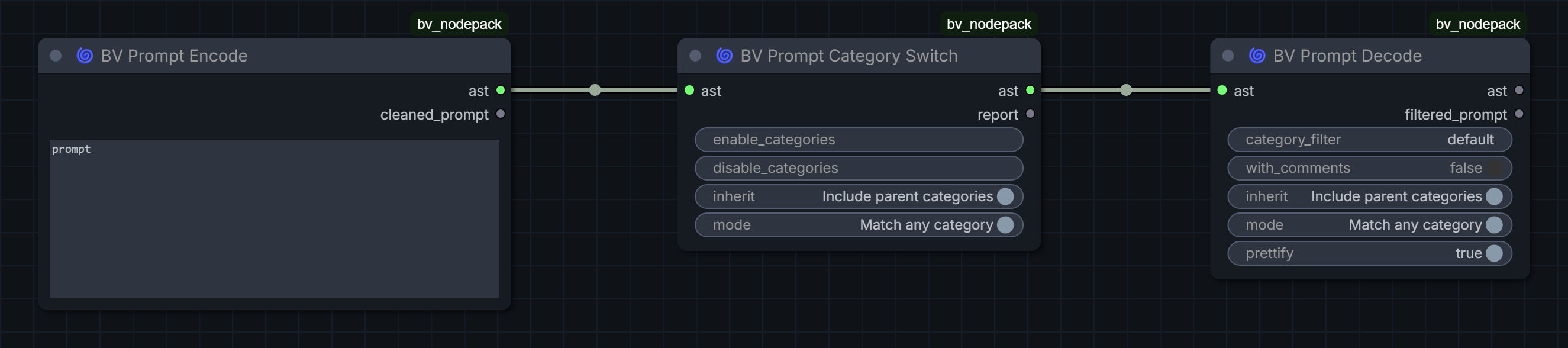
| Node | Purpose | | --- | --- | | BV Prompt Encode | Parses tagged source into BV_AST plus cleaned text | | BV Prompt Category Switch | Enables/disables categories with inheritance and any/all matching | | BV Prompt Decode | Materializes selected categories as plain text | | BV Prompt AST Debug | Displays the current AST as formatted JSON |

See the Prompt AST syntax and markup guide.

Subgraph interface nodes

These nodes build readable, purpose-specific Subgraph surfaces instead of exposing an undifferentiated list of widgets.

Subgraph UI layout

| Node | Purpose | | --- | --- | | BV Subgraph Heading | A projected section title with optional divider | | BV Subgraph Divider | A projected visual separator | | BV Subgraph Spacer | Controlled vertical spacing | | BV Dynamic Combo | A controlled choice that also emits string, integer and float views |

Presentation identity and serialized port identity remain separate so reload, copying and nested Subgraphs do not reorder exposed controls.

To project one of these presentation nodes onto a Subgraph interface:

  1. Create or open the Subgraph and add the presentation node between the controls it should visually separate.
  2. Expose the node's left input as a Subgraph input.
  3. Wire the surrounding data inputs to preserve the intended interface order.
  4. Return to the parent graph. The exposed input is rendered as the heading, divider or spacer instead of an ordinary editable field.
<details> <summary><strong>Heading: internal wiring and resulting Subgraph</strong></summary>

The heading input is exposed between the controls that should appear above and below it.

Heading wired inside a Subgraph

The parent Subgraph node renders that exposed position as a heading:

Heading rendered on a Subgraph

The heading text, font size and optional divider remain configurable on the inner node:

Editing a Subgraph heading

</details> <details> <summary><strong>Divider: internal wiring and resulting Subgraph</strong></summary>

Divider wired inside a Subgraph

Divider rendered on a Subgraph

</details> <details> <summary><strong>Spacer: internal wiring and resulting Subgraph</strong></summary>

Spacer wired inside a Subgraph

Spacer rendered on a Subgraph

</details>

Workflow control

BV Control Center defines named workflow states and applies explicit Activate, Mute or Bypass actions to graph/Subgraph groups.

Control Center workflow states

  • Multiple Control Center nodes remain synchronized.
  • Groups are discovered recursively in the root graph and inside Subgraphs, including nested Subgraphs, and are shown with their qualified Subgraph path.
  • Mute and Bypass are applied to the nodes contained in the selected group, even when that group lives inside a Subgraph definition.
  • A group belongs to its reusable Subgraph definition. If that definition has several instances, its controlled node modes therefore apply to every instance.
  • Active conflicts resolve deterministically as Activate > Mute > Bypass.
  • Conflicts and unresolved groups remain visible and block unsafe execution.
  • Base node modes are restored when controls stop applying.
  • The shared Control Center window is a workflow-global singleton even when several Control Center nodes exist; all instances edit the same workflow configuration.
  • Configuration changes autosave and participate in the shared bounded undo/redo history.
  • The Controls tab applies states immediately, while Configuration manages groups; Configuration opens initially when no controls have been defined.
  • The dedicated toolbar action appears only while a Control Center node exists.
<details> <summary><strong>Configure workflow states and group actions</strong></summary>

Each named state can assign Activate, Mute or Bypass to any discovered root or Subgraph group.

Control Center configuration

</details>

Latent and utility nodes

| Node | Purpose | | --- | --- | | BV Empty Latent Random Ratio | Selects enabled aspect ratios deterministically while preserving approximate square pixel area | | BV Latent Random Rotate 90 | Applies a seed-controlled 90-degree latent rotation | | BV Seed | Provides fixed, random-each-queue and last-queued modes with Subgraph projection | | BV Hex Color To Int | Converts three- or six-digit hex colors to integers |

Random-ratio latent

BV Latent Random Aspect Ratio is deprecated but retained for workflow compatibility.

Example workflows

Workflow PNGs contain importable ComfyUI metadata; matching JSON files are provided as metadata-independent fallbacks.

| Example | Preview | JSON | | --- | --- | --- | | Smart Pipe wireless merge | PNG | JSON | | Control Center states | PNG | JSON | | Subgraph UI layout | PNG | JSON | | Random-ratio latent | PNG | JSON | | Prompt AST categories | PNG | JSON | | Anima regional android dance | Workflow PNG | Regional document |

Regional document fixtures:

Architecture and compatibility

  • Stable IDs are authoritative; names and labels are presentation.
  • UI state is stored separately from semantic workflow documents.
  • Optional model integrations load lazily and cannot prevent unrelated nodes from registering.
  • Standard KSampler compatibility depends on the selected compiler/backend.
  • Missing capabilities fail visibly instead of silently degrading prompt meaning.
  • Nodes 2.0 and Subgraph behavior are tested independently from root-node rendering.

Technical references:

Current scope

  • Regional overlap execution currently supports joint; other modes are reserved.
  • Native regional conditioning provides masks, not model-internal attention isolation.
  • Built-in attention backends currently target Anima, SDXL-family models, Z-Image Turbo, FLUX.2 Klein 9B and experimental Krea 2.
  • Regional negative isolation depends on backend capability.
  • Regional results always combine prompt engineering, region geometry and overlap, model priors and sampling; attention routing guides rather than forces exact composition.
  • Region placement, overlap and strength guide conditioning but cannot guarantee exact object boundaries, poses, depth order or pixel-perfect interactions.
  • Wireless Smart Pipe compatibility remains sensitive to upstream prompt lifecycle changes.

Changelog

2026-08-23 — v0.18.2

  • Adopt the Fluent Cyclone mark and the #1345B7 CI palette across published BV NodePack brand assets and shared UI accent states.
  • Add white, black and light-tinted canonical logo variants together with the required Microsoft Fluent Emoji MIT attribution.
  • Replace the legacy Regional Editor window and minimized-window spiral with the canonical Cyclone geometry.
  • Keep the layout-profile icon compact and readable when a session layout is modified instead of allowing the footer control to expand.

2026-08-23 — v0.18.1

  • Restore pointer interaction for every Regional Editor drawing tool after the shared BV toolbar migration.
  • Close polygon drawings by clicking the initial point once at least three vertices have been placed.
  • Fix autocomplete styling and caret-relative placement in long, scrolled or transformed text areas, and refresh suggestions when the cursor moves.

2026-08-22 — v0.18.0

  • Move Smart Pipe and Smart Pipe Merge configuration into the shared BV window framework with synchronized native widgets, stable drag ordering and guarded drafts.
  • Add bounded in-memory undo/redo, Save/Discard baselines, draft JSON recovery and three-way migration for compatible external graph changes.
  • Add workflow-owned window-menu visibility with Smart Pipes hidden by default, recoverable hidden-node discovery and graph/subgraph-scoped node identities.
  • Integrate the workflow-global Control Center into the shared tabbed BV UI with autosave, immediate control actions and conditional toolbar discovery.
  • Add editor-type layout profiles, session working layouts, timed BV toasts and ComfyUI-modal-safe window layering as reusable framework services.
  • Harden Smart Pipe Merge routing across bypassed or muted sources and preserve active predecessor values during prompt materialization.
  • Document the BV window lifecycle and persistence contract and extend regression coverage for routing, history, discovery, lifecycle and responsive behavior.

2026-08-22 — v0.17.0

  • Add the shared BV UI module and offline component showcase as the canonical implementation and visual reference for BV-owned controls, dialogs and windows.
  • Unify Regional Editor, Quick Edit, Detailer Plan and Detector Registry window chrome, multi-node navigation, persistent switch preference and minimized shelf.
  • Add node-owned window state, full edge/corner resizing, responsive header and footer overflow, compact contextual help and a restrained shared radius scale.
  • Refine the Regional Editor dock, layer ordering, compact inspectors, Detailer Plan jobs and Detector Registry summaries using reusable production controls.
  • Add frontend regression coverage for shared UI integration, window lifecycle, responsive behavior, preferences, geometry and regional interaction ordering.

2026-08-21 — v0.16.0

  • Add the visual BV Regional Detailer Plan for ordered per-region jobs with grouping, mask/prompt composition, per-job conditioning and optional named detector assignment.
  • Add BV Detector Registry, which configures several self-loaded Ultralytics, ONNX and optional SAM detectors in one node while retaining an advanced binding adapter for compatible third-party detector objects.
  • Add the public Detailer Loop Start, Job Resolver, Impact Detect-to-SEGS and End workflow, carrying the plan, current image and job index through one loop state instead of exposing recursive implementation wiring.
  • Run detector inference only inside each padded regional crop, rebase detections to full-image coordinates and gate the resulting SEGS with the composed region mask; jobs without a detector use their region mask directly.
  • Preserve each processed image as the input to the next job, allowing detector- backed and mask-only Detailer/Both regions to run sequentially with their own positive and negative prompt context.
  • Validate the complete seven-job Anima workflow in ComfyUI with Person, Hand and Face detector assignments plus detectorless regional jobs and an Impact Detailer (SEGS/pipe) consumer.
  • Add frontend and Python regression coverage for plan/registry configuration, optional detector routing, ROI coordinate rebasing, loop-state propagation and recursive graph expansion.

2026-08-20 — v0.15.0

  • Add spatially aware regional prompt enhancement that uses immutable canvas, geometry, hierarchy, overlap and prompt relationships to improve scene coherence, spatial wording and object ownership without changing region structure.
  • Add separate proposal and verified-apply nodes with Anima hybrid, natural-language and conservative tag-only policies plus a bounded creativity control.
  • Add compatible local generation through ComfyUI CLIP and configurable OpenAI-compatible HTTP providers, including managed profiles for hosted services, Ollama, LM Studio, llama.cpp, vLLM and LocalAI.
  • Store provider keys separately from workflows and keep user settings independent from the versioned provider catalog.
  • Cache successful provider responses by effective enhancer input so unchanged requests do not trigger another paid call after workflow edits or restarts.
  • Document tested local and hosted model recommendations, direct model links and the remaining nondeterminism of LLM output and image-model object binding.

2026-08-20 — v0.14.0

  • Add BV Regional Detailer Mask, a package-neutral bridge that renders a selected BV region and emits an Impact-compatible BASIC_PIPE with separately encoded positive and negative conditioning.
  • Add BV_REGIONAL v2 region usage modes for generation, detailer-only or both; migrate v1 documents deterministically to generation usage.
  • Let the primary region define the detail mask while optional context regions add independently weighted prompt conditioning without expanding that mask.
  • Expose Global, Background, primary-region and context-region influence controls, plus plain and ComfyUI-weighted resolved prompt text for inspection.
  • Preserve dynamic primary/context selections across workflow save and reload by serializing only the canonical backend widget values in stable order.
  • Document direct MaskDetailer (pipe), editable SEGS and detector-gated Impact workflows without importing or vendoring Impact Pack internals.

2026-08-20 — v0.13.0

  • Add experimental token_gated_singlepass regional model-LoRA execution to BV Regional Anima Conditioning while retaining multipass_legacy as the default for backward compatibility and published-result reproduction.
  • Apply compatible regional LoRA deltas to Anima text and spatiotemporal image tokens inside the existing attention pass, eliminating additional per-stack model passes.
  • Preserve global LoRAs, scoped CLIP encoding and the intentional unmodified base_ratio pass; reject unsupported or non-maskable model layers explicitly.
  • After the configured attention window, stop regional text routing and retain a spatial image-LoRA tail that decays towards 35 percent to reduce late identity drift.
  • Document that single-pass output intentionally differs from multipass and that overlapping subjects, shared anatomy and contradictory prompts remain limited by both competing regional influence and the underlying model's generative capability.

2026-08-20 — v0.12.0

  • Add token-gated single-pass regional LoRA and LoKr execution to BV Regional Krea 2 Attention (Experimental): compatible adapter deltas are multiplied by their regional text/image-token masks inside one model pass.
  • Make token_gated_singlepass the new Krea regional-LoRA default while retaining multipass_legacy as an explicit reproduction and compatibility fallback.
  • Preserve regional CLIP-hook encoding, inherited global stack semantics, intentional duplicate adapters, promptless regional LoRA masks and Krea reference-image tokens.
  • Fail explicitly when a LoRA requires a model layer without a spatial token axis instead of silently applying that layer globally; log adapter and patched-layer counts.
  • Validate the single-pass path with the existing dual-style Krea workflow on Krea 2 Turbo FP8 at 768 x 768, eight steps and CFG 1; the observed run completed in about 20.6 seconds and produced a coherent overlap without a hard regional seam.
  • Document that workflows saved before regional_lora_mode existed select the new default when loaded and may therefore render differently; select multipass_legacy when exact reproduction of an older Krea regional-LoRA result matters.

2026-08-19 — v0.11.0

  • Add optional regional LoRA hooks to BV Regional Krea 2 Attention (Experimental) without changing workflows that leave the new inputs disconnected.
  • Encode every Krea text slot with its assigned scoped CLIP hooks, then compose distinct model-side LoRA stacks as mask-weighted full-model passes.
  • Preserve the existing 28-block Krea attention router and remove slot-local hook metadata before the combined conditioning reaches the sampler.
  • Validate two independently assigned character LoRAs with 20-percent overlapping regions, including a shared interaction area, and document the substantial multipass memory and runtime cost.

2026-08-19 — v0.10.1

  • Add optional regional LoRA hooks to BV Regional Anima Conditioning while preserving workflows that leave lora_registry and lora_bindings disconnected.
  • Compose regional LoRA model effects as masked full-model passes without changing the existing Anima attention router; share passes between identical model stacks.
  • Keep empty and fully disabled LoRA stacks as valid no-ops, and avoid additional model passes when regional stacks differ only in CLIP strength.
  • Document the expected baseline-plus-distinct-stacks pass count and its sampling performance impact, with regression coverage for global, regional and overlapping use.

2026-08-19 — v0.10.0

  • Add optional regional LoRA hooks to BV Regional Native Conditioning while preserving previous workflows that use only the original BV_REGIONAL output.
  • Add chainable BV Named LoRA Stack registry nodes and a documented public v1 registry/bindings contract for compatible external LORA_STACK producers.
  • Add exclusive, hybrid and mask_bounds native composition modes alongside the backward-compatible blend default; reject unsupported Anima mask-bounds execution with an explicit compatibility message.
  • Treat assigned but currently empty or disabled LoRA stacks as valid no-ops.
  • Reconcile region bindings when documents are loaded, imported, edited or queued; preserve document and binding state together across editor undo and redo.
  • Search autocomplete candidates inside tags while retaining prefix matches first, and expose LoRA stack selection in the Quick Prompt Editor.
  • Document controlled Anima dual-character and skin-tone isolation workflows with fixed settings, embedded workflow metadata and explicit model/LoRA limitations.
  • Regional LoRA support in model-specific Attention nodes remains outside this release and is planned as a separate backend extension.

2026-08-18 — v0.9.0

  • Add additive and subtractive rectangle, ellipse and click-to-place polygon tools.
  • Extend the BV_REGIONAL v1 schema, validation, transforms and backend mask renderer with ellipse and polygon geometry while preserving existing documents.
  • Add a persistent, inspection-only binary mask preview that resolves enabled mask operations and region feather without authoring overlays or background images.
  • Show zoom-stable cyan Add/transform and dashed red Subtract previews, live polygon edges and canvas-pixel dimensions while drawing, moving or resizing geometry.
  • Cover geometry contracts, hit testing, transforms, mask composition, persistence and schema validation with frontend and Python regression tests.

2026-08-18 — v0.8.0

  • Add an experimental Krea 2 regional joint-attention backend with normal KSampler compatibility.
  • Route Global, Background and regional Qwen3-VL contexts through all 28 main single-stream attention blocks.
  • Keep the four upstream text-fusion/refiner blocks global and document this as an explicit experimental isolation limit.
  • Normalize missing all-ones Krea attention masks and add architecture/memory guards, tests, an importable regional document and verified screenshots.
  • Document that successful regional composition combines prompt engineering, mask geometry, actual spatial need, model priors and sampling settings; attention routing is guidance, not hard layout enforcement.

2026-08-18 — v0.7.0

  • Add an exact-architecture FLUX.2 Klein 9B joint-attention backend for BV_REGIONAL documents with standard ComfyUI sampling paths.
  • Route Global, Background and regional Qwen3-8B contexts through all double- and single-stream attention blocks while preserving joint overlap semantics.
  • Emit zero negative conditioning for the distilled 9B profile and reject Klein 4B, full FLUX.2 and unrelated architectures explicitly.
  • Add dense-mask memory guards, regression coverage, an importable separation-test document and verified workflow/editor/result screenshots.
  • Document that sampler, scheduler, guidance and model-sampling configuration remain caller-owned and must be validated independently from regional routing.

2026-08-18 — v0.6.0

  • Add a Z-Image Turbo joint-attention backend for BV_REGIONAL documents with standard-KSampler positive and zero negative conditioning.
  • Route Global, Background and regional text contexts through Z-Image Turbo's model-internal attention while preserving overlapping region behavior.
  • Validate regional attribute separation against untuned Native Conditioning with matching prompts, geometry, seed and sampling settings.
  • Reject incompatible model architectures explicitly and cover compilation, attention routing, strength, timing and failure behavior with regression tests.
  • Add an importable Z-Image Turbo separation-test document and illustrated attention and Native workflow evidence.

2026-08-18 — v0.5.0

  • Add a generic SDXL cross-attention routing backend for BV_REGIONAL documents with standard-KSampler positive and negative conditioning.
  • Validate the backend in real GPU workflows with WAI Illustrious SDXL and Pony Diffusion V6 XL, including controlled untuned Native Conditioning comparisons.
  • Keep Global context available everywhere, restrict Background to uncovered pixels, route regions through rendered masks and preserve joint overlap semantics.
  • Reject non-SDXL model architectures explicitly and cover model detection, routing, overlap, strength and failure behavior with regression tests.
  • Add an importable SDXL attribute-separation document and illustrated workflow evidence.

2026-08-17 — v0.4.1

  • Publish an explicit, documented node_list.json so ComfyUI Registry and Manager can identify all 31 nodes despite the pack's dynamic module loader.
  • Validate the manual node list against every declared NODE_CLASS_MAPPINGS key during CI to prevent registry metadata drift.
  • Run TypeScript-backed frontend behavior tests through an explicit tsx loader so the Node 20 validation runner matches local test behavior.
  • Declare the shipped JavaScript test modules as ESM explicitly instead of relying on Node 24 syntax detection that is unavailable in the Node 20 CI job.

2026-08-17 — v0.4.0

  • Add native Anima LLLite layout control with deterministic regional color images, debug legends, documented patch ordering and controlled A/B reference assets.
  • Add lossless compound-layer merge/split, resolution-aware disconnected-area splitting and editable region display colors to the Regional Editor.
  • Close Regional Editor surfaces when switching workflows and preserve the active workflow boundary safely.
  • Open prompt completions at the active caret by default, with optional field-aligned placement in global settings and the editor menu.
  • Refresh the Regional Editor and autocomplete documentation assets and disclose the project's AI-assisted development process.

2026-08-17 — v0.3.5

  • Restore repository-relative README image paths so GitHub and local Markdown previews resolve the committed files without an external Raw CDN dependency.
  • Keep the header on the PNG Registry banner instead of the SVG source.

2026-08-17 — v0.3.4

  • Use explicit Raw GitHub URLs for every README image instead of relying on repository-relative image resolution.

2026-08-17 — v0.3.3

  • Use the Registry PNG banner for reliable README rendering on GitHub and mirrors.

2026-08-17 — v0.3.2

  • Add Registry icon and 21:9 Nodes Manager banner metadata.
  • Publish the illustrated Regional Editor, Anima workflow and autocomplete documentation.
  • Preserve Quick Edit synchronization and background-image display state across editor sessions.
  • Extend selected brush layers and expose background-image opacity controls.

2026-08-17 — v0.3.1

  • Extend BV Prompt Autocomplete to ordinary ComfyUI multiline text widgets.
  • Keep completion keyboard handling local and provide explicit widget opt-out.
  • Clean up listeners when nodes are removed and prevent duplicate adapter installation.

2026-08-17 — v0.3.0

  • Add the BV-owned lazy CSV/TSV completion provider with extensible metadata.
  • Add global/editor controls and ordered completion datasets.
  • Bundle bv_default_tags.csv so completion has no runtime dependency on another node pack.

2026-08-17 — v0.2.0

  • Add the model-neutral Regional Editor and document toolchain.
  • Add native masked conditioning and built-in Anima attention backends.
  • Add Quick Edit and preview/save image feedback senders.

2026-08-14 — v0.1.0

  • Add Smart Pipe and native random-ratio empty latents.
  • Harden AST, Dynamic Combo, Subgraph UI, Control Center, debug, rotation and hex nodes.

Earlier history remains available in the Git log.

Acknowledgements

Generative AI systems served as collaborative development tools throughout this project, supporting research, code generation, refactoring, test design and documentation. Their contribution is acknowledged openly alongside the human architecture, creative direction, review and practical validation behind the pack.

BV Node Pack is built on ComfyUI's extension ecosystem. Several open-source projects helped shape its product ideas, interaction patterns and technical research:

  • ComfyUI and ComfyUI Frontend provide the runtime, graph, Subgraph and extension foundations this pack integrates with.
  • ComfyUI Impact Pack provides the detector providers, SEGS contract and Detailer consumer used by the optional detector-aware Regional Detailer Loop integration. BV owns its plan, registry, regional crop/mask gating and loop control rather than vendoring Impact internals.
  • rgthree-comfy influenced the focus on fast workflow controls, compact graph tooling and practical seed/control UX.
  • ComfyUI_agilly1989_motorway was the original inspiration for configurable BV Pipes. Motorway demonstrated that a pipe could carry user-named values through a workflow and overwrite an existing key downstream instead of relying only on a permanently fixed port set. BV Smart Pipe developed that idea further with incremental slot inheritance, stable slot identities, independent branches, wireless routing and explicit merges.
  • cg-use-everywhere, commonly known as Use Everywhere, inspired the wireless-routing direction. Its approach demonstrated how values can be broadcast without visible graph links and how routing rules can disambiguate targets in complex workflows. BV Smart Pipe uses its own explicit predecessor, stable-address and branch/merge semantics.
  • ComfyUI-KJNodes, especially the Ideogram regional prompt-builder workflow, inspired the idea of a dedicated editor surface that can remain available while navigating the graph.
  • ComfyUI_LC123_nodes demonstrated painted regional authoring and provided useful Krea 2 and Anima workflow references.
  • ComfyUI-Krea2-Regional by januspluto provided the reference implementation and core activation-space approach for token-gated single-pass regional LoRA and LoKr execution on Krea 2. BV adapts those techniques to its regional document, named LoRA-stack and compatibility architecture; the upstream MIT attribution is reproduced in Third-Party Notices.
  • Comfyui-Anima-Regional-Conditioning provided the technical basis for the built-in Anima patch. Its MIT attribution is reproduced in Third-Party Notices.
  • RES4LYF was studied as an architectural reference for regional attention, overlap and model-specific backends. BV does not copy its implementation.
  • comfy-ex-tagcomplete informed completion behavior and supplied the baseline public tag-data snapshot. BV uses its own completion implementation; dataset provenance is documented separately.

Thank you. BV Node Pack would not have grown into its current form without the maintainers, researchers and workflow creators who share their code, ideas, experiments and hard-earned findings with the ComfyUI community. Their openness made it possible to study different approaches, learn from them and build something new on top of that collective knowledge. We sincerely appreciate the time and care behind every project acknowledged above.

Inspiration acknowledgements do not imply endorsement, affiliation or a runtime dependency unless explicitly stated.

License

BV Node Pack is licensed under GNU GPL v3. Third-party-derived components and datasets are documented in THIRD_PARTY_NOTICES.md.